You’ve got a product idea, a budget range, and a deadline that’s probably tighter than it should be. Now you need to figure out what “mobile app development services” actually means, not the marketing version, but the real scope of work, the real costs, and the real decisions that determine whether you ship something useful or burn through cash on a half-finished prototype.
This guide covers everything a buyer needs to know in 2026: what you’re paying for, how much it actually costs over three years (not just the build), which technical approach fits your constraints, how to evaluate vendors without getting burned, and what happens after launch that nobody warns you about. By the end, you’ll have a vendor-evaluation toolkit, a sample MVP milestone plan, cost models with worked examples, and a compliance checklist updated for current App Store and Google Play policies.
What You’re Actually Buying
“Mobile app development services” is an umbrella term, and if you treat it like a single line item, you’ll get surprised by out-of-scope invoices. The full scope typically covers discovery and scoping workshops, UI/UX design, frontend engineering (the app itself), backend engineering (servers, APIs, databases), quality assurance, App Store and Google Play submission, and post-launch support. Some vendors bundle all of this. Others quote only the build and treat everything else as an add-on. The difference between those two approaches can be a 30-40% cost surprise after you’ve already signed.
Phases and Deliverables
A well-structured engagement moves through distinct phases, each with a concrete deliverable you can evaluate:
- Discovery (1-2 weeks): User stories, feature prioritization matrix, technical architecture document, and a signed-off scope. This is the phase where scope creep either gets prevented or gets baked in.
- Design (1-3 weeks): Wireframes, high-fidelity mockups, interactive prototype (Figma or similar), and a design system. You should be able to tap through every core flow before a single line of code is written.
- Development (3-12+ weeks): Frontend code (native iOS, native Android, or cross-platform via Flutter/React Native), backend APIs, database schema, third-party integrations (payments, auth, push notifications), and CI/CD pipeline setup.
- QA and Submission (1-2 weeks): Manual and automated testing, device matrix coverage, performance profiling, accessibility audit, and the actual App Store/Google Play submission package, including screenshots, metadata, privacy manifests, and data safety forms.
- Post-Launch Support: Bug fixes, OS compatibility updates, performance monitoring, and iterative feature work. This phase is ongoing and often underbudgeted.
Agency vs Freelancer vs In-House vs Low-Code
The four main engagement models differ on the variables that actually matter to startup buyers, not just hourly rate.
| Model | Speed to MVP | IP Ownership | Cost Predictability | Technical Ceiling |
|---|---|---|---|---|
| Agency / Studio | 4-8 weeks | Transferred on completion (verify contract) | High if fixed-scope | High |
| Freelancer(s) | 6-12 weeks | Varies, often ambiguous | Low (T&M typical) | Medium |
| In-House Team | 8-16 weeks (hiring lag) | Automatic | Low (salaries + overhead) | High |
| Low-Code / No-Code | 1-4 weeks | Platform-dependent | High | Low |
The fixed-scope, fixed-price model is worth asking any vendor about because it shifts delivery risk from buyer to builder.
Studios like CompletApp structure engagements this way, including a milestone-one walkaway clause, meaning if the first milestone deliverable doesn’t meet acceptance criteria, you can exit without paying for the full project. That’s what a buyer-friendly contract looks like. It’s not the only valid model, but it’s the one that forces a vendor to scope honestly upfront.
With scope understood, you can evaluate cost, timelines, and vendor fit, which is exactly where we’re headed.
Cost, Timelines, and Total Ownership
Most cost guides give you a range and stop there. That’s not enough. The build cost is only the down payment on a multi-year commitment, and if you budget only for the build, you’ll either run out of money six months after launch or let the app rot while your competitors iterate. Here’s the full picture.
2026 Cost Bands by Complexity
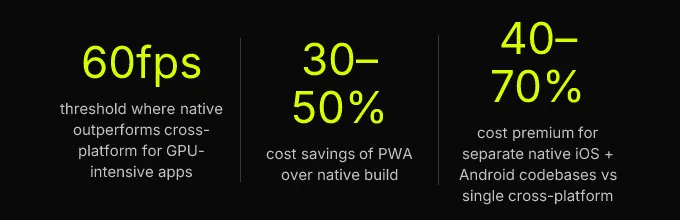
These ranges reflect 2026 market rates across common sourcing regions. They assume a cross-platform build (Flutter or React Native) unless noted otherwise; native iOS development and native Android development as separate codebases typically add 40-70% to the total.
| Complexity | Scope Example | US/UK Agency | Eastern Europe / LatAm | Timeline |
|---|---|---|---|---|
| MVP | 3-5 core screens, auth, one integration (payments or API), basic analytics | $25k-$40k | $15k-$25k | 4-8 weeks |
| Mid-Complexity | 10-20 screens, real-time features, admin dashboard, push notifications, on-device AI feature | $60k-$120k | $40k-$75k | 3-5 months |
| Enterprise | Multi-role access, offline-first sync, regulatory compliance (HIPAA/SOC 2), custom backend | $120k-$300k+ | $80k-$180k+ | 6-12+ months |
These numbers feel real because they are. A $15k MVP is possible, but it means a tight scope, a cross-platform framework, and a team in a lower-cost region. A $300k enterprise app means custom infrastructure, compliance audits, and a dedicated team for six months or more.
The TCO Model Most Buyers Ignore
Build cost is year-one spending. Total cost of ownership (TCO) is what the app actually costs you over its useful life. Here’s what gets left out of most proposals.
Maintenance and Third-Party Fees
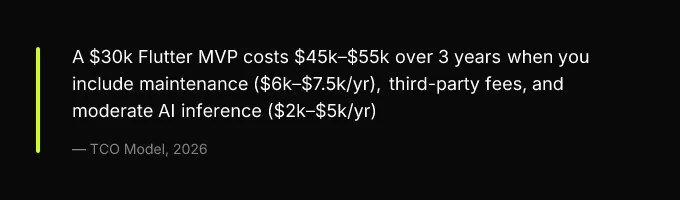
Annual mobile app maintenance runs 15-25% of the original build cost. For a $30k MVP, that’s $4,500-$7,500 per year, covering OS compatibility updates (Apple and Google each ship a major release annually, requiring 2-6 weeks of adaptation work), dependency updates, security patches, and minor feature iterations.
On top of maintenance, third-party services add up fast:
- App Store fees: Apple charges $99/year (or $0 under the Small Business Program for the first year in some cases); Google charges a one-time $25.
- Firebase: Free tier covers early traction, but Firestore reads at scale can hit $0.36 per 100k reads. A moderately active app with 10k DAU can generate $200-$600/month in Firebase costs.
- Supabase: Pro plan starts at $25/month with more predictable pricing at scale, database size and bandwidth are the cost drivers, not read counts.
- Stripe: 2.9% + $0.30 per transaction. On $50k/month in revenue, that’s ~$1,750/month.
- RevenueCat: Free up to $2,500 MTR, then 1% of tracked revenue. Useful for subscription management but adds another cut.
- Push notifications: Firebase Cloud Messaging is free. OneSignal charges above 10k subscribers on the free tier.
AI Inference Costs at Scale
If your app includes AI features, and in 2026, most competitive apps do, inference costs become a meaningful line item. Cloud API calls to models like GPT-4o run $0.002-$0.02 per call depending on token volume. An app making 500 AI-assisted calls per day (think: smart search, content summarization, personalized recommendations) costs $1-$10/day, or $365-$3,650/year. At 5,000 calls/day, you’re looking at $10k-$36k/year in inference alone.
On-device AI (using Core ML, TensorFlow Lite, or MediaPipe) eliminates per-call costs but adds 20-80MB to your app binary and requires model optimization expertise. The tradeoff is real: zero marginal cost per inference, but higher upfront development cost and larger download size.
A 4-Week MVP Milestone Plan
Non-technical stakeholders need a framework to validate progress without relying on the vendor’s word. Here’s a sample plan with acceptance criteria per milestone, adapt the specifics to your product, but keep the structure.
| Week | Milestone | Acceptance Criteria |
|---|---|---|
| 1 | Discovery + Design | Signed-off wireframes for all core flows, finalized data model diagram, confirmed third-party integrations list, design system with component library |
| 2 | Core Build | Auth flow working (sign-up, login, password reset), core screens clickable and navigable in TestFlight (iOS) or internal testing track (Android), API endpoints documented |
| 3 | Feature Completion | Backend business logic complete, payment flow functional end-to-end (Stripe test mode), push notifications triggering correctly, on-device or cloud AI feature returning expected outputs |
| 4 | QA + Submission | Zero P1 bugs, fewer than 3 P2 bugs, crash-free rate >99% on test devices, App Store/Play Store submission package complete (screenshots, privacy manifest, data safety form), submission submitted |
This plan assumes a focused MVP scope (3-5 core screens, one integration, one AI feature) and a team of 2-4 people working full-time. Broader scope pushes you into the 6-8 week range. Enterprise builds with compliance requirements stretch to 6-12+ months because the QA, security audit, and regulatory phases alone can take weeks.
The key discipline: each milestone has a review meeting where the buyer signs off or flags issues. If Week 2’s deliverable doesn’t meet criteria, you course-correct before Week 3 starts, not after the money’s spent.
Choosing Your Technical Approach
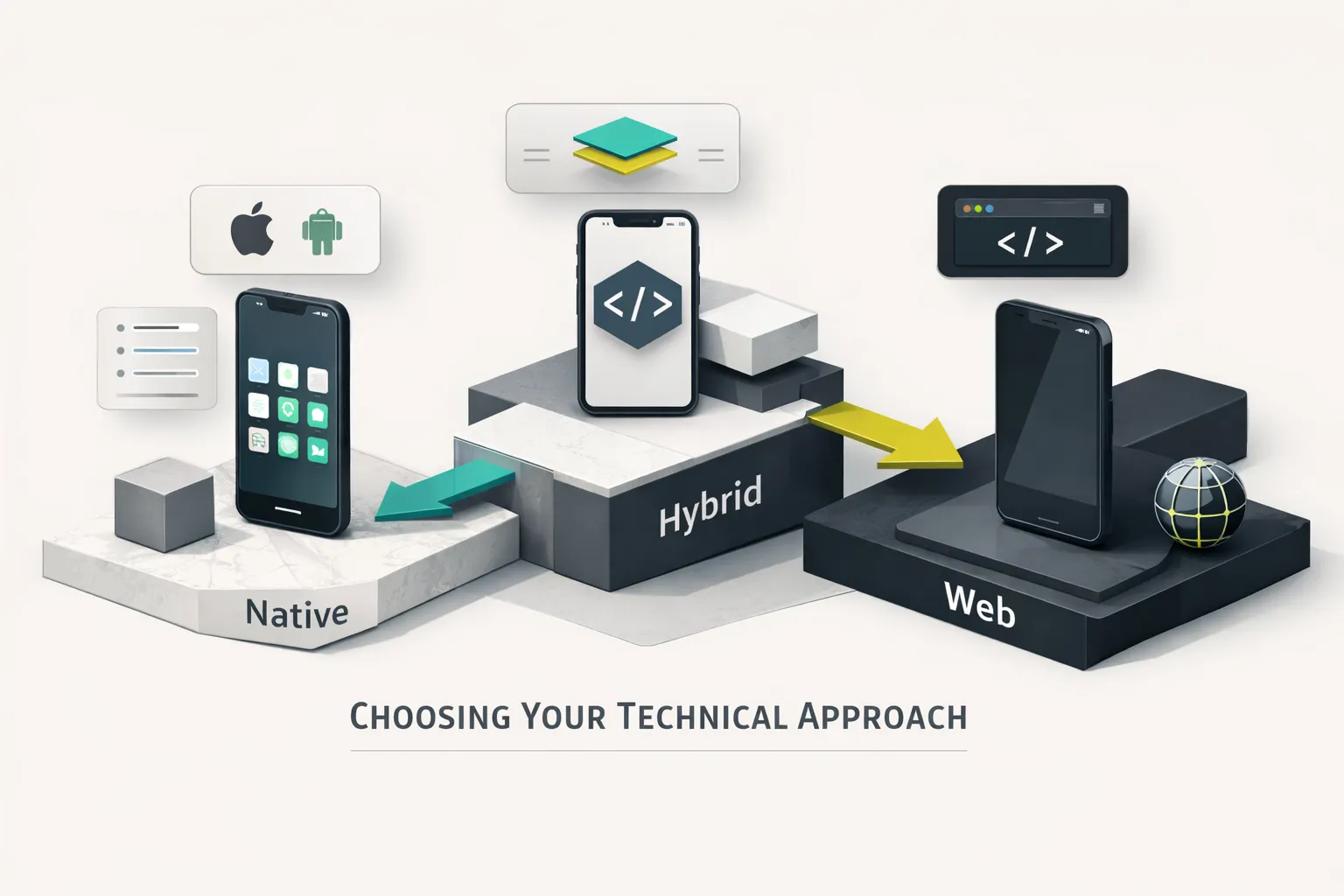
The “native vs cross-platform” debate has been oversimplified for years. The right answer depends on measurable product requirements, not ideology. Here’s how to decide based on what your app actually needs to do.
Native, Cross-Platform, or PWA
Three decision criteria matter more than any other:
Frame rate and hardware access. If your app requires consistent 60fps rendering, gaming, AR experiences, complex animations tied to device sensors, native iOS development (Swift) and native Android development (Kotlin) give you direct access to platform rendering pipelines and hardware APIs. Cross-platform frameworks like Flutter and React Native have closed the gap significantly, but they still add an abstraction layer. Flutter’s Impeller rendering engine handles most UI at 60fps, but if you’re building a camera-based AR feature that uses ARKit or ARCore extensively, you’ll end up writing platform-specific code anyway.
Time to market. If you need one codebase shipping to both stores in under 8 weeks, cross-platform development wins. Flutter and React Native let a single team build for iOS and Android simultaneously. Kotlin Multiplatform (KMP) offers a middle ground, shared business logic with native UI layers, but it requires developers comfortable in both Kotlin and Swift, which narrows your hiring pool. As of 2026, Flutter holds the largest cross-platform market share, while KMP is gaining traction in teams that already have strong Kotlin expertise.
Installation friction. If your target audience is mobile-web-first, think emerging markets, B2B tools accessed via links, or campaigns driving traffic from social media, a progressive web app (PWA) eliminates the App Store download step entirely. PWAs work offline (with service workers), support push notifications on Android and iOS (since iOS 16.4+), and cost 30-50% less to build than a native app. The tradeoff: no access to HealthKit, NFC, Bluetooth LE, or other hardware APIs, and Apple’s PWA support remains limited compared to Android’s.
When AI Belongs in Your App
AI features are table stakes in 2026, but “add AI” is not a product decision, it’s an architecture decision with cost, latency, privacy, and offline implications. Here’s the decision tree.
On-Device vs Cloud vs Hybrid
On-device (Core ML, TensorFlow Lite, MediaPipe): Choose this when latency must stay under 100ms, the feature must work offline, or the data is too sensitive to leave the device. Use cases: on-device OCR, face detection, real-time pose estimation, local language detection. Tradeoffs: models add 20-80MB to app size, require optimization (quantization, pruning) to run on mid-range devices, and model updates require app updates or a model-delivery pipeline.
Cloud (OpenAI, Anthropic Claude, Google Gemini): Choose this when reasoning quality matters more than latency and the user is reliably online. Use cases: content generation, complex summarization, multi-step reasoning, semantic search. Tradeoffs: 300-800ms round-trip latency, $0.002-$0.02 per call at GPT-4o-level pricing, and dependency on a third-party API’s availability and pricing stability.
Hybrid: Choose this when you need a fast local fallback with cloud enhancement. Example: an on-device model handles basic text classification instantly, and a cloud call enriches the result with a more capable model when connectivity allows. This pattern gives you sub-100ms perceived responsiveness while preserving quality for complex queries.
The practical rule: start with cloud inference during MVP (faster to implement, no model optimization needed), then move latency-sensitive or high-volume features on-device as usage scales and inference costs become material.
Backend: Firebase, Supabase, or Self-Hosted
Your mobile backend as a service (BaaS) choice affects four things buyers actually care about:
| Need | Firebase | Supabase | Self-Hosted |
|---|---|---|---|
| Auth simplicity | Excellent, drop-in SDKs for email, social, phone | Good, built on GoTrue, supports same providers | You build it (or use Auth0/Clerk, adds cost) |
| Realtime sync | Firestore listeners are best-in-class | Postgres LISTEN/NOTIFY + Realtime server, solid but newer | Full control, full responsibility |
| Offline-first | Firestore offline persistence is mature and battle-tested | Limited, requires manual caching strategies | Depends entirely on your implementation |
| Cost at scale | Unpredictable, read/write pricing can spike | Predictable, database size + bandwidth pricing | Lowest marginal cost, highest DevOps overhead |
Firebase vs Supabase comes down to this: Firebase wins if you need offline-first sync and want the deepest mobile SDK ecosystem. Supabase wins if you want SQL flexibility, open-source portability, and predictable costs as you scale past 50k users. Self-hosted wins on data sovereignty (required for some healthcare and fintech use cases) but adds 10-20 hours/month of DevOps work that a BaaS eliminates.
Hiring Right: Vendor Evaluation
The difference between a good vendor and a bad one rarely shows up in their portfolio. It shows up in how they answer hard questions, what their contract actually says, and whether they’ve kept up with the latest App Store Review Guidelines and Google Play Developer Policy changes. Here’s the toolkit.
20 Questions That Reveal Real Capability
Organize these into four categories and send them as part of your RFP. The quality of the answers, not just the content, tells you whether you’re talking to a production-grade team or a pitch deck.
Technical (5 questions):
- What CI/CD for mobile pipeline do you use, and how do you handle build signing and distribution?
- How do you handle breaking OS updates (e.g., a new iOS release deprecating an API you depend on)?
- What’s your app performance monitoring stack? (Look for Crashlytics, Sentry, Datadog, or equivalent.)
- How do you manage state in cross-platform apps, and what architecture pattern do you default to?
- Walk me through how you’d implement offline-first data sync for this specific feature.
Commercial (5 questions):
- Is the scope fixed or time-and-materials? If fixed, what happens when scope changes mid-project?
- Who owns the IP on day one? On final payment? What about during partial completion?
- Do you offer source code escrow for work-in-progress?
- What’s included in your post-launch support, and what costs extra?
- Can you provide references from clients who launched in the last 6 months?
Process (5 questions):
- How do you handle scope creep, what’s the change request process?
- What does a milestone review look like, and what sign-off do you need from us?
- How often will we see working builds (not mockups)?
- What QA process do you follow, and do you do automated testing?
- How do you handle App Store rejections?
Risk (5 questions):
- What happens if you miss a deadline? Is there a penalty or credit clause?
- Do you carry errors and omissions (E&O) insurance?
- How do you handle team member turnover mid-project?
- What’s your disaster recovery plan for our production environment?
- Have you ever had a client’s app rejected by Apple or Google? What happened?
A vendor who answers all 20 with specifics, naming tools, describing processes, sharing examples, is worth talking to. A vendor who deflects with “we’ll figure that out as we go” is not.
Contract Clauses That Protect You
Three clauses are non-negotiable. If a vendor pushes back on any of them, that’s a signal.
1. IP and source code assignment. All intellectual property transfers to you upon final payment. For partial completion scenarios, source code should be held in escrow (GitHub, GitLab, or a third-party escrow service) and released to you if the vendor defaults. The contract should specify that work-in-progress code is your property, not the vendor’s leverage.
2. Post-launch SLA. P1 critical bugs (app crash, data loss, security vulnerability) fixed within 24-48 hours. P2 bugs (broken feature, UI regression) fixed within 5 business days. Define what “fixed” means: deployed to production, not just committed to a branch.
3. Data Processing Agreement (DPA). If the app handles personal data, and almost every app does, a DPA is required for GDPR compliance and increasingly expected by Apple and Google during app review. The DPA should specify data storage locations, encryption standards, breach notification timelines, and sub-processor lists.
App Store Compliance in 2026
App Store rejections cost you time and credibility. Here are the 2024-2026 policy changes that cause the most rejections, and the exact steps to prevent them.
Apple:
- Privacy manifest requirement (iOS 17+): Every app must include an
NSPrivacyAccessedAPITypesdeclaration listing required reason APIs (UserDefaults, file timestamp, disk space, etc.). Missing or incomplete manifests trigger automatic rejection. Run a privacy manifest audit using Xcode’s built-in report before every submission. - Alternative payment entitlements (EU, post-DMA): Apps distributed in the EU can offer alternative payment methods, but must apply for the StoreKit External Purchase entitlement and comply with Apple’s disclosure requirements. Non-EU apps that attempt alternative payments will be rejected.
- Expanded privacy nutrition labels: Apple now requires more granular data collection disclosures. Incomplete or inaccurate labels trigger review flags.
Google Play:
- Developer verification: New developer accounts require identity verification (D-U-N-S number for organizations) before publishing. This can take 5-10 business days, don’t wait until submission week.
- Target API level enforcement: Apps must target Android 14+ SDK (API level 34) as of late 2025. Apps targeting older APIs are rejected from new submissions and eventually delisted from updates.
- Data safety section: Google requires a complete data safety form covering all data types collected, shared, and processed. Inconsistencies between declared behavior and actual app behavior trigger review failures.
Prevention checklist: audit your privacy manifest, test on the minimum supported OS version, complete the data safety form before submission (not during), verify your developer account well in advance, and target the current API level from day one of development.
Post-Launch: Costs, KPIs, and Observability
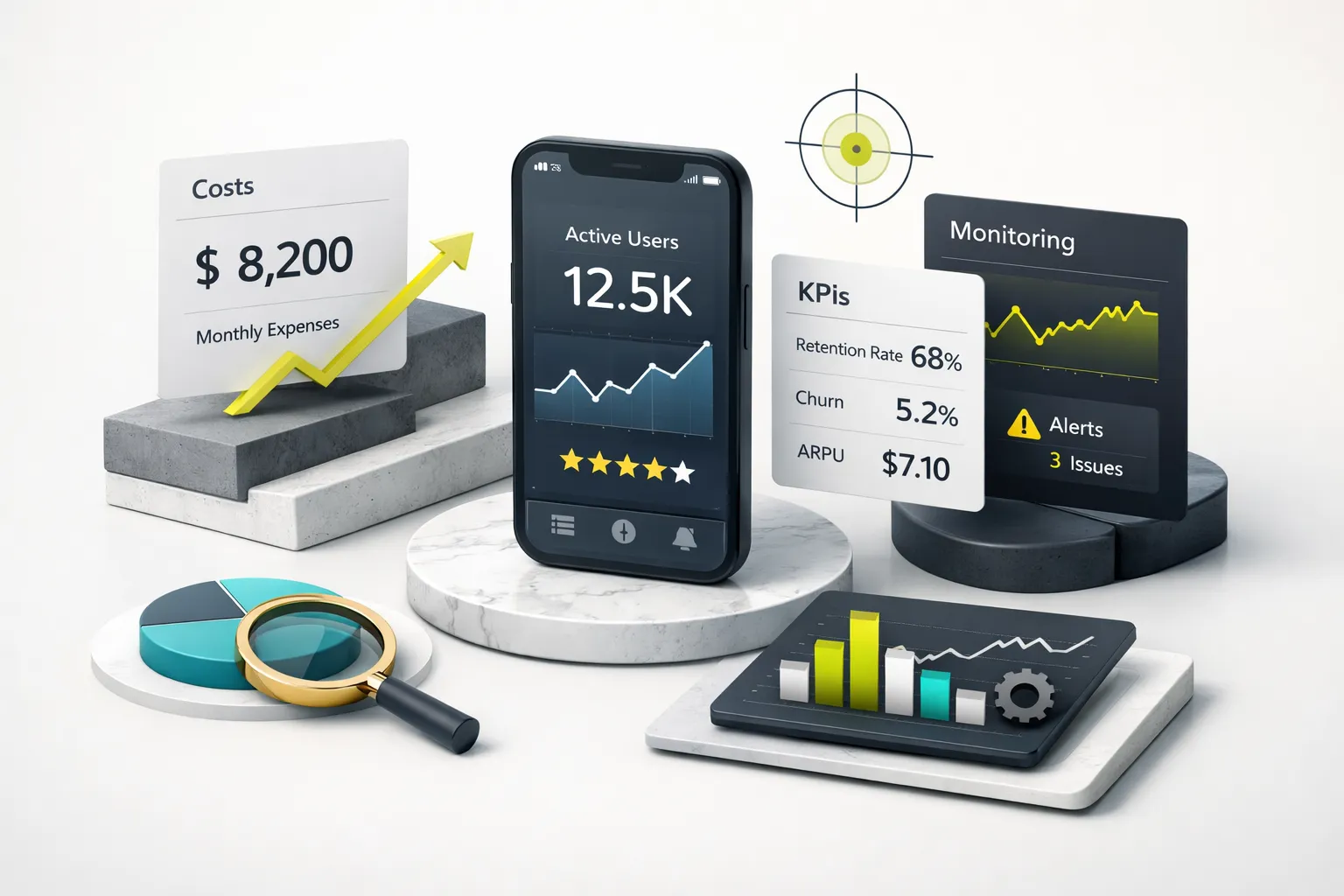
Launching is not the finish line, it’s the starting line. The transition from “we shipped” to “we’re operating a live product” requires ongoing investment, defined accountability metrics, and instrumentation that’s set up before launch, not bolted on after the first outage.
The First 90 Days
Budget 15-25% of your build cost per year for mobile app maintenance. For a $30k MVP, that’s $375-$625/month covering OS updates, dependency patches, security fixes, and minor feature iterations. This isn’t optional, it’s the cost of keeping a live product functional.
Here’s the observability checklist for your first 90 days, with the thresholds that actually predict retention and revenue:
| Metric | Target | Action if Breached |
|---|---|---|
| Crash-free session rate | >99.5% | Trigger a hotfix sprint; investigate top crash clusters in Crashlytics or Sentry |
| ANR rate (Android) | <0.47% | Below this threshold avoids Play Store search demotion; profile main thread blocking |
| Day-1 retention | 25-40% (varies by category) | Below range signals onboarding friction, review first-run flow |
| Day-7 retention | 12-20% | Below range signals weak core loop, prioritize engagement features |
| Day-30 retention | 6-12% | Below range signals product-market fit issues, run user interviews |
| Install → first key action | >30% | Below 30% means too many steps between install and value, simplify |
| Trial → paid conversion | 5-15% (subscription apps) | Below range, test pricing, trial length, or paywall placement |
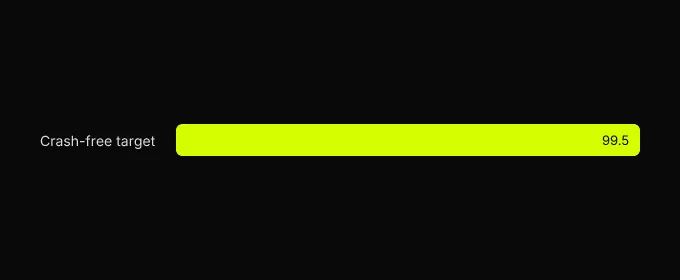
Set up an SLO framework from day one. Define a crash budget, for example, tolerate a 0.3% crash rate before triggering a mandatory hotfix sprint. Set a backend uptime SLO of 99.9% (which allows ~8.7 hours of downtime per year). Instrument with Firebase Crashlytics, Sentry, or Datadog before launch, not as a reaction to the first production incident. App performance monitoring isn’t a nice-to-have, it’s how you know whether your product is working.
Your Next Step
If you need an investor-ready MVP in under 8 weeks on a fixed budget, cross-platform development with a fixed-scope studio is the right path. If you’re building a performance-critical consumer product with platform-specific hardware features, native is worth the premium. If you’re validating an idea with minimal investment, a PWA or low-code prototype buys you signal before you commit real capital.
Before contacting any vendor, write a one-page brief covering your target platform, core user flow (the single path from open to value), must-have integrations, launch deadline, and budget ceiling. Send it to three vendors. The ones who respond with a fixed scope, a milestone plan, and acceptance criteria are worth talking to. The ones who respond with a vague estimate and a request for “a few more calls to scope it out” are not. You now have the framework to tell the difference.