The number you’re looking for is somewhere between $8,000 and $200,000+. That’s a useless range on its own, which is exactly why this article exists. What actually determines where your app lands on that spectrum isn’t some mystery, it’s a set of specific, quantifiable decisions about features, platforms, team location, and infrastructure that you can map out before you spend a single dollar.
This is a budgeting playbook. By the end, you’ll have per-feature hour estimates you can paste into a spreadsheet, a 3-year total cost of ownership comparison for platform choices, itemized AI operating costs that most guides pretend don’t exist, and a procurement framework that prevents the invoice from ballooning past your approved budget. Every number here reflects 2026 market rates and real project data.
What You’re Actually Paying For
“App cost” is not a single line item. It’s the sum of at least six distinct phases, each with its own cost drivers: discovery and design (wireframes, user flows, visual design), frontend development (the screens and interactions users touch), backend infrastructure (servers, databases, APIs, authentication), QA and device testing (manual testing, automated suites, device farms), store submission (compliance reviews, metadata, screenshots), and ongoing maintenance (bug fixes, OS updates, feature iterations). When a vendor gives you a single number, they’ve rolled all of these together, and usually left one or two out entirely.
Here’s where projects typically land by complexity tier as of 2026:
- Simple utility app (calculator, timer, single-purpose tool with no backend): $8K-$25K
- Mid-complexity app (user accounts, social login, payments, push notifications, basic analytics): $25K-$80K
- Full-featured or regulated app (real-time messaging, AI features, HIPAA/PCI compliance, admin dashboards, multi-role permissions): $80K-$200K+
Use those ranges to self-locate, then read on to understand exactly what pushes you up or down within your tier.
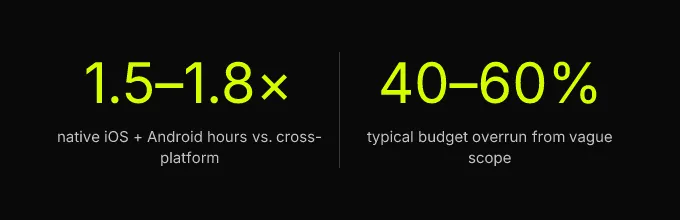
The single biggest variable isn’t the hourly developer rate, it’s scope. Vague scope is the primary reason final invoices exceed initial quotes, sometimes by 40-60%. A requirement like “users should be able to message each other” could mean a simple contact form (8 hours) or a full real-time messaging system with read receipts, typing indicators, media sharing, and message search (200+ hours). The difference between those two interpretations is $5,000 to $30,000 depending on your team’s rates. This article is a tool for tightening scope before you engage any vendor, so the quote you receive actually means something.
Vague scope is the primary reason final invoices exceed initial quotes, sometimes by 40-60%.
Per-Feature Hours That Drive the Budget
This is the section you’ll bookmark. Below are granular hour estimates per feature, the kind of breakdown that lets a non-technical founder build a rough budget in a spreadsheet before any vendor conversation happens. These ranges assume a cross-platform build (Flutter or React Native) with a single shared codebase and a backend-as-a-service like Firebase or Supabase. Native iOS + Android builds typically run 1.5-1.8× these hours because you’re building everything twice.
To convert hours to dollars, multiply by your target region’s mid-range rate (covered in the next section). A feature estimated at 60-90 hours built by a team billing $75/hour comes to $4,500-$6,750. That’s the math, end-to-end.
Core Features and Their Hour Ranges
| Feature | Dev Hours (Cross-Platform) | Notes |
|---|---|---|
| Email/password authentication | 8-15 | Using Firebase Auth or Supabase Auth; includes password reset flow |
| Social login (Google, Apple, Facebook) | 12-24 | Each provider adds 4-8 hours; Apple Sign-In is required for iOS apps with social login |
| User profile (edit, avatar upload) | 16-30 | Includes image cropping, cloud storage integration |
| Push notifications | 12-20 | Basic topic-based; segmented/scheduled adds 15-25 hours |
| Payment gateway integration (Stripe) | 30-60 | One-time payments on the low end; subscriptions with webhooks, proration, and receipt handling on the high end |
| In-app purchases (iOS/Android) | 40-70 | RevenueCat integration cuts this to 25-40 hours but adds $0-$8K+/year in fees depending on revenue |
| Real-time messaging (1:1 and group) | 80-200 | Read receipts, typing indicators, media sharing, and search push toward 200; a basic text-only chat is closer to 80 |
| Content feed (infinite scroll, likes, comments) | 40-70 | Moderation tools and reporting add 20-35 hours |
| Search with filters | 20-40 | Full-text search with Algolia or Typesense integration on the high end |
| Admin dashboard (web) | 60-120 | User management, content moderation, analytics views; complexity varies widely |
| Maps and geolocation | 20-45 | Basic pin display vs. live tracking with geofencing |
| Onboarding flow (multi-step) | 10-20 | Animated walkthroughs with skip/progress tracking |
| LLM-powered chatbot or AI feature | 40-100 | Prompt engineering, context management, streaming responses, safety guardrails; does not include ongoing API costs (see Section 4) |
| Offline mode with sync | 30-60 | Local database + conflict resolution logic |
A mid-complexity MVP with authentication, social login, a content feed, push notifications, payments, and a basic profile typically totals 150-280 development hours. At $75/hour (a mid-range US agency rate), that’s $11,250-$21,000 in raw development, before design, QA, project management, and infrastructure costs, which collectively add 30-45% on top.
Testing, QA, and Device Matrix Costs
QA is the line item most founders underestimate and most competitor guides gloss over. For a cross-platform app targeting both iOS and Android, you need to test across a meaningful device matrix, not just “an iPhone and a Samsung.” As of 2026, a responsible test matrix covers 8-12 device/OS combinations: iPhone 14 through 16 across iOS 17 and 18, plus 4-6 Android devices spanning different manufacturers (Samsung, Google Pixel, OnePlus) and Android 13-15.
The cost breaks down into three layers:
- Manual QA: 40-80 hours for a mid-complexity app, covering functional testing, edge cases, and regression testing across the device matrix. At $30-$50/hour (typical QA rates), that’s $1,200-$4,000.
- Automated end-to-end testing: Writing and maintaining automated test suites (using tools like Patrol, Maestro, or Appium) adds 30-60 hours of setup plus ongoing maintenance. This is a CI/CD investment that pays off in maintenance phase, each release cycle runs automated checks instead of requiring full manual regression.
- Device farm services: BrowserStack or AWS Device Farm costs $300-$500/month for a small team. Firebase Test Lab offers a free tier (15 tests/day) that covers many early-stage MVPs.
Total QA cost for a mid-complexity MVP: $2,500-$8,000, or roughly 10-15% of total project budget. Skipping this doesn’t save money, it shifts the cost to post-launch bug fixes, which are 3-5× more expensive to address than bugs caught in development.
Compliance, Security, and Accessibility
If your app handles health data (HIPAA), payment card data (PCI DSS), or serves users in the EU (GDPR), compliance isn’t optional, and it materially increases your estimate. HIPAA compliance alone adds 80-150 hours to a project: encrypted data storage, audit logging, business associate agreements with every third-party service, and penetration testing. PCI DSS scope can be minimized by using Stripe or a similar processor that handles card data directly (so your app never touches raw card numbers), but you still need to document your compliance posture, which adds 15-30 hours.
Accessibility (WCAG 2.1 AA compliance) adds 10-20% to frontend development hours, screen reader support, sufficient color contrast, touch target sizing, and semantic labeling. It’s increasingly a legal requirement (the ADA applies to mobile apps in the US), and both Apple and Google now flag accessibility issues during app review. Budget for it from the start; retrofitting accessibility after launch costs 2-3× more than building it in.
Rates, Platforms, and the 3-Year Cost Picture
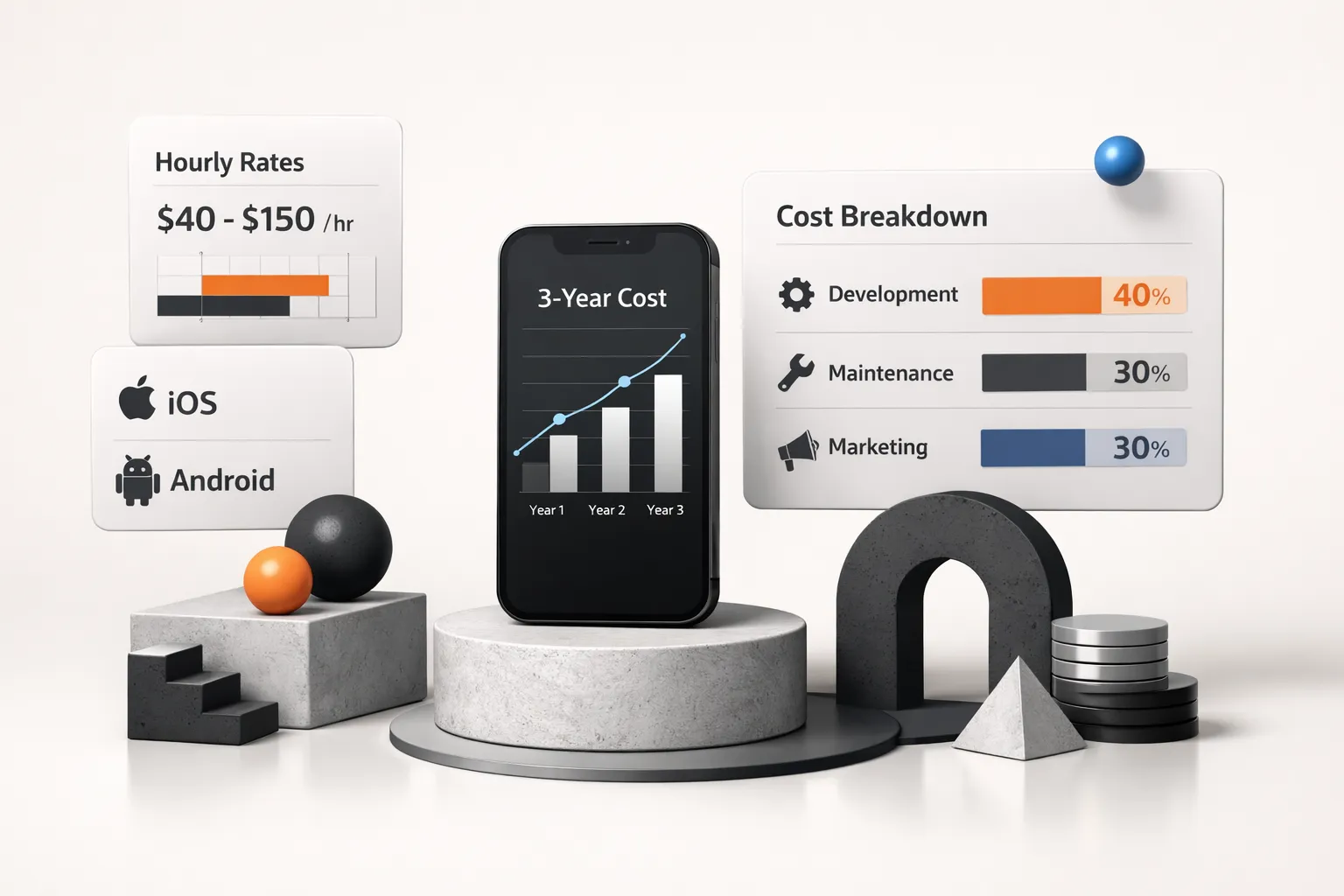
Two decisions dominate the financial model for any mobile project: who builds it (and where they’re located) and what platform architecture you choose. Most guides address these separately. They belong together, because the platform decision directly affects how many developer hours you need, and the hourly rate determines what those hours cost.
Hourly Rates by Region and Role
| Region | Junior Dev ($/hr) | Mid-Level Dev ($/hr) | Senior Dev / Lead ($/hr) | UI/UX Designer ($/hr) |
|---|---|---|---|---|
| US / Canada | $60-$90 | $90-$150 | $150-$250 | $80-$150 |
| Western Europe (UK, Germany, France) | $50-$80 | $80-$130 | $130-$200 | $60-$120 |
| Eastern Europe (Poland, Ukraine, Romania) | $30-$50 | $50-$80 | $80-$130 | $35-$70 |
| Latin America (Brazil, Argentina, Mexico) | $25-$45 | $45-$75 | $75-$120 | $30-$60 |
| South/Southeast Asia (India, Vietnam, Philippines) | $15-$30 | $30-$50 | $50-$90 | $20-$40 |
These are 2026 market rates for contract/agency work. In-house salaries convert differently (factor in benefits, equipment, management overhead, typically 1.3-1.5× the raw salary). A US-based mid-level Flutter developer billing at $120/hour and an Eastern European developer billing at $65/hour will produce comparable code quality in many cases, but time zone overlap, communication style, and legal jurisdiction matter for your specific situation.
Native vs Cross-Platform vs PWA
The platform question isn’t just “which technology”, it’s a 3-year financial commitment. Here’s what the numbers actually look like when you extend the lens beyond initial build.
When Cross-Platform Wins on Cost
A Flutter or React Native app shares 85-95% of its codebase between iOS and Android. For a mid-complexity app (250 dev hours cross-platform), the native equivalent requires roughly 400-450 hours (1.6-1.8×) because you’re building, testing, and maintaining two separate codebases. At $75/hour, that’s a $11,250-$15,000 difference on the initial build alone.
But the real savings compound during maintenance. Annual maintenance typically runs 15-25% of the initial build cost. Over three years:
| Item | Value |
|---|---|
| Cross-Platform 3yr TCO | $52K-$72K |
| Native (iOS+Android) 3yr TCO | $82K-$120K |
| PWA 3yr TCO | $28K-$45K |
Cross-platform saves $30,000-$48,000 over three years compared to maintaining two native codebases, because every bug fix, every OS compatibility update, and every new feature is written once instead of twice. For most startups and small businesses, this is the right default choice.
When Native Is Worth the Premium
Native development (Swift/Kotlin) still makes sense in specific scenarios: apps that require deep hardware integration (AR/VR, advanced camera processing, Bluetooth LE peripherals), apps where 60fps animation performance is a core product differentiator (high-end games, complex data visualizations), or apps in ecosystems where platform-specific APIs are essential (HealthKit, WatchOS, Android Auto). If your app doesn’t fall into one of these categories, you’re paying a 60-80% premium for a marginal user experience difference that most users won’t perceive.
PWAs (Progressive Web Apps) are the budget option, $28K-$45K over three years for a mid-complexity app, but they sacrifice push notification reliability on iOS, can’t access many native APIs, and aren’t eligible for App Store distribution (which matters if your audience expects to find you there).
AI Features, Hosting, and Hidden Recurring Costs
The build invoice is not your total cost. Post-launch, you’re paying monthly for cloud hosting, API calls, third-party services, and app store fees. Most budgeting guides either ignore these costs or mention them in passing. For an honest financial model, the kind you’d show an investor or a CFO, you need line-item monthly estimates.
What AI Integration Actually Costs
Most competitor guides treat “AI” as a single add-on with a vague price tag. In practice, the cost of adding AI features to a mobile app breaks into two completely separate buckets: build cost (integration, UX, prompt engineering, safety guardrails) and operating cost (per-token API fees, vector database hosting, embedding generation).
Build cost: Integrating an LLM-powered feature (chatbot, content summarization, smart search) requires 40-100 development hours, as noted in the feature table above. That’s $3,000-$12,500 at mid-range rates. The work includes API integration, streaming response handling, context window management, prompt engineering, and output safety filtering.
Operating cost, this is where founders get surprised:
| Component | Monthly Cost (10K active users) | Monthly Cost (100K active users) |
|---|---|---|
| LLM API calls (GPT-4o-mini or Claude 3.5 Haiku) | $150-$500 | $1,500-$5,000 |
| Embedding generation (for RAG/search) | $20-$80 | $200-$800 |
| Vector database hosting (Pinecone, Weaviate, or Supabase pgvector) | $25-$70 | $100-$400 |
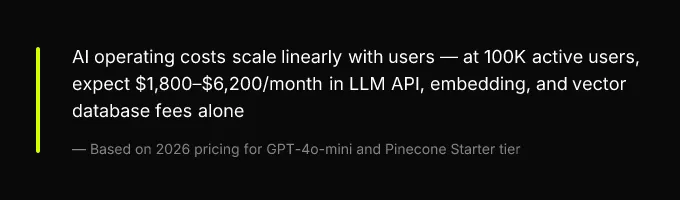
| Total AI operating cost | $195-$650/mo | $1,800-$6,200/mo |
These numbers assume moderate per-user usage (3-5 AI interactions per session, average 500-token responses). Heavy usage patterns, like an AI writing assistant where users generate thousands of tokens per session, can push costs 3-5× higher. The LLM integration cost is manageable at MVP scale but needs to be modeled as a variable cost that scales with users, not a fixed infrastructure expense.
App Store Fees and Third-Party Services
These are the costs that don’t appear in any vendor proposal but hit your bank account every month (or year):
- Apple Developer Program: $99/year. Required to publish on the App Store. No exceptions.
- Google Play Developer Account: $25 one-time fee.
- Apple’s commission: 15% of in-app purchases and subscriptions for businesses earning under $1M/year (Small Business Program); 30% above that threshold. This is a direct hit to your unit economics.
- Google’s commission: 15% on the first $1M in annual revenue, 30% above that.
- Stripe / payment processing: 2.9% + $0.30 per transaction for card payments. If you process $50K/month, that’s ~$1,480/month in fees.
- RevenueCat (subscription management): Free up to $2,500 MTR (monthly tracked revenue), then $0.01 per tracked transaction. At scale, this adds $500-$2,000/month.
- Cloud hosting (Firebase, Supabase, AWS): $0-$50/month at MVP scale with generous free tiers; $200-$1,500/month at 50K-100K active users depending on data transfer, storage, and function invocations.
- Continuous delivery (CI/CD): Codemagic or GitHub Actions, $0-$75/month for small teams, $200-$500/month for larger teams with extensive automated testing.
For an early-stage app generating $10K/month in subscription revenue, third-party fees alone (store commissions + payment processing + hosting + CI/CD) can total $2,000-$3,500/month, 20-35% of gross revenue. Build this into your financial model from day one.
Procurement That Prevents Cost Overruns
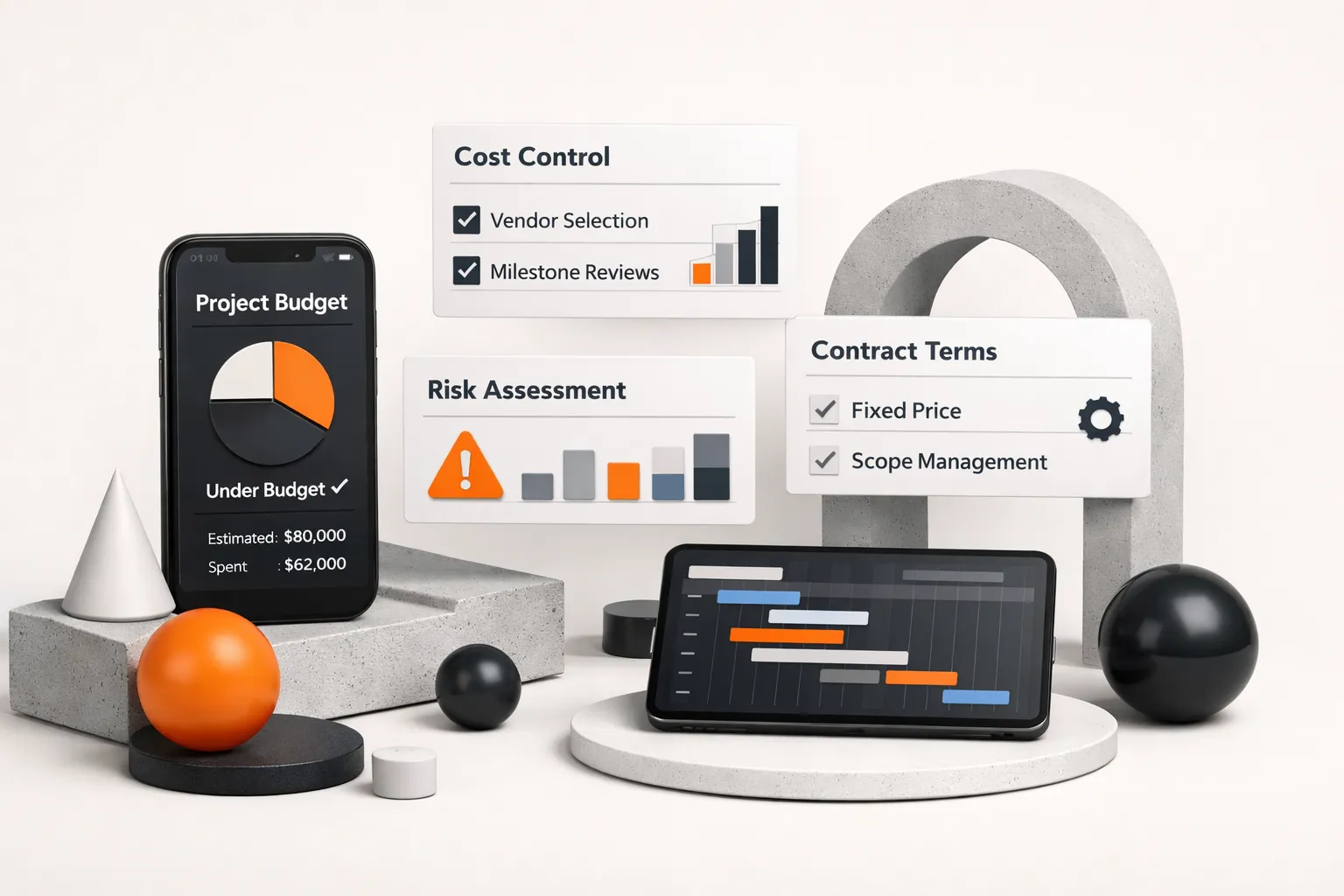
The best way to control mobile app development cost isn’t to find the cheapest developer. It’s to structure the engagement so that scope changes are visible, priced, and approved before they happen. Here’s the procurement framework that most competitor guides skip entirely.
Milestone-based payment schedules: Never pay more than 30% upfront. Structure payments around deliverable milestones, design approval, core feature completion, beta build, launch-ready build, with each payment released only after written acceptance of the milestone deliverable. A typical 4-milestone structure: 20% at kickoff, 30% at beta, 30% at launch-ready, 20% at 30 days post-launch (covering initial bug fixes).
Written acceptance criteria per milestone: Each milestone needs specific, testable criteria. “User authentication works” is too vague. “Users can register with email, log in, reset password via email link, and sign in with Google and Apple on both iOS and Android” is testable. If a vendor resists writing acceptance criteria, that’s a red flag, it means they want flexibility to define “done” after the fact.
Change-order clauses: Every contract should require written approval (even an email) before any out-of-scope work begins, with an estimated cost attached. This single clause prevents the most common source of budget overruns: the vendor builds something the founder mentioned casually in a call, then invoices for it.
Maintenance SLAs: A responsible post-launch agreement specifies bug fix response times (critical bugs within 24 hours, non-critical within 5 business days), OS update compatibility guarantees (app updated within 30 days of a new major iOS/Android release), and security patch commitments. A vendor who won’t commit to a maintenance SLA is telling you they plan to disappear after launch.
CompletApp’s milestone-one walkaway guarantee is a practical example of how this works: the client owes nothing if unsatisfied after the first milestone. That structure forces the vendor to deliver real value early and gives the client an exit ramp before significant capital is committed. Use it as a benchmark when evaluating other proposals.
Three questions to ask every vendor before signing:
- Is the price fixed or estimated? (If estimated, what’s the cap?)
- What triggers a change order, and what’s the approval process?
- Who owns the source code if the engagement ends early?
Your Next Step Before Talking to a Vendor
If you’ve read this far, you have two possible next steps. If you already have a defined feature list, you now have enough to build a rough estimate: take your features, assign hour estimates from the table in Section 2, multiply by your target region’s mid-range hourly rate, and add 35% for QA, design, and project management. That number is your budget anchor. Any vendor quote more than 30% below it deserves scrutiny, it likely means they’re underscoping, planning to bill overages later, or cutting corners on testing and technical debt that you’ll pay for in maintenance.
If you don’t yet have a feature list, that’s your first deliverable. Not a pitch deck. Not a wireframe. A prioritized list of features with “must-have for launch” and “can wait for v2” labels. Every hour you spend on that document saves 5-10 hours of miscommunication with vendors later.
The cheapest quote is rarely the cheapest outcome. The variables that actually protect your budget are scope clarity, fixed-price contracts with written acceptance criteria, and milestone-based payment schedules, not the hourly rate printed on the cover page of a proposal.
One final thing to carry into every vendor conversation: the cheapest quote is rarely the cheapest outcome. The variables that actually protect your budget are scope clarity, fixed-price contracts with written acceptance criteria, and milestone-based payment schedules, not the hourly rate printed on the cover page of a proposal.