The Hidden Cost of Picking Wrong
The worst outcome of hiring the wrong Android app development agency isn’t a bad app.
It’s an app you cannot fix.
Founders discover this at the worst possible moment: the build crashes on a mid-range Samsung device that 40% of their users own, Google Play rejects the submission for targeting an outdated API level, and the agency that wrote the code owns the signing key.
The product exists.
You just cannot ship it, update it, or move it anywhere else.
That failure almost never shows up in a portfolio.
Portfolios show polished mockups and app icons. They do not show crash-free session rates, test coverage, or whether the Google Play developer account is registered under your company name or the agency’s.
This guide skips the generic advice about “checking reviews” and “looking at past work.” Instead it covers the engineering and launch-readiness criteria that actually predict whether your app survives its first six months: Android app architecture, Android vitals, target API level compliance, mobile application security, and code ownership terms.
It’s written for founders, product managers, and business owners without an in-house Android team. People who need to evaluate a technical partner without being a technical expert themselves.
By the end, you’ll have a scorecard you can run on any agency in a single 45-minute call.
What an Android Agency Really Does
Most people think an agency writes code.
That’s maybe 40% of the job.
The other 60% is deciding what to build, proving it works on a chaotic spread of real devices, getting it past Play Store review, and keeping it alive after launch. A studio that only does the coding part will hand you something that compiles beautifully and fails everywhere else.
Core Services You Should Expect
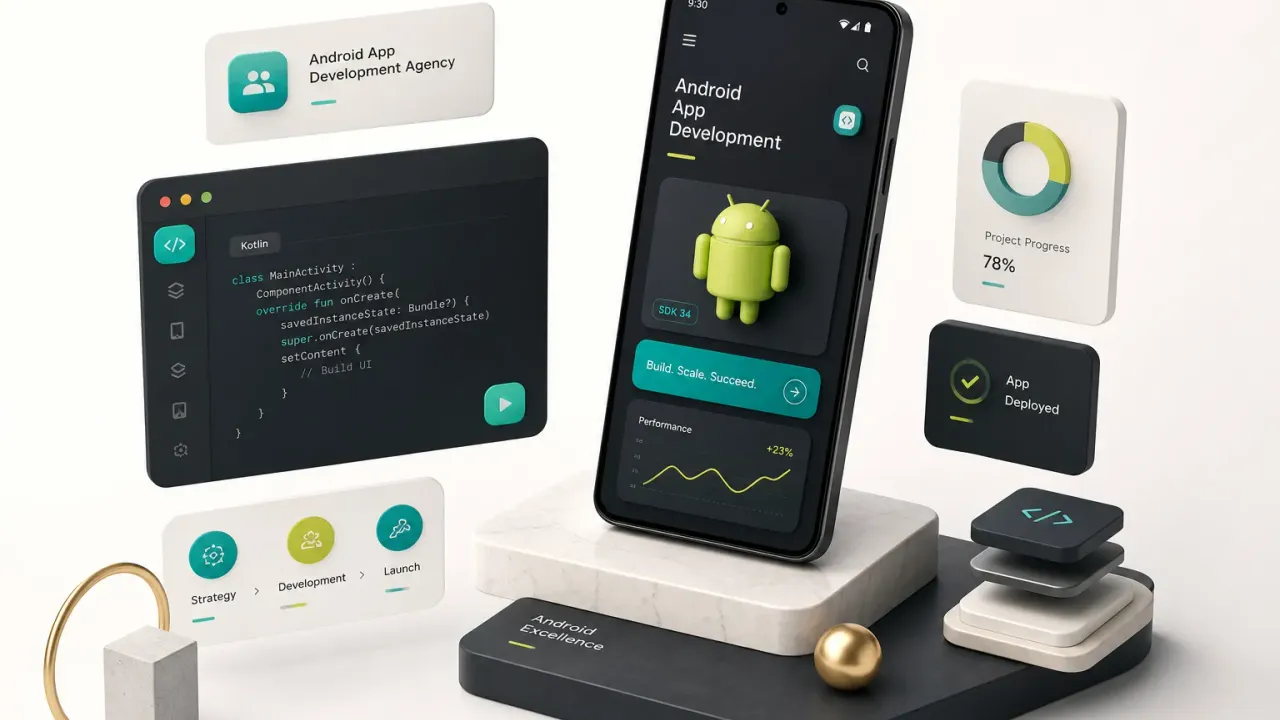
Any agency you seriously consider should own the full Android app development lifecycle, not just a slice of it. Here’s what that scope actually includes:
- Product discovery and requirements definition. Before a single line of Kotlin or Dart gets written, a good studio pressure-tests your idea, maps the core user loop, and writes a scoped specification you both sign. This is where budget overruns get prevented, not during development.
- UI/UX design for Android conventions. Material Design 3 patterns, navigation behaviour, back-gesture handling, and adaptive layouts that respond to phones, tablets, and foldables. An iOS design pasted onto Android looks wrong to Android users, and they notice within seconds.
- Native or cross-platform development. Either native Android development in Kotlin with Jetpack Compose, or Flutter app development for one codebase across both stores. Both are legitimate. The agency should explain why it recommends one for your specific product.
- Backend development and API integration. Authentication and authorization, database design, third-party service connections, push notifications. Roughly half of all app bugs trace back to the backend, not the client.
- Quality assurance testing on real hardware. Automated unit and integration tests, plus manual and regression testing on a physical device matrix covering multiple OEMs, screen sizes, and Android versions. Emulators miss vendor-specific bugs constantly.
- Google Play Console submission and store optimisation. Android App Bundle packaging, data safety declarations, content ratings, store listing assets, and a staged rollout plan. App store submission has grown significantly more bureaucratic since 2024.
- Post-launch maintenance. Crash and ANR monitoring, dependency upgrades, OS compatibility patches, and a named person responsible when something breaks at 2am.
When You Need an Agency
There are three ways to get an Android app built, and they fail in different ways.
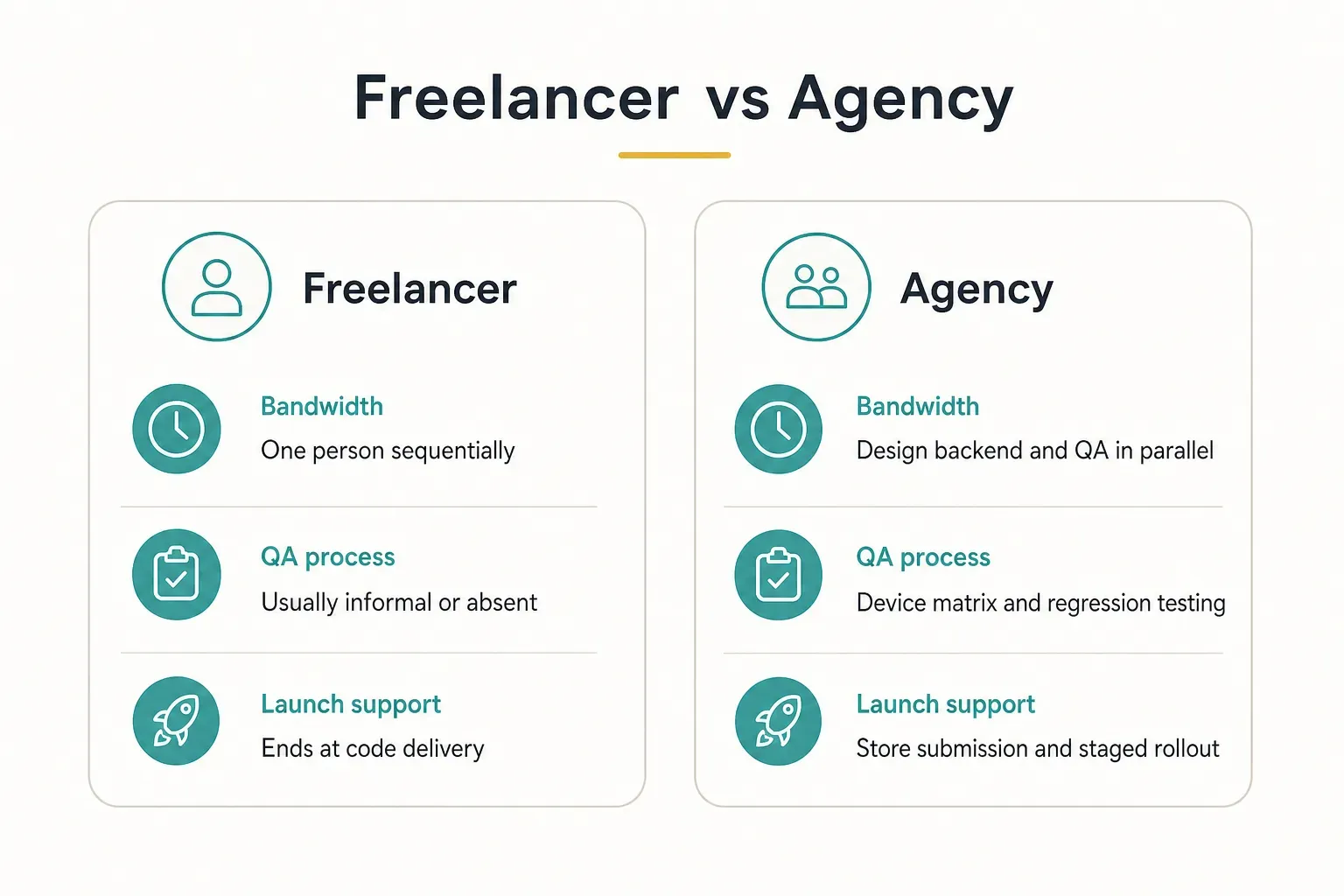
- Independent freelancer. Cheapest hourly rate, genuinely useful for narrow tasks like adding a payment flow or fixing a specific crash. But one person cannot do design, backend, QA, and store submission in parallel. There is no second set of eyes on the code, no QA process, and no coverage when they get sick or take a better contract mid-build.
- Internal hire. A senior Android engineer in a major market costs six figures annually before benefits, and hiring takes 8 to 14 weeks on average. You also need a designer and a backend developer before you have a shippable product. Excellent long-term. Brutally slow and expensive to start.
- Agency. A structured, multi-discipline team that has shipped this type of product before. The advantage is reused engineering practice: existing architecture templates, CI pipelines, testing harnesses, and a store submission checklist that already works. A well-run studio can take a controlled MVP scope from concept to a functional, high-fidelity build in roughly four weeks.
When does an internal team make more sense? Only after the product has proven demand.
Once you have real users, a revenue signal, and a roadmap that needs permanent dedicated headcount, bringing engineering in-house is the right call.
Doing it before that means paying full-time salaries to validate an assumption.
Proving Real Android Expertise
Here’s a test that filters out about half of the agencies you’ll talk to: ask to see a live app running on a physical Android device during the call.
Not a video.
Not a screen recording.
A phone in someone’s hand, installed from the Play Store, navigated in real time.
Agencies that outsource their work or have never shipped anything get visibly uncomfortable with this request.
Evidence Worth Requesting
Marketing claims are free. Evidence is not. Ask for these specific artifacts before you sign anything:
- Read access to a sample repository or an architecture diagram. You don’t need to read the code yourself. You need to see that there is a documented Android app architecture, with clear separation between UI, domain logic, and data layers. If they can only show you screenshots, the code is probably a mess.
- A Google Play Console screenshot showing Android vitals. Specifically the crash rate and ANR rate for a shipped app. Google’s bad-behaviour threshold is a 1.09% user-perceived crash rate. Strong teams run well under 0.5%. This single number tells you more than an entire portfolio.
- Staged rollout history. Ask how they rolled out their last three releases. The right answer involves percentages: 5%, then 20%, then 50%, with vitals monitored between each step. “We pushed it to 100%” means they’ve been lucky, not careful.
- Named senior engineers with public profiles. Who specifically will write your code? Get names, not “our team of experts.” Then check that those people exist and have Android experience.
- A live demo on a physical device. Ideally on a mid-range phone, not the newest flagship. Ask them to rotate it, open a tablet or foldable version, and navigate offline.
- Two reference clients you can actually call. Reference conversations reveal how the agency behaved when something went wrong, which is the only thing that really matters.
Questions That Reveal Skill
You don’t need to be technical to ask technical questions. You just need to know what a good answer sounds like.
- “What target API level are you building against today?” As of 2026 the correct answer is API level 36 (Android 16), or a clear explanation of the compliance deadline. Vagueness here is disqualifying.
- “How do you handle foldables and tablet layouts?” Good answers mention window size classes, adaptive layouts, and testing on large-screen form factors. Bad answers say “it scales automatically.”
- “What is your automated test coverage on a typical project?” Any number between 50% and 80% with an explanation of what’s covered is credible. “We test manually” means every future change risks breaking something silently.
- “Walk me through your last Play Store rejection and how you fixed it.” Everyone who ships regularly has been rejected. The ones who claim they never have, haven’t shipped much.
- “Who owns the signing key and the developer account?” The only acceptable answer is: you do, or you will on final payment, in writing.
- “How do you handle authentication and authorization?” Listen for token rotation, secure storage, and refresh flows rather than “we use a login screen.”
Red Flags to Watch
Some warning signs are subtle.
These are not.
- No live published apps under their own developer account. If every case study is “under NDA” or published by the client, you cannot verify anything.
- Vague answers about code and account ownership. Hesitation here is the single strongest predictor of a painful exit.
- Refusal to provide a written technical proposal before payment. A credible studio scopes in writing. “We’ll figure out the details as we go” is how a $30,000 project becomes a $90,000 one.
- Undisclosed subcontracting. Ask directly whether any work is outsourced and to whom. Hidden subcontracting introduces timezone gaps, quality inconsistency, and legal ambiguity over IP.
- Pricing that arrives before scoping. A quote given in the first ten minutes is a guess, and guesses get corrected upward later.
- Install counts as the only metric. Downloads are vanity. Ask for crash-free session rates, retention, or Play Console vitals instead.
Picking the Right Build Path
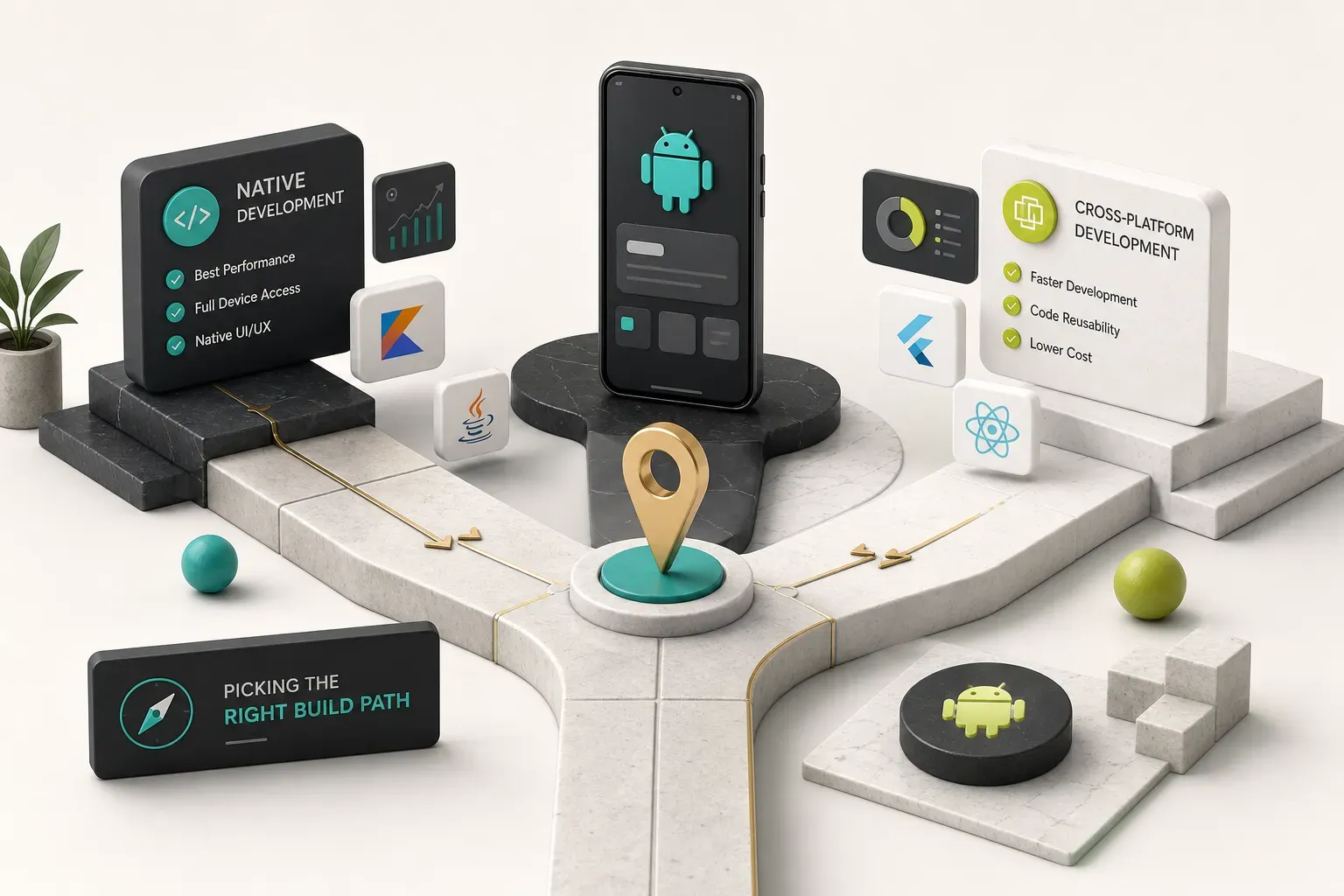
The native versus cross-platform argument used to be a genuine engineering tradeoff. For most business apps in 2026, it’s mostly a budget decision.
Native vs Cross-Platform
Modern cross-platform app development frameworks compile to native ARM code. Flutter renders its own UI at 60 to 120fps and, for the vast majority of business applications, users cannot tell the difference.
The real question isn’t performance anymore.
It’s whether your app needs deep, platform-specific hardware access.
| Criterion | Native (Kotlin + Jetpack Compose) | Cross-Platform (Flutter) |
|---|---|---|
| Performance for typical business apps | Baseline native speed | Effectively equivalent; compiled to native code |
| Deep hardware features (AR, custom camera pipelines, BLE edge cases) | Full immediate access to new APIs | Possible via platform channels; adds engineering time |
| Foldables, widgets, background services | First-class support day one | Well supported; home screen widgets need native code |
| Cost to launch on both iOS and Android | Two codebases, two teams, roughly 1.7 to 2x budget | One codebase, one team, one timeline |
| Time to launch on both stores | Sequential or parallel with coordination overhead | Simultaneous submission from a single build |
| Long-term maintenance cost | Every feature and bug fix implemented twice | Fix once, ships to both platforms |
| Best fit | Hardware-intensive or platform-exclusive products | Most SaaS, marketplace, booking, fintech and content apps |
The practical example: shipping one Flutter codebase to both stores at native quality, which is how CompletApp builds, versus hiring and coordinating two separate native teams who each interpret the spec slightly differently and drift apart over eighteen months.
If your feature list would work as a well-built web app plus a camera and push notifications, you almost certainly do not need two native codebases.
Prototype, MVP, or Production-Ready
A huge share of budget disputes come from the client and the agency using the same word to mean three different things. Define the stage in writing before you agree on a price.
- Clickable prototype. Real screens, real navigation, no real backend. Data is faked. Useful for investor conversations, user testing, and internal alignment. Typically days to two weeks. It cannot go on the Play Store.
- MVP. A working core loop with real data, real authentication, and a live backend. Ready for real users, deliberately narrow in scope. Around four weeks for a focused feature set. This is what most founders actually need first.
- Production-ready. Full QA coverage, crash and ANR monitoring, error tracking, analytics, scalable backend architecture, staged rollout process, and a maintenance plan. This is the stage that survives 100,000 users and a Play Store policy change.
Paying production-ready prices for an unvalidated idea is the most common budget mistake founders make.
Paying MVP prices for a product that already has paying customers is the second.
Engineering Standards That Prevent Failure
An app can be well designed, well marketed, and completely unshippable.
Usually because of something invisible in the proposal.
2026 Technical Requirements
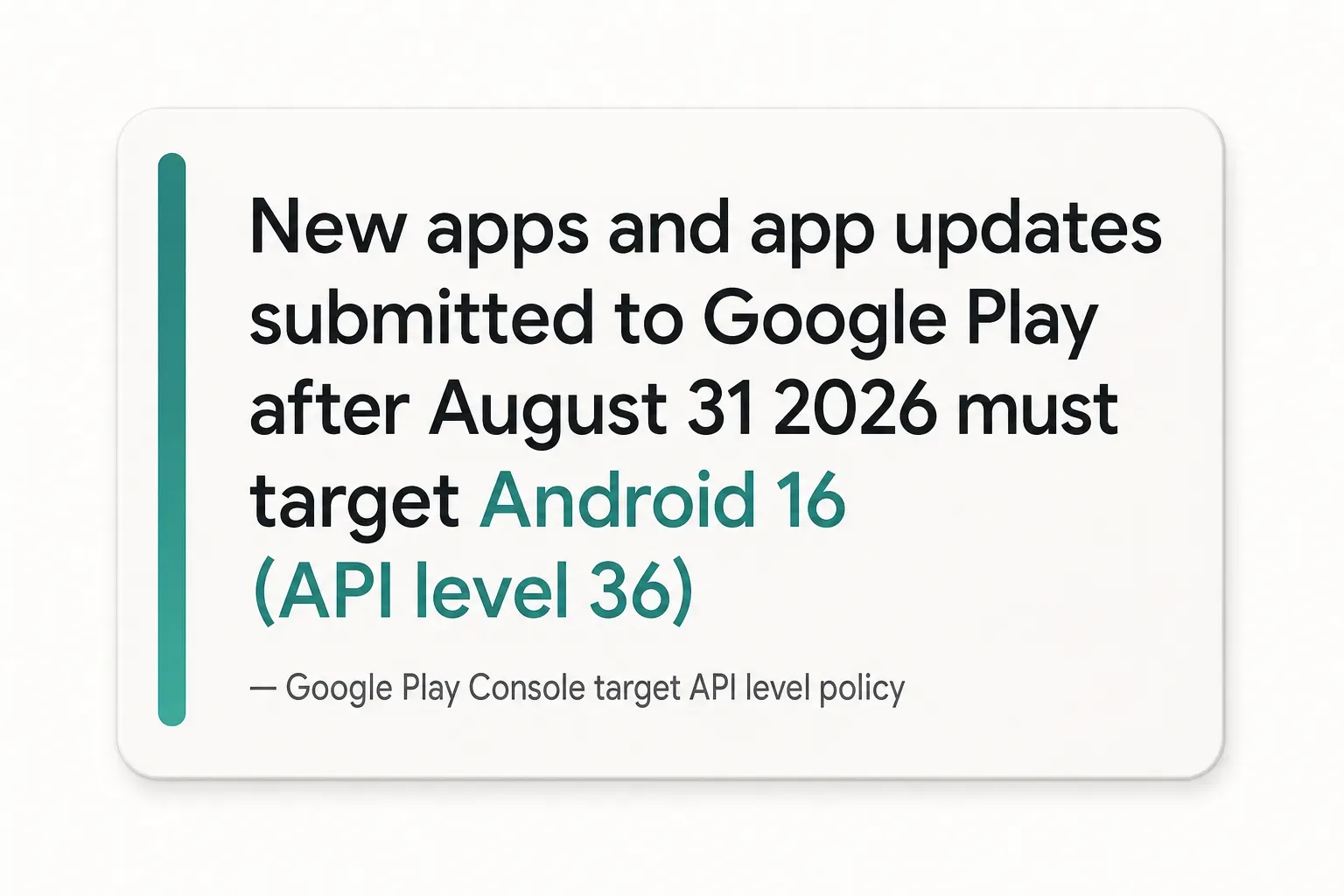
Google Play enforces a rolling compliance deadline, and it has real teeth: non-compliant apps cannot be updated, and eventually become undiscoverable to new users.
New apps and updates submitted after August 31, 2026 must target Android 16 (API level 36). Wear OS, Android TV, and Automotive builds follow their own timelines but move in the same direction.
Beyond the API level, your agency must be delivering on three more requirements:
- Android App Bundle packaging. The legacy APK upload format has been retired for new apps since 2021. AAB lets Google generate device-optimised builds, which typically cuts download size by 15 to 20%.
- Adaptive layouts for large screens. Google’s large-screen quality guidelines now affect store visibility on tablets and foldables. An app that letterboxes on a Galaxy Z Fold looks broken, and Play Store ranking increasingly reflects that.
- Data safety and privacy declarations. Every third-party SDK’s data collection must be declared accurately. Mismatches between your declaration and your actual behaviour trigger removal, not a warning.
Ask directly: “Is everything you ship us compliant with the August 2026 target API requirement on day one?”
Then get it in the contract.
Security That Actually Protects Users
Mobile application security is where cheap builds cut corners, because nobody notices until they catastrophically do. Break the conversation into five concrete parts and ask about each one:
- Authentication method. OAuth 2.0 or OpenID Connect with short-lived access tokens and rotating refresh tokens. Biometric unlock via the Android BiometricPrompt API where sensitive data is involved. Never a custom-rolled auth scheme.
- Secure local storage. Credentials and tokens in the Android Keystore, sensitive databases encrypted with SQLCipher or equivalent. Never plain SharedPreferences. This is one of the most common findings in the OWASP Mobile Top 10.
- API security. TLS 1.3 everywhere, certificate pinning for high-value apps, server-side authorization checks on every endpoint. Client-side permission checks are decoration; the server must enforce them.
- Secrets and key management. API keys, signing credentials, and service account files must never be hardcoded in the app binary or committed to Git. Decompiling an Android APK takes about ninety seconds with free tools.
- Independent threat testing before release. A penetration test or at minimum an automated static and dynamic analysis pass against the OWASP Mobile Top 10, with findings documented and remediated before launch.
Who Owns What After Launch
This is the section that saves careers.
Code ownership must be explicit, itemised, and transferred on full payment.
Not “at project completion.”
Not “upon request.”
Here’s the checklist to demand in writing. Every item, named individually:
- Git repository. Full history transferred to an organisation account you control, not a zip file emailed at the end.
- App signing keys and Play App Signing enrolment. Lose this and you cannot update your own app. Ever.
- Google Play developer account. Registered under your legal entity, with you as owner and the agency as a removable admin.
- Firebase or cloud project access. Billing under your account, agency as a collaborator you can revoke.
- Domain and DNS records. Including any API subdomains and deep-link verification files.
- Analytics and crash reporting. Ownership of the Firebase Crashlytics, Sentry, or equivalent project and its historical data.
- Third-party credentials. Payment gateways, mapping APIs, push services, email providers. All under your accounts.
- Design source files. The Figma project, not exported PNGs.
CompletApp’s 100% ownership-on-payment guarantee is a useful benchmark for what to demand from anyone: everything above transfers to the client the moment the final invoice clears, with no ongoing licensing or hostage dependencies. If an agency hesitates at that standard, you’ve learned something important.
Post-launch, someone has to own the operational side. Nail down four things: a crash and ANR monitoring dashboard you can access, defined staged rollout percentages for every release, an OS and dependency update cadence (quarterly at minimum), and a named incident owner with a response SLA for when Google Play flags a policy issue.
Your Next Move
The decision reduces to one question: what does your app actually depend on?
If you need one product live on both stores quickly, with clear ownership and a fixed price, prioritise a cross-platform studio that will put a written guarantee behind both. If your app genuinely depends on native-only hardware features, pay for a native specialist and accept the higher maintenance cost as the price of that capability.
Either way, do one concrete thing before you sign anything: run the evidence checklist from this guide on a live call.
Ask to see a real published app on a real physical device, ask which target API level they’re building against, and ask who holds the signing key.
Three questions.
Maybe ten minutes.
The answers will separate the studios that ship from the ones that pitch.
Most credible agencies, including CompletApp, offer a free discovery call with no obligation attached. That’s the natural place to apply this scorecard, before a proposal exists and before anyone is emotionally invested in a number.
Bring the checklist.
Ask the uncomfortable questions.
A good agency will respect you for it.