Most freelance mobile app developer guides tell you to “learn Swift and make a portfolio.” That’s like telling someone who wants to open a restaurant to “learn to cook.” It’s technically true and practically useless. The developers who actually build sustainable freelance practices in 2026 aren’t the ones with the most GitHub stars, they’re the ones who know how to price a fixed-scope MVP, write a contract that protects app signing key ownership, and pitch a maintenance retainer at the exact moment a client is most likely to say yes.
This is the guide that covers all of it. Not just the code. The business. You’ll walk away with a client acquisition strategy, a rate framework backed by current marketplace data, contract clauses most freelancers skip until it costs them, a step-by-step app store submission checklist, and a recurring revenue model that turns one-off projects into monthly income. If you already know how to build apps, this is the part they didn’t teach you.
Why 2026 Is the Right Time to Go Solo
The economics of solo mobile development shifted dramatically between 2023 and 2026. AI-assisted development tools, GitHub Copilot, Cursor, and framework-specific code generators, have compressed the output of a single developer to a level that genuinely rivals a three-person agency team. A freelance mobile app developer working with Flutter and an AI coding assistant can now scaffold, build, and ship a production MVP in weeks, not months. Cross-platform mobile development frameworks have matured to the point where “cross-platform” no longer means “compromise.” It means “one codebase, two stores, half the timeline.”
But here’s the thing most market-opportunity posts won’t tell you: the barrier to freelance success was never technical. The developers who fail at freelancing don’t fail because their code is bad. They fail because they quoted $4,000 for a project that should have been $15,000. They fail because they didn’t specify who owns the Apple Developer account in their contract. They fail because they delivered a great app and then had zero income for three months while hunting for the next gig.
This guide addresses all three failure modes, pricing, legal protection, and revenue continuity, alongside the technical delivery workflow. By the end, you’ll have a client onboarding checklist, a proposal template, contract clause language, a store submission checklist, and a maintenance retainer pricing model. Everything a freelance mobile app developer needs to run a real business, not just write good code.
Stack, Credibility, and Your First Client
Before you send a single outreach message, you need to answer two questions: what are you building with, and why should anyone trust you to build it? Your technology stack and your credibility are the foundation. Get them right and client acquisition becomes dramatically easier. Get them wrong, or leave them vague, and you’ll spend months competing on price against developers in markets where $15/hour is a good rate.
Choosing Your Stack in 2026
Flutter vs React Native vs Native
This is a business decision, not a religious one. The right stack is whichever one lets you ship the fastest with the fewest bugs as a solo operator.
Flutter wins for most freelance MVP work in 2026. Dart’s type safety catches errors at compile time, the widget system produces pixel-identical UIs on iOS and Android, and the ecosystem of production-ready packages (Riverpod for state management, GoRouter for navigation, RevenueCat for in-app purchases) means you’re assembling tested components rather than writing everything from scratch. If your client says “I need an MVP on both platforms in six weeks,” Flutter is the answer.
React Native wins when the client already has a React web codebase or a JavaScript-heavy engineering team. The shared language reduces handover friction, and libraries like Expo have closed the developer-experience gap significantly. A React Native freelance developer who can also maintain the client’s web app has a natural upsell built into every project.
Native iOS/Android (Swift/Kotlin) wins only for performance-critical or platform-specific features, think real-time AR, low-level Bluetooth hardware integration, or apps that need to squeeze every frame out of the GPU. For 80%+ of client projects, cross-platform mobile development is the right call.
| Item | Value |
|---|---|
| Flutter MVP projects | 62% |
| React Native | 28% |
| Native-only | 10% |
Pick one primary stack. Specialize. A profile that says “Flutter freelance developer for SaaS startups” converts three to four times better than one that says “mobile developer, iOS, Android, React Native, Flutter, Xamarin.”
Building a Portfolio With No Clients
You don’t need client history to prove credibility. You need evidence of shipping. There’s a difference. A single polished app in the App Store with a well-written case study, problem, technical decisions, outcome, screenshots, beats a résumé listing five years of employment at a company nobody’s heard of.
Three approaches that work right now:
- Build and publish one complete app. Not a to-do list. Something with authentication, a backend, push notifications setup, and at least one non-trivial feature. A habit tracker with streaks and local notifications. A recipe manager with image upload and search. Something a real person would download. Document the architecture decisions, the trade-offs, and the metrics (crash rate, load time, store rating) in a public case study.
- Contribute a visible fix to a popular open-source repo. Find a Flutter or React Native package with open issues, fix one that matters, and get it merged. This is verifiable proof that you can read someone else’s codebase, identify a problem, and ship a solution, which is exactly what client work requires.
- Build a micro-SaaS and document the process publicly. Even if it makes $0, the build log itself is a portfolio piece. It shows you can scope, design, build, submit to stores, and iterate. That’s the full lifecycle a client is paying you to execute.
Landing That First Paid Project
Three paths, ranked by speed to revenue:
Warm network outreach. Former colleagues, local businesses, people you know who know people who need apps. This is the fastest path because trust already exists. Send ten specific messages this week, not “let me know if you need an app” but “I noticed your gym still uses a paper sign-in sheet. I can build a check-in app with member notifications for $X. Want to see a mockup?” Specificity converts.
Niche marketplaces. Upwork, Toptal, and Contra all have active mobile development categories. The key is niche positioning. “Flutter MVP for SaaS startups” or “React Native freelance developer for e-commerce” will outperform a generic profile every time. On Upwork, your first three projects set your trajectory, price them to win reviews, not to maximize revenue. A 5-star review with a detailed client testimonial is worth more than the margin you gave up.
Cold outreach to founders. Browse Product Hunt launches and Indie Hackers projects. Find apps with obvious UX gaps, poor store ratings, or missing platforms. Send a short message: “I saw your iOS app, great concept. Your Android users are asking for it in the reviews. I build cross-platform versions in Flutter. Here’s a case study of a similar project. Want to talk scope?” This works because you’re solving a problem they already know they have.
CompletApp’s model illustrates a structure worth adapting: a fixed-scope, fixed-price MVP with a walk-away guarantee after milestone one. This removes the trust barrier for clients who’ve never hired a freelancer. You can replicate this by structuring your first milestone as a paid discovery phase ($1,500-$3,000) that produces wireframes and a technical spec, if the client doesn’t like the direction, they walk away with the deliverables and owe nothing more. You’ve reduced their risk to near zero, and you’ve been paid for your time either way.
Pricing, Proposals, and Contracts
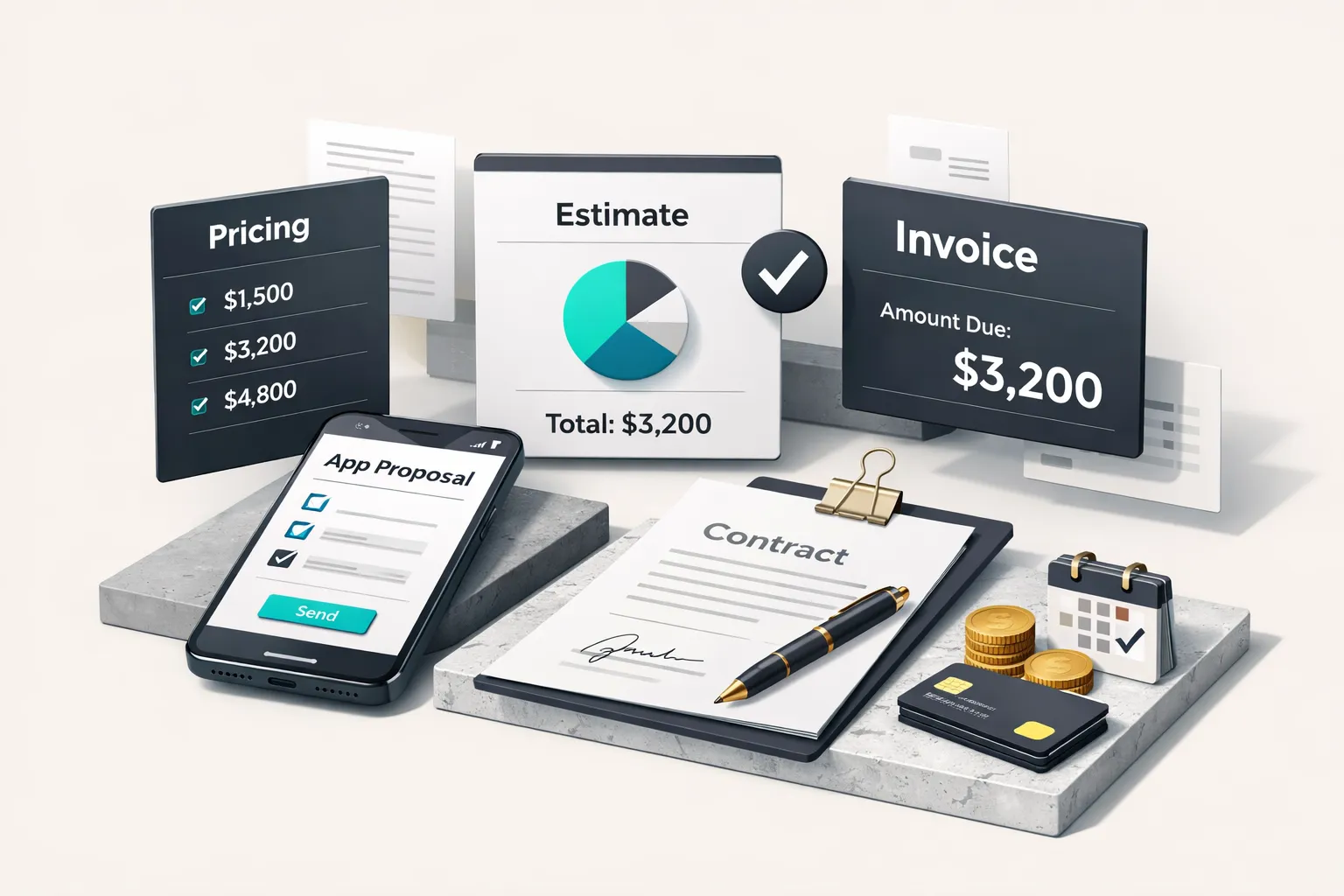
Pricing is where most freelance mobile app developers leave the most money on the table, or price themselves out of the market entirely. The fix isn’t confidence or negotiation tactics. It’s data. Know what the market pays, know what your time costs, and structure your proposals so the client sees value, not just a number.
Setting Your Rate in 2026
As of 2026, marketplace data from Upwork, Toptal, and Contra shows these hourly rate ranges for cross-platform mobile development:
| Experience Level | Hourly Rate (USD) | Typical MVP Project Price |
|---|---|---|
| Entry-level (0-2 years) | $35-$65 | $5,000-$10,000 |
| Mid-level (2-5 years) | $65-$120 | $10,000-$18,000 |
| Senior / Toptal-vetted (5+ years) | $120-$200 | $18,000-$40,000+ |
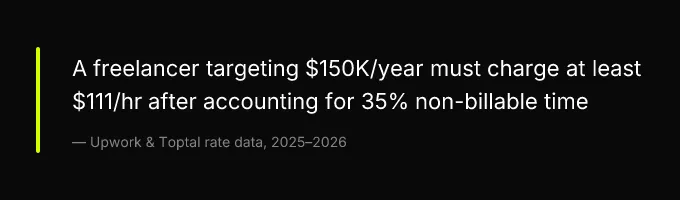
To back-calculate your hourly rate from a target annual income, use this formula: Target annual income ÷ (2,080 hours × 0.65) = minimum hourly rate. The 0.65 multiplier accounts for the reality that 30-40% of your working hours are non-billable, sales calls, admin, learning, invoicing, and the inevitable scope discussions that don’t lead to signed contracts. A developer targeting $150,000/year needs to bill at least $111/hour. If that number feels high, it’s because you’re used to thinking in salary terms, where the employer absorbs the overhead. As a freelancer, you are the overhead.
Scoping a Fixed-Price MVP
Fixed-price MVPs are the bread and butter of a productized service for developers. Clients love them because they know the total cost upfront. You benefit because a well-scoped fixed price protects your effective hourly rate better than hourly billing, if you’re efficient, you earn more per hour, not less.
Your one-page proposal template should include exactly these sections:
- Problem statement, two to three sentences describing the client’s problem in their language, not yours.
- Proposed solution, what you’ll build, which platforms, which framework.
- Deliverables list, every screen, every integration, every API endpoint. If it’s not on this list, it’s not in scope.
- Out-of-scope items, explicitly list what you’re not building. This is the clause that prevents scope creep. “Backend admin dashboard, analytics integration, and third-party API integrations beyond [named API] are not included in this scope.”
- Timeline, start date, milestone dates, delivery date.
- Price and payment milestones, e.g., 30% on signing, 30% at design approval, 40% on delivery. Never accept 100% on completion, you’ll be financing the client’s project with your own cash flow.
- Change order process, any request outside the deliverables list triggers a written change order with its own price and timeline impact. No verbal agreements.
This document is what converts a discovery call into a signed contract. Send it within 24 hours of the call. Speed signals professionalism.
Contract Clauses That Protect Both Sides
The clauses freelancers most often skip are the ones that cost them the most when things go sideways.
IP assignment. In the United States, “work for hire” must be explicitly stated in the contract for copyright to transfer to the client. Without that language, the developer retains copyright by default, even if the client paid for every hour. This isn’t a weapon; it’s a conversation. Explain it to your client. They’ll respect you for it. The standard approach: the client owns the final product and all project-specific code; the developer retains the right to reuse their generic libraries, tooling, and frameworks in other projects.
App signing key and developer account ownership. This is the clause that prevents the single most expensive freelance mistake. Specify in writing: the client’s app lives under the client’s Apple Developer account and Google Play Console account. The freelancer gets invited with appropriate roles (Admin on App Store Connect, not Account Holder; developer access on Play Console). On final payment, the freelancer’s access is revoked and all credentials are transferred. If the app signing key was generated under the freelancer’s account, the app cannot be transferred without republishing, which means losing all reviews, ratings, and download history. Spell this out. Put it in the contract.
If the app signing key was generated under the freelancer’s account, the app cannot be transferred without republishing, which means losing all reviews, ratings, and download history.
Source code escrow. For larger projects, agree on a code escrow mechanism, a private GitHub repository the client owns, with commits pushed at each milestone. This protects the client if the freelancer disappears, and it protects the freelancer by proving delivery.
Kill fee. If the client causes a delay of more than [X] business days (common: 10-15), a kill fee of 15-25% of the remaining contract value applies. This protects your calendar. A client who ghosts for three weeks has cost you the other project you could have taken.
Shipping to the App Stores
This is where most freelance guides stop, or wave their hands and say “submit to the stores.” The actual submission process is full of specific requirements that cause rejections, delays, and client frustration if you don’t handle them methodically. Handing your client a completed store submission checklist at launch is one of the highest-value deliverables you can provide. It proves professionalism and dramatically reduces post-launch support requests.
Apple App Store Submission Checklist
The Apple submission flow has several steps that trip up freelancers who’ve only ever published their own apps:
- Developer account setup. The client should own the Apple Developer Program membership ($99/year). You get invited to their App Store Connect team. Request the Admin role, this lets you manage builds, TestFlight, and metadata. The Account Holder role stays with the client. Always.
- Provisioning profiles and distribution certificates. Create these under the client’s account using their team ID. Use Xcode’s automatic signing for development, but generate a manual distribution provisioning profile for App Store builds. If you create distribution certificates under your own account, the client can’t re-sign or update the app without you. Don’t do this.
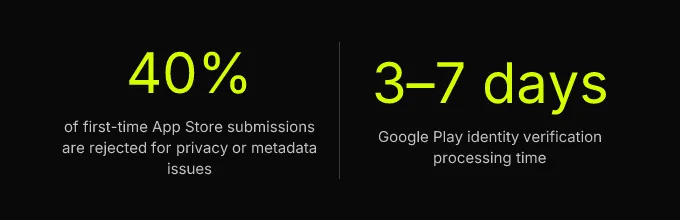
- App Store Connect provisioning profile and privacy manifests. As of 2026, Apple requires a privacy manifest (PrivacyInfo.xcprivacy) declaring all API usage reasons, including UserDefaults access, file timestamp APIs, and system boot time. Missing this causes automatic rejection. Declare every required reason code. App Tracking Transparency (ATT) prompts are mandatory if any SDK in your dependency tree accesses the IDFA.
- TestFlight. Upload builds to TestFlight for client review before public submission. External TestFlight testing requires a brief App Review pass (usually 24-48 hours). Internal testing (up to 100 testers on the client’s team) skips review. Use internal testing for fast iteration, external for beta feedback.
- In-app purchases. If the app includes in-app purchases, configure them in App Store Connect before submission. RevenueCat simplifies this significantly, it handles receipt validation, subscription management, and cross-platform entitlements. Set up RevenueCat’s webhook to the backend and test purchases in the sandbox environment before submitting.
- Privacy policy URL. Required. Must be a live, accessible URL at submission time. It must describe what data the app collects, how it’s used, and how users can request deletion.
Google Play Submission Checklist
Google’s process has its own set of requirements that changed significantly in 2024-2025:
- Play Console identity verification. Google now requires identity verification for all new developer accounts and for existing accounts that haven’t verified. This includes government-issued ID, a physical address, and, for organization accounts, a D-U-N-S number. Budget 3-7 business days for verification. Don’t wait until launch day.
- Play App Signing. Google manages the app signing key by default for new apps. This means the upload key (which you use to sign the AAB before uploading) is different from the app signing key (which Google uses to sign the final APK delivered to users). If the client ever needs to migrate the app to a different Play Console account, the app signing key goes with it, but the process requires Google support intervention. Document this in your handover notes.
- Testing tracks. Google Play offers internal testing (up to 100 testers, no review), closed testing (invited testers, requires review), and open testing (public, requires review). Use internal testing for client review and closed testing for beta users. Production rollout can be staged, start at 10% and increase over 48 hours to catch crashes early.
- Data safety section. Google requires a completed data safety form declaring all data types collected, whether data is shared with third parties, and whether users can request deletion. This must match your actual data practices, Google audits these declarations.
- Google Play Console verification for in-app purchases. Billing integration requires the app to use Google’s Billing Library v6+. Again, RevenueCat abstracts most of this. Test purchases using license test accounts configured in the Play Console.
Security, Privacy, and Compliance Basics
These aren’t optional extras. They’re baseline requirements that cause store rejections and, more importantly, legal liability if handled poorly.
PII in transit and at rest. All network requests must use HTTPS. Sensitive data stored locally (tokens, user data) must use encrypted storage, Flutter’s flutter_secure_storage or React Native’s react-native-keychain. Never log sensitive fields to the console or to crash reporting tools. Audit your logging before every release.
GDPR basics for apps with EU users. If the app has any EU users, and unless you’re geofencing, it will, you need a consent flow before collecting personal data, a data deletion endpoint (or manual process documented in the privacy policy), and a lawful basis for each type of data processing. This isn’t theoretical; Apple and Google both reject apps that don’t comply.
COPPA. If the app could reasonably be used by children under 13, COPPA applies. This means verifiable parental consent before collecting any personal information. If the app isn’t designed for children, declare that clearly in both store listings and the privacy policy. Don’t leave it ambiguous, ambiguity triggers manual review.
Taxes, Bookkeeping, and Recurring Revenue
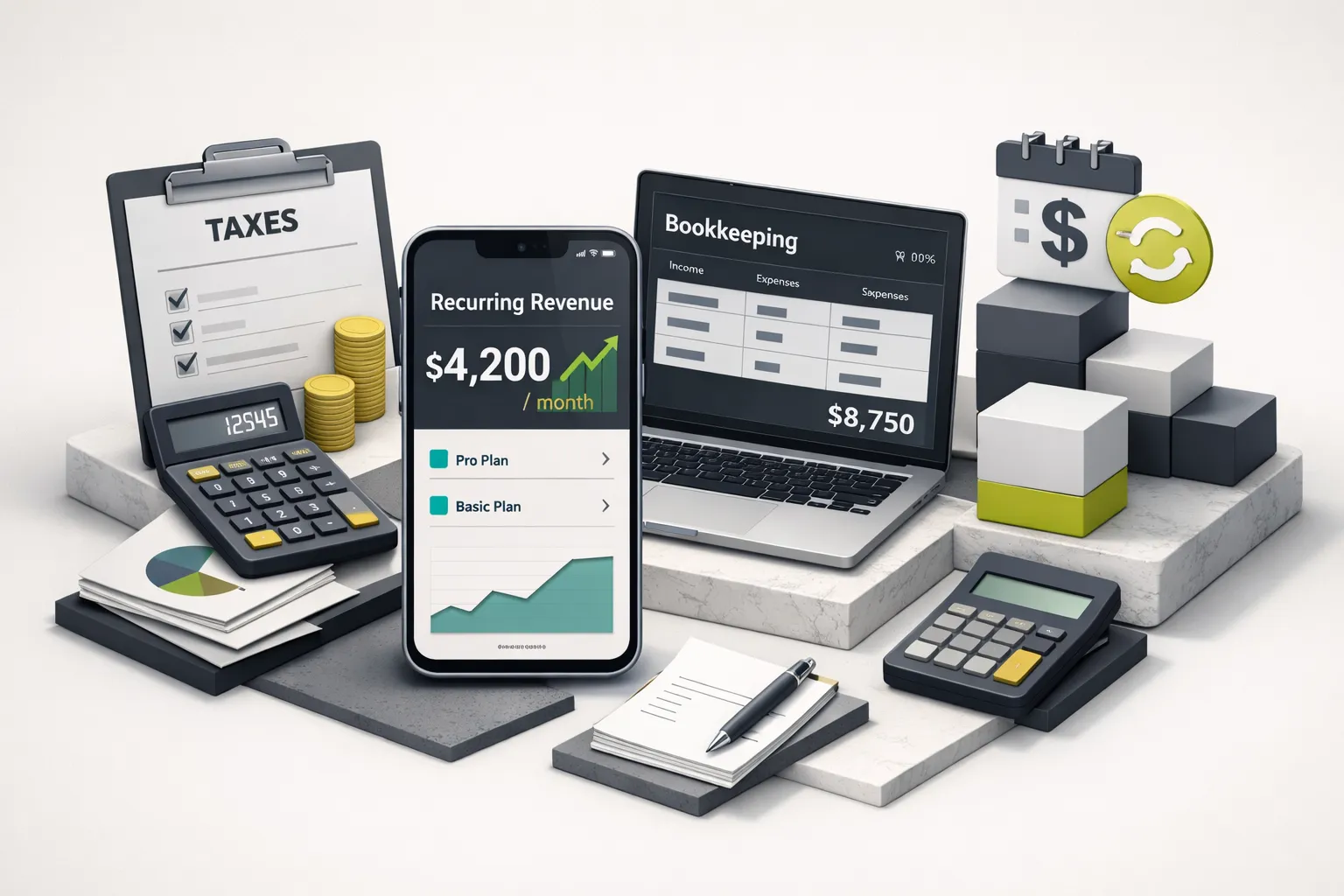
You can be an exceptional Flutter freelance developer and still go broke if you don’t handle taxes correctly or build recurring revenue into your business model. This section covers both, because they’re connected. The freelancers who survive long-term are the ones who know their tax obligations and have income arriving between projects.
U.S. Tax Basics for Freelancers
The advice to “set aside 25-30% for taxes” is dangerously vague. Here’s what’s actually happening with your money:
Self-employment tax (Schedule SE) is 15.3% on net earnings, that’s 12.4% for Social Security (up to the wage base of $176,100 in 2025, adjusted annually) and 2.9% for Medicare with no cap. This is on top of your federal income tax. A freelancer netting $120,000 owes approximately $18,360 in self-employment tax alone, before a single dollar of income tax.
Quarterly estimated payments are due in April, June, September, and January. Missing them triggers underpayment penalties, not just interest, actual penalties. Use IRS Form 1040-ES to calculate each payment. The safe harbor rule: pay at least 100% of last year’s tax liability (110% if your AGI exceeded $150,000) across four quarterly payments and you’ll avoid penalties regardless of what you owe at filing.
Bookkeeping from day one. Open a dedicated business checking account. Run all business income and expenses through it. Use Wave (free) or QuickBooks Self-Employed ($15/month) to categorize transactions. Track deductible expenses: home office (simplified method: $5/sq ft, up to 300 sq ft), software subscriptions, Apple Developer Program fees, hardware, and health insurance premiums (deductible on Schedule 1, not Schedule C, but still deductible).
LLC vs. sole proprietorship. A sole proprietorship is legally sufficient to start freelancing today. An LLC adds liability protection, if a client sues, they can’t come after your personal assets, and looks more professional on invoices. But an LLC doesn’t change your federal tax treatment by default; you’re still filing Schedule C. At higher income levels ($80,000+ net), an S-Corp election can reduce self-employment tax by paying yourself a reasonable salary and taking the remainder as distributions. Consult a CPA before making this election, the payroll requirements add complexity.
Packaging Maintenance for Monthly Income
The feast-or-famine cycle kills more freelance practices than bad code ever will. Maintenance retainers are the fix. They provide predictable monthly income for you and peace of mind for the client. Here’s how to structure them:
| Tier | Monthly Price | What’s Included | SLA |
|---|---|---|---|
| Basic | $300-$600 | Dependency updates, OS compatibility patches, crash monitoring (Sentry/Crashlytics), up to 2 hours of bug fixes | 72-hour response to critical bugs |
| Standard | $600-$1,500 | Everything in Basic + 1 feature request per quarter, app store optimization (ASO) metadata updates, mobile performance optimization review | 48-hour response to critical bugs |
| Premium | $1,500+ | Everything in Standard + priority response, monthly analytics review, push notifications setup and campaign support, quarterly strategy call | 24-hour response, same-day for critical |
Price your retainers by working backward from your emergency fix rate. If an emergency bug fix at your hourly rate would cost the client $600-$1,200, a $500/month retainer that prevents emergencies and guarantees response times is an easy sell. It’s insurance for them and stabilized income for you.
The best time to pitch a maintenance retainer is at launch, the exact moment the client is most aware of how much they depend on the app working.
The best time to pitch a maintenance retainer is at launch, the exact moment the client is most aware of how much they depend on the app working. Frame it as continuity: “I’ve built this and I know every line of code. Here’s how I keep it running so you never have to explain a production outage to your users.” This isn’t an upsell. It’s the responsible handover. Five clients on a $600/month standard retainer is $36,000/year in recurring revenue before you take on a single new project.
Your Next Move
You don’t need more research. You need a specific next action based on where you are right now.
If you have zero clients: your next action is one warm outreach message to someone in your network and one portfolio case study published this week. Not next month. This week. A single documented project on your personal site or GitHub with screenshots, architecture notes, and a live App Store link is enough to start conversations.
If you have clients but no contract template: your next action is drafting the IP assignment and app signing key ownership clauses before your next project starts. The contract language in this guide isn’t theoretical, it’s the difference between a clean handover and a dispute that costs you a client and a reference.
If you’re delivering projects but earning nothing between them: your next action is pitching a maintenance retainer to your most recent client. Today. They already trust you. They already depend on the app you built. A $600/month standard retainer is the easiest sale you’ll ever make, and five of them eliminate the feast-or-famine cycle entirely.
The freelance mobile app developers who build sustainable businesses in 2026 are the ones who treat their practice as a product, fixed scopes, clear contracts, store-ready delivery, and recurring revenue baked in from the start. The code is the easy part. The business is what this playbook is for.