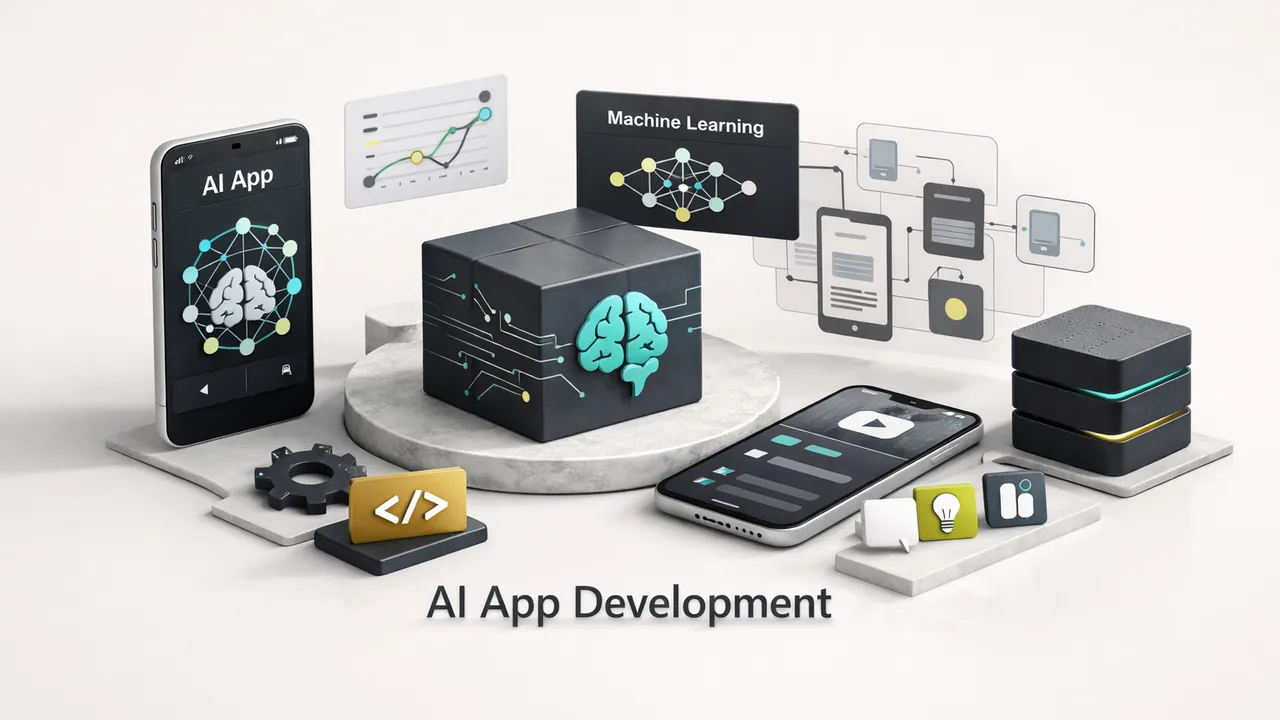
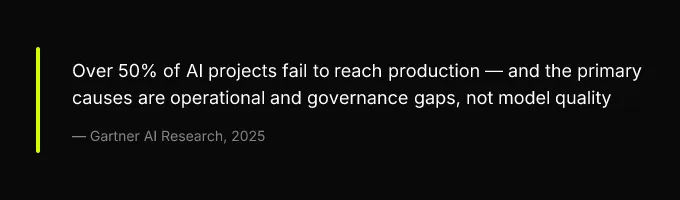
Somewhere between “look, it works in the notebook” and “our customers depend on this,” most AI apps go to die. The industry keeps building prototypes at record speed, and failing to ship them at roughly the same rate. Gartner’s ongoing analyses suggest that over 50% of AI projects still never make it past pilot, and the reason is almost never the model itself. It’s everything around the model: the architecture nobody planned, the ops pipeline nobody built, the compliance review nobody scheduled.
This is the playbook for the other side of that gap. It covers model selection, scalable architecture (including RAG pipelines and vector stores), LLMOps integrated into CI/CD, cost and latency tradeoffs with actual numbers, and security mapped to NIST AI RMF controls, all in the order a real team encounters these decisions. If you’re a product manager scoping an AI feature, a founder trying to get from demo to revenue, or an engineer who’s tired of watching prototypes rot in staging, this is for you. “Production-ready” in 2026 means four things: observable, cost-bounded, secure, and regulatorily defensible. Everything here is oriented toward hitting all four.
Why Most AI Apps Never Reach Production
The failure pattern is remarkably consistent. A team spins up an OpenAI API key, builds a chatbot or document-analysis feature in a weekend, demos it to stakeholders, gets enthusiastic buy-in, and then spends the next six months discovering all the things the prototype didn’t account for. Inference costs scale nonlinearly with real traffic. Outputs drift when the provider silently updates the model. A prompt injection vulnerability surfaces during a security review. The legal team asks about data lineage and gets blank stares.
The gap isn’t about model quality. GPT-4o, Claude 3.5, Gemini 2.0, Llama 3.3, they’re all remarkably capable. The gap is about architecture decisions, operational discipline, and governance frameworks that teams either defer or skip entirely. As of 2026, the teams that ship reliable AI apps are the ones that treat model selection as just one input into a larger system design problem. They think about inference optimization, model observability, bias mitigation, and data lineage from day one, not as afterthoughts bolted on before launch.
This playbook is structured around the decisions you’ll face, in the order you’ll face them.
Architecture Patterns That Actually Scale
The canonical production AI app in 2026 isn’t a monolith with an API call buried in a controller. It’s a layered system where each concern, user interaction, retrieval, inference, monitoring, lives in its own service with well-defined boundaries. This separation isn’t architectural vanity. It’s what allows you to swap model providers without rewriting your frontend, scale retrieval independently of inference, and monitor costs at every layer. Here’s how the pieces fit together.
The Reference Stack
A production-grade AI app in 2026 typically consists of six layers:
- Frontend (React, Next.js, Flutter): Handles user interaction, streaming response rendering, and client-side input validation. The frontend should never call a model directly, it talks to your API gateway.
- API Gateway (Kong, AWS API Gateway, or a lightweight Express/FastAPI layer): Manages authentication, rate limiting, request routing, and usage metering. This is where you enforce per-user token budgets.
- RAG Service: Accepts a user query, retrieves relevant context from your vector store, assembles the augmented prompt, and forwards it to the model gateway. This is a separate service because retrieval logic changes on a different cadence than model logic.
- Vector Store (Pinecone, Qdrant, pgvector, Weaviate): Stores and indexes your embedding vectors. More on index strategies below.
- Model Gateway: An abstraction layer that routes inference requests to the appropriate provider, OpenAI, Anthropic, a self-hosted vLLM instance, based on routing rules (cost, latency, model capability). This is what enables hot-swapping and A/B testing across providers without touching application code.
- Monitoring Layer (Datadog, Grafana + Prometheus, Langfuse, or Helicone): Captures token usage, latency percentiles, output quality scores, cost-per-session, and hallucination rate proxies. Feeds into alerting and rollback triggers.
Teams like CompletApp demonstrate how this reference architecture collapses for small teams without losing the key separations. They integrate OpenAI and Claude into core product logic on Firebase and Supabase backends, keeping the RAG service and model gateway as thin abstraction layers rather than full microservices. The result: a 4-week MVP that still allows them to swap providers, monitor costs per user, and add retrieval pipelines without a rewrite. The architecture scales up; the implementation starts small.
Hosted API vs Self-Hosting
This is the decision that determines your cost structure, latency profile, and compliance posture for the next 12-18 months. It’s not a binary choice, many production systems use both, but you need a clear framework for deciding which workloads go where.
The decision turns on three variables: monthly token volume, data sensitivity, and latency SLA. If all three are low (moderate volume, non-sensitive data, relaxed latency), hosted APIs from OpenAI, Anthropic, or Google are the obvious starting point. When any one variable crosses a threshold, self-hosting enters the conversation.
Cost and Latency Breakpoints
As of early 2026, here are the concrete breakpoints where self-hosting becomes cost-competitive with hosted APIs:
| Scenario | Hosted API Cost (Monthly) | Self-Hosted Cost (Monthly) | Breakpoint |
|---|---|---|---|
| Low volume: ~10M tokens/month (GPT-4o class) | ~$75-$150 | ~$1,800-$2,400 (1× A100 80GB on AWS/GCP) | API wins by 12-16× |
| Medium volume: ~100M tokens/month | ~$750-$1,500 | ~$1,800-$2,400 (same A100, higher utilization) | Approaching parity |
| High volume: ~1B tokens/month | ~$7,500-$15,000 | ~$3,600-$7,200 (2× A100 or 1× H100) | Self-hosting wins by 2-4× |
| Very high volume: ~10B tokens/month | ~$75,000-$150,000 | ~$14,400-$28,800 (4× H100 cluster) | Self-hosting wins by 5-10× |
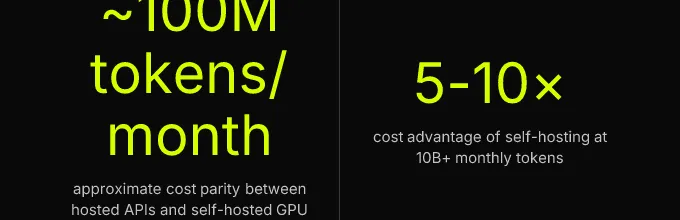
These numbers assume you’re running an open-weight model comparable to GPT-4o (Llama 3.3 70B or Qwen 2.5 72B) on vLLM with continuous batching for inference optimization. GPU inference costs drop further if you use spot instances or reserved capacity. The key insight: below 100M tokens/month, the operational overhead of managing GPU instances, model serving infrastructure, and on-call rotations almost never justifies the savings. Above 500M tokens/month, you’re leaving serious money on the table with hosted APIs.
Below 100M tokens/month, the operational overhead of managing GPU instances, model serving infrastructure, and on-call rotations almost never justifies the savings. Above 500M tokens/month, you’re leaving serious money on the table with hosted APIs.
Latency is the other axis. Hosted APIs typically deliver p50 latencies of 200-800ms for first-token response (depending on model and load), with p95 spiking to 1.5-3s during peak periods. Self-hosted inference on a dedicated H100 with vLLM and continuous batching can hit p50 of 50-150ms and p95 under 400ms. If your product requires sub-200ms first-token latency, real-time autocomplete, voice assistants, edge inference for mobile, self-hosting or edge deployment is the only realistic path.
Licensing and Data Residency
Licensing determines what you’re allowed to do. Apache 2.0 models (Mistral, most Qwen variants) impose no restrictions on commercial use, modification, or redistribution. Meta’s Llama community license permits commercial use but includes a monthly active user threshold (700M MAU as of Llama 3.3) above which you need a separate agreement, irrelevant for most startups, critical for platform companies. Proprietary API models (GPT-4o, Claude) grant usage rights only through the API terms of service, which typically prohibit using outputs to train competing models.
Data residency often overrides cost analysis entirely. If you’re processing EU citizen data under GDPR, or health data under HIPAA, sending prompts containing PII to a third-party API may require a Data Processing Agreement (DPA) and contractual guarantees about data handling. OpenAI and Anthropic both offer enterprise DPAs and zero-data-retention options, but some regulated industries (healthcare, finance, government) require that data never leave a specific geographic region or VPC. In those cases, self-hosting open-weight models within your own infrastructure is a compliance requirement, not a cost optimization.
RAG Pipeline Design
Retrieval augmented generation is the dominant pattern for grounding AI app outputs in your own data, and the implementation details matter far more than most guides acknowledge. A poorly designed RAG pipeline produces answers that are technically “grounded” but miss relevant context, return stale information, or add 2-3 seconds of latency to every request.
Chunking heuristics are the foundation. Fixed-size chunking (e.g., 512 tokens with 50-token overlap) is simple and works surprisingly well for homogeneous documents. Semantic chunking, splitting at paragraph or section boundaries detected by an embedding model, produces more coherent retrieval units but costs 3-5× more in preprocessing compute. The practical heuristic: start with fixed-size chunks of 256-512 tokens, measure retrieval precision on your evaluation dataset, and switch to semantic chunking only for document types where fixed chunking consistently splits critical context across chunk boundaries.
Embedding model selection affects both quality and cost. As of 2026, OpenAI’s text-embedding-3-large (3072 dimensions) and Cohere’s embed-v4 are the leading hosted options. Open-source alternatives like BGE-M3 and Nomic Embed perform within 2-5% on MTEB benchmarks and can be self-hosted for high-volume workloads. Dimensionality matters for storage cost: 3072-dimensional vectors in a managed vector database at scale (10M+ vectors) can run $200-$500/month in storage alone. Matryoshka embeddings, which allow truncation to 256 or 512 dimensions with minimal quality loss, are worth evaluating.
Vector store index strategies determine query latency. HNSW (Hierarchical Navigable Small World) indices offer excellent recall (>95%) with sub-10ms query times but consume significant memory, roughly 1.5-2× the raw vector size. IVF (Inverted File Index) uses less memory but requires careful tuning of the nprobe parameter and delivers slightly lower recall. For most production apps with fewer than 50M vectors, HNSW is the right default. Beyond that scale, IVF-PQ (Product Quantization) or hybrid approaches become necessary.
TTL and refresh policies are the most overlooked aspect of RAG design. If your source data changes, product catalogs, documentation, knowledge bases, your embeddings become stale. Set a TTL on each embedding record tied to the update frequency of its source. For rapidly changing data (support tickets, news), re-embed on write. For slowly changing data (policy documents, product specs), a nightly batch re-embedding job is sufficient. Track cosine similarity between old and new embeddings for the same source chunk: a decay below 0.92 typically indicates a meaningful content change that warrants re-indexing.
Synchronous vs asynchronous retrieval is a cost and latency tradeoff. Synchronous retrieval (query → retrieve → augment → infer, all in one request path) adds 50-200ms to each request but guarantees the model sees the latest context. Asynchronous retrieval (pre-fetch likely context based on session history, cache results) reduces per-request latency but risks serving stale context. For conversational apps, a hybrid approach works well: synchronous retrieval on the first turn, async pre-fetching for follow-ups based on the conversation trajectory.
LLMOps: From Prototype to Healthy Production
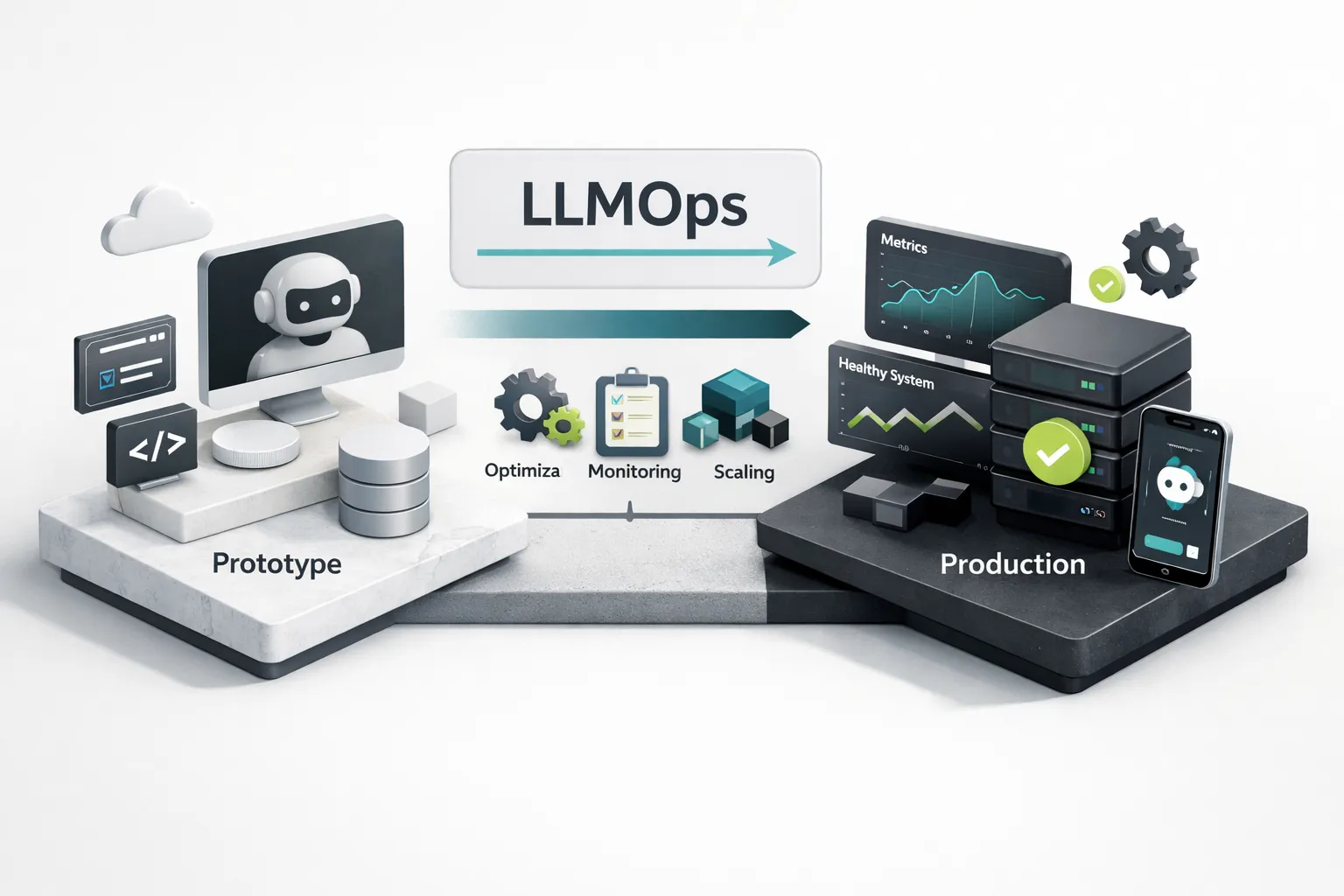
Classical MLOps handles training pipelines, feature stores, model registries, and serving infrastructure. LLMOps inherits all of that and adds the problems unique to large language models: prompt versioning (your “code” is now partly natural language), non-deterministic outputs that make traditional unit testing insufficient, evaluation datasets that must evolve with your product, and model-gateway abstractions that let you hot-swap between providers without downtime. These are the specific gaps that kill production AI apps, not the model quality, not the infrastructure, but the operational tooling that sits between “it works on my machine” and “it works for 10,000 concurrent users.”
The CI/CD Pipeline for AI
Here’s the concrete pipeline, tool by tool:
- Code commit (GitHub/GitLab): A developer changes a prompt template, adjusts retrieval parameters, or updates application code. The commit includes the prompt version as a tracked artifact, not hardcoded in application logic but stored in a versioned prompt registry (MLflow, Humanloop, or even a dedicated Git repo).
- Prompt regression tests (GitHub Actions + custom eval harness): The CI runner executes the modified prompt against a golden dataset, 50-200 curated input/output pairs that represent your critical use cases. Each output is scored on relevance, factual accuracy, format compliance, and safety. Tests fail if any metric drops below a defined threshold (e.g., relevance score < 0.85 on RAGAS).
- Automated benchmarking (Weights & Biases or custom): Measures p50/p95 latency, token consumption, and cost-per-request against the staging model endpoint. Results are logged and compared to the previous release.
- Artifact registration (MLflow): The prompt version, model configuration, evaluation results, and benchmark data are registered as a versioned artifact. This creates an auditable trail, model versioning with full data lineage from prompt to production.
- GitOps deploy to staging (ArgoCD or Flux): The registered artifact triggers a deployment to the staging environment. Infrastructure-as-code ensures the staging environment mirrors production.
- Canary rollout with shadow scoring: 5-10% of production traffic is routed to the new version. Both old and new outputs are scored in real time. If the new version’s quality metrics hold or improve for 24-48 hours, proceed to full promotion. If they degrade, automatic rollback.
- Full promotion: The new version becomes the primary. The old version remains available for instant rollback for 7 days.
The key tools: MLflow for artifact tracking and model registry, Kubeflow Pipelines for orchestrating multi-step training or fine-tuning jobs, Weights & Biases for experiment tracking and benchmark visualization, and GitHub Actions as the CI/CD glue. For teams that don’t need Kubernetes complexity, a simpler stack of MLflow + GitHub Actions + a managed model serving endpoint (Modal, Replicate, or a cloud provider’s inference service) covers 80% of use cases.
Monitoring and Drift Detection
Production monitoring for AI apps requires metrics that traditional APM tools don’t capture. You need to track:
- Token usage per request: Both input and output tokens, broken down by user segment and feature. This is your primary cost driver.
- p50/p95 latency: Measured at the model gateway, not the application layer. Include time-to-first-token (TTFT) as a separate metric for streaming responses.
- Output quality scores: Run a sample (5-10%) of production outputs through an automated eval pipeline using RAGAS metrics (faithfulness, answer relevancy, context precision) or custom model evaluation metrics. Log scores to your monitoring dashboard.
- Hallucination rate proxies: Track the percentage of responses where cited sources don’t exist in the retrieval context, or where output claims contradict retrieved documents.
- Cost-per-session: Aggregate token costs across all inference calls within a user session. Alert when the 95th percentile exceeds your budget threshold.
| Item | Value |
|---|---|
| Token Usage Monitoring | 30% of LLMOps effort |
| Quality Eval Pipelines | 25% |
| Latency Tracking | 20% |
| Cost Dashboards | 15% |
| Drift Detection | 10% |
Model drift in LLM-powered apps takes forms that classical ML drift detection doesn’t cover. Embedding drift, a gradual decay in cosine similarity between your stored vectors and freshly generated embeddings for the same content, indicates that your embedding model or its behavior has changed. Track this weekly by re-embedding a fixed reference set and comparing. Prompt sensitivity to model version bumps is another silent killer: when OpenAI or Anthropic updates a model version (even a minor one), your carefully tuned prompts may behave differently. The mitigation is to pin model versions where possible and run your golden dataset eval suite within 24 hours of any provider-side update. Set alert thresholds: a 5% drop in any quality metric triggers investigation, a 10% drop triggers automatic rollback to the previous prompt/model configuration.
Security, Compliance, and the NIST AI RMF
Security for generative AI apps isn’t an extension of traditional application security, it’s a different threat surface. Your application now accepts natural language input that directly influences system behavior, retrieves potentially sensitive documents and injects them into prompts, and generates outputs that may contain hallucinated but plausible-sounding information. Each of these creates attack vectors that don’t exist in conventional software. And the regulatory environment, particularly the EU AI Act’s phased enforcement through 2026, means that “we’ll deal with compliance later” is no longer a viable strategy.
Prompt Injection and Output Filtering
The OWASP Top 10 for GenAI Applications identifies prompt injection as the #1 threat, and for good reason. Direct prompt injection, a user crafting input that overrides your system prompt, is mitigated by system-prompt isolation: place your system instructions in a separate API parameter (the system role in OpenAI’s API) rather than concatenating them with user input, and enforce instruction hierarchy where the model is explicitly told to prioritize system instructions over user messages. This isn’t foolproof, but it raises the bar significantly.
Indirect prompt injection, malicious instructions embedded in retrieved documents that the model processes as context, is harder to defend against. Mitigations include: scanning retrieved content for instruction-like patterns before including it in the prompt, limiting the model’s available actions (no tool calls based solely on retrieved content), and implementing output schema enforcement so the model can only respond in a predefined JSON structure rather than freeform text. Schema enforcement alone eliminates a large class of exfiltration attacks.
Sensitive data exfiltration via model outputs requires scanning both the retrieval pipeline and the output. Run PII detection (regex + NER model) on retrieved chunks before they enter the prompt. Apply output filtering to detect and redact PII, credentials, or internal identifiers in model responses. For secrets handling: API keys, database credentials, and internal URLs must never appear in prompt context. Use environment-scoped secrets managers (AWS Secrets Manager, GCP Secret Manager, HashiCorp Vault) and audit your retrieval pipelines quarterly for accidental PII or credential inclusion.
Regulatory Mapping (NIST and EU AI Act)
The NIST AI Risk Management Framework (AI RMF 1.0) organizes AI governance into four functions: Govern, Map, Measure, and Manage. Here’s how each maps to concrete developer tasks:
| NIST AI RMF Function | Developer Task | Artifact/Evidence |
|---|---|---|
| Govern | Define acceptable use policies; assign roles for AI oversight | Documented AI use policy; RACI matrix for model decisions |
| Map | Identify and categorize AI risks for your specific use case | Risk register; data lineage documentation; model cards |
| Measure | Implement model evaluation metrics; test for bias; benchmark performance | Eval suite results; bias mitigation audit reports; benchmark logs |
| Manage | Deploy monitoring, rollback procedures, incident response | Monitoring dashboards; runbooks; incident post-mortems |
The EU AI Act, with its high-risk system obligations taking effect through 2026, requires additional documentation for applications in healthcare, education, employment, and law enforcement. High-risk systems must maintain: a conformity assessment (self-assessment for most categories), technical documentation including training data provenance and model architecture, logging of inference inputs and outputs with a defined retention policy (the Act suggests sufficient duration for regulatory review, most legal advisors recommend 12-24 months), and a human oversight mechanism for consequential decisions.
Here’s the self-audit checklist, organized by NIST AI RMF control area:
- [Govern] AI use policy documented and approved by leadership
- [Govern] Roles and responsibilities for model selection, deployment, and incident response assigned
- [Map] Model cards created for each model in production (including hosted API models)
- [Map] Data lineage documented from source data through embeddings to retrieval pipeline
- [Map] Risk categorization completed (EU AI Act risk tier identified if applicable)
- [Measure] Bias mitigation testing completed across protected demographic categories
- [Measure] Golden dataset eval suite running in CI/CD with defined quality thresholds
- [Measure] Model evaluation metrics (accuracy, faithfulness, relevance) tracked per release
- [Manage] Inference inputs/outputs logged with 12-month minimum retention
- [Manage] Prompt injection mitigations implemented (system-prompt isolation, output schema enforcement)
- [Manage] PII scanning active on retrieval pipeline and model outputs
- [Manage] Rollback procedure tested and documented; canary deployment active

Ship It: Your Next Three Decisions
If your use case involves sensitive data or you’re processing more than 500M tokens/month, start planning your self-hosting infrastructure now, the cost savings and compliance benefits compound over time. If you’re pre-product-market-fit, start with a hosted API (OpenAI or Anthropic), instrument every request from day one, and resist the urge to self-host until your token volume and product requirements demand it. If you’re in a regulated industry, map your application to the NIST AI RMF controls and identify your EU AI Act risk category before you write a single prompt, retrofitting compliance is 3-5× more expensive than building it in.
The prototype-to-production gap isn’t closed by choosing a better model. It’s closed by operational discipline: a reference architecture with clear separation of concerns, an eval suite that runs on every commit, monitoring that catches drift before your users do, and compliance documentation that exists before the auditor asks for it.
The prototype-to-production gap isn’t closed by choosing a better model. It’s closed by operational discipline: a reference architecture with clear separation of concerns, an eval suite that runs on every commit, monitoring that catches drift before your users do, and compliance documentation that exists before the auditor asks for it.
Your concrete next step: take the 12-item LLMOps checklist from the security section above and audit your current stack against it. Every unchecked box is a production risk. Start checking them off.