
Most AI apps die in the gap between “this demo is amazing” and “this thing actually works in production.” The demo dazzles. The architecture crumbles. The API bill arrives. The founder pivots to something else. This guide exists to close that gap, with specific architecture decisions, real cost math, and a sprint structure that production studios actually use to ship AI-powered apps in four weeks.
What follows is a vendor-neutral, MVP-first playbook. It covers model selection (hosted LLM vs. fine-tuned vs. on-device inference), secure server patterns that most tutorials skip entirely, cost modeling you can copy and adapt for your own projections, and the MLOps discipline that keeps your AI feature useful six months after launch. Every recommendation comes with measurable thresholds, not vibes.
Why Most AI Apps Fail Before Launch
The failure pattern is remarkably consistent. A founder sees a compelling demo of GPT-4o or Claude 3.7, imagines the product, and immediately starts integrating the API into a frontend. No prompt engineering strategy. No cost model. No plan for what happens when the model hallucinates, the API goes down, or the monthly bill hits $4,000 instead of $400. The AI is bolted on as a feature rather than built into the core product logic, and when it breaks, the entire value proposition breaks with it.
These failures are architectural and strategic, not technical. The API call itself is trivially easy. The hard part is everything around it: defining what the model should and shouldn’t do, securing the inference pipeline, controlling costs at scale, and monitoring output quality over time as model drift quietly degrades your user experience.
The philosophy running through this entire guide is simple: validate the AI behavior cheaply before committing to infrastructure, fine-tuning, or on-device deployment. Every builder faces four decision points, model source, data requirements, cost structure, and production safety. This guide addresses all four with concrete numbers and thresholds. A functional AI MVP can ship in four weeks with the right stack. Production-grade reliability takes longer and requires MLOps discipline. Both are covered here.
The 4-Week AI MVP Sprint
This sprint structure isn’t theoretical. Studios like CompletApp use it to deliver production-ready AI MVPs with weekly clickable previews, each week has explicit acceptance criteria so founders and engineers share the same definition of “done.” That shared definition is what separates a production studio from a developer following a tutorial and hoping for the best.
Week 1: Define the AI Contract
Before writing a single line of integration code, define the AI contract: the exact inputs the model receives, the exact outputs it must produce, and the failure modes you expect it to encounter. This is a product document, not a technical one. It answers: what does the user send in? What does the AI send back? What happens when the AI gets it wrong?
Concretely, Week 1 deliverables look like this:
- Structured prompt templates, not a single prompt string, but a versioned template with system instructions, user input slots, output format constraints, and guardrails. For a customer support chatbot, the system prompt specifies tone, scope boundaries (“only answer questions about our product”), and output format (“respond in under 150 words, include a source link if available”).
- 5-10 failure-mode prompts, adversarial or edge-case inputs that test the model’s boundaries. What happens when a user asks something outside the product domain? What happens with profanity, injection attempts, or ambiguous queries? Document expected behavior for each.
- UX fallback specifications, what the user sees when the model hallucinates, times out, or returns a low-confidence response. A loading skeleton with a 10-second timeout and a “I’m not sure about that, here are some related help articles” fallback is infinitely better than a spinner that hangs or a confidently wrong answer.
Acceptance criteria for Week 1: A completed AI contract document that any engineer can read and implement without ambiguity. Prompt templates checked into source control. Failure-mode test cases written and ready to run against the model in Week 2.
Week 2: Prototype and Validate
Week 2 produces a working prototype using a hosted API, OpenAI or Claude, running against real or synthetic data. The critical discipline here is measuring output quality with a score, not subjective “it feels good” feedback. Run your golden test prompts (including the failure-mode set from Week 1) against the model and score each response on accuracy, format compliance, and safety. A simple 1-5 rubric across those three dimensions, applied to 50+ test cases, gives you a baseline quality score you can track through every subsequent change.
This is also when you answer the minimum viable dataset question. For RAG-based features (search, Q&A over documents, knowledge assistants), 50-200 curated documents are typically sufficient to prototype. You need enough to test retrieval quality and surface edge cases, not enough to train a model. For classification tasks, you need labeled examples, but rarely thousands at MVP stage. Start with 200-500 labeled samples, measure accuracy, and expand the dataset only if accuracy falls below your threshold.
Acceptance criteria for Week 2: A functional prototype accessible via a staging URL or test build. A documented quality score across the golden test set. A clear list of prompt engineering improvements needed (these feed directly into Week 3 iterations).
Weeks 3 and 4: Build and Harden
Weeks 3 and 4 shift from “does it work?” to “can it ship?” This means secure server-side integration, cost controls, and cross-platform mobile wiring.
The server-side integration pattern is non-negotiable: the mobile or web client calls a serverless function (Firebase Cloud Function, Supabase Edge Function) that holds the API key in an environment variable, authenticates the user, applies rate limiting, and proxies the model call. The client never touches the API key. Ever. More on this in the security section below.
Cost controls get implemented here too: hard token budgets per user session, semantic caching for repeated or similar queries, and rate limits that prevent a single user from burning through your monthly budget in an afternoon. The cross-platform wiring, Flutter talking to a serverless function that queries a vector database and calls the LLM, gets built, tested on both iOS and Android simulators, and deployed to a staging environment.
Acceptance criteria for Weeks 3-4: A staging build on real devices with server-forced inference (no client-side API keys), rate limiting active, caching functional, and all golden test prompts passing at or above the Week 2 quality baseline. A documented cost-per-request measurement from staging logs.
Choosing Your Model and Architecture
For 90% of AI app use cases in 2026, a hosted LLM via API with well-engineered prompts is faster, cheaper, and more maintainable than the alternatives.
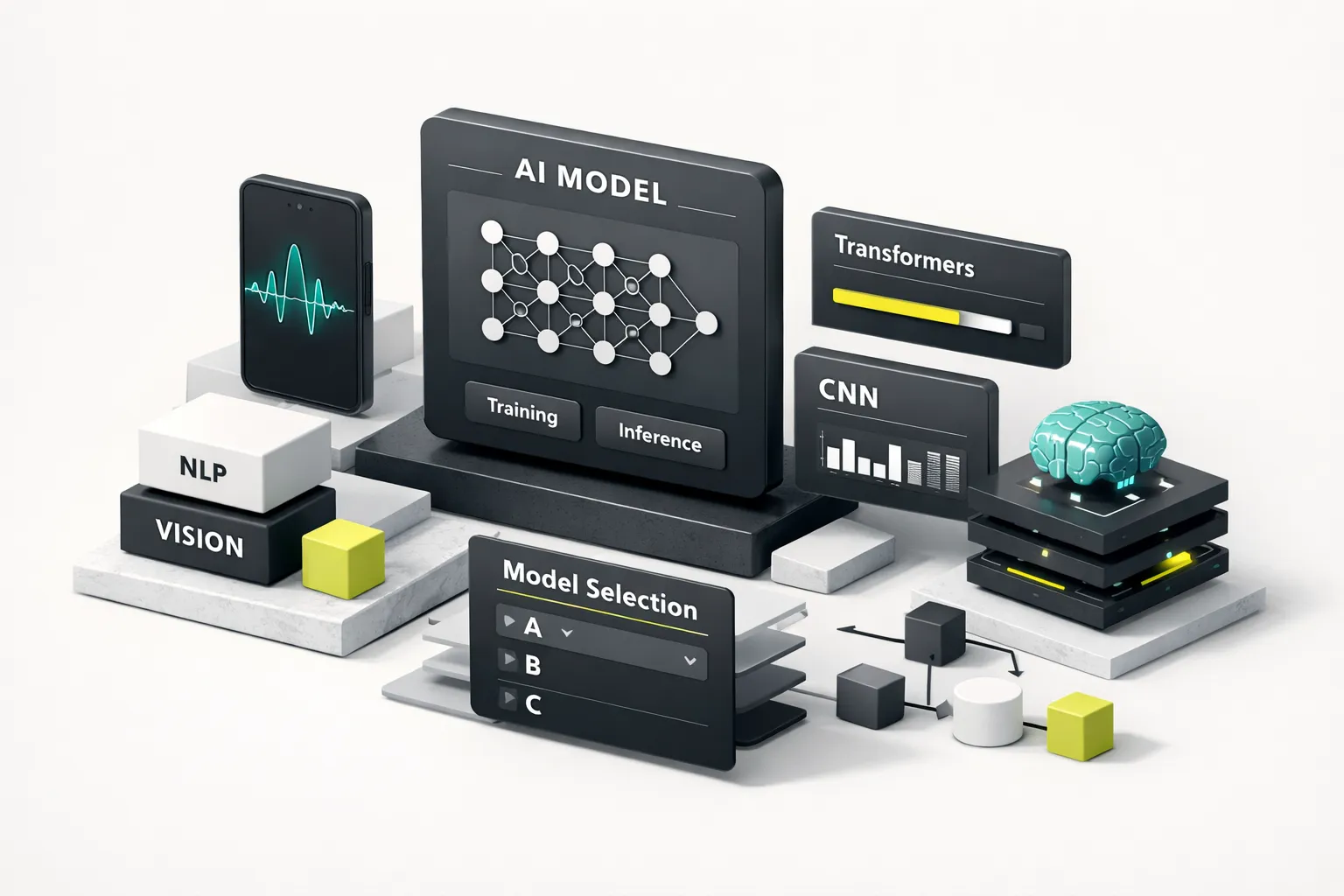
Model selection is where founders most often over-engineer. The instinct to fine-tune a custom model or deploy on-device inference is strong, it feels more serious, more defensible, more “real.” But for 90% of AI app use cases in 2026, a hosted LLM via API with well-engineered prompts is faster, cheaper, and more maintainable than the alternatives. The question isn’t “which approach is best?”, it’s “under what specific conditions does the API-first default break down?”
API vs. Fine-Tuning vs. On-Device
Start with the hosted API. GPT-4o, Claude 3.7 Sonnet, or Gemini 2.0 Flash will handle general generation, reasoning, summarization, and conversational tasks out of the box. Your job is prompt engineering, structuring the system prompt, few-shot examples, and output constraints to get reliable results. This is where most of your iteration time should go at MVP stage.
When On-Device Makes Sense
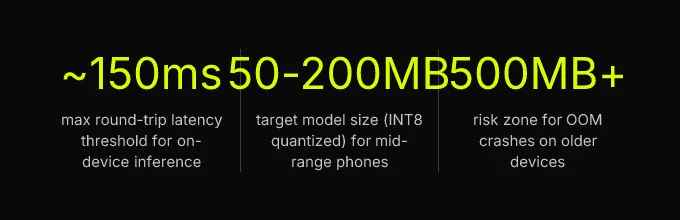
On-device inference earns its complexity under three conditions: round-trip latency must stay under ~150ms (real-time autocomplete, live camera processing), the feature must work offline (field inspection apps, rural connectivity scenarios), or regulatory and privacy constraints prohibit sending user data to external servers (healthcare, financial services with strict data residency requirements).
If you’re going on-device, quantization targets matter. INT8 quantized models in the 50-200MB range run acceptably on mid-range phones (devices with 4GB+ RAM, released 2022 or later). Models above 500MB risk out-of-memory crashes on older devices and will drain battery noticeably. The conversion paths are Core ML for iOS and TensorFlow Lite or MediaPipe for Android. Flutter plugin wrappers like tflite_flutter and core_ml bridge both platforms, though expect some platform-specific tuning for memory management and threading.
Fine-Tuning Decision Thresholds
Model fine-tuning is justified under two conditions, and both are measurable, not aspirational. First: the base model consistently fails on domain-specific vocabulary or output format after three or more prompt engineering iterations. If you’ve tried structured prompts, few-shot examples, and system-level instructions and the model still can’t reliably produce the output your product needs, fine-tuning is the next step. Second: inference cost at scale (above ~100k MAUs) makes per-call API pricing uneconomical compared to a hosted fine-tuned endpoint or a self-hosted open-weight model like Llama 3 or Mistral. This is a business math decision. Run the numbers before committing engineering time.
Securing Keys and Inference Calls
This is the section most tutorials skip, and it’s the one that will cost you the most if you get it wrong. API keys must never live in client-side code. Not in environment variables bundled into your Flutter build. Not in a JavaScript file served to the browser. Not in a config file that ships with your APK. Client-side code is readable by anyone with a decompiler or browser dev tools.
The correct pattern is server-forced inference: your mobile or web client sends a request to your own serverless function (Firebase Cloud Function, Supabase Edge Function, AWS Lambda). That function authenticates the user, checks rate limits, retrieves the API key from a secrets manager (not an environment variable hardcoded in your repo, a proper secrets manager like Google Secret Manager or AWS Secrets Manager), calls the LLM, and returns the response to the client.
Implement secure API key rotation on a regular cadence, every 90 days at minimum, immediately if a key is suspected compromised. The rotation process: generate a new key in the provider’s dashboard, update it in your secrets manager, deploy the serverless function (which pulls the key at runtime, not at build time), verify the new key works in production, then revoke the old key. If a key is compromised, the same process runs in emergency mode, you should be able to complete it in under 15 minutes. Practice it before you need it.
Cost Modeling and Stack Selection
Cost surprises kill AI apps. The API works beautifully in development when you’re making 50 requests a day. Then you launch, users arrive, and the bill scales in ways you didn’t model. The fix is straightforward: model your costs before you launch, at three scale points, broken into four buckets.
Estimating Real Costs at Scale
The four cost buckets for a typical AI app: tokenization costs (input + output tokens per request × requests per month), embedding costs (if using RAG, the cost to embed documents and queries), vector database hosting, and serverless function invocations.
| Cost Bucket | 1k MAUs | 10k MAUs | 100k MAUs |
|---|---|---|---|
| Token costs (GPT-4o, ~800 tokens/request, 10 requests/user/month) | $20-$40 | $200-$400 | $2,000-$4,000 |
| Embedding costs (ada-002, 500 docs + queries) | $2-$5 | $10-$30 | $50-$200 |
| Vector DB (Pinecone Starter / pgvector on Supabase) | $0-$25 | $25-$70 | $70-$250 |
| Serverless functions (Firebase/Supabase) | $0 (free tier) | $10-$30 | $100-$300 |
| Total estimated monthly | $22-$70 | $245-$530 | $2,220-$4,750 |
These numbers assume GPT-4o pricing as of early 2026. Swap in Claude 3.7 Sonnet or Gemini 2.0 Flash and the token line drops 30-50%. The point isn’t precision, it’s having a model you can adjust as your usage patterns become clear.
The cost levers you actually control: semantic caching can cut token spend 30-60% for FAQ-style or repetitive-query apps by returning cached responses for semantically similar inputs. Use a smaller, cheaper model (GPT-4o-mini, Claude Haiku) for classification subtasks, routing, or intent detection, reserve the frontier model for generation. Set hard token budgets per user session (e.g., 4,000 output tokens per session) and return a graceful “you’ve reached your limit” message rather than letting a single power user consume your monthly budget.
| Item | Value |
|---|---|
| Token costs | 55% |
| Serverless functions | 8% |
| Vector DB hosting | 12% |
| Embeddings | 5% |
| Other infrastructure | 20% |
Recommended Cross-Platform Stack
For cross-platform delivery in 2026, the proven stack is: Flutter (iOS + Android + web from one codebase) + Firebase or Supabase (auth, database, serverless functions) + a vector database for retrieval-augmented generation + OpenAI or Claude via server-side proxy. This pattern works regardless of which LLM provider leads the market next quarter, because the serverless proxy layer abstracts the model provider from your client code. Swap providers by changing one function, not your entire app.
The “do I need a vector database?” question deserves an honest answer. For apps with fewer than 10,000 documents and no real-time hybrid search requirement, pgvector on Supabase is sufficient and eliminates an infrastructure dependency. You get vector similarity search inside the same Postgres instance that holds your user data, with no additional service to manage, monitor, or pay for. Dedicated vector databases like Pinecone or Weaviate earn their complexity at scale, when you’re handling millions of embeddings, need sub-10ms retrieval, or require hybrid keyword + vector search with fine-grained filtering.
Production Safety: MLOps and Compliance
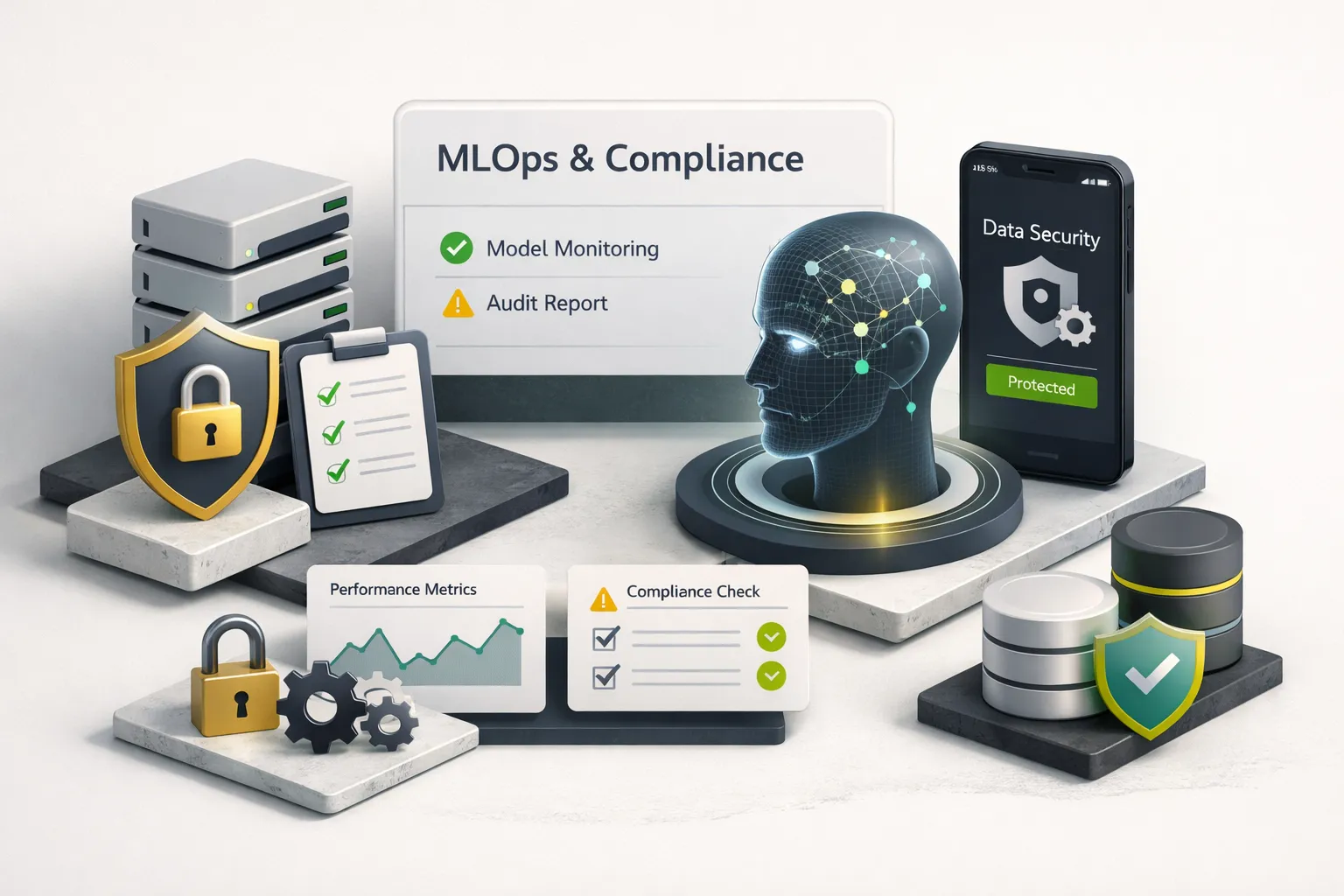
AI features degrade silently, model drift, changing user patterns, upstream model updates from your API provider, and without monitoring, you won’t know until users start complaining or churning.
Shipping the MVP is the beginning, not the end. AI features degrade silently, model drift, changing user patterns, upstream model updates from your API provider, and without monitoring, you won’t know until users start complaining or churning. MLOps for AI apps isn’t a nice-to-have you add later. It’s the difference between an app that stays useful and one that quietly rots.
Monitoring, Drift, and Rollbacks
The minimum viable MLOps checklist for an AI app at launch:
- Model versioning: Tag every prompt template and model version in source control. When you change a system prompt, that’s a version bump. When your provider updates the underlying model, log it. You need to be able to answer “what exactly was running when this user reported a bad response?” at any point.
- Automated evaluation pipelines: Run your fixed set of golden test prompts on every deployment. Compare results against your baseline quality score. Alert if any metric drops more than 20% from baseline. This catches model drift, the gradual degradation of output quality that happens when upstream models change or your data distribution shifts.
- Canary rollout: Route 5-10% of traffic to the new prompt version or model endpoint before full rollout. Monitor quality scores, latency, and error rates on the canary segment for 24-48 hours. Only promote to 100% if metrics hold.
- Rollback playbook: Document exactly how to revert a model or prompt update. The target: full rollback in under 15 minutes. If your prompt templates are versioned in source control and your serverless functions pull the active version from a config flag, rollback is a config change and a redeploy, not a scramble.
The production model monitoring metrics that matter for AI features: output quality score (human review or LLM-as-judge on a sampled percentage of responses), hallucination rate proxy (factual consistency checks against your source documents for RAG apps), latency at p50 and p95, cost per request, and refusal/error rate. Set alerts on any metric moving more than 20% from your established baseline.
Compliance Checkpoints That Matter
Compliance advice for AI apps is usually either terrifyingly vague or irrelevantly abstract. Here’s what actually maps to developer checkpoints:
NIST AI RMF translates to four concrete actions: Govern, document the model’s intended use and known limitations in a living document accessible to your whole team. Map, test for bias and failure modes before launch using your failure-mode prompt set. Measure, implement the logging and monitoring described above. Manage, maintain an incident response plan for when the model produces harmful, biased, or dangerously wrong output.
FTC guidance on AI means three things for your app: never claim AI capabilities the product cannot reliably deliver (if your chatbot answers correctly 80% of the time, don’t market it as “always accurate”). Disclose when users are interacting with AI-generated content. Do not use dark patterns to obscure the AI’s role in the experience. These are LLM safety mitigations that protect your users and your business.
GDPR/CCPA practical checkpoints: Do not send PII to third-party model APIs without a Data Processing Agreement in place, both OpenAI and Anthropic offer DPAs as of 2026. Implement differential privacy principles in your prompts: strip or hash identifying fields before sending user data to the model. Give users a clear, functional path to request deletion of AI-processed data. If you’re storing embeddings derived from user data, those embeddings are personal data under GDPR and must be deletable on request.
Your Next Step
If you have a validated idea and need to move fast, the hosted API + serverless proxy + Flutter stack described in this guide is the lowest-risk path to a shippable MVP in four weeks. The architecture is vendor-neutral, the cost model is predictable, and the security patterns are production-grade from day one.
The biggest mistake is over-engineering before validating. Don’t fine-tune a model before you’ve exhausted prompt engineering. Don’t deploy on-device inference before you’ve proven the feature works via API. Don’t build a custom MLOps platform before you’ve shipped the first version. Start with the smallest AI feature that delivers measurable value, instrument it properly from day one, and expand from there.
If you’d rather have the sprint structure and architecture patterns applied by a studio that’s done this before, rather than assembling it from tutorials and Stack Overflow threads, CompletApp runs exactly this playbook for early-stage founders. A discovery call is free, takes 30 minutes, and gives you a scoped plan whether or not you work with us.