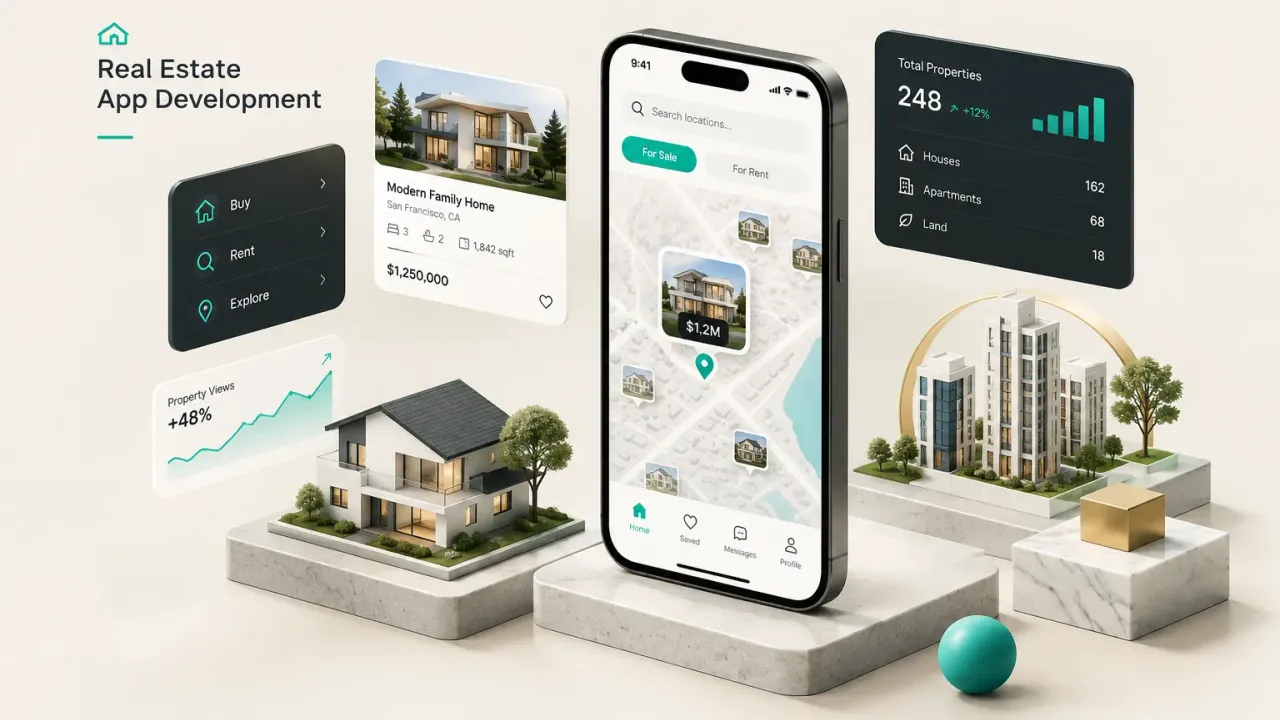
What Real Estate App Development Means
Most failed real estate apps look great in the pitch deck. The search screen is clean, the map pins drop smoothly, the property cards have shadow effects.
Then launch day arrives and there are 40 listings in the database, half of them stale.
Real estate app development is the work of building software that connects three things: property data, user roles, and transactions.
The interface is the smallest part of that equation.
The hard part sits underneath, in how listings arrive, how often they refresh, and who is legally allowed to display them.
This is why founders, brokerages, and PropTech teams treat it differently from a generic mobile app. A fitness tracker does not need a display license.
A property listing platform does.
Licensing agreements, Fair Housing compliance, and data freshness requirements shape your architecture before you write a line of UI code.
The question is never “what should the app look like?” It is “where does the data come from, who can see it, and how fast does it go stale?”
This guide works through a practical framework: app type, user roles, data sourcing, MVP scope, tech stack, cost, security, and the metrics that matter after launch. Each one narrows the decision space for the next.
The common failure mode is predictable.
Teams build features before deciding what data license they can obtain, what role model the product needs, and which geography they launch in. Six months later they have a beautiful app with no listings, or a listings feed they are not permitted to display the way they designed it.
Decide the boring things first.
The features get easier after that.
Types of Real Estate Apps
“Real estate app” covers at least five different products that share almost no backend logic.
Confusing them is expensive.
Consumer Marketplaces and Search Apps
These are the Zillow-style products buyers and renters recognise.
The core loop is search, filter, save, contact.
Everything else is supporting cast.
- Property marketplace apps live or die on data coverage and search speed. If a user searches a ZIP code and sees 12 listings when the local MLS has 400, they close the app and never return.
- Map-based property search is the defining interaction. That means geocoding every listing, indexing by bounding box, and rendering clusters without the map stuttering on mid-range Android devices.
- Saved searches and alerts drive retention far more than browsing does. A user who saves a search and receives a matching listing within 24 hours is dramatically more likely to convert to a lead.
Agent and Broker Productivity Tools
Flip the audience and the product changes completely.
Agents do not want to browse.
They want to work.
- Real estate CRM apps centre on lead capture, contact timelines, follow-up reminders, and pipeline stages. The listing is context, not the product.
- Lead routing and assignment logic matters enormously in team environments: round-robin, geography-based, price-band-based, or first-to-claim. Get this wrong and agents stop trusting the system.
- Showing coordination handles scheduling, feedback capture, and calendar sync. It usually needs to integrate with existing tools rather than replace them.
Management, Rental and Investment Platforms
Three distinct products sit in this bucket, and they are frequently mashed together by accident.
- Property management systems serve landlords and PMs: maintenance ticket workflows, rent collection with payment processing, tenant communication threads, and vacancy tracking across a portfolio.
- Rental application apps focus on screening, income and ID document upload, background check integrations, and e-signature. This is digital document management with legal consequences, so encrypted storage and audit trails are non-negotiable.
- Investment platforms live in analytics: cap rate calculations, cash flow modelling, comparable sales, portfolio dashboards, and often an automated valuation model layered on top.
- Internal brokerage operations tools handle compliance document tracking, commission split calculations, and agent onboarding. These rarely need public app store distribution at all, which removes review cycles and simplifies the entire build.
Here is the scope-creep trap.
A founder decides to build a consumer marketplace, then adds a CRM for the agents who will list on it, then adds rent collection because some listings are rentals.
Now three products share one budget.
Pick one.
Build it properly.
Add the second when the first has users.
Features Worth Building First
Every feature list starts reasonable and ends with blockchain.
The discipline is in knowing which features prove demand and which ones just prove you can spend money.
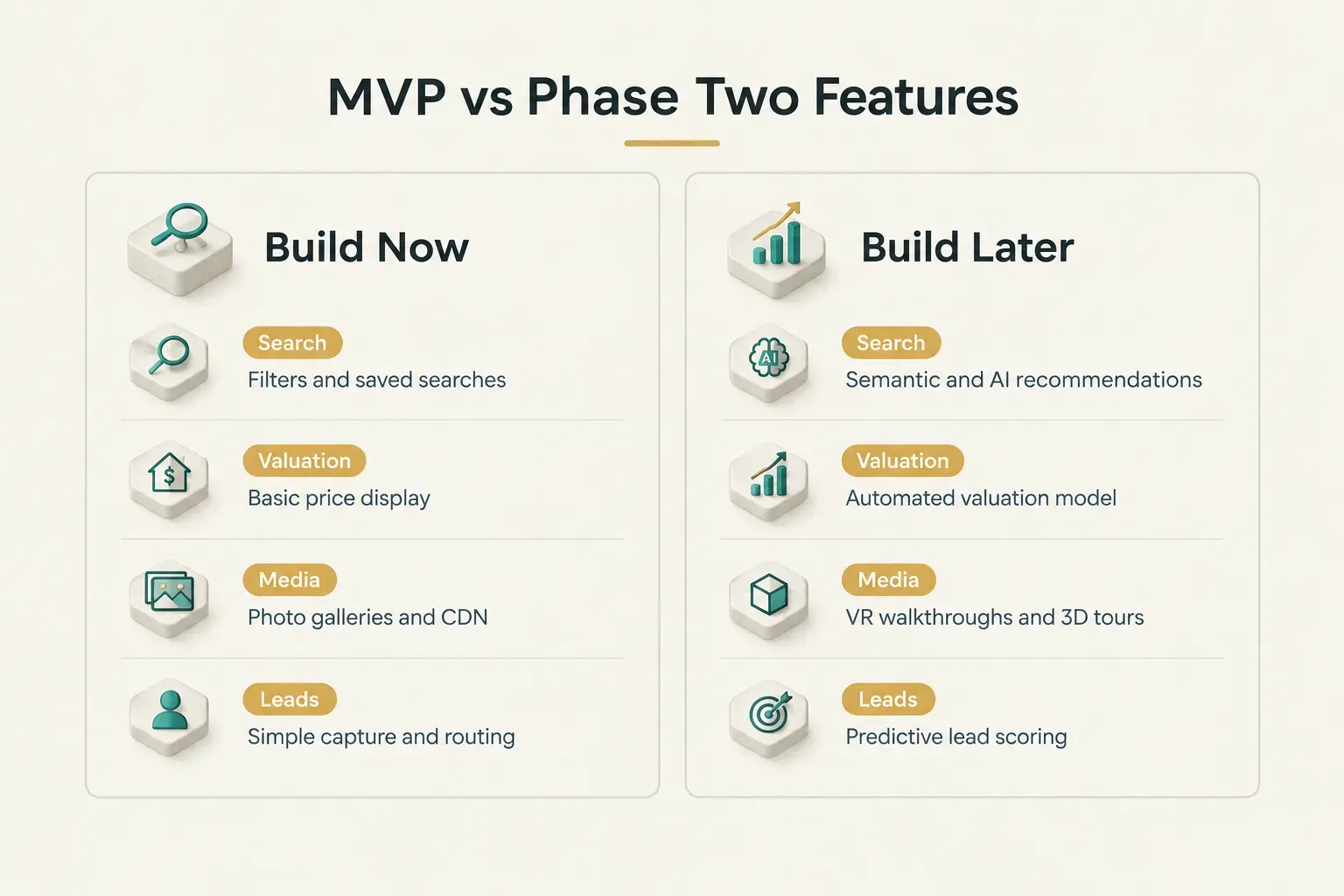
MVP Essentials vs Phase Two
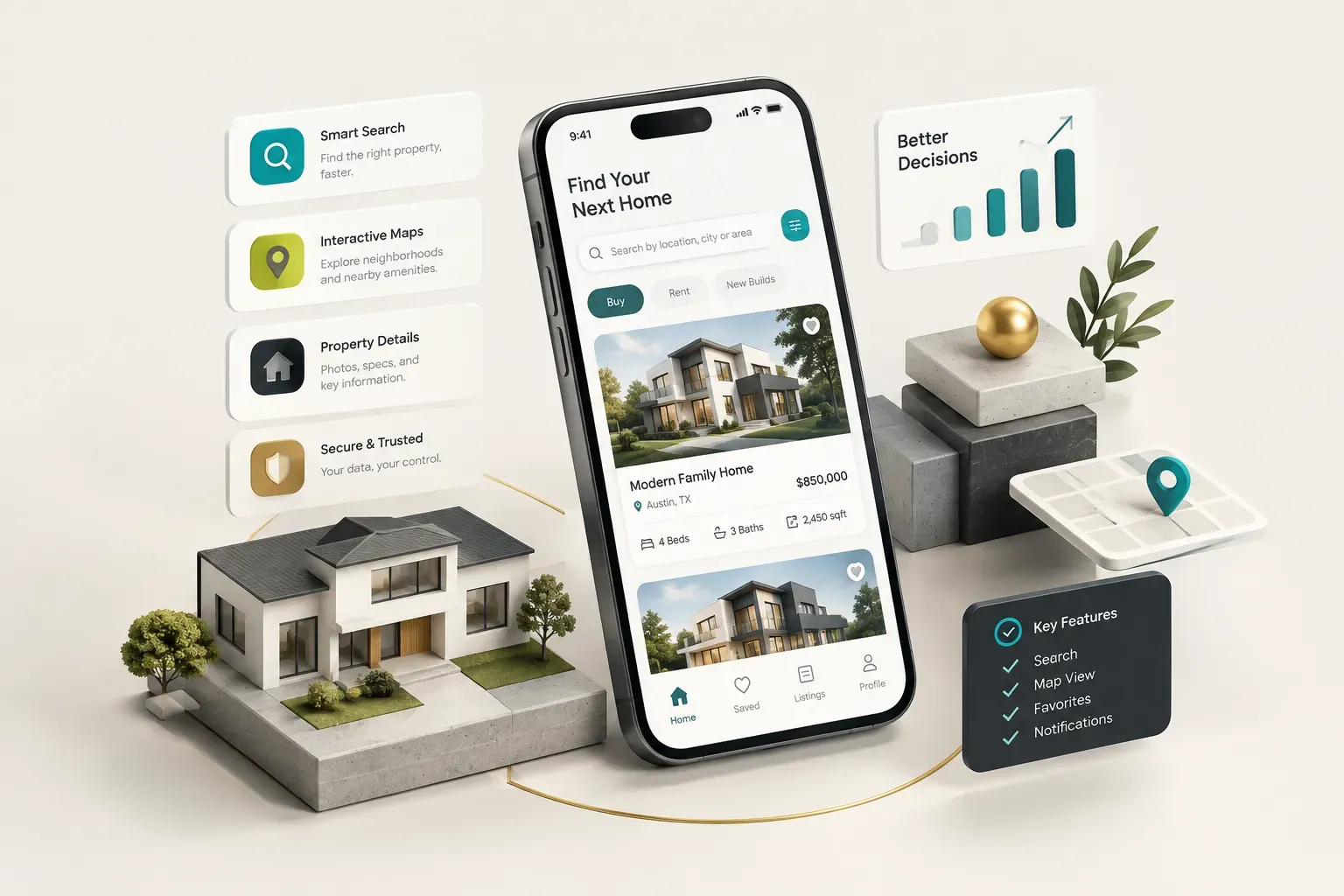
An MVP for a property search product needs six things.
Not sixteen.
- Search with filters covering price, beds, baths, property type, and location. Filters should reflect fields you actually receive in your data feed, not fields you wish you had.
- Saved searches with notifications, because this is the single highest-value retention mechanic in the category and it costs relatively little to build.
- Property detail pages with image galleries, key facts, and a clear contact action. Image loading performance matters here more than most teams expect.
- Messaging or lead capture connecting the user to an agent, landlord, or your internal team. Even a simple form with routing logic beats a “call us” phone number.
- Basic map view with clustering and a “search this area” action. Precision comes later; usability comes now.
- A simple admin panel for listing moderation, user management, and flagging bad data. Skipping this means your developers become your operations team.
Now the phase-two list.
These features inflate budgets by 40 to 100 percent and rarely change early conversion rates.
- AI-generated valuations require historical sold data you may not be licensed to use, plus model validation and disclaimers. Powerful later, distracting at launch.
- Predictive lead scoring needs volume to train on. With 200 leads it is guesswork wearing a lab coat.
- Virtual property tours and VR walkthroughs look impressive in demos but depend entirely on whether your listing suppliers actually produce 3D content. Check before you budget.
- Blockchain-based transactions solve a problem almost no early-stage real estate product has. Skip it.
- AI property recommendations are genuinely valuable, but only once you have behavioural data and a Fair Housing review process in place.
Supporting Every User Role
Map the full workflow before you design a single screen.
Most real estate products touch six roles, and each one needs a different view of the same data.
- Buyer or renter: search, save, compare, apply, upload documents, message.
- Seller or landlord: create listings, upload media, manage inquiries, track views and saves.
- Agent: receive and work leads, schedule showings, manage a personal listing inventory, log activity.
- Broker: oversee agent performance, track compliance documents, manage commission splits and office-level reporting.
- Admin: moderate listings, resolve disputes, manage feature flags, handle account deletions.
- Support staff: view tickets, impersonate accounts safely for troubleshooting, escalate issues.
Role-based access control is a product decision before it is a technical one. It determines whether an agent can see another agent’s leads, whether a landlord sees a tenant’s full screening report, and whether support can read private messages.
Those answers have legal weight.
Write them down during discovery, not during a sprint review.
One practical rule: validate a single primary role’s workflow end to end before building secondary dashboards.
If renters cannot search and apply smoothly, a beautiful broker analytics screen is worth nothing.
Where Your Listings Data Comes From
This is the section most development agencies gloss over, and it is the one that decides whether your app has a business. Data sourcing is a licensing question, a technical question, and a market-by-market question at the same time.
MLS, IDX, RESO and Data Providers
Four terms get used interchangeably and they mean different things.
Clearing that up saves months.
| Source | What It Actually Is | How You Get Access | Key Limitations |
|---|---|---|---|
| MLS | A regional database of listings maintained by local brokers and associations. There are roughly 500 to 600 MLSs across the US. | Broker membership plus a data access agreement with each individual MLS. Often requires a licensed broker of record. | Market-specific. Access to one MLS gives you nothing in the next metro. Rules vary between them. |
| IDX | Internet Data Exchange: a display license letting you show other brokers’ listings on your site or app under reciprocity rules. | IDX feed agreement through your MLS, usually tied to a participating broker. | Strict display and attribution requirements. Often excludes sold price history, showing instructions, and agent contact details. |
| RESO Web API | A data standard, not a data source. Defines a common Data Dictionary and API format so feeds are consistent across MLSs. | Comes with MLS access from compliant MLSs. RESO certification is now widely required. | Standardisation is imperfect. Local extensions and custom fields still require per-market mapping work. |
| Third-party providers | Aggregators such as ATTOM, Bridge Interactive, or similar that license property, tax, and listing data at scale. | Commercial contract, typically monthly or usage-based pricing plus onboarding review. | Broader geographic coverage but licensed use restrictions, variable freshness, and recurring cost that scales with traffic. |
| Direct-submitted listings | Listings entered by landlords, agents, or sellers directly into your platform. | You build the submission flow. No external licensing required. | You own accuracy, moderation, and fraud risk. Coverage starts at zero and grows only with supply-side effort. |
MLS integration and IDX integration are not one project.
They are one project per market.
A product covering five metros may need five separate agreements, five field mappings, and five sets of display rules.
Keeping Listings Accurate After Launch
Ingesting data once is easy.
Keeping it correct is the actual engineering work, and it never stops.
- Field mapping between the RESO Data Dictionary and your internal schema, including handling of local custom fields and enumerations that differ by MLS.
- Scheduled refreshes that pull deltas rather than full feeds, typically every 15 minutes to a few hours depending on your license terms. Stale “For Sale” badges on sold homes destroy trust fast.
- Deduplication across overlapping feeds, since the same property can appear from an MLS feed, an aggregator, and a direct submission simultaneously.
- Geocoding every address to coordinates so geospatial search works. Budget for geocoding API costs; they scale with listing volume, not user count.
- Search indexing through Elasticsearch, OpenSearch, or Algolia. Relational database queries will not handle filtered map-bounds search at scale.
- Image and video storage with CDN delivery, including resizing pipelines. Listing photos are the heaviest payload in the entire product.
- Notification infrastructure for saved-search alerts, which needs to run matching jobs against new listings without hammering your search cluster.
Founders without MLS access still have paths forward.
Partner feeds from property managers, agent-submitted inventory, and licensed aggregator APIs all work. Each trades coverage or freshness for accessibility, and each should be tested with real listings in your target market before you commit.
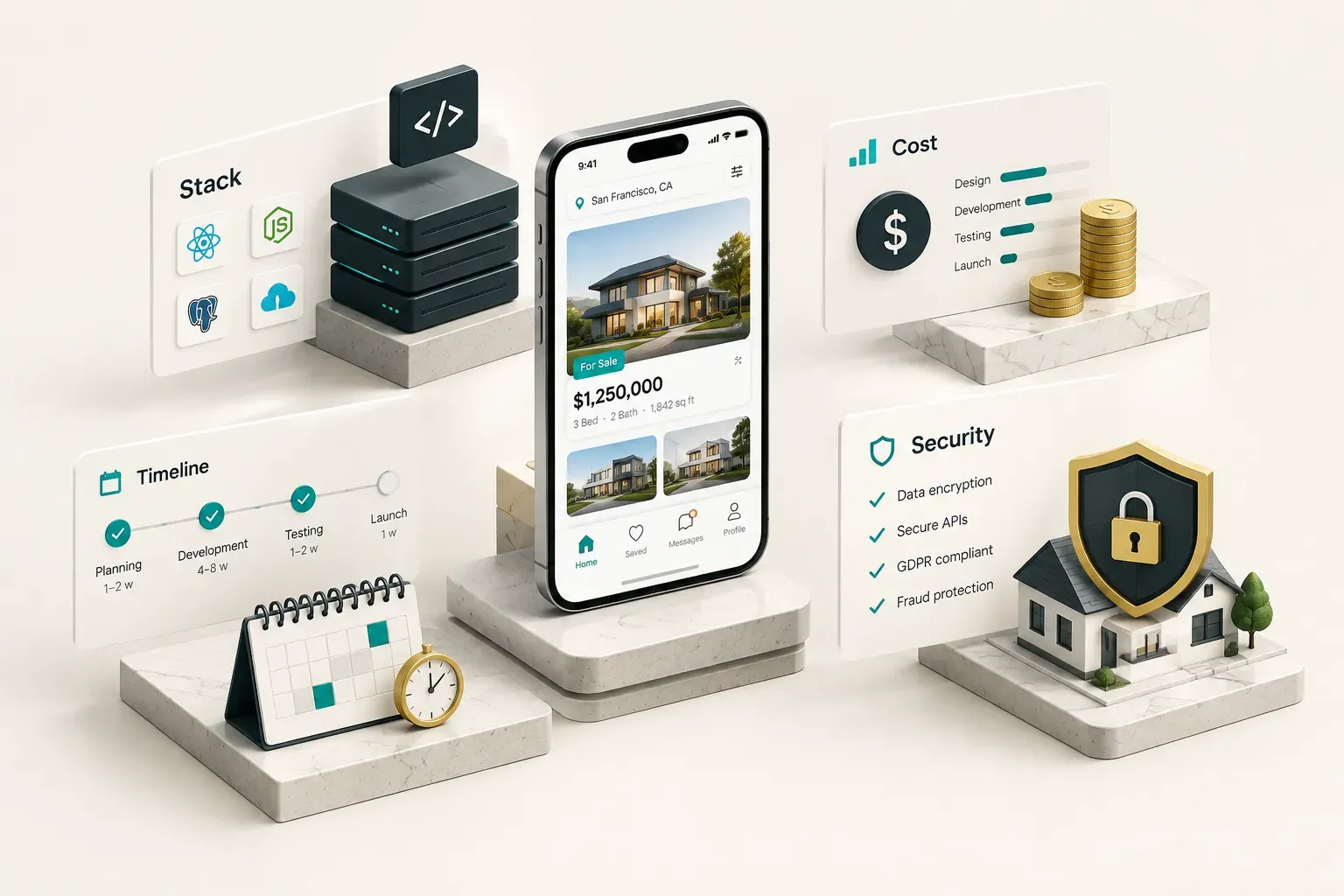
Stack, Cost, Timeline and Security
Native, Flutter or React Native?
Start with the honest question: does your app do anything that genuinely requires platform-native code?
Native iOS and Android builds are justified for heavy AR measurement tools, LiDAR-based room scanning, complex 3D tour rendering, or deep OS-level integrations. If your differentiator is a phone-camera measuring tool, build native.
For everything else, cross-platform wins.
Flutter and React Native comfortably cover about 95 percent of real estate use cases: map search, list views, image galleries, chat, push notifications, document upload, payment flows.
The cost logic is simple.
Two native codebases means two teams, two release cycles, and two bug backlogs for the same feature set.
CompletApp’s approach reflects this: ship one Flutter codebase to both app stores in weeks rather than running parallel native builds for months.
A map with clustered pins and a filter drawer does not need Swift. It needs good data and a fast search index.
What Drives Cost and Timeline
Anyone quoting a flat number without asking about your data source is guessing.
Cost in this category is driven by a specific set of variables.
- Number of user roles. Each additional role adds screens, permissions logic, admin controls, and test coverage. Going from two roles to four rarely doubles cost; it often more than doubles it.
- Data licensing fees. MLS and aggregator agreements carry setup fees, monthly minimums, and sometimes per-query pricing. This is an operating cost, not a build cost, and it continues forever.
- Geospatial search complexity. Simple radius search is cheap. Polygon-drawn search areas, school district boundaries, and commute-time filters are considerably more involved.
- Messaging and payments. In-app chat with read receipts and push delivery, or rent collection with ACH and compliance requirements, are each substantial modules on their own.
- Admin tooling. Moderation queues, bulk actions, reporting, and support impersonation are unglamorous and consistently underestimated.
- Total cost of ownership. Map tile and geocoding usage, crash monitoring, search infrastructure, CDN bandwidth, and content moderation staffing all bill monthly.
A focused single-role MVP with one data source can reach the app stores in a matter of weeks.
A multi-role platform with MLS integration across several markets, payments, and compliance tooling realistically takes six months or more.
The discovery-to-launch process should produce concrete artefacts, not vague enthusiasm.
Expect user stories tied to roles, a feature-priority score for every request, wireframes for primary flows, data models covering listings and users, API specifications, acceptance criteria per story, a test plan, and a release checklist covering store submission and rollback.
If a partner cannot show you those deliverables, they are improvising on your budget.
Security, Fair Housing and AI Guardrails
Real estate apps handle pay stubs, government IDs, credit reports, and home addresses.
That is a serious data profile for what people assume is a browsing app.
Security essentials that get skipped and should not be:
- Role-based access control enforced server-side, never just hidden in the UI.
- Encrypted document storage with signed, expiring URLs for tenant screening files and contracts.
- Audit logs recording who viewed or edited sensitive records, which matters enormously in disputes.
- API authentication with token rotation and rate limiting to prevent feed scraping of your licensed data.
- Fraud prevention on listing creation, since rental scams are endemic in this category.
- Account deletion flows that actually delete, meeting app store and privacy law requirements.
- Backups and a written incident response plan tested at least once before you need it.
Location privacy deserves specific attention.
Request approximate location rather than precise where a neighbourhood-level result set is sufficient.
Ask for the permission at the moment of value, not on first launch. Always offer manual address entry as an alternative.
And never request background location unless a feature genuinely depends on it, because reviewers and users both punish that.
Fair Housing compliance is the risk most technical teams underestimate.
Recommendation engines, search filters, ad targeting, neighbourhood description text, and AI-generated listing copy can all produce discriminatory outcomes without anyone intending it.
Filters that proxy for protected classes, “similar neighbourhoods” logic trained on historical patterns, and lead scoring that quietly deprioritises certain applicants are all live exposure. Human review of automated outputs and explainable scoring logic substantially reduce that risk.
Treat AI as a governed capability rather than an autonomous one.
Duplicate-listing detection, AI-assisted draft replies to leads, and semantic search all work well with a human in the loop and hallucination controls on generated text.
Full autonomy over anything touching housing decisions is not a feature.
It is a liability.
Start Small, Launch Smart
Launch in one geography or one property category. A rental app covering a single city with fresh, verified listings beats a national app with patchy coverage every time.
Validate supply and data quality before you expand markets, because each new MLS means a new agreement and a new mapping job.
A practical decision rule: if you lack MLS access or a technical co-founder, do not commission a full multi-role platform. Start with a scoped MVP and a fixed-price partner who will commit to a defined feature list and a release date.
Track the metrics that predict a business, starting week one.
Search-to-contact conversion, saved-search activation rate, and listing freshness tell you whether the product works.
Download counts tell you almost nothing.
Your next step is not a quote request.
It is a document: name your primary user role, write their workflow end to end, and list the six features that workflow needs.
Then go get quotes.