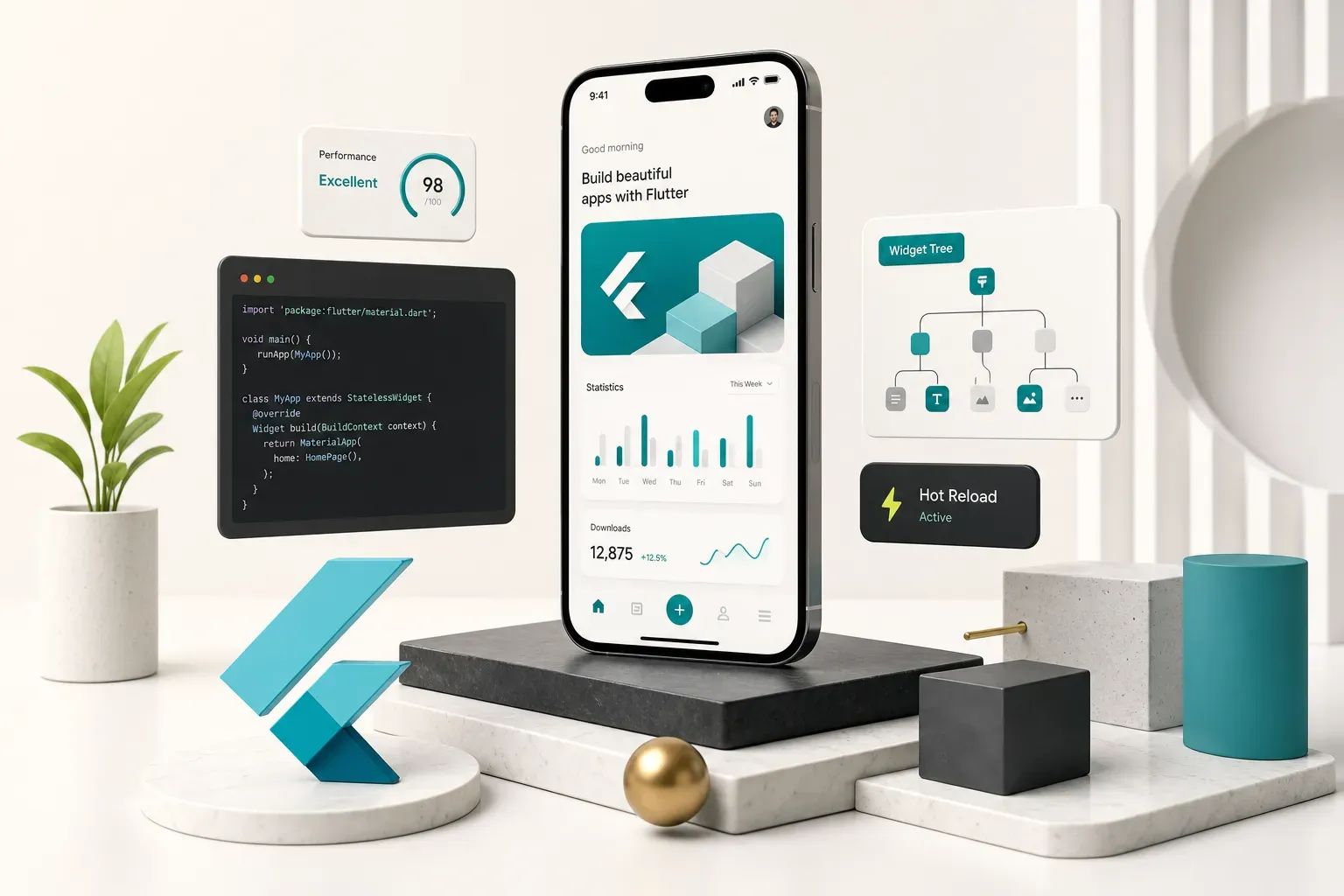
Why Most Flutter Guides Stop Too Early
Search “flutter mobile app development” and you’ll find a hundred tutorials that end with a counter incrementing on screen.
Congratulations.
You’ve built something no user will ever pay for.
The gap between a working demo and a live listing on the App Store and Google Play is where most first-time founders lose three months and half their budget. That gap contains code signing, privacy labels, TestFlight review queues, crash monitoring, and a dozen platform quirks nobody mentions in a 12-minute video.
This guide covers the full path: product planning, architecture decisions, backend and native integrations, testing, store release, and the maintenance work that starts the day after launch. It’s written for the person deciding whether and how to build, not just the person typing the code.
One expectation to set now.
A shared codebase does not mean zero platform-specific work.
Flutter gives you one codebase for your UI and business logic. It does not give you one Apple Developer account, one signing process, or one review team. Budget for both platforms even when you write the code once.
You’ll still touch Xcode. You’ll still configure Android manifests. You’ll occasionally write platform channels to reach a native API no plugin supports yet.
Knowing that upfront is the difference between a realistic timeline and a frustrating one.
What Flutter Actually Is in 2026
Flutter is not a webview wrapper.
That misconception costs teams good decisions, so let’s kill it first.
Dart and the Rendering Engine
Flutter is Google’s open-source UI toolkit that compiles the Dart programming language ahead-of-time into native ARM and Intel machine code. There’s no JavaScript bridge, no HTML rendering, no browser engine hiding underneath.
Every pixel is drawn by Flutter’s own rendering engine, Impeller, which precompiles shaders instead of compiling them at runtime.
That change alone eliminated the notorious first-run animation stutter that plagued earlier Flutter releases.
As of 2026, Impeller is the default on both iOS and Android.
The result: a reactive user interface that consistently hits 60fps, and 120fps on displays that support it. Native compilation means startup times and scroll performance sit close enough to pure native that most users can’t tell the difference.
Is Flutter still relevant in 2026?
Adoption says yes.
Fintech apps use it for rapid feature parity across platforms, e-commerce brands use it for pixel-consistent branding, and enterprises use it to consolidate two mobile teams into one. Dart’s sound null safety, mature since 2021, has removed an entire class of runtime crashes from production codebases.
Do you need to learn Dart first?
Not really.
If you’ve written JavaScript, Java, Kotlin, or C#, Dart’s syntax will feel familiar within a weekend.
The actual learning curve is widget-based thinking: in Flutter, everything is a widget, including padding, alignment, and state.
Layout is composition, not styling.
That mental shift takes longer than the syntax.
You get Material Design widgets for Android conventions and Cupertino widgets for iOS conventions out of the box, plus hot reload, which pushes code changes into a running app in under a second while preserving state.
Developers underestimate how much that single feature compresses a build schedule.
Flutter vs Native, React Native, and FlutterFlow
Four realistic paths exist for a mobile product in 2026. Here’s how they compare on the variables that actually affect your budget.
| Criteria | Flutter | Native (Swift + Kotlin) | React Native | FlutterFlow |
|---|---|---|---|---|
| Best app complexity | Simple to enterprise, heavy custom UI | Enterprise, deep OS integration, AR/ML | Simple to mid, content and commerce apps | Simple MVPs, internal tools, prototypes |
| Team skill required | one Dart team, occasional native help | Two separate specialist teams | JS/TypeScript team, native help for modules | Low-code builder, minimal engineering |
| Typical MVP timeline | 4-6 weeks | 8-14 weeks (both platforms) | 5-8 weeks | 1-3 weeks |
| UI consistency across platforms | Pixel-identical (own renderer) | Diverges by design | Close, uses native components | Pixel-identical (Flutter output) |
| Long-term maintenance cost | Low: one codebase, annual SDK upgrades | High: duplicate every feature twice | Medium: dependency churn is real | Medium-high: platform lock-in, export friction |
| Access to brand-new OS features | Sometimes a plugin lag of weeks | Day one | Sometimes a plugin lag of weeks | Limited to supported integrations |
The honest summary: choose native if your product is fundamentally about a device capability released last month. Choose FlutterFlow if you need a clickable, functional prototype before a funding conversation.
Choose Flutter for almost everything in between.
Planning Before You Write Code
The most expensive line of code is the one written before anyone agreed what the app should do. Discovery is not a formality, and it’s the phase most agencies quietly skip to start billing hours.
Define Scope, Flows, and Acceptance Criteria
- Write the one-sentence product statement. Who is the user, what job does the app do, and what happens if it doesn’t exist? If you can’t fit it in one sentence, the scope isn’t ready.
- Map every user flow end to end. Sketch the screens for signup, the core action, and the failure states. Most teams map the happy path and forget what happens when the network drops mid-payment.
- Draw the MVP cut line. List every feature you want, then physically draw a line separating version one from everything else. Push social sharing, referral programs, and admin dashboards below the line without guilt.
- Write acceptance criteria for each feature. “User can reset password” is a wish. “User receives a reset email within 60 seconds, link expires after 15 minutes, expired link shows a retry screen” is a specification you can test against.
- Decide your data model before your screens. Knowing what an order, a user, and a session look like prevents a rewrite in week five when the API and the UI disagree.
Set Up Tools and Create Your First App
Version numbers change every year, so verify the current Flutter SDK release, the minimum supported iOS deployment target, and the Android minSdk Google requires for new submissions before you install anything. What was current in 2024 will fail review in 2026.
- Install the core toolchain. You need the Flutter SDK (Dart ships with it), Android Studio for the Android SDK and emulator, Xcode on a Mac for iOS builds and the simulator, VS Code or Android Studio as your editor, and Git for version control.
- Run flutter doctor. This command audits your setup and lists exactly what’s missing: licenses unaccepted, CocoaPods not installed, no connected device. Do not proceed until every line shows a checkmark.
- Create the project with flutter create. Use a reverse-domain package name from the start, such as
com.yourcompany.yourapp, because changing bundle identifiers after store submission is genuinely painful. - Run the default app on both platforms. Launch it on an Android emulator and an iOS simulator in the same session. This single test validates that your entire toolchain works before real code exists.
- Try hot reload immediately. Change a string, save, and watch it appear. Confirming this loop works is your baseline for every hour of development that follows.
- Commit and set up CI early. Push to Git and wire a basic build pipeline now, while the project is trivial, rather than at crunch time.
Realistic timelines matter more than optimistic ones.
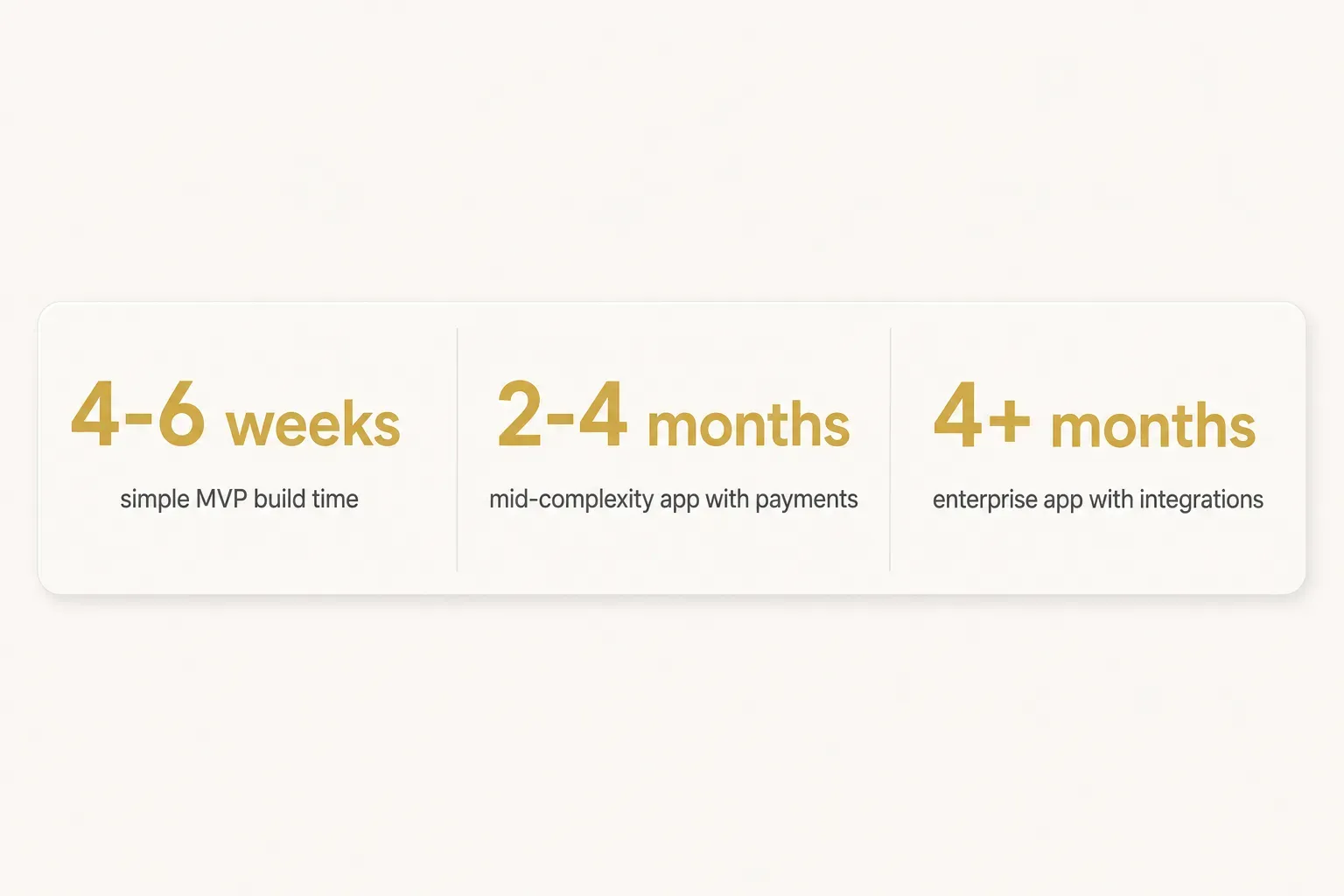
A simple MVP with authentication and a handful of screens takes 4-6 weeks.
A mid-complexity app with payments, real-time data, and custom design runs 2-4 months.
Enterprise builds with legacy system integration, compliance requirements, and multiple user roles start at 4 months and go up.
Architecture, State, and Integrations for Production
Architecture is what separates an app you can add features to in month nine from one you rewrite in month nine. The decisions below cost nothing on day one and everything if you get them wrong.
Layered Architecture and Error Handling
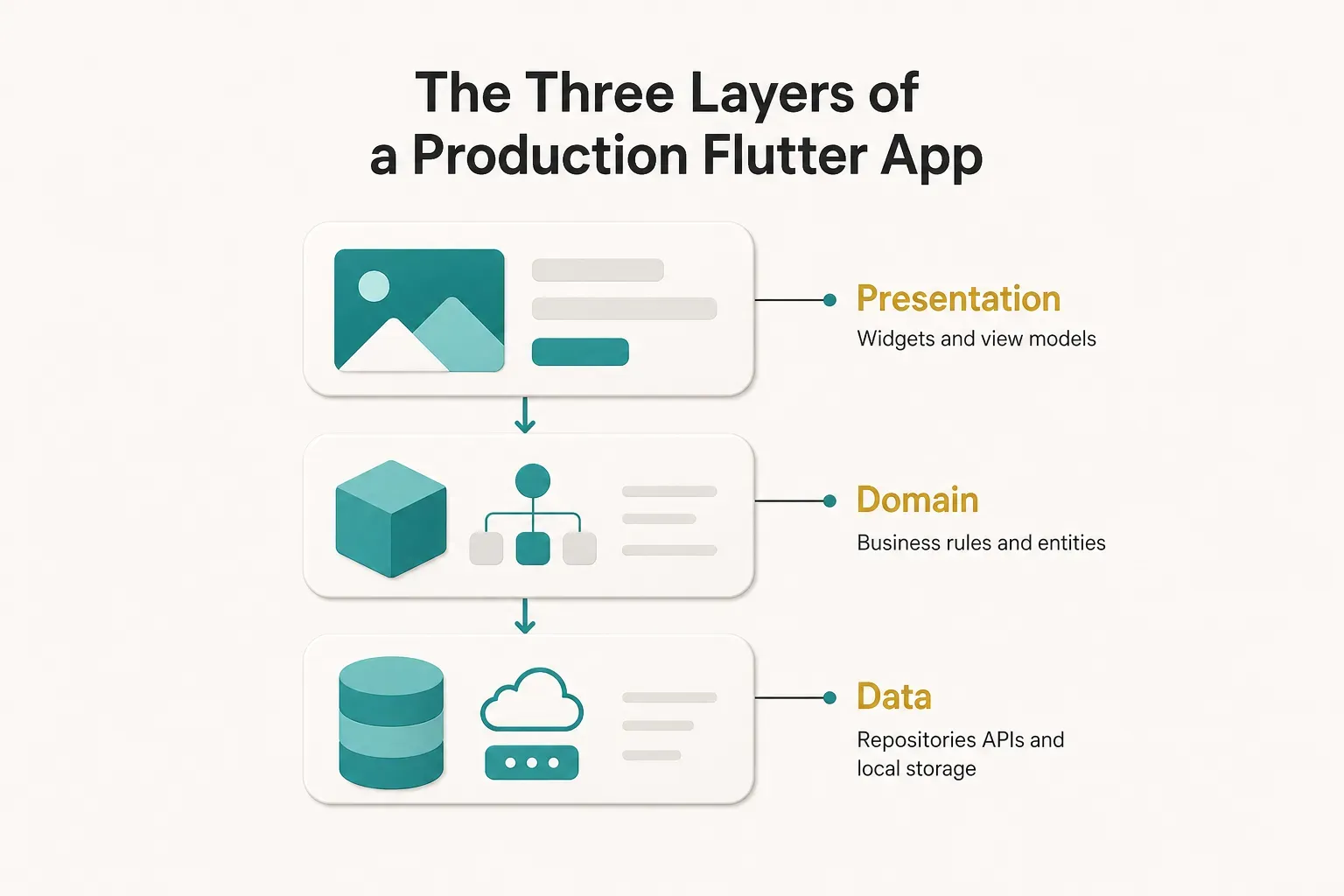
Split the codebase into three layers and keep the boundaries strict.
Presentation holds Flutter widgets and view models.
Domain holds business rules and entities that know nothing about Flutter or HTTP.
Data holds repositories, API clients, and local storage.
The test is simple: if you swapped your REST API for GraphQL tomorrow, only the data layer should change. If that swap would touch your widgets, your layers have leaked into each other.
Most production Flutter teams land on some flavor of MVVM architecture, where a view model exposes state and the widget just renders it. Wire the pieces together with dependency injection so that swapping a real API client for a mock in tests takes one line, not a refactor.
Centralize error handling instead of scattering try/catch blocks through your UI. One error handler should map network failures, validation errors, and unexpected exceptions into typed results your presentation layer can display consistently.
Then create per-environment config files for dev, staging, and production. Different API endpoints, different analytics keys, different Firebase projects.
Teams that skip this eventually ship a build pointing at their staging database, and it is always discovered by a customer.
Choosing the Right State Management
Flutter’s ecosystem offers several state management approaches, and the internet will happily argue about them for eternity. Choose based on your team and your app, not on GitHub stars.
- Provider works for small apps and small teams. Minimal boilerplate, officially endorsed, easy for a solo developer. It gets unwieldy once you have deeply nested dependent state.
- Riverpod is the pragmatic default for most new production apps. Compile-time safety, no dependency on widget context, excellent testability, and it scales from three screens to fifty.
- Bloc suits larger teams and complex domains where you need a strict, auditable event-to-state flow. The boilerplate is real, but so is the consistency when six developers touch the same feature.
- GetX moves fast and bundles routing, DI, and state together. It also encourages patterns that are hard to unit test, which makes it a poor fit for anything with a long maintenance horizon.
Weigh four variables: team size, feature complexity, whether you need robust offline behavior, and how seriously you take testing. Offline-first apps with local caching and sync conflicts benefit enormously from Bloc’s explicit state transitions.
Backend, APIs, and Native Device Access
Firebase, Supabase, or Custom Backend
Firebase is the fastest route to a working MVP. Authentication, Firestore, cloud functions, analytics, and push notifications all wire up through mature Firebase Flutter plugins in days rather than weeks. The trade-off is a document database that punishes relational queries and pricing that scales with read volume in ways that surprise people.
Supabase backend makes sense when your data is genuinely relational. You get real Postgres, row-level security policies enforced at the database, and standard SQL that any backend developer already understands. Good fit for marketplaces, booking systems, and anything with complex joins.
A custom backend is justified by two things: scale that makes managed pricing irrational, or compliance requirements (HIPAA, financial regulation, data residency) that demand control over where and how data lives.
Below those thresholds, building your own auth system is expensive nostalgia.
Whichever you choose, keep your REST API integration behind repository interfaces so the choice stays reversible.
Camera, GPS, Biometrics, and Payments
Device capabilities are where cross-platform work stops being uniform. Flutter reaches native APIs through platform channels, and thousands of published Flutter packages and plugins wrap that plumbing for you.
Camera and gallery access needs a permission rationale on Android and an explicit usage description string in the iOS Info.plist, or Apple rejects the build. GPS splits into “while in use” and “always” permissions, and requesting background location without a strong justification triggers manual review on both stores.
Biometric authentication through the local_auth package handles Face ID, Touch ID, and Android fingerprint with one API, but you still need a PIN fallback for devices without biometric hardware. Push notifications require an APNs key on Apple’s side and a Firebase Cloud Messaging configuration on Google’s.
For payments, Stripe covers physical goods and services. RevenueCat handles subscriptions and in-app purchases across both stores, which matters because Apple and Google take their cut on digital goods and enforce it during review.
Getting that distinction wrong is one of the most common rejection reasons for first-time apps.
From Testing to Store Approval and Beyond
Here’s where the timeline usually slips.
Development finishes, everyone celebrates, and then two more weeks disappear into signing certificates and review rejections nobody planned for.
Testing and Performance Tuning
Flutter’s testing pyramid has four levels, and each catches a different class of bug at a different cost.
Skip the bottom and you’ll find everything manually, slowly, in production.
- Unit tests cover business logic in the domain layer: pricing calculations, validation rules, date handling. Fast, cheap, and they should make up the bulk of your suite.
- Widget testing renders individual widgets in isolation and verifies they display the right thing for a given state. Test your loading, error, and empty states here, because those are the ones QA forgets.
- Integration testing drives the real app on a real device or emulator through complete flows: sign up, add to cart, pay. Slow to run, but these catch the bugs that actually reach users.
- Golden tests snapshot your rendered UI and fail when pixels change unexpectedly. Invaluable for design systems and for catching regressions in responsive and adaptive design across screen sizes.
- Accessibility semantics checks verify that screen readers can announce your controls, that tap targets meet minimum size, and that contrast ratios pass. Increasingly, this is a legal requirement, not a nicety.
For performance, Flutter DevTools is the instrument panel.
Use the timeline view to find frame rendering and jank, the CPU profiler for startup latency, and the memory view to catch leaks from undisposed controllers and stream subscriptions.
Target sub-16ms frames and a cold start under two seconds.
App size optimization comes from three levers: tree shaking (automatic in release builds), deferred components that load features on demand, and compressing image assets that developers habitually ship at 3x resolution. A tidy Flutter release build lands around 15-20MB before your assets pile on.
Security, Signing, and Store Requirements
HTTPS is table stakes, not a security strategy.
These are the items reviewers and attackers actually probe.
- Secure storage and authentication: keep tokens in Keychain on iOS and EncryptedSharedPreferences on Android via
flutter_secure_storage. Never in plain SharedPreferences, never in a global variable. - Secret management: API keys committed to Git are extractable from any shipped binary. Move sensitive keys server-side and inject build-time values through CI environment variables.
- Deep link validation: treat every incoming link as untrusted input. Unvalidated deep links have been used to bypass authentication screens in shipped apps.
- Certificate pinning: worth it for finance and health apps, overkill for most others, and it introduces an outage risk when certificates rotate. Decide deliberately.
- Least-privilege permissions: request each permission at the moment of use with a clear rationale, not all at once on launch. Both stores now scrutinize unjustified permissions.
Release mechanics are where first-timers lose days.
Set your bundle identifier once and never change it.
Enroll in Play App Signing so Google manages your upload key, upload an Android App Bundle rather than an APK, and complete the Data Safety form honestly.
On Apple’s side you’ll need a distribution certificate and provisioning profiles, an App Store Connect record, privacy nutrition labels declaring every data type you collect, and a TestFlight build that clears beta review before external testers can install it. Budget 24-72 hours for first review, sometimes longer.
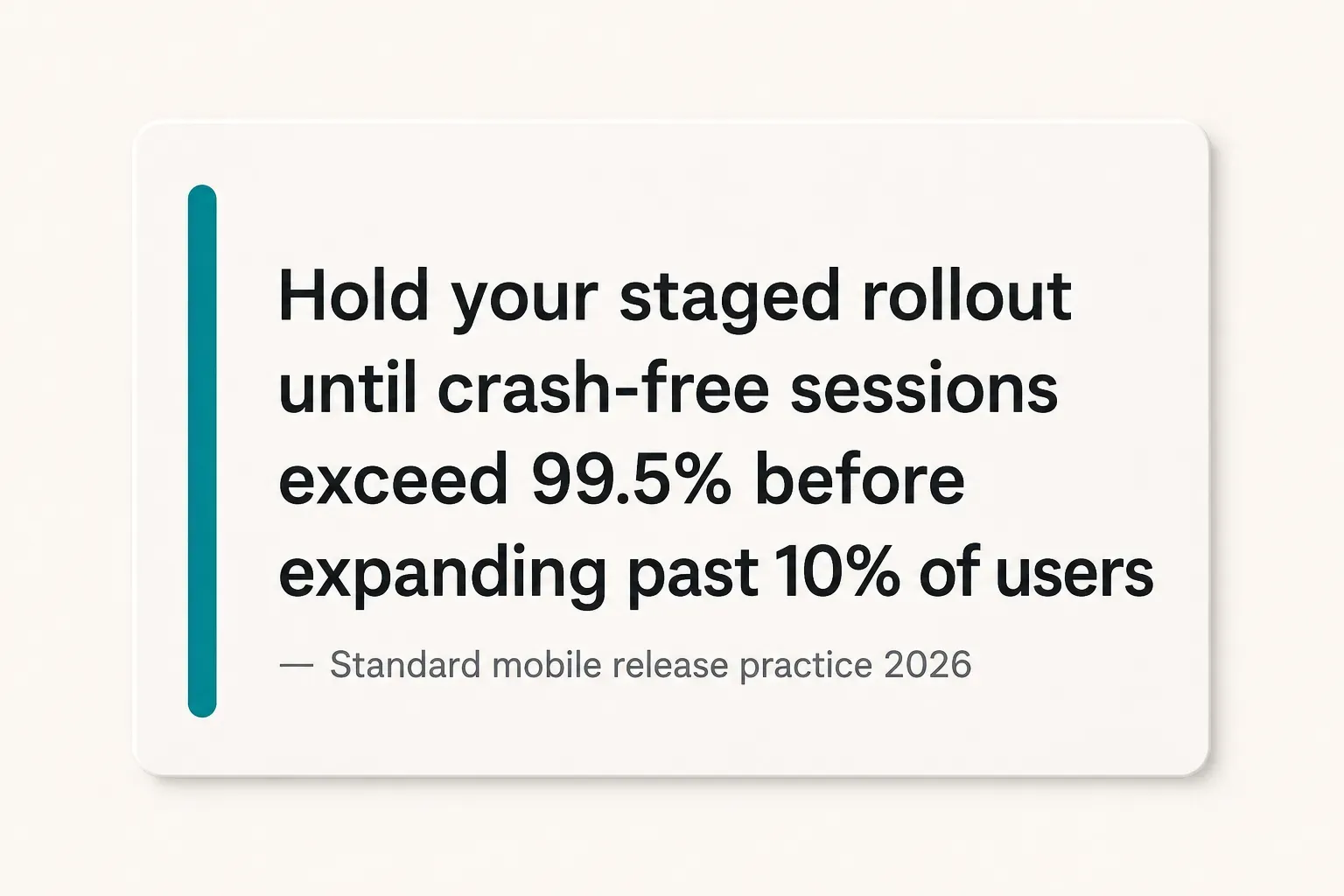
Then roll out gradually.
Start a Google Play release at 5-10% of users, watch your crash-free session rate, and only widen once it holds above 99.5%.
Post-Launch Maintenance and Choosing a Partner
Launch day is the start of the maintenance budget, not the end of the build budget.
Plan for it or discover it.
- Framework and plugin upgrades: Flutter ships stable releases several times a year, and dependencies drift. Schedule a quarterly upgrade window rather than accumulating two years of debt.
- OS-driven breaking changes: every September and every Android release brings new permission models and target SDK deadlines. Google enforces target API level requirements annually, and non-compliant apps stop accepting updates.
- Crash reporting: wire Firebase Crashlytics or Sentry before launch, not after the first bad review. You need stack traces with the user’s OS version and device model to fix anything efficiently.
- Feature flags: ship code dark and enable it remotely. This turns a risky release into a switch you can flip off in seconds without an app store update.
- Regression testing cadence: run your integration suite in continuous integration and delivery on every merge, and do a full manual pass on real devices before each release.
- AI feature integration: if you’re adding LLM-powered search, summarization, or support, keep the model calls server-side. Client-side API keys and unbounded token costs are a bad combination.
If you’re hiring a development partner rather than building in-house, evaluate on four things.
Who owns the code and the repositories when the engagement ends? Do you see working builds weekly, or a big reveal in month three?
What are their written testing standards? And who owns the store accounts and deployment pipeline?
Some studios structure engagements explicitly around these questions.
CompletApp, for example, works on fixed scope with weekly preview builds and full client ownership of code and store accounts, which is one concrete way to remove ambiguity from all four.
The specific vendor matters less than whether the answers are written into the contract.
Your Next Step With Flutter
The decision comes down to who you are.
Solo founders validating an idea should optimize ruthlessly for MVP scope and a single codebase, because the goal is learning whether anyone wants this, not building something maintainable for a decade.
Funded teams with deep native requirements should budget for platform-specific work regardless of framework, because that cost doesn’t disappear with Flutter.
It just gets smaller.
Your next action is not installing the SDK.
Write a one-page scope document: the core user flows, the MVP cut line, and acceptance criteria for each must-have feature.
Do that before you write a widget or contact a single developer.
Flutter’s direction into 2026 points toward tighter native performance, better tooling, and steady enterprise adoption.
It’s a safe technical bet.
The riskier variable was always the scope document… and that one’s yours to write.