Why This Role Confuses Founders and Beginners Alike
Ask ten people what a FlutterFlow developer does and you will get ten different answers. Some describe a designer who clicks screens together. Others describe a full-stack engineer who happens to use a visual tool.
Both are partly right, which is exactly the problem.
This guide serves two readers.
The first is someone choosing a learning path, weighing whether FlutterFlow is a shortcut worth taking or a dead end that stops short of real engineering. The second is a founder trying to work out whether the person in front of them can actually ship an app that survives a thousand users, a payment provider, and an App Store review.
Most content on the topic collapses the role into drag-and-drop screen building.
That framing is comfortable and wrong.
It skips the parts that decide whether a project succeeds: data modeling, authentication design, security rules, environment separation, and whether anyone can maintain the thing six months from now.
The visual builder is the easy part. Everything underneath it is where projects live or die.
What follows covers the actual scope of the job, the skills that sit beyond the canvas, a realistic learning roadmap with honest timeframes, the production workflow that separates a demo from a launched product, and a practical way to evaluate whether someone has real expertise or has simply assembled templates well.
What a FlutterFlow Developer Does
The job title sounds tool-specific. In practice, the daily work looks a lot like any mobile development role, just compressed.
A FlutterFlow developer designs data models before touching a screen.
They configure Firebase Authentication or a Supabase database, write security rules that survive hostile input, wire up REST API integration with third-party services, handle state management across complex flows, and take the finished build through app-store deployment on both iOS and Android.
Beyond Drag and Drop Screens
Here is the detail most tutorials skip: FlutterFlow generates real Flutter and Dart code.
Not a proprietary runtime.
Not a wrapper.
Actual Dart programming language source that compiles into the same binary a hand-coded Flutter app produces.
That has a consequence.
When something breaks, and something always breaks, the error surfaces in generated Dart, not in the visual editor. A developer who cannot read a stack trace, identify which widget tree is throwing, and patch the behaviour with a custom action or custom function is stuck.
FlutterFlow code export matters for the same reason. Teams that export their project gain full control, version history, and the ability to extend the app with packages FlutterFlow does not natively support.
Teams that never export are betting the entire product on staying inside the tool’s boundaries.
So the honest distinction is this.
A beginner assembles templates, connects a few Firestore collections, and produces something that demos beautifully.
A production-capable developer diagnoses generated code, writes custom Dart where the visual builder runs out of road, designs Firestore data modeling that will not require a migration at 5,000 users, and plans for offline data and synchronization before the first complaint arrives.
The gap between those two people is not measured in screens built. It is measured in problems anticipated.
FlutterFlow Developer vs Flutter Developer
Both build apps on the Flutter framework. Both ship to the same stores.
The difference is the starting point and the speed curve.
A Flutter developer works purely in code. Every layout, every animation, every state transition is written by hand.
Total control, slower start, and no ceiling on customization.
A FlutterFlow developer blends FlutterFlow visual development with that same underlying framework. UI, navigation, and standard CRUD flows get built in hours rather than days.
When the visual layer cannot express something, they drop into custom widgets and Dart code, which is precisely the same work a Flutter developer does, just applied selectively.
The strongest people in this space are fluent in both modes. They use the builder for velocity and code for precision, and they know exactly where the line sits.
That judgment, more than tool familiarity, is what a founder is actually paying for.
Skills Beyond the Visual Builder
If you audited failed FlutterFlow projects, you would rarely find bad screens.
You would find bad data structures and permissive security rules.
The visual canvas is forgiving.
The backend is not.
Below are the skill areas that carry the real delivery risk, grouped by where they bite.
Data Architecture and Security
This is the highest-risk part of the job, and it is invisible in a portfolio screenshot. Every one of these decisions is expensive to reverse after launch.
- Collection and table structure. Flat versus nested, denormalized versus relational, and how each choice affects read costs and query performance. Firestore charges per document read, so a poorly shaped feed query can turn a $20 monthly bill into $2,000 at scale.
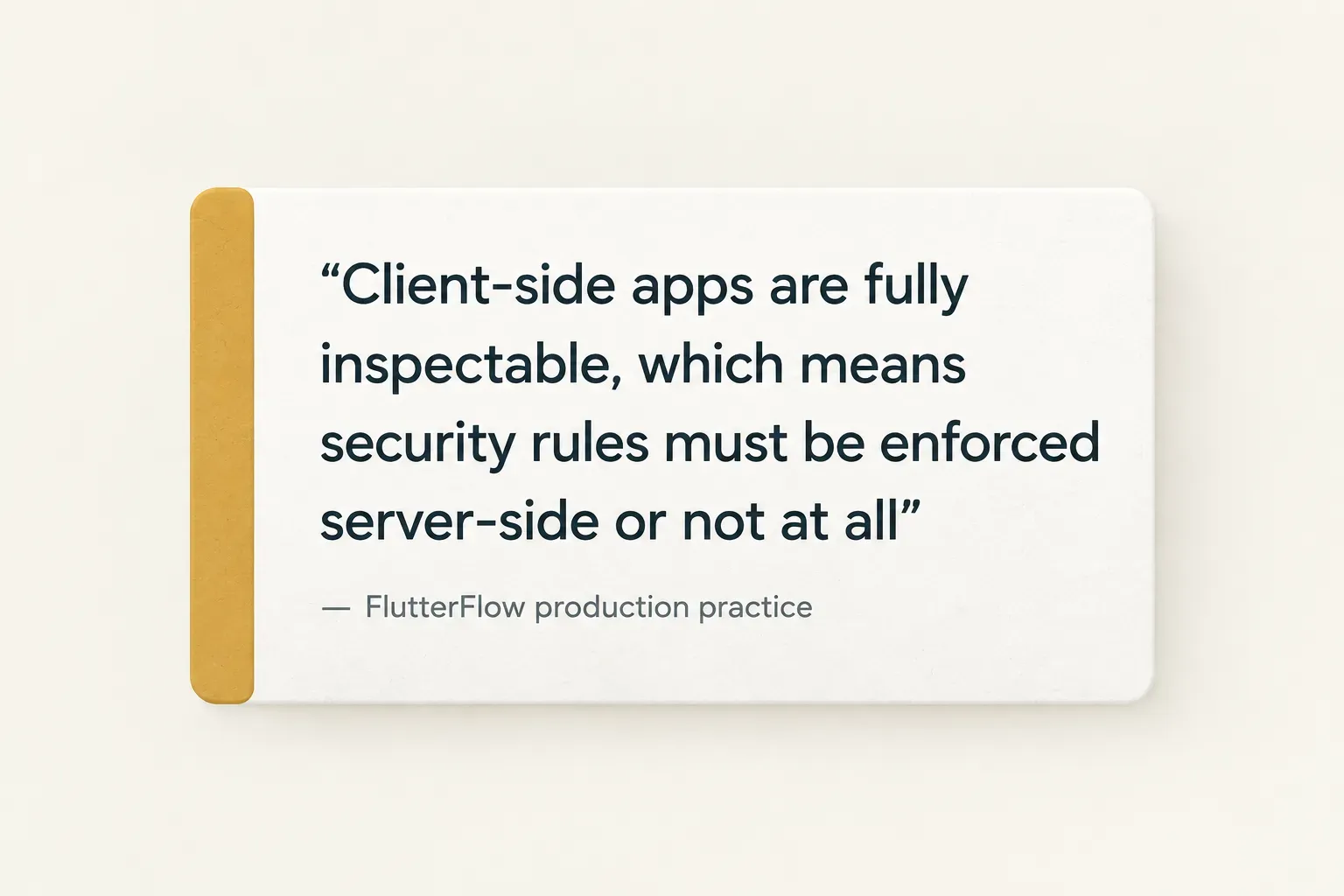
- Security rules that assume bad actors. A client-side app is fully inspectable. Anyone can read the generated code, extract endpoints, and hit your database directly. Rules must enforce ownership, field-level validation, and write limits server-side, not in the UI.
- Role-based access control. Admin, moderator, paid subscriber, and free user each need distinct permissions. Storing a role field on a user document is trivial; enforcing it consistently across every read and write path is not.
- Multi-tenant isolation. Apps serving multiple organizations need guaranteed separation so tenant A can never query tenant B’s records. This is the single most common place where prototype-grade apps leak data.
- Authentication design. Email, Google, Apple, phone, and anonymous sign-in each carry different edge cases around account linking, email verification, and password recovery. Multi-provider auth done carelessly produces duplicate accounts within the first week.
- Admin dashboards. Internal tooling usually needs elevated permissions, which means either a separate authenticated surface or server-side functions. Bolting admin powers onto the consumer app is a security incident waiting to happen.
Custom Dart and Native Code
The visual builder covers perhaps 80% of a typical app. The remaining 20% determines the timeline, and it is almost always underestimated.
- Custom actions. Dart functions that run logic the builder cannot express: complex conditionals, batch writes, retry logic, or third-party SDK calls. Most non-trivial apps need between five and thirty of them.
- Custom widgets. Hand-built Flutter components for anything visually unusual: charts, maps with custom overlays, signature pads, or animated interactions. These require genuine Flutter skill, not configuration.
- Custom functions. Pure transformations used inline, typically formatting, parsing, or computing derived values. Cheap to write, easy to abuse, and a common source of duplicated logic.
- Cloud functions. Server-side code for anything that must not run on the client: payment verification, sending notifications, aggregating data, or calling APIs with secret keys. If an app touches money, it needs these.
- Third-party packages. Pulling from pub.dev extends capability but introduces version conflicts, platform-specific build failures, and maintenance debt. Each package added is a dependency someone must keep alive.
- Native platform integrations. Bluetooth, background location, HealthKit, widgets, deep linking, and push notification edge cases often require touching platform configuration files directly. This is where timelines quietly double.
Testing Across Every Mode
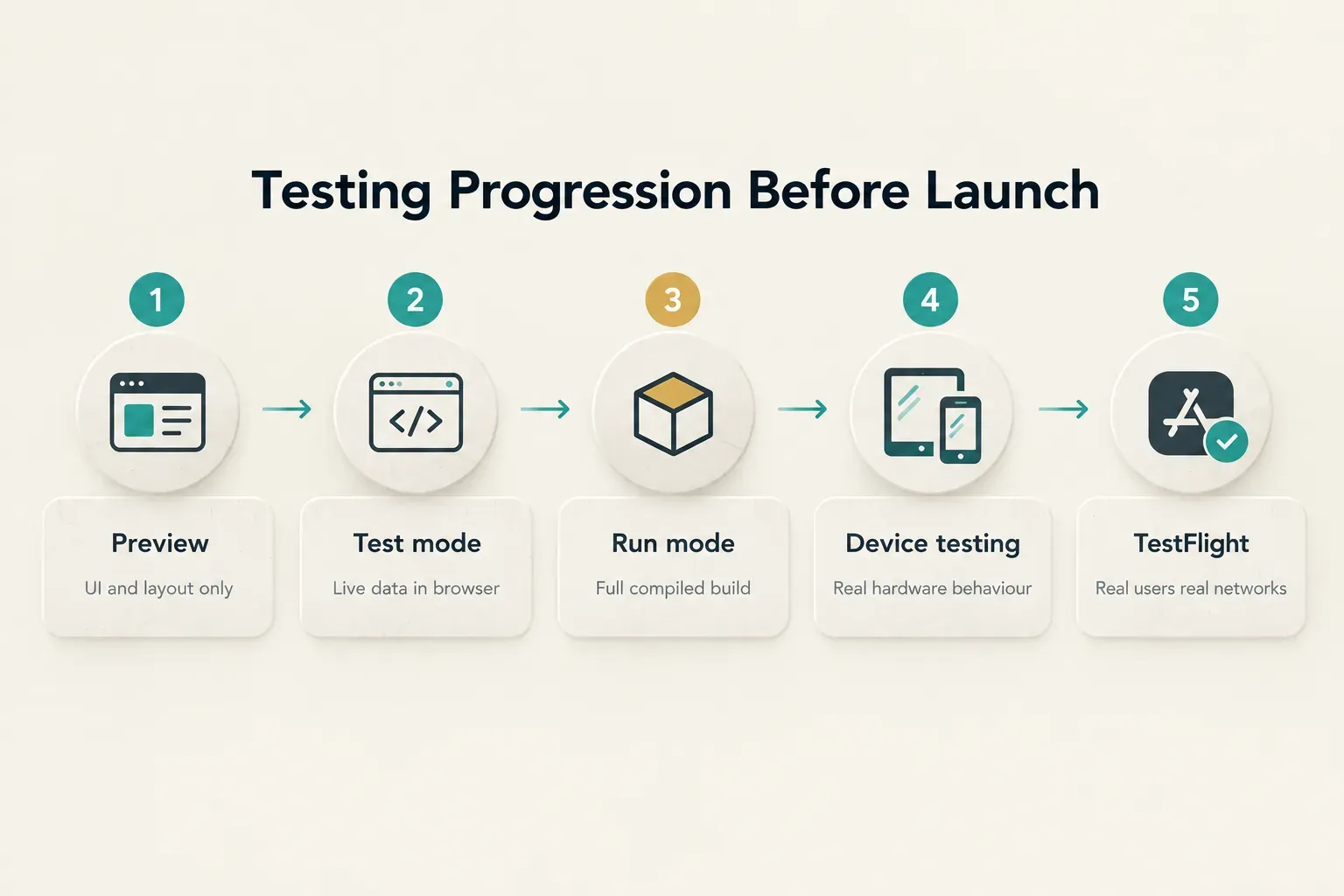
FlutterFlow offers several ways to see your app, and they are not equivalent. Confusing them is why apps that “worked fine yesterday” fail in review.
- Preview mode renders the UI in the browser. It shows layout and navigation. It does not accurately represent performance, native permissions, or real device rendering.
- Test mode runs the app with live backend connections in the browser. Useful for validating data flows and logic. Still not a real device.
- Run mode compiles a proper build and gets closer to the truth, including package behaviour and most native functionality.
- Local device testing on physical iOS and Android hardware is the first honest signal. Permission dialogs, camera behaviour, keyboard handling, notch and safe-area layout, and real network latency only appear here.
- Automated integration testing covers critical paths so a change to the checkout flow does not silently break sign-up. Worth building once an app has paying users.
- Production validation means TestFlight and internal Play tracks with real users on real connections, plus crash reporting wired in before launch, not after.
Maintainability deserves its own mention because it is the thing founders never ask about and always regret.
Consistent naming conventions, reusable components instead of copy-pasted screens, documented custom code, version control with a sensible branching model, and avoiding brittle fifteen-step action chains that nobody can debug later.
An app built without these ships at the same speed and becomes unmaintainable roughly three months in.
Becoming a FlutterFlow Developer
The fastest path is not the one that skips code.
It is the one that adds code at the right moment, after you have enough context to know why you need it.
- Master FlutterFlow fundamentals and UI logic. Build four or five complete apps: a to-do list, a social feed, a booking flow, an e-commerce cart. Focus on navigation, conditional visibility, page state, and action flows until they feel automatic. Expect two to four weeks.
- Learn core Dart syntax. Variables, types, null safety, functions, classes, async and await, futures, and error handling. You are not learning Dart to write apps from scratch. You are learning it to read generated code and write custom actions confidently. Two to three weeks of focused study is enough to start.
- Understand Flutter widget concepts. The widget tree, stateless versus stateful widgets, build contexts, and how layout constraints propagate. This is what turns “the overflow error is back” into a five-minute fix instead of an afternoon of guessing.
- Get serious about databases and REST APIs. Design schemas before building screens. Practice writing Firestore security rules and Supabase row-level policies until you can explain every line. Integrate at least three external APIs, including one that requires authenticated server-side calls.
- Add testing, deployment, and monitoring. Take one app all the way: local device testing, TestFlight distribution, privacy disclosures, store listing, review submission, and crash monitoring afterwards. The first submission always takes longer than expected. The second takes a day.
- Study real production configurations. Tutorials teach the happy path. Production teaches the rest. Reviewing production-grade FlutterFlow templates, such as CompletApp’s chat and multi-provider authentication templates, shows how security rules, data models, and role handling are actually structured when real users are involved.
That sixth step is the one people skip, and it is the highest-leverage habit on the list.
Reading and modifying another developer’s generated code teaches architecture faster than building from scratch alone. You see the decisions, the trade-offs, and the defensive patterns that no beginner tutorial bothers to explain.
How Long It Actually Takes
Straight answer: you can build functional, genuinely useful apps within two to three months of focused practice. That means five to ten hours a week, building real projects rather than watching videos.
Production-ready judgment is different.
Knowing when a data model will fail at scale, which permissions need server enforcement, and how to structure an app so a second developer can pick it up typically takes six to twelve months of shipping real projects with real consequences.
That gap is not about the tool.
A hand-coded Flutter developer faces the same curve.
FlutterFlow compresses the UI learning phase dramatically; it does not compress the architecture learning phase at all.
Hiring and Growing Beyond FlutterFlow
An app with ten users and an app with ten thousand are different products with the same screens.
The difference is everything a user never sees.
Launch, Environments, and Monitoring
The moment an app handles real users, payments, or sensitive data, it needs separate development, staging, and production environments.
Not as a nice-to-have.
As a precondition for changing anything safely.
Without separation, every experiment runs against live customer data. One careless test write, one rule change pushed at 11pm, and you are restoring a backup while support tickets pile up.
Three environments means you break things where breaking is free.
Launch itself has a checklist that goes well past “the build compiles.” App Store and Play Store submissions require accurate privacy disclosures covering every data type collected, including anything third-party SDKs gather on your behalf.
Apple rejects vague answers.
Beyond that: crash testing across at least four device sizes, accessibility testing for screen readers, contrast ratios, and tap-target sizing, responsive app design verified at real breakpoints rather than the designer’s preferred viewport, and performance optimization so the first meaningful paint does not take six seconds on a mid-range Android.
Then comes the part most teams forget.
Post-launch monitoring with crash reporting, analytics on critical funnels, and backend cost alerts.
An app without monitoring is an app where users discover your bugs before you do.
Spotting a Real Portfolio
Screenshots prove nothing.
A polished mockup takes an afternoon.
A live app takes months.
- Confirm apps are actually live. Ask for App Store and Play Store links, then check them. Note the developer account name, the update history, and the review count.
- Download and use them. Create an account. Push the edge cases. Submit an empty form. Go offline mid-action. See what happens.
- Test responsiveness. Try a small phone and a tablet. Rotate the device. Layout that collapses at 320px width tells you how carefully the build was finished.
- Ask what they specifically built. “Did you design the data model, or inherit it? Who wrote the security rules? Which parts needed custom Dart?” Configuring someone else’s architecture is a different skill from designing one.
- Probe one hard decision. Ask why they chose Firebase over Supabase on a given project. A strong answer includes trade-offs. A weak answer includes preferences.
Ownership and handoff deserve equal scrutiny, ideally settled in writing before work starts. A project ends cleanly only when the client receives the FlutterFlow project ownership transfer, backend account admin access, API credentials and keys, Apple and Google developer account access, signing certificates and provisioning profiles, and technical handoff documentation explaining the data model and any custom code.
Missing build certificates alone can block every future update.
It happens more often than anyone admits.
When FlutterFlow Isn’t Enough
Good developers tell you where the tool stops. Here is where full-code Flutter becomes the better call.
Highly customized native experiences. Complex gesture systems, bespoke rendering, heavy animation choreography, or camera and audio pipelines that need frame-level control.
Demanding performance requirements. Real-time graphics, large dataset virtualization, or anything where you are optimizing widget rebuilds and memory allocation directly.
Complex offline-first systems. Apps needing sophisticated conflict resolution, custom sync queues, and local-first databases with multi-device merge logic.
Unusual platform APIs. Deep hardware integration, niche Bluetooth protocols, background processing beyond standard patterns, or platform channels that require substantial native Swift and Kotlin.
The good news is that this is not a one-way door.
Because FlutterFlow exports standard Flutter code, a project can start visually, validate the market as an MVP product development effort, and transition to full-code later without a rewrite. Plenty of successful apps have taken exactly that path, and the export option is precisely why the risk of starting in FlutterFlow is lower than critics assume.
Choosing Your Next Step
If you are learning, resist the urge to collect tutorials. Build five complete apps, learn enough Dart to read what the tool generates, then study real production project structures to see how experienced developers actually handle security rules and data models.
If you are hiring, evaluate architecture before aesthetics. Ask who designed the data model, how permissions are enforced, and whether staging and production are separated.
Download their live apps and try to break them.
One principle holds in both cases.
FlutterFlow’s speed advantage is real, but it only persists when data structures, permissions, and environments are planned before the first screen gets built.
Skip that planning and you trade three fast weeks for three slow months.
And if you are still weighing whether to build in-house or bring someone in, a short discovery call costs nothing and usually clarifies the scope faster than another week of research.