Flutter has survived the hype cycle. The framework that Google launched in 2018 as a cross-platform experiment now powers production apps at BMW, Google Pay, Nubank, and thousands of startups that never made a press release but ship to millions of users every month. In 2026, the question isn’t whether Flutter works, it’s whether it’s the right choice for your team, your timeline, and your product ambitions.
This guide is built for developers, engineering managers, and technical founders who need more than concept explanations. You’ll get a reproducible project setup, an honest state management comparison, exact DevTools profiling thresholds, a FlutterFlow-to-hand-coded migration path that no competitor covers, and a pre-release checklist that addresses the app store gotchas most guides pretend don’t exist. Every recommendation comes with numbers, commands, or file paths, because “best practices” without specifics are just opinions.
Why Flutter Still Wins in 2026
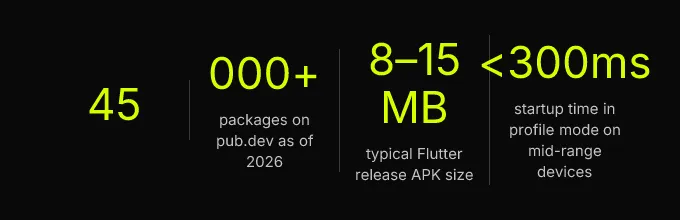
Flutter’s core proposition hasn’t changed: one Dart language codebase produces native-performance apps for iOS, Android, web, macOS, Windows, and Linux. What has changed is the maturity of that proposition. The widget tree architecture, which initially felt foreign to developers coming from imperative UI frameworks, is now well-understood, well-documented, and supported by over 45,000 packages on pub.dev. Google’s investment hasn’t wavered, Flutter 3.27 shipped in late 2025 with Impeller as the default rendering engine on both iOS and Android, replacing the Skia-based rendering pipeline that powered earlier versions.
That Impeller transition matters more than most articles acknowledge. Skia compiled shaders at runtime, which meant the first time a user encountered a particular animation or visual effect, the app would stutter while the GPU compiled the shader program. This “shader compilation jank” was Flutter’s most visible performance weakness. Impeller pre-compiles all shaders at build time through AOT compilation of the graphics layer, eliminating first-frame jank entirely. In practice, this means Flutter apps in 2026 deliver smoother animations out of the box than React Native apps using the JavaScript bridge, and comparable smoothness to fully native apps, without maintaining two separate codebases.
The trade-offs are real, though, and you should size them before committing. Flutter’s hiring pool is smaller than React Native’s JavaScript-heavy talent market. A typical release APK lands between 8-15 MB, larger than a native Kotlin app of equivalent complexity by 3-5 MB. The Dart language, while approachable for anyone with Java, Kotlin, or TypeScript experience, still requires dedicated learning time. And some third-party plugins haven’t fully migrated to Impeller-compatible rendering, which can surface as visual artifacts or crashes if you’re using niche native integrations.
Flutter is the right default for teams optimizing for speed-to-market and long-term cross-platform maintainability. But the implementation choices, architecture, state management, low-code versus hand-coded, profiling discipline, determine whether that promise holds or collapses under its own complexity at scale.
FlutterFlow vs Hand-Coded Flutter
The low-code versus hand-coded debate isn’t binary, and treating it as one costs teams either speed or quality. FlutterFlow generates real Dart code from a visual builder, which means it’s not a walled garden, you can export the full project and continue development in an IDE. But “can export” and “should export without a plan” are very different statements. The decision depends on your team’s composition, your product’s complexity, and your timeline.
When Low-Code Accelerates Delivery
FlutterFlow is the right starting point in three specific scenarios. First: solo founders with no Flutter experience who need an investor demo or user-testable prototype in under two weeks. The visual builder eliminates the Dart learning curve for standard UI patterns, lists, forms, authentication flows, CRUD screens backed by Firebase or Supabase. Second: teams building apps where 70% or more of the screens follow predictable patterns (settings pages, profile screens, data display lists) and the remaining screens don’t require custom animations or complex state coordination. Third: agencies or consultancies delivering client MVPs on fixed timelines where the client’s budget doesn’t support a full custom development cycle.
The practical threshold is this: if more than 30% of your screens require custom logic that FlutterFlow can’t express, complex gesture handling, multi-step state machines, custom paint operations, real-time data synchronization beyond basic Firestore listeners, the time you spend fighting the visual builder exceeds the time you’d spend writing Dart directly. That’s your signal to migrate or start hand-coded.
The FlutterFlow-to-Flutter Migration Path
This is the section competitors skip entirely, and it’s the section that saves teams weeks of confusion. FlutterFlow exports a complete Flutter project: lib/ directory with generated widgets, a pubspec.yaml with pinned dependencies, Firebase configuration files, and auto-generated state management code. The migration isn’t “open in VS Code and start editing.” It’s a structured process with clear keep/rewrite boundaries.
What to Keep and What to Rewrite
Keep the Firebase configuration files (google-services.json, GoogleService-Info.plist, firebase_options.dart), these are standard and don’t carry FlutterFlow-specific patterns. Keep individual widget files that represent simple, self-contained screens (a settings page, a static info screen) as long as you refactor them into your own folder structure. Keep asset references and theme definitions, though you’ll likely want to centralize the theme into a single app_theme.dart file.
Rewrite the state management layer. FlutterFlow generates its own state handling patterns that don’t align with Riverpod, BLoC, or any standard approach, they’re tightly coupled to the visual builder’s assumptions about data flow. Rewrite navigation: FlutterFlow’s generated routing is functional but doesn’t scale to deep linking or guard-based navigation patterns. Rewrite any “custom actions” or “custom functions” that FlutterFlow stored as standalone Dart files with generic names, these need to be reorganized into a feature-first architecture with proper dependency injection.
CompletApp’s FlutterFlow templates, including their custom chat template, are designed with this migration in mind, the generated code follows naming conventions and separation patterns that survive the transition to hand-coded Flutter without a full rewrite. Their migration service handles the restructuring for teams that want to move fast without learning the migration pitfalls firsthand.
CI/CD for FlutterFlow-Generated Projects
Getting a FlutterFlow export into a CI/CD pipeline requires addressing three issues that don’t exist with hand-coded projects. First, the generated pubspec.yaml often pins dependency versions aggressively, run flutter pub outdated immediately and update to version ranges that your CI environment supports. Second, FlutterFlow projects sometimes include platform-specific files (Xcode workspace settings, Gradle wrapper properties) that assume a specific local environment. Reset these with flutter create . run from the project root to regenerate platform scaffolding without overwriting your Dart code. Third, Firebase configuration files may contain API keys committed directly to the repo, move these to environment variables in your CI system before the first push to a shared repository.
A minimal GitHub Actions workflow for a FlutterFlow export: run flutter pub get, then flutter analyze, then flutter test (even if the generated project has no tests, add at least smoke tests for navigation), then flutter build apk --release and flutter build ipa --release. Use Fastlane or Codemagic for code signing, and store signing certificates as encrypted GitHub secrets.
Project Setup, Architecture, and State Management
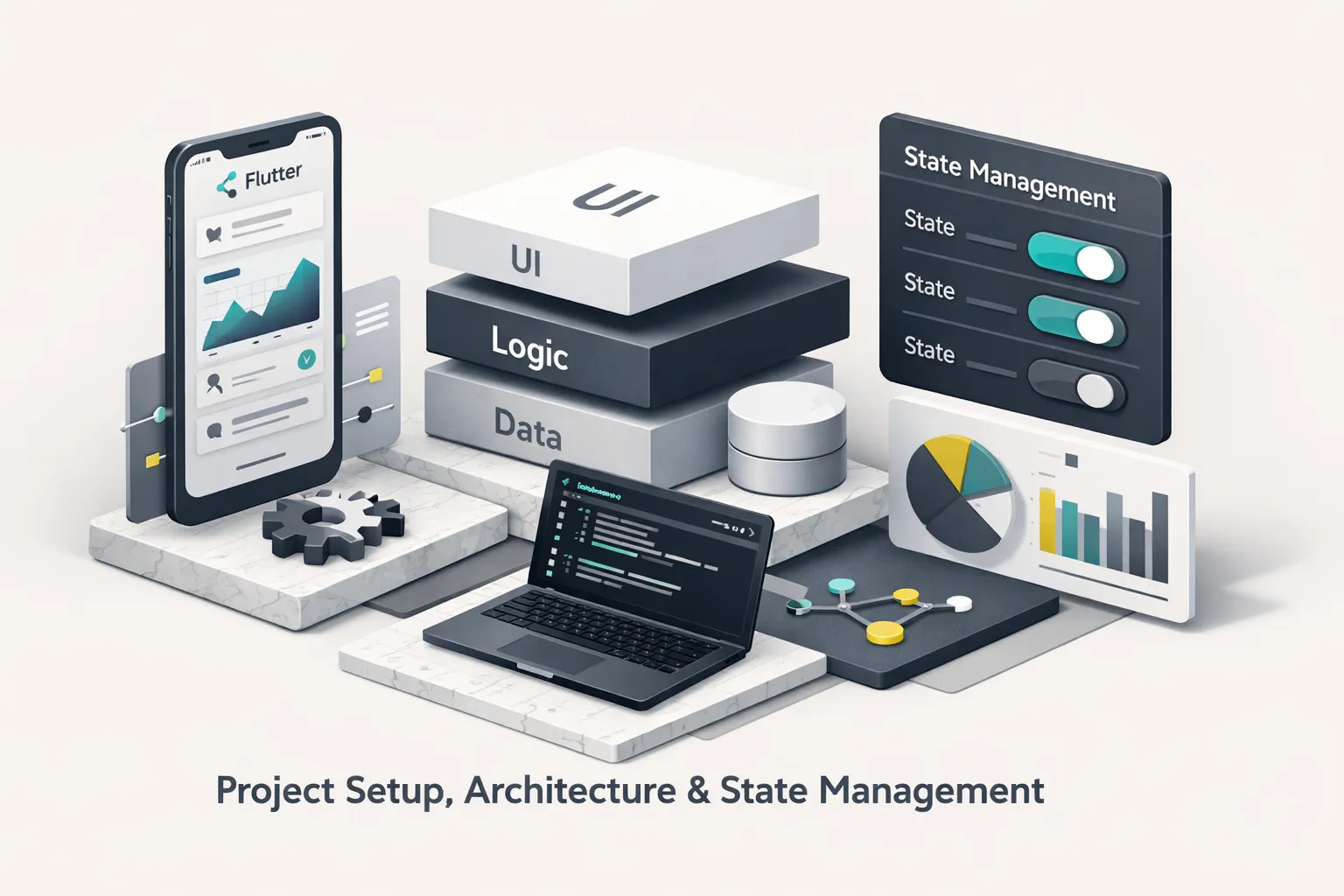
Every Flutter guide covers installation. Few cover the steps that actually waste your afternoon. This section focuses on the non-obvious setup problems, the folder structure that survives team growth, and a state management comparison that gives you enough code to make a real decision.
Environment Setup That Actually Works
Install Flutter through FVM (Flutter Version Manager), not directly. Teams running multiple projects will inevitably need different Flutter SDK versions, and FVM lets you pin a version per project via a .fvm/fvm_config.json file that the whole team shares through version control. On macOS, the two most common time sinks are Xcode command-line tools version mismatches (run sudo xcode-select --switch /Applications/Xcode.app/Contents/Developer after any Xcode update) and CocoaPods cache corruption (delete ios/Pods and ios/Podfile.lock, then run pod install --repo-update). On Windows and Linux, the Android SDK license acceptance step (flutter doctor --android-licenses) fails silently if the Java version doesn’t match, use the JDK bundled with Android Studio, not a system-installed JDK.
Run flutter doctor -v after setup. Fix every warning. The verbose flag shows you the exact binary paths and versions Flutter is using, which saves hours of debugging when builds fail in CI but work locally.
Folder Structure for MVPs That Scale
Use feature-first organization, not type-first. The type-first approach, models/, widgets/, services/, screens/, feels logical when you have 10 files. At 100 files, you’re scrolling through a models/ folder with 30 unrelated data classes and a widgets/ folder where a chat bubble sits next to a payment card. Feature-first groups everything related to a capability together:
lib/features/auth/, login screen, auth repository, auth state, auth modelslib/features/chat/, chat screen, message model, chat repository, chat providerslib/core/, networking, error handling, dependency injection setuplib/shared/, reusable widgets, theme, constants
This structure also maps cleanly to FlutterFlow migrations: each FlutterFlow-generated screen becomes a feature folder, and the shared components move into lib/shared/.
Choosing a State Management Approach
Riverpod is the 2026 default for new projects. It doesn’t depend on BuildContext for accessing state, which means your business logic is fully testable without widget test harnesses. It supports code generation for reducing boilerplate, and its AsyncNotifierProvider handles the loading/error/data lifecycle that every real app needs. A simple async data fetch in Riverpod looks like this: define an AsyncNotifierProvider that calls your repository, and the widget consumes it with ref.watch(), three files, clear separation, fully testable.
BLoC (Business Logic Component) suits teams that want enforced unidirectional data flow with explicit event and state classes. It’s more verbose than Riverpod, the same async fetch requires an Event class, a State class, and a Bloc class, but that verbosity becomes documentation in large codebases where multiple developers touch the same feature. If your team already uses BLoC, there’s no compelling reason to migrate to Riverpod for an existing project.
Provider is legacy. It still works, it’s still maintained, but Riverpod was created by the same author (Remi Rousselet) specifically to fix Provider’s limitations. Starting a new project on Provider in 2026 is choosing to accumulate technical debt from day one.
| Item | Value |
|---|---|
| Riverpod | recommended for new projects |
| BLoC | viable for teams with existing experience |
| Provider | legacy, avoid for new work |
For Firebase or Supabase backends, which power the majority of Flutter MVPs, use a repository pattern. Create a repository class for each data domain (AuthRepository, ChatRepository) that encapsulates all backend calls. Inject these repositories through Riverpod providers. Never call FirebaseFirestore.instance directly from a widget. That anti-pattern makes testing impossible, creates hidden dependencies, and turns every widget into a tightly coupled integration point that breaks when you switch backends.
Performance, Profiling, and Common Pitfalls
Flutter’s rendering pipeline gives you smooth 60fps (or 120fps on high-refresh displays) by default, until you break it. The framework’s widget tree diffing algorithm is efficient, but it can’t save you from architectural decisions that force unnecessary work. This section gives you the exact tools, commands, and thresholds to identify and fix performance problems before your users notice them.
Reading Flutter DevTools Like a Pro
Start every profiling session with flutter run --profile. Never profile in debug mode, debug builds include assertions, type checks, and disable AOT compilation, making performance measurements meaningless. With the app running in profile mode, open Flutter DevTools from the terminal link or from VS Code’s Flutter sidebar.
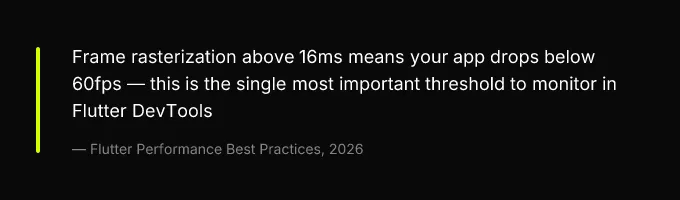
The Timeline view shows two threads that matter: the UI thread (where your Dart code runs, the widget tree rebuilds, and layout calculations happen) and the Raster thread (where the rendering pipeline, now Impeller by default, converts your widget tree into GPU instructions). Here are the thresholds that demand action:
- Frame rasterization > 16ms: The raster thread is overloaded. This usually means complex visual effects, unoptimized images, or too many layers. Wrap expensive subtrees in
RepaintBoundaryto isolate their repaint region. - UI thread > 8ms per frame: Your Dart code is doing too much work per frame. The flame chart will show which
build()methods are being called, look for widgets rebuilding that shouldn’t be. - Memory > 300MB on mid-range Android: You’re leaking listeners, caching decoded images without bounds, or holding references to disposed controllers. Use the Memory tab to take heap snapshots and diff them.
The flame chart for excessive rebuilds shows wide build() bars spanning multiple widget names that haven’t changed. The flame chart for shader compilation stutters (on apps still using Skia or plugins with Skia dependencies) shows tall, narrow spikes in the raster thread labeled “GrGLGpu” or “ShaderCompilation.” With Impeller, those spikes disappear, but if you see them, a plugin is likely falling back to Skia. Test with --no-enable-impeller to confirm, and file a compatibility issue on the plugin’s repository.
The Most Expensive Anti-Patterns
Rebuilding entire widget trees instead of isolating state. Symptom: the entire screen flickers or stutters when a single value changes. Cause: a setState() call at the top of a large widget tree. Fix: move the changing state into a dedicated widget or use a scoped Riverpod provider so only the affected subtree rebuilds.
Using ListView instead of ListView.builder for long lists. Symptom: high memory usage and slow scrolling on lists with 100+ items. Cause: ListView(children: [....]) builds all children immediately. Fix: switch to ListView.builder(itemBuilder: ...), which builds items lazily as they scroll into view.
Loading images without caching. Symptom: images flicker or reload when scrolling back to previously visible items. Cause: using Image.network() without a cache layer. Fix: use the cached_network_image package from pub.dev, one import, one widget swap.
Running heavy computation on the UI isolate. Symptom: the UI freezes for 200ms+ during JSON parsing, image processing, or data transformation. Cause: Dart is single-threaded by default; heavy work blocks the event loop. Fix: use Isolate.run() (Dart 2.19+) or compute() to offload work to a background isolate.
Overusing Opacity widget for animations. Symptom: janky fade-in/fade-out transitions. Cause: Opacity forces the child subtree into an offscreen buffer every frame. Fix: use AnimatedOpacity or FadeTransition, which are optimized for animated opacity changes in the rendering pipeline.
Binary size and startup time benchmarks across build modes, measured on a mid-complexity app (12 screens, Firebase auth, Firestore, image loading) on a Pixel 7:
| Build Mode | APK Size | Startup Time | Memory at Idle |
|---|---|---|---|
| Debug | ~65 MB | ~2.8s | ~280 MB |
| Profile | ~28 MB | ~1.1s | ~180 MB |
| Release | ~12 MB | ~290ms | ~95 MB |
These numbers are why you never benchmark in debug mode, and why you should include release-mode testing in your CI pipeline. The 5× difference in APK size between debug and release catches teams off guard when they first submit to the Play Store.
Testing, CI/CD, and App Store Release
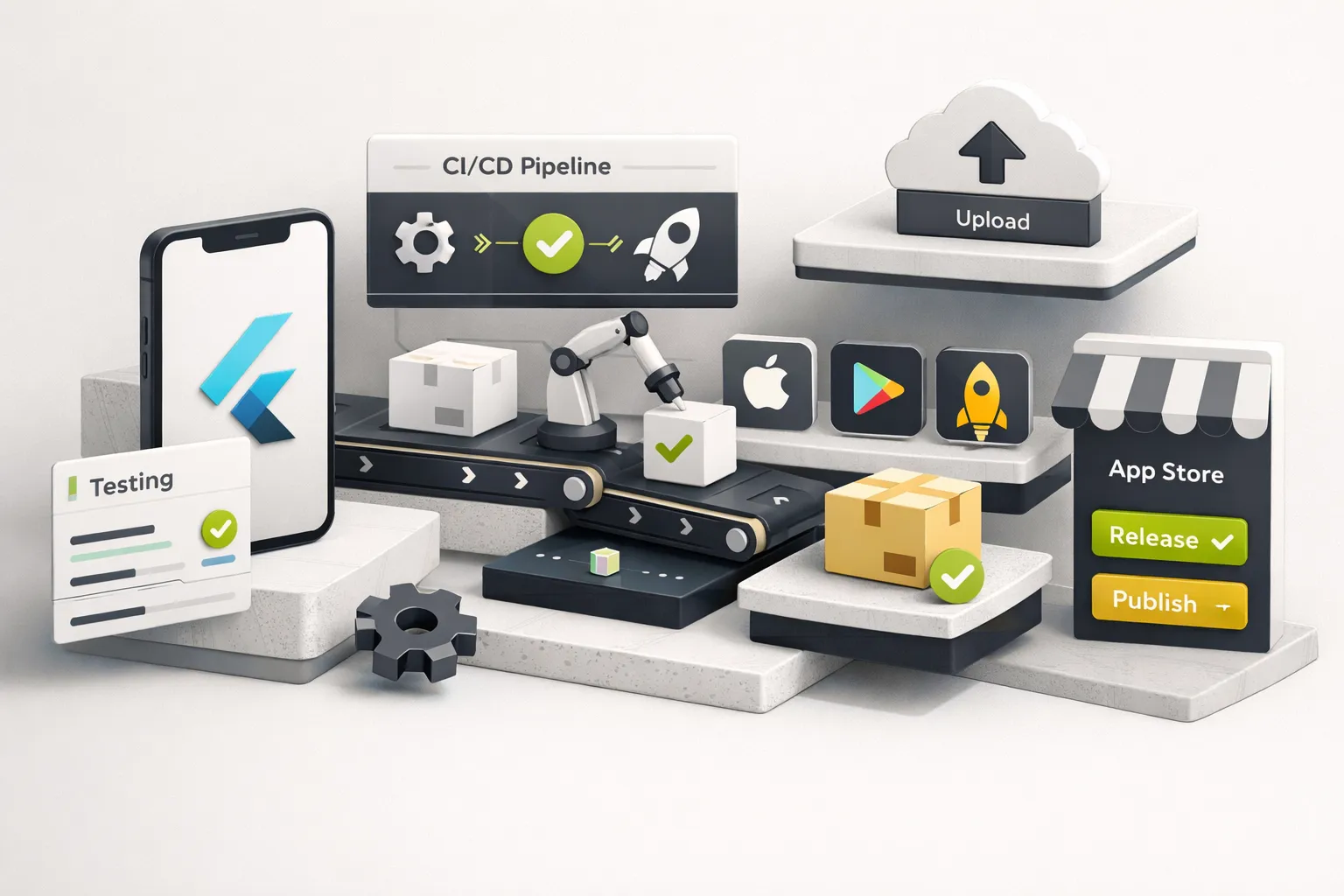
Testing and release pipelines are where Flutter projects either mature into maintainable products or accumulate the kind of technical debt that makes the next developer curse your name. The right approach isn’t maximum coverage, it’s strategic coverage that catches the failures that actually cost you users and revenue.
A Practical Testing Strategy
For MVP-stage teams, 100% test coverage is a trap. You’ll spend more time writing tests for generated boilerplate and static UI than you’ll ever recoup in bug prevention. Instead, focus your testing effort in three tiers:
Mandatory: unit tests for business logic and repositories. Every repository method, every state transformation, every validation function gets a unit test. These are fast to write, fast to run, and catch the bugs that actually break user-facing features. Use mocktail or mockito to mock Firebase/Supabase dependencies.
Selective: widget tests for critical UI components. Test the login form, the payment flow, the main navigation, screens where a visual regression directly costs you money or users. Don’t widget-test your settings page or your “about” screen.
Focused: integration tests for two or three core user flows. Use integration_test package to run end-to-end flows on a real device or emulator: sign up → create first item → view item list. These tests are slow and brittle, so limit them to the flows that represent your app’s core value proposition.
A GitHub Actions CI pipeline for Flutter follows this sequence: flutter analyze (catches lint issues and static errors), flutter test (runs unit and widget tests), flutter build apk --release and flutter build ipa --release (verifies the app compiles for both platforms), then code signing and distribution via Fastlane or Codemagic. For FlutterFlow-exported projects, add a flutter pub upgrade --major-versions step before the build, the generated pubspec.yaml frequently pins dependency versions that conflict with the CI environment’s Flutter SDK.
Pre-Release Checklist for App Store and Play Store
This checklist covers the gotchas that cause rejection or poor user experience on launch day. Treat it as a gate, don’t submit until every item is addressed.
Binary size: If your release APK exceeds 20 MB, investigate. Common causes: debug symbols not stripped (add --split-debug-info=build/symbols to your build command), unused assets still in assets/, and unoptimized PNG/JPEG images. Use flutter build apk --analyze-size to get a breakdown of what’s consuming space.
Permissions and entitlements: Your Info.plist (iOS) and AndroidManifest.xml must declare only the permissions your app actually uses. If you removed a camera plugin but left the camera permission declaration, Apple will reject your build. FlutterFlow exports are especially prone to this, the generated manifests include permissions for every plugin that was ever added to the project, even if it was later removed.
Splash screens: iOS requires a LaunchScreen.storyboard, a static image won’t pass review. Android 12+ uses the SplashScreen API, which means your old launch_background.xml approach shows a blank frame before the branded splash. Use the flutter_native_splash package to generate correct splash screens for both platforms from a single configuration.
Accessibility: Wrap interactive elements in Semantics widgets with meaningful labels. Test with TalkBack (Android) and VoiceOver (iOS), navigate your entire app without looking at the screen. Ensure all touch targets are at least 48×48 logical pixels. Support large text by testing with the device font scale set to 200%. These aren’t nice-to-haves; Apple and Google both flag accessibility failures in review, and lawsuits over inaccessible mobile apps are increasing.
API key security: Never hardcode API keys, Firebase config values, or secrets in Dart source files. Use --dart-define=API_KEY=value at build time or the flutter_dotenv package with .env files excluded from version control. FlutterFlow projects deserve extra scrutiny here, the generated firebase_options.dart contains your Firebase API key in plain text, which is technically safe for Firebase (the key is restricted by platform) but sets a dangerous precedent for other secrets that might follow the same pattern.
Where to Start Based on Your Situation
If you’re a solo founder with no Flutter experience and a standard app concept (CRUD screens, auth, real-time data), start with FlutterFlow. Build your MVP, validate with users, and plan a migration to hand-coded Flutter when you hit the 50-screen mark or when more than 30% of your screens require custom logic. The FlutterFlow-to-Flutter migration path in this guide gives you the exact workflow.
If you’re a development team with mobile experience, start hand-coded from day one. Use Riverpod for state management, feature-first folder structure, and the repository pattern for your backend layer. Set up CI/CD with GitHub Actions before you write your second feature. The profiling thresholds and anti-pattern fixes from the performance section should be part of your code review checklist, not something you discover at launch.
If you’re a CTO or engineering manager evaluating Flutter for your organization, the binary size benchmarks, startup time data, and Impeller compatibility information in this guide are your due-diligence material. Share the decision matrix and pre-release checklist with your team. For teams that want expert Flutter delivery without building internal Flutter expertise from scratch, CompletApp offers a fixed-scope MVP model that handles architecture, FlutterFlow migration, and app store submission as a turnkey engagement.
The biggest Flutter failure mode isn’t technical. It’s teams that treat the single-codebase promise as permission to skip architecture decisions, no state management strategy, no folder conventions, no testing plan, and then face a rewrite at 50 screens because the codebase became unmaintainable.
Every checklist, migration path, and profiling threshold in this guide exists to prevent that outcome. Use them.