
Most custom web apps don’t fail because the code was bad. They fail because someone spent twelve weeks building features nobody asked for, picked a stack based on a blog post from 2021, and handed the whole thing to a vendor who wouldn’t share the repo until the final invoice cleared. The technology has never been more accessible. The process is where projects go sideways.
This guide is a working playbook. By the end, you’ll have a scoping method that cuts your feature list in half, a stack decision framework grounded in 2026 realities, a monthly cost worksheet with actual numbers, a security checklist mapped to OWASP and NIST, not just “use HTTPS”, and a vendor rubric that protects your code, your data, and your budget. Whether you’re a founder evaluating your first build or a CTO planning your next one, the goal is the same: ship something real in four weeks, and make sure you own what you ship.
Why Custom Beats Off-the-Shelf (Sometimes)
A custom web application is a purpose-built, server-connected software product. It has its own data model, its own authentication layer, its own business logic. It is not a marketing website. It is not a WordPress blog with a contact form. It is not a Notion workspace with some linked databases. Those are all fine tools, but they are someone else’s product shaped to fit your problem. A custom web app is your product, shaped to fit your problem exactly.
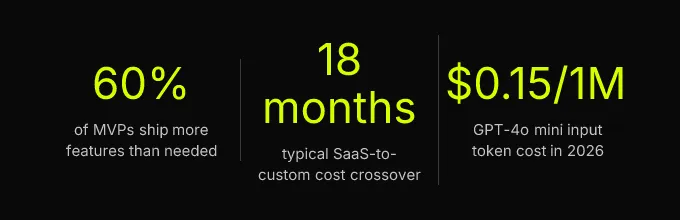
Custom is the right call in four specific situations. First, when your workflow genuinely cannot be mapped to an existing SaaS tool, not “it’s a little clunky,” but “this process doesn’t exist in any product on the market.” Second, when owning user data is a business requirement, not a preference. Third, when differentiation is the product, when the thing you’re building is the thing you’re selling. Fourth, and this one surprises people: when per-seat SaaS costs will exceed the cost of a custom build within 18 months. That crossover point comes faster than most founders expect, especially once a team grows past 50 users on a $30/seat/month tool.
The build-vs-buy decision is a cost-trajectory question, not a technical one. Plot two lines: the cumulative cost of the SaaS subscription over three years, and the build cost plus hosting plus maintenance. Where those lines cross is your answer.
The build-vs-buy decision is a cost-trajectory question, not a technical one. Plot two lines: the cumulative cost of the SaaS subscription over three years, and the build cost plus hosting plus maintenance. Where those lines cross is your answer. Everything else, stack preferences, framework hype, “but Airtable is so easy”, is noise until you’ve done that math.
Scope It Before You Build It
The single most expensive mistake in custom web app development is building too much. Research from product consultancies consistently shows that most MVPs ship with 60% more features than they need. Every unnecessary feature adds development time, testing surface, and maintenance cost, not linearly, but compoundingly. The fix isn’t discipline. It’s method.
Slicing Features Into a Real MVP
Start with the job-to-be-done framework, not a feature list. Ask: what is the one job a user hires this app to do? Write it as a sentence. “Help a clinic manager schedule patient appointments and send reminders.” That’s the job. Everything that directly enables that job is a launch-blocker. Everything else, custom reporting, admin dashboards, CSV exports, dark mode, is a nice-to-have that belongs in week 6, not week 2.
Here’s how to slice practically. Write every feature on a sticky note (or a Notion row, or a spreadsheet, the medium doesn’t matter). For each one, ask: “If this feature is missing, can a user still complete the core job?” If yes, it’s not in the MVP. If no, it stays. Most teams that do this exercise honestly end up cutting 40-50% of their original list. That’s not a loss. That’s the difference between shipping in four weeks and shipping in twelve.
The features that survive this cut become your scope document. Each one gets a one-sentence description, a user-facing acceptance criterion (“User can log in with Google and see their dashboard within 2 seconds”), and a priority rank. This document is the contract between you and whoever builds the app. Without it, scope creep isn’t a risk, it’s a certainty.
The 4-Week Milestone Template
A timeline without exit conditions is a wish. Here’s a milestone structure with concrete deliverables at each stage:
Week 1, Clickable Prototype. Deliverable: a Figma or functional prototype covering every screen in the core user flow. Exit condition: the client signs off on the prototype with written acceptance criteria for each screen. No code has been written yet, and that’s the point. This is the cheapest moment to change direction. At CompletApp, this is also the walk-away point, if the prototype doesn’t match your vision, you stop here with minimal financial exposure.
Week 2, Alpha. Deliverable: core data model implemented, authentication working (OAuth2, passkeys, or email magic links), and the primary create/read flow functional. Exit condition: a real user account can be created, data can be entered and retrieved, and the API responds correctly. No styling polish. No edge cases. Just the spine of the application.
Week 3, Public Beta. Deliverable: the core user flow works end-to-end, including error states and validation. Basic CI/CD pipeline is live. Exit condition: a test user can complete the entire core job without hitting a dead end. Performance doesn’t need to be perfect, but the app shouldn’t crash.
Week 4, Launch-Ready. Deliverable: performance optimization (Core Web Vitals passing), error handling, monitoring and observability (logs, metrics, traces) configured, and a production deployment with SSL and a custom domain. Exit condition: the app is live, instrumented, and a real user can sign up and complete the core flow without assistance.
| Item | Value |
|---|---|
| Week 1 Prototype | Acceptance sign-off |
| Week 2 Alpha | Auth + data model live |
| Week 3 Beta | End-to-end flow working |
| Week 4 Launch | Production with monitoring |
This structure works because each milestone is verifiable by a non-technical founder. You don’t need to read code to confirm that “a user can log in with Google and see their dashboard.” Acceptance criteria turn abstract progress into binary questions: does it work or doesn’t it? CompletApp’s fixed-scope, fixed-price model is built around exactly this cadence, weekly clickable previews mean feedback is continuous, not batched into a reveal at the end when it’s too late to change course.
Stack, Hosting, and Cost Reality
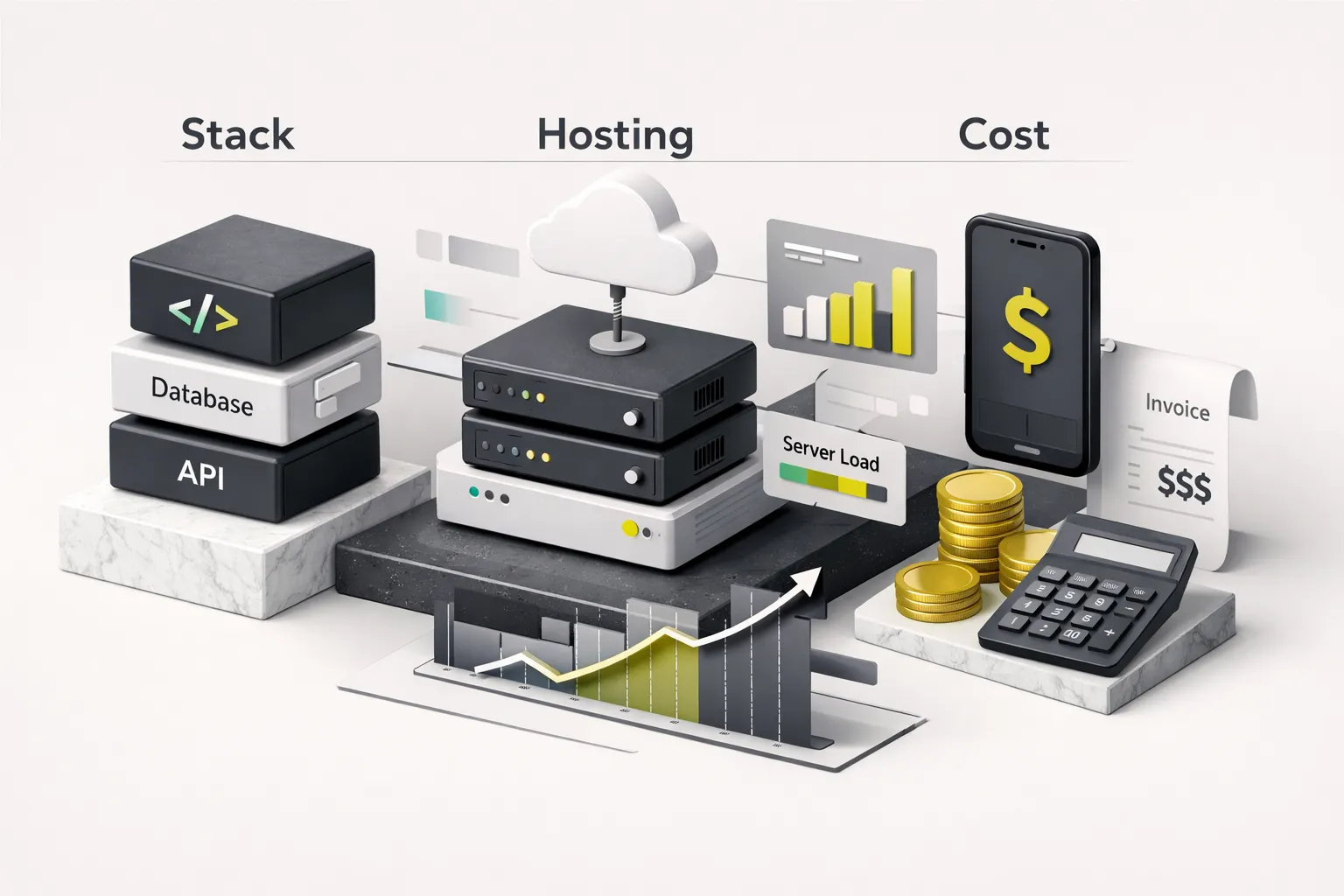
Stack selection in 2026 is less about which framework is “best” and more about which tradeoffs you can live with. The right answer depends on three variables: what your app does, who uses it, and how fast you need to move. Here’s the shortlist, with honest tradeoffs instead of hype.
Picking a Stack for Speed vs Scale
Frontend. Three options dominate, and each wins in a different scenario. React (with Next.js or Remix for server-side rendering) is the default for full SaaS applications with complex state management, dashboards, multi-step workflows, real-time collaboration. The ecosystem is enormous, hiring is straightforward, and SSR gives you SEO and performance that a pure single-page application can’t match. Astro is the right choice for content-heavy, SEO-critical, performance-first applications, marketing sites with dynamic sections, documentation platforms, or any app where Core Web Vitals scores are a competitive advantage. Astro ships near-zero JavaScript by default and consistently scores LCP under 1.5 seconds out of the box. Flutter Web is the call when a single codebase must span iOS, Android, and browser, and when mobile parity matters more than SEO or initial page load speed. CompletApp uses Flutter for cross-platform builds and pairs it with React or Astro for web-first projects, choosing based on the product’s actual distribution channel.
Backend. For MVPs in 2026, the realistic options are Firebase, Supabase, or managed Postgres on a platform like Railway or Render. Here’s the decision rule:
- Firebase, zero-ops, real-time sync, scales to zero. Ideal for MVPs with unpredictable traffic, chat-based features, or when you want to move fast and worry about migration later. Firestore’s document model is flexible but can punish you on complex relational queries.
- Supabase, Postgres-native, row-level security built in, easier to self-host or migrate. Better for apps with relational data (users, orders, invoices, permissions). The open-source foundation means no proprietary lock-in.
- Managed Postgres (Railway, Render, Neon), full control, no abstraction layer, but you’re writing your own auth and API layer. Right for teams with backend experience who want maximum flexibility.
On the API layer: adopt an API-first design from day one. For most MVPs, REST is simpler and better supported. GraphQL earns its complexity only when your frontend needs to fetch deeply nested, variable-shaped data, think a dashboard that lets users customize which metrics they see. Version your API from v1 on launch. Never break a field without a deprecation window.
Serverless vs Containers vs VMs
Serverless functions (Cloud Run, Vercel Functions, Netlify Functions) cost near-zero at low traffic because you pay per invocation. This is perfect for an MVP with 500 users. The catch: at scale, serverless can surprise you with bills, and cold starts can push response times past 200ms. Containers (Cloud Run with minimum instances, Fly.io) give you predictable cold-start behavior and consistent pricing once traffic stabilizes. VMs (EC2, Droplets) are rarely the right starting point for an MVP in 2026, the ops overhead isn’t worth it until you’re optimizing for specific workloads at significant scale.
The practical advice: start serverless. Monitor costs monthly. Switch to containers when your monthly serverless bill exceeds what a container would cost, that crossover usually happens around 50,000-100,000 monthly active users, depending on request patterns.
What It Actually Costs to Run
Competitors love to say “costs vary.” Here are actual numbers for a typical early-stage web app as of 2026:
| Service | 1,000 MAU | 10,000 MAU | 100,000 MAU |
|---|---|---|---|
| Firebase (Blaze plan) | $5-$15/mo | $25-$80/mo | $200-$600/mo |
| Supabase (Pro tier) | $25/mo | $25-$75/mo | $75-$300/mo |
| Managed Postgres (Railway) | $5-$10/mo | $20-$50/mo | $100-$400/mo |
| LLM tokens (GPT-4o mini @ $0.15/1M input) | $2-$10/mo | $20-$100/mo | $200-$1,000/mo |
| Stripe fees (2.9% + $0.30) | Variable | Variable | Variable |
| Email (Resend) | Free tier | $20/mo | $80/mo |
| CDN / Hosting (Vercel Pro) | $20/mo | $20/mo | $20-$150/mo |
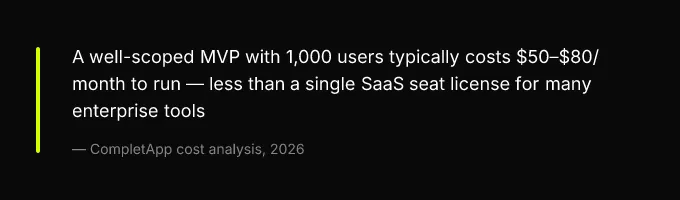
| Total estimated run rate | $50-$80/mo | $130-$350/mo | $675-$2,500/mo |
LLM token costs deserve special attention. They scale with usage, not users, a feature that makes 10 API calls per user session costs 10× more than one that makes a single call. Budget LLM costs per-feature, not per-app, and implement per-user rate limits from day one.
Core Web Vitals are a measurable production target, not an afterthought. The thresholds: LCP under 2.5 seconds, INP under 200 milliseconds, CLS under 0.1. These are instrumentable from your first deployment using Vercel Analytics, Lighthouse CI in your pipeline, or the web-vitals.js library. Choosing Astro or SSR React gives you a structural advantage here, a client-rendered SPA starts with a performance deficit that requires active work to overcome.
Security, Compliance, and AI Integration
Security in a custom web app isn’t a phase you bolt on before launch. It’s a set of decisions embedded in your CI/CD pipeline, your architecture, and your vendor contracts from week one. The same is true for compliance and AI integration, both are easier to get right at the start than to retrofit later. A DevSecOps approach, where security checks run automatically on every commit, is the baseline expectation in 2026, not an advanced practice.
A Checklist That Maps to OWASP and NIST
Here’s a concise, implementable checklist mapped to the OWASP Top Ten 2021 and NIST Secure Software Development Framework (SSDF) practices. This isn’t theory, it’s what should be configured before your Week 4 launch:
- Broken Access Control (OWASP A01): Implement row-level security. In Supabase, this is native Postgres RLS policies. In Firestore, it’s security rules that validate user identity on every read/write. Test with a second user account, can User B see User A’s data? If yes, you have a critical bug.
- Injection (OWASP A03): Validate all inputs server-side. Use parameterized queries, never concatenate user input into SQL or NoSQL queries. Encode all output to prevent XSS.
- Authentication: Use passkeys or OAuth2 PKCE flow (Google, GitHub, Microsoft). Never roll your own password hashing. Support SSO for B2B customers. Issue short-lived JWTs (15 minutes) with refresh tokens.
- Secrets Management: No API keys in source code. Ever. Use environment variables in your deployment platform and a secret manager (Google Secret Manager, Doppler, or Infisical) for anything sensitive. Rotate keys quarterly.
- Dependency Scanning (NIST SSDF PW.4): Enable Dependabot or Snyk in your CI pipeline. Generate a software bill of materials (SBOM) on each release. Block merges with known critical vulnerabilities.
- HTTPS Everywhere: TLS on every endpoint, including internal service-to-service calls. This is table stakes, but still missed in staging environments that accidentally go public.
- Observability: Configure structured logging, application metrics, and distributed traces from launch. Tools like Sentry (errors), Grafana Cloud (metrics), or Axiom (logs + traces) have free tiers that cover MVP-scale traffic.
Compliance triggers founders often miss: HIPAA requires a Business Associate Agreement (BAA) with every vendor that touches protected health information, including your LLM provider. If OpenAI doesn’t have a BAA with you, you cannot send patient data to their API. Period. PCI DSS scope is eliminated entirely if you use Stripe Elements and never touch raw card data. GDPR and data residency mean choosing a Firebase or Supabase region in the EU and configuring data deletion flows from day one, not as a response to the first user complaint.
Integrating LLMs Without Blowing Up
AI features are a genuine differentiator in 2026, but they introduce four risks that most guides ignore completely.
PII leakage. Strip or pseudonymize user data before sending it to any external LLM. If a user’s name, email, or health record appears in a prompt, it’s now in a third party’s system. Use a preprocessing step that replaces identifiable fields with placeholders and maps them back after the response.
Cost controls. Implement per-user rate limits and token budgets. A single user running a loop against your AI endpoint can generate hundreds of dollars in API costs in minutes. Use streaming responses to improve perceived latency without increasing total token cost. Batch requests where possible, summarizing ten items in one call is cheaper than ten separate calls.
Hallucination guardrails. Never use LLM output as a direct database write without a human-in-the-loop step or a confidence threshold. If your app generates a medical summary, a financial calculation, or a legal clause, a human must review it before it becomes a record. Feature flags are useful here, you can roll AI-generated content to 10% of users, monitor accuracy, and expand gradually.
Treat user input in LLM contexts with the same suspicion you’d treat user input in a SQL query.
Prompt injection. Sanitize all user-supplied content before it enters a system prompt. If a user can type text that becomes part of your LLM instruction, they can override your system prompt. Treat user input in LLM contexts with the same suspicion you’d treat user input in a SQL query.
Choosing and Protecting Yourself From Vendors

The technical decisions matter, but the contractual ones matter more. A well-architected app built by an agency that won’t hand over the repo is worse than a mediocre app you fully own. Here’s how to protect yourself.
Before signing with any agency or freelancer, ask these questions, and get the answers in writing:
- Do I own the repository and all credentials on day one, or only on final payment? The correct answer is: you should have read access to the repo from the first commit. Full ownership transfers on final payment, but you should never be locked out during the project.
- Is the contract fixed-price or time-and-materials? Fixed-price with milestone-based payments protects you from runaway costs. Time-and-materials protects the vendor. Know which side of that table you’re sitting on.
- What is the handover package? Acceptable answer: source repo access, all third-party API keys transferred to your accounts, deployment pipeline documented, environment variable list, architecture diagram, monitoring dashboard access, and a 30-minute recorded walkthrough.
- What happens if the lead developer leaves mid-project? If the vendor can’t answer this, they’re a single point of failure, not a studio.
No-code and low-code platforms, Bubble, Webflow Logic, FlutterFlow, carry structural lock-in risks that are easy to underestimate. The app may be unexportable. The underlying database may be proprietary. The monthly platform fee is permanent. You’re not building an asset; you’re renting one. For prototyping and validation, that’s fine. For a production product you plan to operate for years, it’s a liability.
CompletApp’s model addresses these risks directly. 100% code ownership transfers on final payment. The milestone-based walk-away guarantee limits your financial exposure after week one, if the prototype doesn’t match your vision, you stop. And the single senior builder model means the person who architects your app is the same person who writes the code and hands it over. No knowledge siloed in a department you never meet.
Your Next Move
If the build-vs-buy math favors custom and your scope is defined, the next step is a scoping session, not more research. Book a discovery call, download the 4-week MVP milestone template, or run the cloud cost worksheet against your specific use case. The artifacts referenced throughout this guide, the milestone template with acceptance criteria, the cost worksheet, the security checklist, and the vendor evaluation rubric, exist to turn this article from reading into action.
The biggest risk in custom web app development is not the technology. It’s undefined scope, vendor lock-in, and security debt accumulated in the first four weeks. All three are preventable with the right process, the right contract, and the right questions asked before the first line of code is written.
Shipping a production-grade custom web app in 2026 is faster and cheaper than it has ever been. But that speed only materializes when the decisions made before development, scope, stack, security posture, ownership terms, are treated with the same rigor as the code itself. Get those right, and four weeks is not ambitious. It’s a plan.