Ask five agencies how to build an app for iOS and Android, and you will get five different answers with five different price tags. The technical decision underneath all of them is the same: how much code do you share, and where does sharing stop?
What Cross-Platform App Development Actually Means
Cross platform mobile app development means writing one primary codebase that compiles and ships to both iOS and Android. Instead of two separate teams building the same product twice, one team builds it once and adapts where the platforms genuinely differ.
The alternative is native app development: a Swift or SwiftUI codebase for iOS, a Kotlin codebase for Android, two sets of tests, two release cycles. At the other end sits hybrid mobile app development, where a web app runs inside a native shell and reaches device features through a plugin layer.
Here is the myth worth killing early.
A single codebase does not mean zero platform work.
Every serious cross-platform project I have shipped still contained platform-specific code: push notification entitlements, deep link configuration, permission strings, keychain versus keystore handling, and store metadata that differs by vendor.
Realistic code sharing on a well-built Flutter or React Native product lands somewhere between 85% and 95% of the codebase. That remaining slice is where projects get delayed if nobody planned for it.
This guide covers four things in order. How the major frameworks actually work under the hood, where cross-platform genuinely wins and where it struggles, how to match a framework to your specific product requirements, and what the full lifecycle looks like from first commit to App Store submission and beyond.
One more framing point.
Flutter, React Native, and Kotlin Multiplatform are not three flavours of the same thing. They make fundamentally different architectural bets about rendering, native access, and how much of your app stays platform-specific, and those bets shape your product quality and your maintenance bill for years.
How the Major Frameworks Actually Work
Most comparison articles line up feature checkboxes.
That tells you almost nothing about which framework will survive contact with your actual requirements.
What matters is how each one puts pixels on screen and how it talks to native APIs.
Flutter’s Shared Rendering Engine
Flutter does something unusual: it draws its own interface.
Rather than asking iOS for a UIButton or Android for a Material button, Flutter ships a rendering engine (Skia historically, now Impeller on both major platforms) and paints every widget itself onto a canvas.
The practical consequence is pixel-level consistency. A custom design system renders identically on an iPhone 15 and a mid-range Android device, because the same engine drew both. Designers get exactly what they specified, which is why design-driven products tend to land well in Flutter.
The code is written in Dart, compiled ahead-of-time to native ARM machine code for release builds. There is no JavaScript runtime in production, and hot reload during development pushes code changes into a running app in under a second, which materially speeds up UI iteration.
The trade-off is that Flutter owns the widget layer.
When Apple ships a new interface behaviour, Flutter has to reimplement it rather than inherit it. In practice the Cupertino widget set covers standard patterns well, but a team obsessed with matching every OS interaction detail will do extra work.
React Native’s Native Component Bridge
React Native takes the opposite approach.
Your JavaScript and TypeScript code describes the interface, and the framework instantiates real native views: a genuine UIView on iOS, a genuine android.view.View on Android.
That means you inherit platform behaviour for free. Scroll physics, text selection, accessibility semantics, and system-level UI conventions come from the OS itself, which gives a genuinely native user experience with less manual tuning.
The performance criticism you have probably read is out of date. The old architecture serialised every call across an asynchronous JSON bridge, which caused dropped frames in animation-heavy and gesture-heavy screens.
That bridge is gone.
The current architecture uses JSI (JavaScript Interface) for direct synchronous calls into native code, Fabric for the rendering layer, and TurboModules for lazily loaded native modules.
If you are reading benchmarks written before 2023, throw them out.
React Native also carries a real strategic advantage for teams already running React on the web: shared hiring pool, shared state management patterns, shared tooling.
Kotlin Multiplatform’s Selective Sharing
Kotlin Multiplatform inverts the question.
Instead of asking “how do we share the UI?”, it asks “which parts genuinely benefit from sharing?”
The typical KMP setup shares business logic only: networking, data models, local persistence, validation rules, analytics, offline sync. The interface is built twice, in SwiftUI for iOS and Jetpack Compose for Android, fully native on each side.
This appeals hardest to organisations that already have native iOS and Android teams and native codebases they are not going to throw away. KMP lets them eliminate duplicated logic bugs, the classic case where a validation rule was fixed on Android and forgotten on iOS, without giving up native UI control.
The cost is honest and obvious: you still design, build, test, and maintain two interfaces.
KMP reduces logic duplication, not UI effort.
For a two-person startup shipping an MVP, that maths rarely works. For a banking app with twelve engineers, it often does.
Webview Hybrids Like Ionic and Capacitor
Ionic and Capacitor wrap a web application in a native container. The UI is HTML, CSS, and JavaScript rendered in a system webview, and Capacitor provides the plugin layer that bridges to camera, geolocation, filesystem, and push notification APIs.
For content-led products, internal tools, and apps that are essentially a well-designed frontend over an API, this is a perfectly rational choice. One web team, one codebase, and genuine reuse with an existing web product.
The limits show up under load.
Complex gesture handling, sustained 60fps animation, heavy list virtualisation, and low-level hardware access all strain against the webview boundary. You feel it as a subtle lag that users describe as the app feeling “webby” without knowing why.
And a note on the framework graveyard: Xamarin reached end of support in May 2024, succeeded by .NET MAUI. MAUI remains a reasonable fit for organisations standardised on C# and .NET with existing backend investment, but its mobile ecosystem and third-party plugin depth trail Flutter and React Native noticeably.
Where Cross-Platform Wins and Where It Struggles
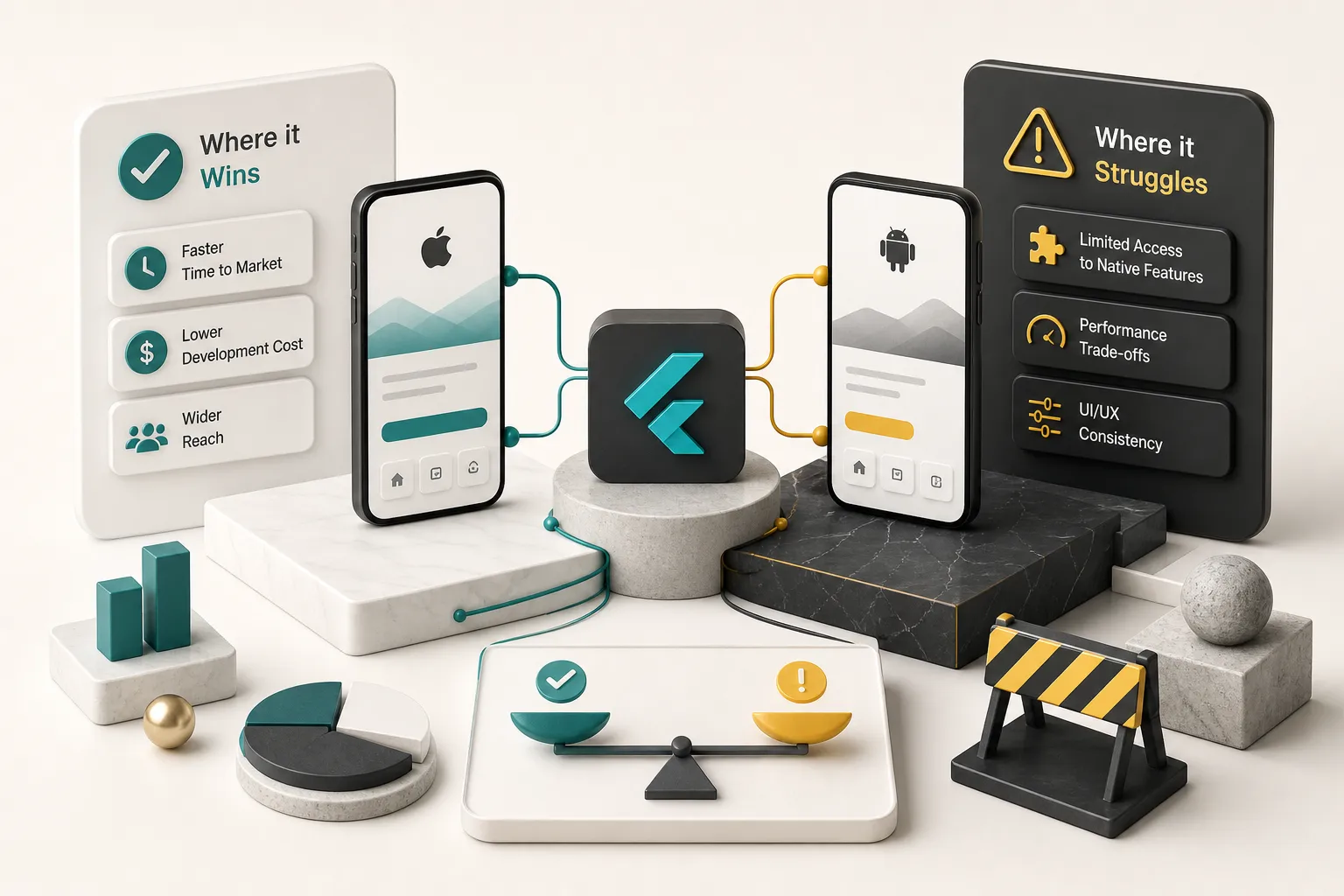
The honest version of this comparison has two columns, and anyone who only shows you one is selling something. Both lists below reflect what actually shows up in project retrospectives.
Where Cross-Platform Wins
- One codebase for shared logic. Business rules, API clients, state management, and data models exist in one place, which means a bug is fixed once instead of twice and never drifts out of sync between platforms.
- Faster iteration cycles. Hot reload turns a UI adjustment from a two-minute rebuild into a sub-second refresh, and over a 4-week MVP development sprint that compounds into days of recovered time.
- One design system, applied consistently. A single component library serves both platforms, so brand identity, spacing, typography, and motion stay coherent rather than diverging into two interpretations.
- A simpler hiring problem. You recruit for one skillset instead of competing for both senior Swift and senior Kotlin engineers, which is a meaningful advantage for small teams and a real cost factor at scale.
- Faster time to a demo-ready product. Founders who need something investors can hold and tap benefit most, because the shared cross-platform UI layer removes the largest duplicated workstream.
- Unified release rhythm. One version number, one QA pass on shared logic, one changelog, which reduces the coordination overhead that quietly consumes native dual-team projects.
Where It Falls Short
- Deep platform-specific UI conventions. Widgets, App Clips, Live Activities, Android Wear surfaces, and other OS-native experiences either need native code or are not supported by the shared layer at all.
- Graphics-heavy and AR workloads. Custom shader pipelines, ARKit and ARCore experiences, real-time video effects, and sustained GPU work generally belong in native code where the toolchain is first-class.
- New OS features arrive later. Apple and Google ship new capabilities to their own SDKs first, and framework or plugin support typically follows weeks to months behind, which matters if your differentiator depends on day-one adoption.
- App size and startup overhead. A Flutter release build ships its rendering engine, adding roughly 4 to 8MB before your own code, which is negligible for most apps but relevant in markets with strict size or bandwidth constraints.
- Platform work never reaches zero. Push notifications require APNs certificates on iOS and Firebase configuration on Android, deep links require Universal Links and App Links setup separately, biometric authentication uses Face ID and BiometricPrompt with different behaviours, and permission flows differ in copy and timing.
- Plugin dependency risk. Every third-party plugin is a maintenance liability, and an abandoned package for a critical integration means either forking it or writing the native bridge yourself.
On cost: cross-platform is not automatically cheaper.
It removes duplicated UI work, which is often the largest single line item, but the total figure is driven by feature complexity, the depth of native integrations, QA coverage across devices, design fidelity, backend scope, and post-launch support. An app with three screens and Stripe checkout and an app with offline sync and Bluetooth hardware pairing share a framework and nothing else.
Matching the Framework to Your App’s Real Requirements
Framework selection should be the output of a requirements conversation, not the input. The order matters, because choosing Flutter before you know whether you need a custom Bluetooth stack is how projects end up rewritten in month five.
A Discovery Checklist Before Choosing
Work through these before anyone opens an IDE. Each answer narrows the architecture options.
- Target platforms and priority. iOS and Android only, or web and desktop too? Which platform carries your first 1,000 users, since that determines where quality matters most on day one.
- The three core user journeys. Name them concretely. “Scan a barcode, match it against inventory, sync offline” tells you far more about architecture than “inventory management app”.
- Required device capabilities. Camera, GPS and background location, Bluetooth Low Energy, NFC, HealthKit or Google Fit, biometrics, local notifications, file access. List every one and mark which are core versus nice-to-have.
- Compliance and data requirements. GDPR, HIPAA, PCI DSS, SOC 2, or regional data residency rules change your mobile app architecture, your storage layer, and your audit obligations.
- Existing team skills and codebases. A React web team, an existing Kotlin backend, or two native mobile developers each point toward a different answer.
- Launch timeline and its driver. An investor demo in six weeks and a regulated enterprise rollout in nine months tolerate completely different levels of technical risk.
- The 18-month roadmap. Where does the product go after launch? Wearables, tablets, a web dashboard, an API for partners? Today’s architecture either enables that or blocks it.
Mapping App Types to Architectures
Requirements map to approaches with reasonable predictability once you know what you are looking at.
- Animation-heavy, design-system-driven consumer apps. Flutter, because it controls rendering end to end and delivers identical custom motion on both platforms without per-platform tuning.
- Products with an existing React web app and a shared team. React Native, since state logic, TypeScript types, API layers, and developer habits transfer directly, and the UI inherits native platform behaviour.
- Enterprise apps with substantial existing native code. Kotlin Multiplatform, sharing networking, sync, and domain logic while SwiftUI and Compose teams keep full control of their interfaces.
- Content-led apps: news, catalogues, course delivery, internal dashboards. Ionic and Capacitor are defensible when the app is mostly rendering server-driven content and native capability needs are shallow.
- Hardware-intensive and real-time products. Complex multi-device BLE orchestration, ARKit experiences, real-time on-device video or ML inference, and low-latency audio processing often justify native, or a native core wrapped by a cross-platform shell.
- Offline-first field applications. Flutter or React Native both work, but the deciding factor is the persistence and conflict-resolution stack, not the UI framework. Plan offline-first development at the data layer first.
Underneath all of this sits one architectural decision: share the UI, share only the logic, or share nothing.
Shared UI gives the fastest delivery and the lowest ongoing cost, and it constrains platform-specific polish.
Shared logic with separate native UIs gives maximum fidelity at roughly 1.6 to 1.8 times the UI effort.
Sharing nothing gives full control and full duplication, including duplicated technical debt.
How a Product Studio Evaluates This
At CompletApp, this checklist is the substance of a free 30-minute discovery call, and it happens before any proposal is written. The questions are the ones above: platforms, journeys, device capabilities, compliance, timeline, roadmap.
For most iOS-and-Android MVPs the answer is Flutter, paired with Firebase or Supabase on the backend, Stripe and RevenueCat for monetisation, and OneSignal for push. That stack supports the studio’s 4-week fixed-scope, fixed-price build with weekly clickable previews, because the shared UI layer is what makes a four-week timeline realistic in the first place.
It is not the answer every time.
When an app’s core value depends on a complex Bluetooth stack, heavy AR, or day-one adoption of a brand-new OS capability, native is the honest recommendation. When a client already runs two native teams, Kotlin Multiplatform reduces duplication without discarding their investment.
Recommending the wrong architecture to win a project costs everyone more later.
From Build to Launch: What the Process Involves
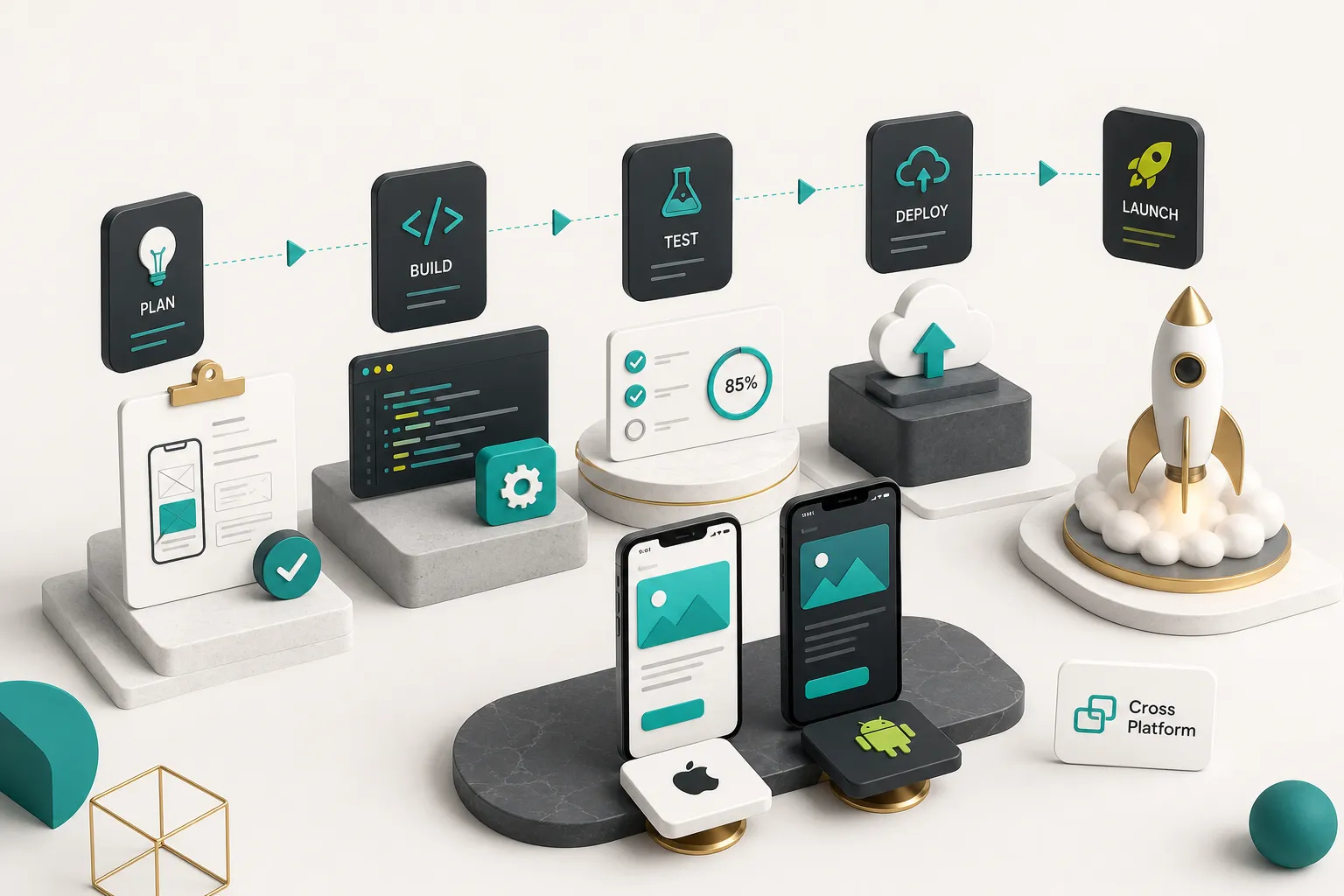
Writing the app is the part everyone plans for. Integrations, device testing, store compliance, and lifecycle maintenance are where timelines actually slip.
Native Integrations and Device Testing
- Map every native capability to a package. Cross-platform apps reach cameras, GPS, Bluetooth, biometrics, and notifications through plugins and SDKs that wrap the underlying native APIs. Audit each one for maintenance activity, open issue count, and last release date before you depend on it.
- Build a technical spike for the hardest integration first. If the product depends on BLE pairing, background location, or a payment SDK, prove it works on real hardware in week one, not week six. This single practice removes more delivery risk than any other.
- Write custom native bridges where no plugin fits. Sometimes you write Swift and Kotlin yourself and expose it through a platform channel. Budget for it explicitly rather than discovering it mid-sprint.
- Set up automated testing at three levels. Unit tests for shared logic, widget or component tests for UI behaviour, and integration tests for full user journeys. Automated testing on shared code pays double, since one suite covers both platforms.
- Run real-device testing across a representative matrix. Emulators miss thermal throttling, real camera behaviour, network transitions, and OEM quirks. Cover at minimum the two most recent iOS versions and Android 12 through 16, plus one low-end Android device and one small-screen phone.
- Test accessibility as a functional requirement. Navigate the whole app with VoiceOver and TalkBack, verify semantic labels on every interactive element, test Dynamic Type at maximum size, check contrast against WCAG AA (4.5:1 for body text), and confirm focus order is logical. Mobile accessibility behaves differently on each platform, so it must be verified on each.
- Instrument measurable performance targets. Replace “near-native performance” with numbers: cold start under 2 seconds, 60fps with fewer than 1% dropped frames on scroll and animation, stable memory under sustained use, no measurable battery drain from background work, graceful behaviour on 3G and offline, and a crash-free session rate above 99.5%.
Publishing to Both App Stores
- Configure signing and provisioning. iOS needs certificates, provisioning profiles, an App ID, and capability entitlements for push, Sign in with Apple, or HealthKit. Android needs an upload key and Play App Signing. Get this right early, because signing problems block every release.
- Complete privacy disclosures. Apple requires privacy nutrition labels plus a privacy manifest declaring required-reason API usage and third-party SDK data collection. Google Play requires the Data Safety form. Both must match what your app actually does, and inconsistencies are a common rejection cause.
- Justify every permission. Each iOS usage description string and each Android runtime permission needs a clear user-facing reason. Reviewers reject vague or boilerplate justifications, particularly for location, contacts, and photo library access.
- Prepare store metadata and assets separately. Screenshots at required device sizes, app icons, descriptions, keywords for the App Store, short and full descriptions and a feature graphic for Google Play release. The two stores want different dimensions and different copy strategies.
- Submit with realistic review expectations. Apple review typically completes within 24 to 48 hours, though first submissions and apps with unusual permissions take longer. Google Play review has slowed for new developer accounts, so allow up to a week for a first release.
- Use staged rollouts. Google Play supports percentage-based rollouts starting at 5 to 10%, and Apple offers phased release over seven days. Watch crash rates before going to 100%, because a staged rollout is the cheapest insurance you will ever buy.
Maintenance After Launch
- Plan for annual OS releases. iOS and Android major versions arrive every autumn and routinely break layouts, permissions, and background behaviour. Budget a testing and fix cycle every year, permanently.
- Keep the framework and dependencies current. Flutter and React Native ship frequent releases, and falling three or four major versions behind turns a routine upgrade into a multi-week migration. Small, regular upgrades beat one painful jump.
- Monitor plugin health. Third-party packages get abandoned. Track your dependency tree, and when a critical plugin goes quiet, fork it or replace it before it becomes a launch blocker.
- Run crash analytics and performance monitoring continuously. Tools like Crashlytics or Sentry surface issues your test matrix missed. Watch crash analytics alongside app performance monitoring for startup time and frame rendering regressions after each release.
- Maintain CI/CD pipelines. CI/CD for mobile apps means automated builds, test runs, and store uploads on every merge. It also needs maintenance as Xcode versions, Gradle versions, and store APIs change.
- Patch security promptly. Dependency vulnerabilities, certificate expiries, and API deprecations all require action on a schedule set by other people. Treat security patching as recurring operational work rather than a project.
Common Questions About Cross-Platform Development
What is the best platform for cross-platform mobile app development?
There is no single best platform, and the right choice follows from your requirements. Flutter suits design-driven apps needing consistent custom UI, React Native suits teams with existing React and TypeScript expertise, and Kotlin Multiplatform suits organisations with established native codebases that want to share logic without giving up native interfaces.
Is cross-platform app development cheaper than native development?
Usually yes for the initial build, because you eliminate the largest duplicated workstream, but the saving is not fixed. Total cost is driven by feature complexity, the depth of native integrations required, QA coverage across devices, design fidelity, backend scope, and post-launch support.
An app with heavy native work can cost the same either way.
What are the disadvantages of cross-platform mobile apps?
The real disadvantages are delayed access to brand-new OS features, dependency on third-party plugins for native capabilities, extra effort to match deep platform-specific UI conventions, and slightly larger binaries. Graphics-intensive, AR, and low-level hardware apps remain genuinely better served by native code.
Is Flutter still relevant for mobile app development in 2026?
Yes.
Flutter remains under active development with the Impeller renderer now default on iOS and Android, a mature package ecosystem, and widespread production use across consumer and enterprise apps. It is one of the two default choices for new iOS-and-Android products as of 2026.
Which is better, Flutter or React Native?
Neither is universally better, and the deciding factor is your UI philosophy and team skills.
Choose Flutter when you want pixel-identical custom design controlled by your own rendering layer. Choose React Native when you want native platform components, inherited OS behaviour, and reuse of existing React and TypeScript capability.
Can cross-platform apps perform as well as native apps?
For the vast majority of app categories, yes, and users cannot tell the difference.
Flutter compiles Dart to native machine code, and React Native’s JSI and Fabric architecture removed the old bridge bottleneck. The measurable gaps appear in sustained heavy graphics, AR, and low-latency hardware work.
Making the Call for Your App
The decision logic compresses into three rules.
For most consumer MVPs where one team needs to ship fast, Flutter or React Native is the right answer, chosen on design philosophy and existing team skills. When native UI fidelity matters most and you already employ iOS and Android engineers, Kotlin Multiplatform shares logic without sacrificing either interface. Go fully native only when your core value depends on hardware or OS features that the shared layer cannot reach.
Whatever you choose, build a technical spike on your hardest native integration before committing to full development. One week proving that the Bluetooth stack, the background location logic, or the payment SDK works on real devices will save you a month of unpleasant discovery later.
And do the requirements conversation before anyone writes code.
This architecture decision sets your cost, your timeline, your team composition, and your maintenance burden for years, which makes a structured discovery call the highest-leverage 30 minutes in the entire project.