Why This Decision Deserves More Than a Company List
Most “top 10” lists of app studios are ranked by who paid for placement. That is a shaky foundation for a decision that can cost six figures and shape your product for years.
If you’re a founder or product manager evaluating a cross platform app development company, the name on the proposal matters less than two harder questions.
Is this team technically suited to what you’re building? And can you trust how they work once the contract is signed?
Answering those questions takes more than a directory. You need to understand what these companies actually deliver, where a single codebase helps and where it quietly stops helping, and what separates a real partner from a polished pitch deck.
This guide covers the full picture as of 2026:
What a cross-platform company is responsible for (and what still needs platform-specific work).
How to choose between Flutter, React Native, Kotlin Multiplatform, and .NET MAUI.
Realistic cost and timeline expectations for an MVP versus a production app.
And the vetting, ownership, and testing criteria that protect you long after launch.
One note on stance.
This is a decision framework, not a ranking.
Where real examples help, including studios like CompletApp, they’re used to illustrate what good practice looks like, not to crown a winner.
What a Cross-Platform Company Actually Does
Here’s the misconception that trips up many first-time buyers: “cross-platform” does not mean “write once, forget the platforms.”
It means sharing as much as sensibly possible, then handling the rest with care.
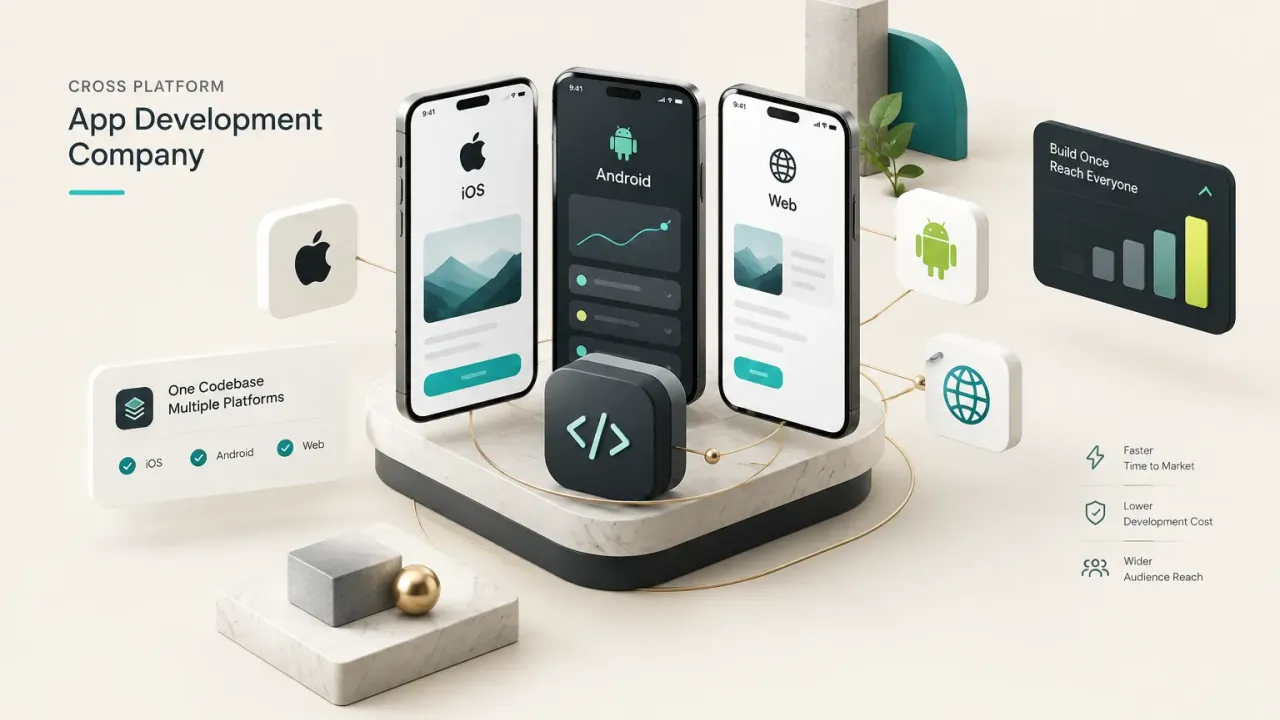
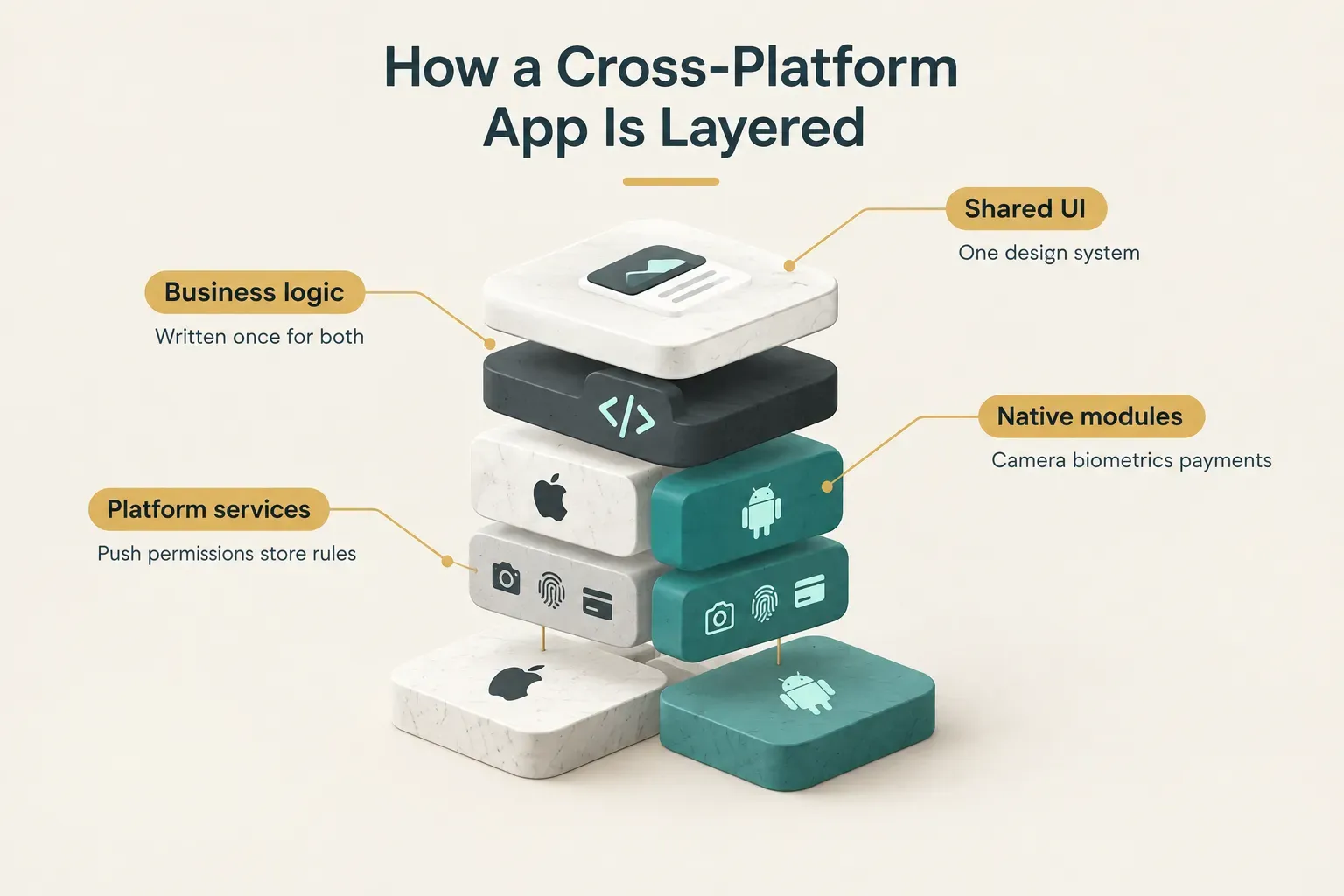
Cross-platform mobile development is the practice of building one shared codebase that runs on iOS and Android (and sometimes web or desktop) instead of maintaining two separate native builds. Instead of a Swift team and a Kotlin team duplicating every feature, one team writes most of the app once.
Think of it like a car platform shared across models. The chassis, engine, and electronics are common.
But the dashboard layout, safety certifications, and regional regulations still differ by market.
What Gets Delivered
A competent cross-platform company should own the full product lifecycle, not just the coding. At minimum, expect these deliverables in a proposal:
UX/UI design that respects both iOS and Android conventions, not a single design awkwardly forced onto both.
Shared business logic covering data handling, validation, state management, and core workflows.
Native module integrations for things like camera access, biometric authentication, location, and Bluetooth. Mobile backend and API integration, including authentication, databases, and third-party services.
Then the parts people forget.
App store submission for both the App Store and Google Play, plus post-launch maintenance for OS updates, bug fixes, and dependency upgrades.
If a proposal ends at “deploy,” you’re buying half a product.
What Stays Platform-Specific
Even with a shared codebase, some behavior is dictated by Apple and Google, and no framework can abstract it away. Platform-specific code is still required in several predictable areas.
Permission dialogs behave differently: iOS asks once and makes users dig into Settings to change their mind, while Android offers granular, sometimes one-time grants. Push notifications run through Apple Push Notification service on iOS and Firebase Cloud Messaging on Android, each with its own delivery rules and quirks.
In-app payments are another split.
Apple and Google enforce their own billing systems, commission structures, and rules about linking to external payment options, and those rules vary by region. App review guidelines differ too, as do OS-level edge cases like background task limits, battery optimization, and deep linking.
A good cross-platform company writes platform-specific code where it matters instead of pretending everything is shared. Code sharing of 70-90% is a realistic goal. Claims of 100% usually mean something important is being skipped.
The practical implication is simple.
When you evaluate a vendor, ask them where they expect to write native code for your app. A confident, specific answer is a strong signal.
A shrug is not.
Picking the Right Framework in 2026
No framework is “the best.”
Anyone who tells you otherwise is usually selling the one their team happens to know.
The right choice depends on six factors: your team’s existing skills, how custom your UI is, whether you have existing native code, how heavy your native integration needs are, your performance requirements, and the hiring pool you’ll draw from in two years. The table below maps the main options against those factors.
| Framework | Language | UI Approach | Best Fit | Watch Out For |
|---|---|---|---|---|
| Flutter | Dart | Own rendering engine draws every pixel | Custom, design-heavy apps needing consistent visuals and smooth animation | Smaller talent pool than JavaScript; larger app binary size |
| React Native | JavaScript / TypeScript | Maps to real native UI components | Teams with web or React experience; apps sharing logic with a web product | More reliance on native modules for complex hardware features |
| Kotlin Multiplatform | Kotlin | Native UI per platform (or Compose Multiplatform) | Teams with existing native apps wanting shared business logic | Needs genuine iOS expertise alongside Kotlin skills |
| .NET MAUI | C# | Abstracted native controls | Microsoft-stack enterprises and internal business apps | Smaller mobile-specific community and plugin ecosystem |
| Fully native (Swift + Kotlin) | Swift, Kotlin | Platform UI toolkits (SwiftUI, Jetpack Compose) | Deep OS integration, AR/VR, real-time media processing | Roughly double the build and maintenance effort |
Flutter vs React Native
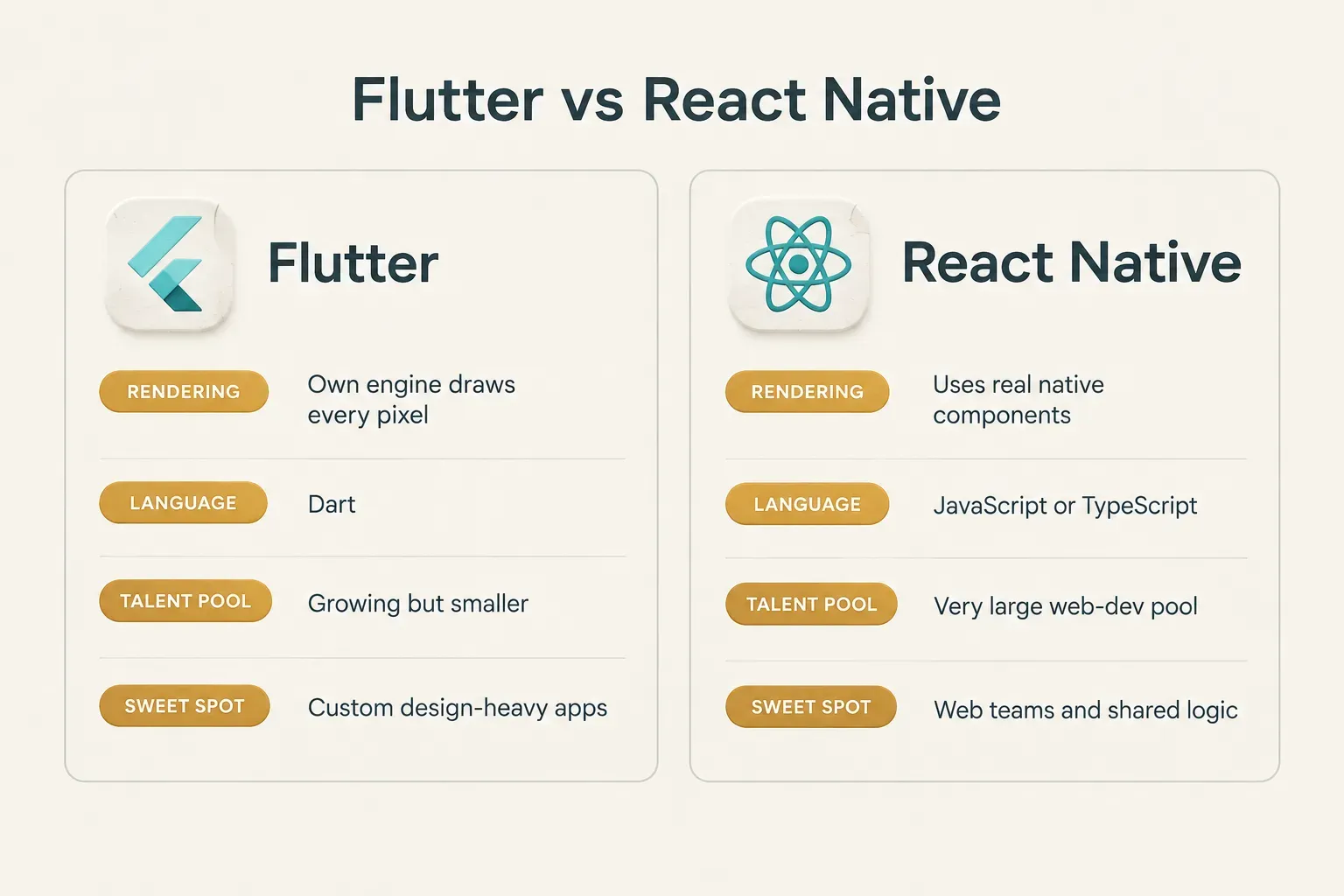
These two dominate the cross-platform market, and they solve the problem in opposite ways. Flutter uses its own rendering engine, so your app looks identical on every device and performs close to native for most UI work.
React Native taps into the enormous JavaScript ecosystem.
Its newer architecture (the default since 2024) removed much of the old performance bottleneck, and hiring is easier because so many web developers already know React.
The trade-off? Complex hardware features often lean on community or custom native modules.
A rough rule: pick Flutter when the brand experience and custom visuals drive the product. Pick React Native when team skills, web code reuse, or hiring speed matter most.
When Kotlin Multiplatform or .NET MAUI Fit Better
Kotlin Multiplatform suits teams that already have native iOS and Android apps. Instead of a rewrite, you share business logic (networking, data, validation) while keeping native UI on each platform, which makes it a low-risk path to code sharing.
.NET MAUI makes sense for organizations deep in the Microsoft ecosystem. If your backend runs on Azure and your developers write C# daily, MAUI keeps the stack consistent for internal and enterprise apps.
When Cross-Platform Isn’t the Answer
Some apps should skip cross-platform frameworks entirely. Custom camera pipelines, AR/VR experiences, low-latency audio or video processing, and specialized hardware access (medical devices, industrial sensors) usually belong in fully native iOS and Android apps.
Also, don’t confuse hybrid webview tools or no-code builders with true cross-platform frameworks. Webview apps wrap a website in a native shell; no-code tools trade flexibility for speed.
Both solve different problems.
Finally, check the current state before committing.
Framework versions, minimum target SDK requirements, and plugin maintenance status change fast, and 2024-era comparisons are already outdated in 2026. Ask your vendor to confirm that every plugin in the plan is actively maintained.
Cost, Timelines, and MVP vs Production-Ready
Cross-platform is usually cheaper than building two native apps.
Usually.
It is not automatically cheap, and budgeting as if it were is how projects run out of money at 80% complete.
The savings come from writing core features once. Many teams see 30-40% lower build costs compared to two parallel native builds.
But several cost drivers don’t shrink: framework expertise commands senior rates, native-module work still needs platform knowledge, device and OS testing must cover both ecosystems, and release management happens twice.
Then there’s the cost nobody puts in the pitch. Total cost of ownership extends well past launch day:
Apple’s developer program costs $99 per year, Google Play charges a one-time $25 fee, and both take a commission on digital sales. Backend hosting, analytics and crash monitoring tools, and third-party APIs add monthly bills that scale with users.
Annual OS releases from Apple and Google require compatibility updates. Dependency upgrades keep the app secure and store-compliant.
And feature iteration after launch is where most of the real product value gets built.
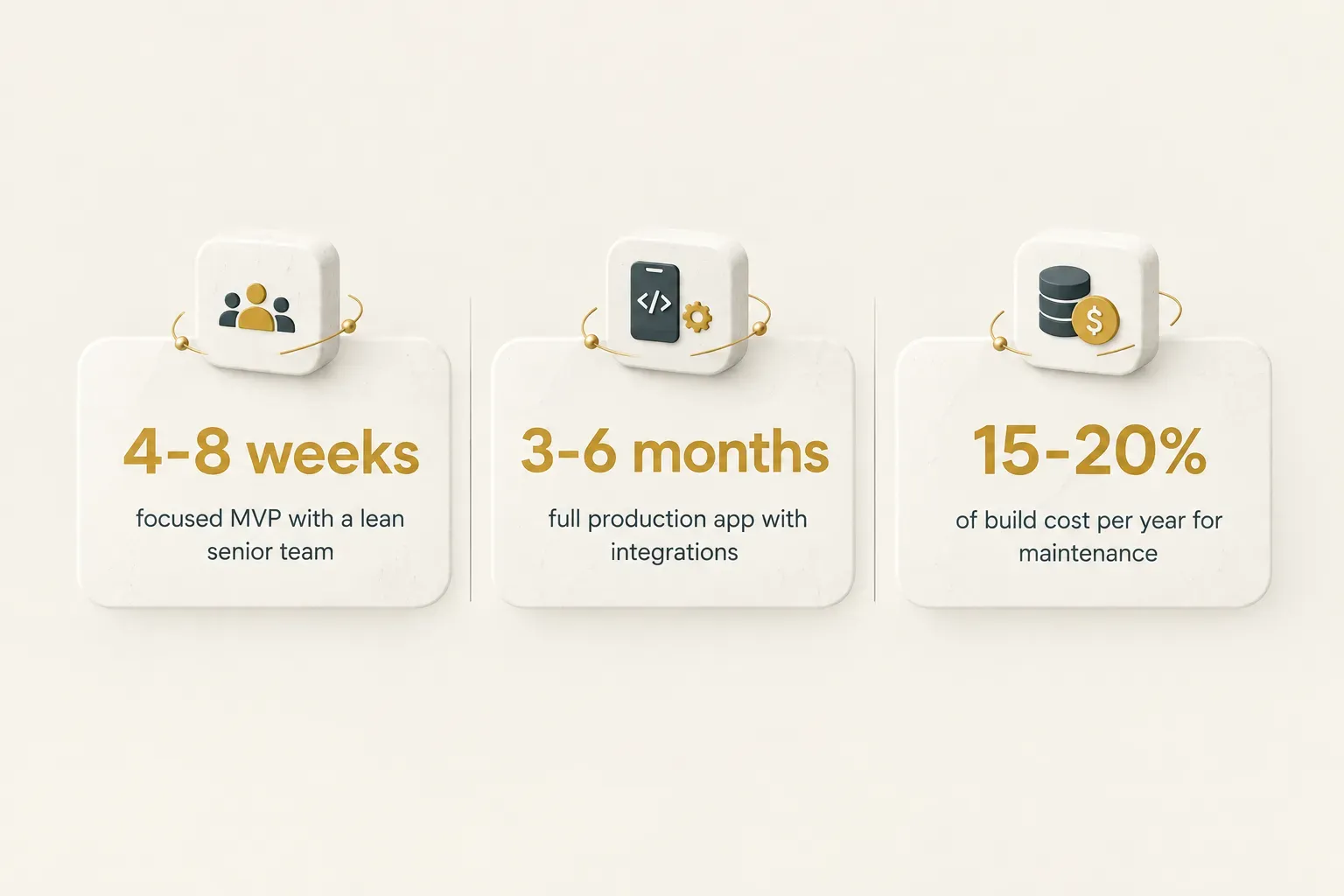
A common planning figure is 15-20% of the initial build cost per year for maintenance alone.
So where can you cut corners safely? Some MVP shortcuts are perfectly acceptable:
A limited device testing matrix focused on your likely users’ phones.
Deferred handling of rare edge cases.
Minimal admin tooling, where a spreadsheet or basic dashboard does the job for the first few hundred users.
Other shortcuts create expensive rework later.
Skipping proper data modeling means painful migrations once real user data exists.
Ignoring platform permissions leads to store rejections.
Hardcoding business logic (prices, rules, content) into the app forces a new release every time something changes.
The MVP test: cut scope freely, but never cut foundations. Features can be added later. A broken data model has to be rebuilt.
Now, timelines.
A focused MVP with one core value loop can launch in 4-8 weeks with a lean, senior team. A fuller production app with multiple integrations, payments, admin tools, and polished onboarding typically takes 3-6 months.
What stretches timelines most? Unclear scope, slow feedback loops on the client side, and integrations with poorly documented third-party systems.
The code itself is rarely the bottleneck.
How to Vet and Hire the Right Partner
The words “leading,” “experienced,” and “award-winning” appear on nearly every studio website.
They tell you nothing.
Evidence does.
The sections below give you a repeatable way to compare vendors on substance, protect your ownership, and confirm that “launch-ready” actually means launch-ready.
A Repeatable Evaluation Checklist
Bring a discovery brief to every vendor conversation. It forces comparable proposals and reveals quickly who asks smart questions.
Cover these points:
- Target users and core value loop: Who uses the app, and what single action brings them back? Good vendors build scope around this loop first.
- Supported devices and offline behavior: Which OS versions and form factors matter, and does the app need an offline-first architecture for users with patchy connectivity?
- Authentication and data model: Email, social login, passkeys, or secure authentication with biometrics? What data exists, and who owns it?
- Analytics, monetization, and compliance: How you’ll measure success, how the app makes money (subscriptions, one-time purchases, ads), and whether GDPR, HIPAA, or similar rules apply.
- Launch geography: Target countries affect payment rules, accessibility and localization, and privacy obligations.
Then replace marketing claims with concrete evidence. Ask every vendor for:
- Shipped apps in your category that you can download and test yourself, not just screenshots in a portfolio.
- Relevant native integrations handled before, such as payments, Bluetooth, health data, or maps, with specifics on problems they solved.
- Documented testing practices, including their device matrix and how they handle regression testing.
- Sample handover documentation showing the quality of technical documentation you’ll receive at the end.
- Their CI/CD and app release automation setup, since automated builds reduce release errors and speed up every future update.
Ownership and Handover
This is the section most buyers skim.
It’s also the one that causes the most painful disputes.
You must retain direct control of every asset your business depends on. That includes:
- Source code repositories hosted under your GitHub, GitLab, or Bitbucket organization, with the vendor added as a collaborator.
- Cloud accounts, domains, and analytics registered to your company email and billing.
- Payment accounts and signing certificates, because losing an Android signing key can mean you can’t update your own app.
- App Store Connect and Google Play Console accounts owned by your legal entity.
Full source-code ownership should transfer on payment, in writing.
Treat any refusal to transfer these assets as a red flag, full stop.
Other warning signs worth walking away over:
- Guaranteed timelines with no defined scope behind them.
- No device-testing plan, or “we test on our phones” as the answer.
- Unclear third-party licensing for libraries, fonts, or assets.
- Reliance on unmaintained plugins that haven’t been updated in over a year.
- Open-ended hourly billing with no fixed proposal or cap.
For a practical benchmark, studios like CompletApp illustrate the standard to look for. That means fixed scope and price in writing, full code ownership on payment, a walk-away option after the first milestone, and support after launch from the same team rather than a handoff to a separate maintenance crew.
Testing and Launch Readiness
Plenty of apps work perfectly in development… then get rejected by Apple on day one. Launch readiness is a discipline, and competent companies plan for it from week one:
- Apple App Store review guidelines: Account deletion must be available in-app if users can create accounts, and privacy manifests have been required since 2024.
- Google Play target API requirements: New apps and updates must target an Android API level within roughly one year of the latest major release.
- Store metadata and reviewer access: Screenshots, descriptions, and working demo accounts so reviewers can test gated features.
- Privacy disclosures and consent: Accurate App Store privacy labels, Google Play Data Safety forms, encryption declarations, and consent flows for tracking.
Testing scope should be equally specific. A serious vendor tests across:
- Multiple OS versions, typically the current release plus two prior versions.
- Varied screen sizes, foldables, and tablets.
- Slow, flaky, and fully offline networks.
- Background-state behavior, like what happens when a call interrupts checkout.
- Accessibility settings, including large text, screen readers, and reduced motion.
- Low-end Android devices, using app performance profiling to catch memory and frame-rate issues.
Planning AI features? They change the architecture conversation.
Model API latency, streaming responses, prompt security, per-request usage costs, content moderation, offline fallbacks, and observability all need to be scoped upfront.
Bolted on later, they cost two to three times as much to get right.
Making a Confident Final Decision
Every vendor claims to be the best.
Very few can prove it.
Choose your partner based on evidence: shipped apps you can download, ownership terms in writing, and a testing plan that names real devices and OS versions.
For the framework question, use a simple decision rule.
If your app leans on standard mobile features (accounts, feeds, payments, notifications, maps) and a clear core value loop, cross-platform with the right framework is almost always the sound choice.
If it demands deep hardware or OS-level access, budget for native or a hybrid architecture instead.
Then take the low-risk next step.
Book a discovery call with two or three shortlisted companies and bring your brief. Request a written scope and fixed price before committing to anything.
And before a single line of code is written, confirm in writing that you’ll own the code, the repositories, the store accounts, and the signing keys.
That one conversation protects your product for its entire life.