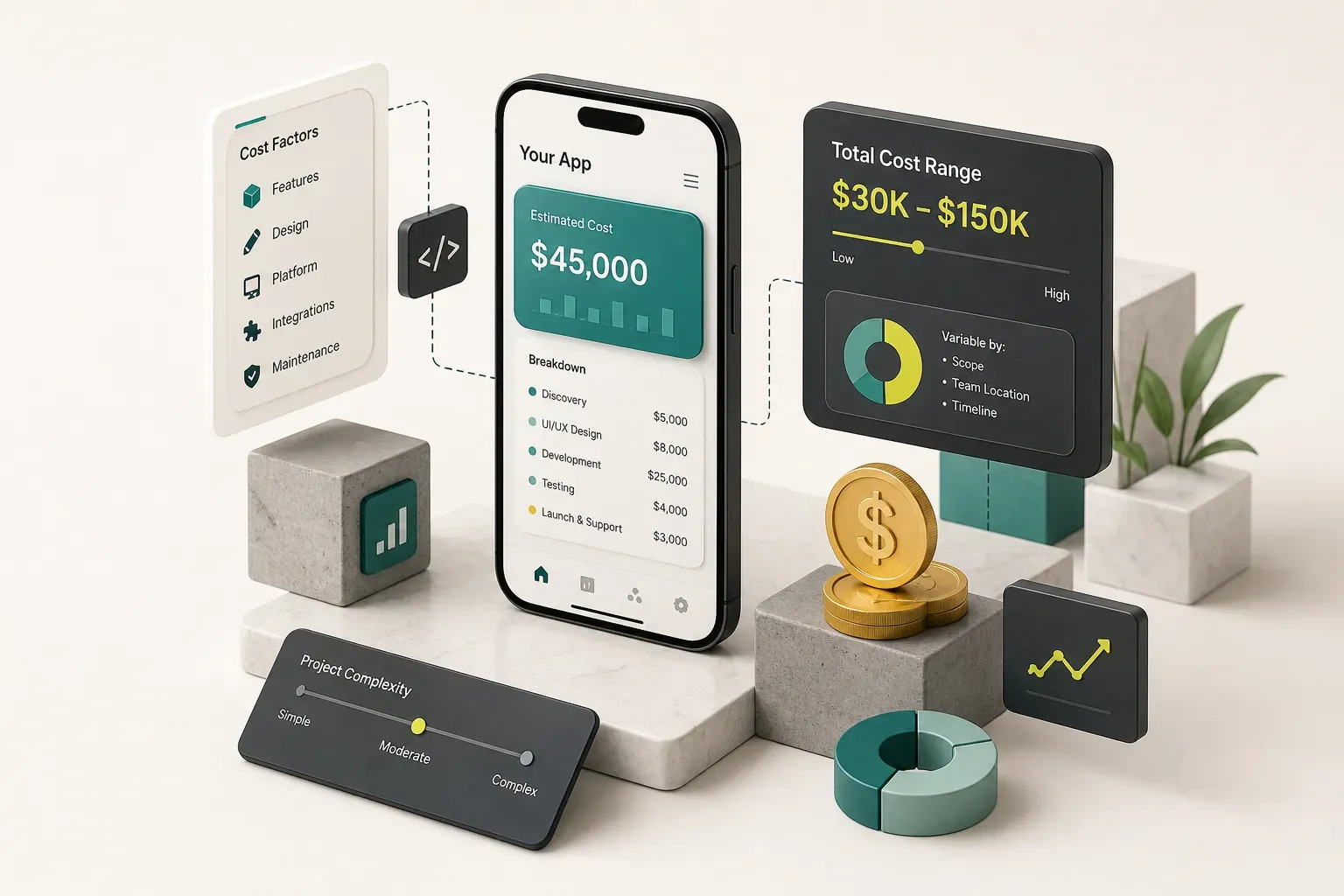
Why App Pricing Feels Like a Guessing Game
Ask five agencies what your app will cost and you’ll get five numbers spanning an order of magnitude.
Ten thousand dollars. Forty. Two hundred and fifty. Half a million.
None of them are lying.
They’re describing different products.
A $12,000 quote usually means a single-platform app with three screens, no custom backend, and a developer in a low-cost market working solo. A $250,000 quote means multiple user roles, a custom API layer, payment integration, an admin dashboard, security review, and a team of six.
Same question, wildly different answers, because “an app” is not a unit of measurement.
The variables that actually move the number are feature scope, team seniority, platform strategy, and how much quality assurance testing you’re willing to pay for upfront versus absorb as bugs later.
Most founders never get told which levers they’re pulling.
The question “how much does it cost to make an app” has no answer. The question “how much does it cost to build these eleven screens, for two user roles, on iOS and Android, with Stripe and push notifications” has a very precise one.
This guide breaks mobile app development cost down by feature group, platform choice, MVP versus full build, and total cost of ownership after launch. Real numbers, real hour estimates, and a worked budget that shows how a $45,000 MVP is actually calculated line by line.
By the end you’ll be able to write a spec that produces comparable quotes from any three vendors.
And you’ll be able to spot exactly what the suspiciously cheap bid left out, because there’s always something.
What Actually Drives App Cost
Here’s the counterintuitive part: the code is rarely the expensive bit.
What costs money is state.
Every screen exists in a loading state, an empty state, an error state, a permission-denied state, and a success state. Every one of those needs design, implementation, and testing.
That multiplication is why adding “just one more user type” can add $8,000 to a project. Below are the three cost centres that decide almost every app development estimate.
Features and User Roles
Feature scope drives hours, but user roles drive them faster. A customer-only app is one set of permissions, one navigation tree, one onboarding flow.
Add a vendor role and an admin panel and you’ve tripled the surface area that needs building and verifying.
- Each additional user role adds roughly 15-30% to total build hours. The code overlaps, but the design states, permission rules, and QA test matrix do not. Three roles means three onboarding flows, three sets of access controls, and three times the regression testing before every release.
- Simple screens run 8-16 hours each; complex ones run 30-60. A static “About” page is cheap. A filterable, paginated, searchable list with pull-to-refresh, offline caching, and skeleton loaders is a different animal entirely.
- Every CRUD flow is four features, not one. Create, read, update, delete each need their own UI, validation rules, error handling, and backend endpoint. Founders routinely spec “users can manage their listings” and budget for one screen.
- Real-time features carry a fixed floor cost. In-app chat typically runs 60-120 hours regardless of how small your app is, because you need message persistence, delivery receipts, presence indicators, and push notifications when the app is backgrounded. Live booking calendars and collaborative editing behave the same way.
- Third-party API integrations cost more than the docs suggest. Payment integration with Stripe is 25-50 hours once you account for webhooks, failed-payment recovery, refunds, and test-mode edge cases. Maps, calendar sync, and identity verification each land in a similar band.
- User authentication is deceptively expensive. Email plus password plus Apple Sign-In plus Google, with password reset, email verification, session refresh, and account deletion (which Apple now requires), is typically 40-70 hours on its own.
Design, UX and Quality Testing
Product discovery and UX/UI design are separate line items from development, and cutting them doesn’t save money.
It relocates the cost to a more expensive place: rework after launch.
- Discovery and wireframing typically consume 5-10% of a project budget. On a $60,000 build, that’s $3,000-$6,000 to establish the core user journey, competitor benchmarks, and screen inventory before a single component is coded.
- High-fidelity UI design runs 10-15% of the total. This covers the design system, component library, dark mode if you need it, and platform-specific patterns so an iOS user doesn’t feel like they’re using an Android app in disguise.
- Quality assurance testing is 15-20% of development hours, not an afterthought. Device fragmentation is the reason. Testing on an iPhone 15 Pro tells you nothing about how the app behaves on a three-year-old mid-range Android with 4GB of RAM and a notch in the wrong place.
- Skipping design costs 3-5x more later. Changing a flow in Figma takes an afternoon. Changing it after implementation means redoing the UI, the backend contract, the tests, and the App Store screenshots.
Backend, Data and AI Costs
Backend development is the single biggest swing factor in most quotes, and the one most often missing from the cheap ones.
- A managed backend cuts initial cost by 40-60%. Firebase or Supabase give you authentication, a database, file storage, and push notification plumbing on day one. For a standard business app, that can be the difference between 200 hours of backend development and 60.
- Custom backends make sense when you have complex business logic, strict data residency requirements, or expect to outgrow per-read pricing. Expect 150-400+ hours for a production-grade custom API with authentication, role-based access, and documented endpoints.
- AI features add ongoing costs, not just build costs. Beyond the integration work, you’re paying AI API usage per token or per image, plus the often-underestimated effort of prompt engineering, output evaluation, and moderation to stop the model saying something that embarrasses you.
- Privacy and security compliance is a line item. GDPR consent flows, data deletion endpoints, encryption at rest, and an accurate App Store privacy nutrition label typically add 20-60 hours. Skipping them is how apps get rejected or fined.
Cost by Platform and Stage
Two decisions account for more budget variance than everything else combined: how much you build in version one, and how many platforms you ship it to.
Get these right and a $180,000 vision becomes a $45,000 experiment that tells you whether the $180,000 is worth spending.
MVP vs the Full Product
An MVP is the single core user journey, built well enough to put in front of real users and learn from.
Not a demo. Not a prototype.
A shippable app that does one valuable thing properly.
MVP development typically lands between $15,000 and $60,000. The low end is a focused, single-role app with a managed backend and no payments.
The high end includes payment integration, a couple of third-party APIs, and a basic admin view.
The full product vision, with multiple roles, admin dashboards, analytics, payments, notifications, and the polish that makes a product feel inevitable, commonly runs $80,000 to $250,000+.
The argument for validating first isn’t about being cheap.
It’s about information.
Roughly 70% of what founders believe about their users before launch turns out to be partially wrong, and the features you were certain about are frequently the ones nobody touches.
Building the full vision before validation means you pay full price for your assumptions. Building an MVP means you pay 25% of the price to find out which assumptions were right.
Choosing iOS, Android or Both
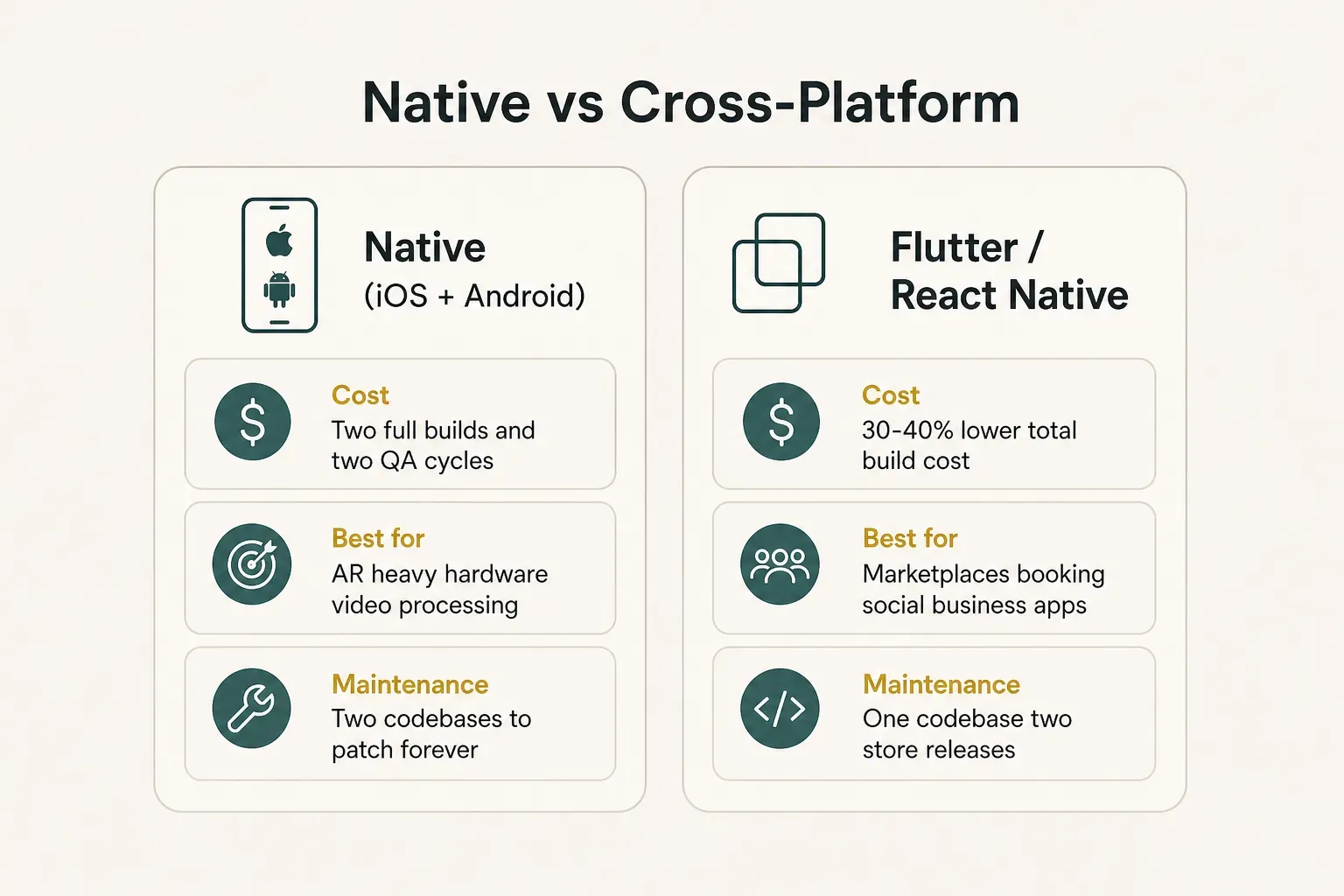
Native app development means two codebases, two sets of platform bugs, two release cycles, and two ongoing maintenance streams. It roughly doubles design refinement, QA, and maintenance cost, though the shared backend and shared design system mean the total is closer to 1.7-1.9x than a clean 2x.
Cross-platform development with Flutter or React Native reuses 70-90% of the codebase across both platforms. For most business apps, that cuts total cost by 30-40% compared to going native twice.
Native still wins in specific cases: heavy AR, real-time video processing, complex Bluetooth or hardware integrations, and apps where a 40ms rendering difference genuinely matters. For marketplaces, booking apps, social products, fitness trackers, and internal tools, cross-platform is the sensible default in 2026.
This is the approach CompletApp takes in practice: one Flutter codebase shipped to both the App Store and Google Play at native-feeling quality, which collapses the platform line item without discounting the craft.
One design system.
One QA cycle.
Two stores.
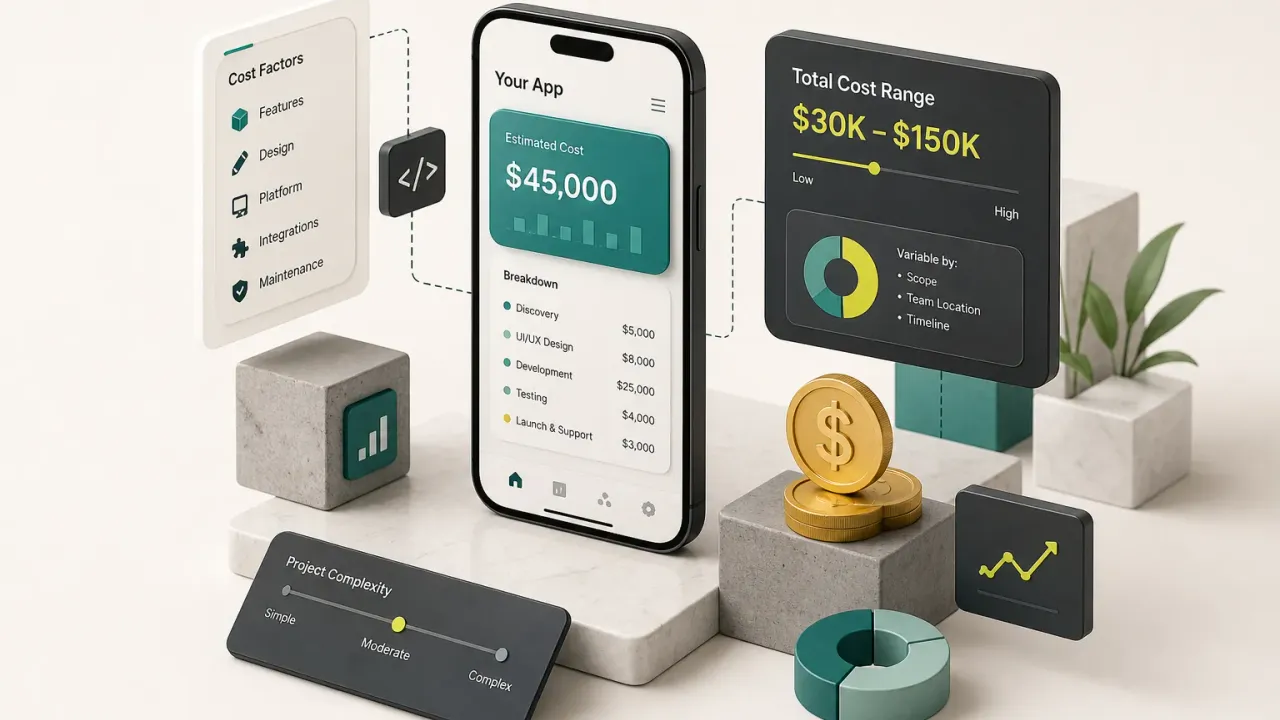
A Sample Budget Breakdown
Abstractions don’t help you approve a budget.
Here’s how a $45,000 cross-platform MVP is actually assembled, using a blended senior rate typical of European and North American studios in 2026.
The app in question: a services marketplace with customer and provider roles, in-app booking, Stripe payments, and push notifications. One Flutter codebase, Supabase backend.
| Feature Group | Estimated Hours | Hourly Rate Range | Subtotal |
|---|---|---|---|
| Product discovery and user flows | 40 | $70-$90 | $3,200 |
| UX/UI design and design system | 80 | $60-$80 | $5,600 |
| User authentication and profiles (2 roles) | 60 | $60-$85 | $4,350 |
| Booking flow and calendar logic | 90 | $60-$85 | $6,500 |
| Payment integration (Stripe + webhooks) | 45 | $70-$90 | $3,600 |
| Backend, database and API integrations | 70 | $65-$90 | $5,400 |
| Push notifications and messaging | 40 | $60-$80 | $2,800 |
| QA and multi-device testing | 70 | $45-$60 | $3,700 |
| App-store submission and release prep | 20 | $60-$80 | $1,400 |
| Subtotal | 515 | — | $36,550 |
| Project management (12%) | — | — | $4,400 |
| Contingency (18%) | — | — | $4,050 |
| Total | ~515 hrs | — | $45,000 |
Two things to notice.
First, development is barely half the total once design, QA, management, and contingency are counted.
Second, that 15-20% contingency line is not padding. It’s the budget for the App Store rejection, the Stripe edge case, and the client feedback round that nobody planned for but everybody has.
Software development hourly rates vary enormously by region: $25-$50 in South and Southeast Asia, $40-$75 in Eastern Europe and Latin America, $90-$180 in Western Europe and North America. The same 515 hours could produce a $20,000 quote or a $70,000 one.
Rate alone tells you nothing about total cost, because low rates frequently come with more hours and more rework.
The Cost of Keeping an App Alive
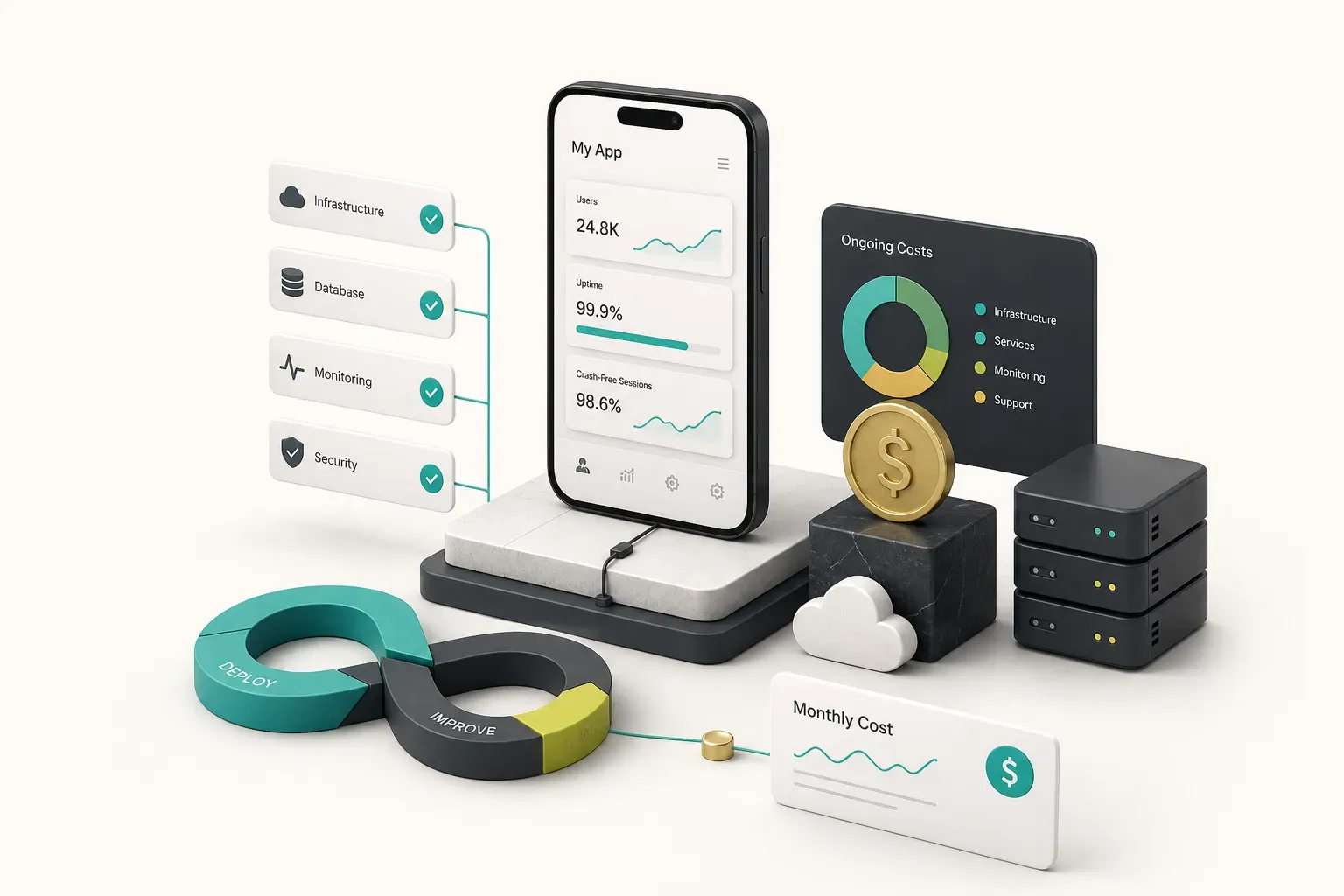
The launch invoice is not the last invoice.
It’s roughly the halfway point of your first three years of spending, and the part most founders never budget for.
Here’s what actually hits your card every month once the app is live.
- Cloud infrastructure and database hosting: $50-$1,000+/month. A pre-launch app on Firebase’s free tier costs nothing. At 5,000 monthly active users you’re typically at $80-$250. At 50,000 with media uploads and heavy reads, $600-$1,500 is normal. File storage and egress bandwidth are the line items that surprise people, particularly for video or image-heavy apps.
- Apple Developer Program: $99/year. Google Play: $25 one-time. Cheap, mandatory, and attached to rules that cost real money. Apple’s in-app purchase requirement takes 15-30% of digital goods revenue, its privacy disclosures must be accurate, and account deletion must be available in-app.
- Transactional email and SMS: $15-$300/month. Password resets, receipts, and booking confirmations run through services like Postmark or SendGrid. SMS verification is the expensive one, typically $0.01-$0.08 per message, which becomes material during a growth spike.
- Push notification services and error monitoring: $0-$150/month. Firebase Cloud Messaging is free; OneSignal and similar tools charge above a threshold. Crash reporting and observability tools like Sentry start free and scale with event volume. Running without crash reporting is flying blind.
- AI API usage: highly variable, $20-$2,000+/month. If your app calls a language model on every user action, this scales directly with engagement. Model your cost per active user before launch, not after your first viral week.
- Ongoing app maintenance: 15-20% of the original build cost per year. On a $45,000 MVP, budget $7,000-$9,000 annually. This covers iOS and Android OS updates (both ship breaking changes every autumn), dependency upgrades, security patching, and the bug fixes that always follow real-world usage.
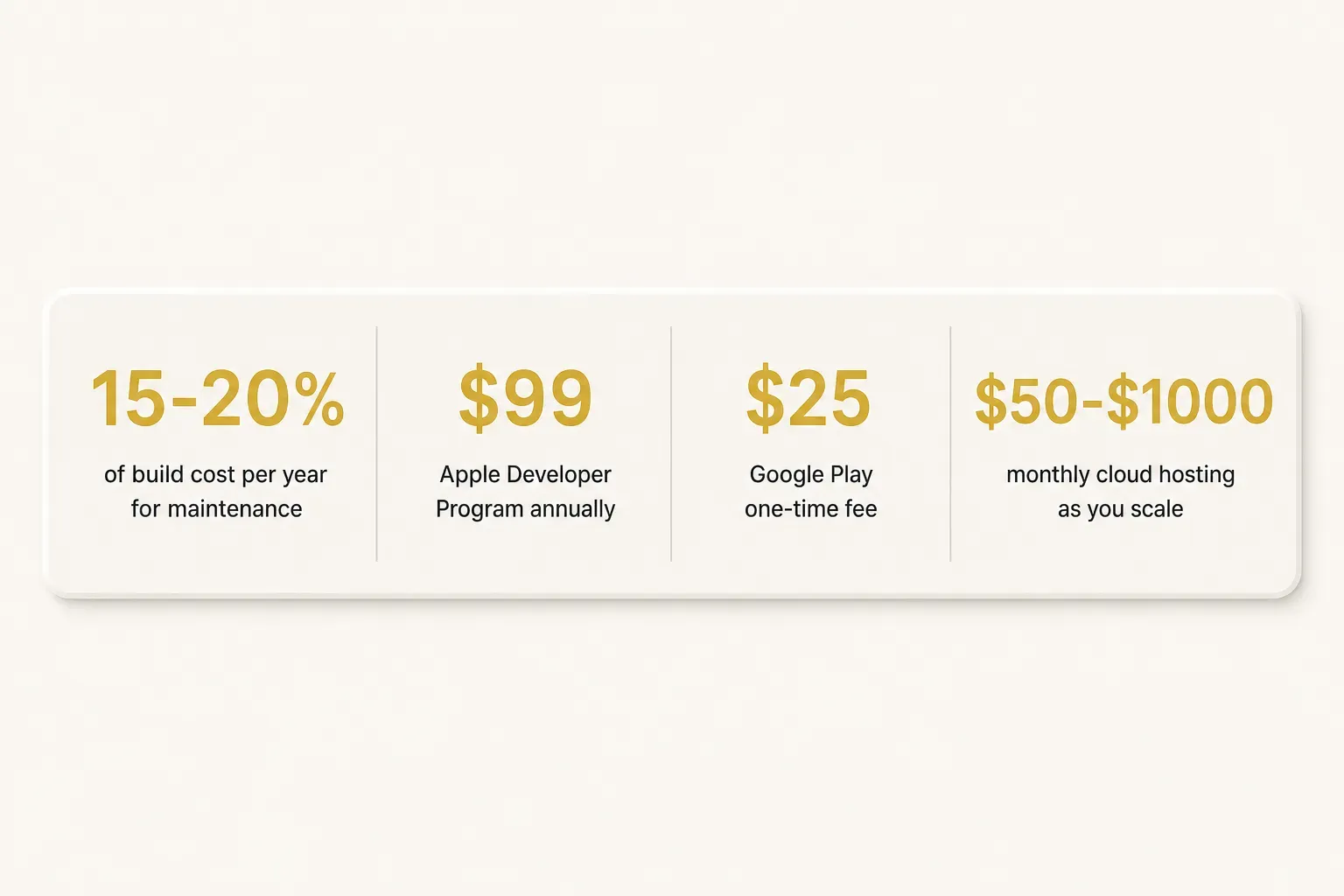
The maintenance figure is the one to internalise.
Deferring it doesn’t make it go away; it converts into technical debt, which compounds. An app left unmaintained for eighteen months typically needs 2-3x the effort to bring current compared to steady quarterly upkeep.
Total cost of ownership for that $45,000 MVP over three years lands closer to $75,000-$85,000.
Plan for the real number.
Reading a Quote Like a Pro
Two quotes arrive.
One says $28,000, one says $52,000, both for “your app.”
The cheaper one is not cheaper.
It’s less complete, and the gap will appear later as change requests.
Start by identifying which engagement model you’re being offered, because each one puts the risk in a different place.
- Hourly estimate: you pay for time used. Maximum flexibility, but all budget risk sits with you. Appropriate for genuinely exploratory work, dangerous for a defined product.
- Fixed-scope project: a written specification at an agreed price. Risk shifts to the developer, which means they price in contingency, but you get a number you can actually plan around.
- Dedicated team: you rent developers monthly, typically $8,000-$20,000 per person. Sensible for ongoing product work at scale, expensive and unfocused for a first build.
- Product-studio engagement: a fixed scope plus strategic input on what to build, with milestone-based delivery. Higher headline price, lower probability of building the wrong thing.
Then check the itemisation.
A quote you can compare must break out every one of these:
- Product discovery and UX research as distinct hours, not folded silently into “design.”
- Backend development and API integrations with the specific stack named.
- UX/UI design including how many revision rounds are included before extra charges apply.
- Quality assurance testing with a named device matrix: which iPhones, which Android models, which OS versions.
- App-store submission for both stores, including screenshots, metadata, privacy labels, and handling rejections.
- Documentation and handover: repository access, environment setup, architecture notes.
- Warranty period: how many weeks of free bug fixes post-launch, and what counts as a bug versus a new feature.
- Source-code and asset ownership transferring to you on final payment, stated explicitly in writing.
Now the red flags.
Any one of these should prompt a direct question:
- No backend line item on an app that obviously stores user data. The work exists; it’s either hidden or it’s coming as a change order.
- No mention of code or design-asset ownership. Some vendors retain the repository as leverage. Find out before you sign, not when you want to switch teams.
- No device testing plan. “We test thoroughly” is not a plan. A device matrix is.
- A vague revision policy on design. “Reasonable revisions” becomes a billing argument in week six.
- Open-ended hourly billing with no cap or milestone gates. A budget with no ceiling is not a budget.
- No contingency line. Either they’ve hidden it in the rate or they haven’t planned for reality.
One structure worth asking any developer to match: CompletApp works to a fixed scope agreed in writing, with milestone previews you review as the build progresses and a walk-away option after the first milestone.
The point isn’t the specific vendor.
It’s that transparent pricing and an exit ramp are things you can request from anyone, and the reaction tells you a lot.
Before You Request a Quote
Do one thing before you contact a single developer: write down the core user journey, step by step, then list every screen it requires and every user role that touches it.
Two pages is enough.
Send that document to three vendors and ask each to quote against it, itemised by the eight categories above. You’ll get comparable numbers instead of three unrelated guesses, and the differences between them will actually mean something.
If you’re validating an idea, budget for an MVP on a single cross-platform codebase and keep money in reserve for iteration after real users arrive. If you’re scaling an existing business with proven demand, budget for the full product plus a full year of maintenance from day one.
And remember what the numbers hide.
The cheapest quote and the right quote are rarely the same figure once code ownership, device testing, store submission, and post-launch support are counted properly.
Cheap is easy to measure.
Complete is what you’re actually buying.