The Cost of Picking the Wrong Partner
Three failure patterns show up again and again when founders describe app projects that went wrong: scope nobody agreed on in writing, budgets that drifted 40% or more past the original quote, and apps that shipped on time but never found a user.
The third one hurts most.
You paid, you launched, and the analytics dashboard shows 60 installs and a 12% day-seven retention rate.
None of these outcomes are caused by bad code.
They are caused by a mismatch between what the buyer thought they were purchasing and what the vendor thought they were selling.
This guide uses a five-part framework to close that gap: product thinking, technical ownership, security, launch readiness, and measurable outcomes.
Notice what is not on that list.
Portfolio screenshots and headline pricing are the two signals founders weight most heavily and the two that predict success least reliably.
It is written for founders, product managers, and business owners who are evaluating a build partner before they write a specification or sign anything. If you already have a signed contract and a stalled project, the sections on ownership and handover will still be useful.
The guide stays vendor-neutral.
It walks the full path from idea validation through discovery, MVP scoping, platform choice, cost drivers, security architecture, app-store submission, and the post-launch operating model that determines whether your app is still alive in month twelve.
Who Actually Builds Your App?
Search “app development company” and you will get a results page that lumps together five fundamentally different business models. A solo contractor in Lisbon, a 400-person offshore agency, a no-code platform, an enterprise consultancy, and a small product studio all compete for the same click.
They are not interchangeable.
Choosing the wrong model is the single most common upstream cause of project failure, because it determines who is accountable when design, backend, and QA disagree.
Freelancers, Agencies, and Staff Augmentation
Each model sells a different unit of value. Understanding what you are actually buying changes how you evaluate the price.
- Freelancers sell hours. You are buying individual capacity, usually in one discipline: a Flutter developer, a UI designer, a backend engineer. This works beautifully when the scope is one well-defined feature and you have the product judgment to direct the work. It breaks down when you need three specialists to coordinate, because nobody owns the seams between them.
- Staff augmentation embeds contractors into your team. The vendor supplies engineers who report into your product manager and work in your sprint cadence. This is the right model if you already have technical leadership and are simply short on hands. It is the wrong model if you are a non-technical founder, because staff augmentation assumes you supply the architecture decisions, code review, and QA standards.
- Agencies sell a managed project. A project manager sits between you and a pool of designers, developers, and testers. You get process, contracts, and continuity. You also get coordination overhead, sometimes 20 to 30% of the budget, and a real risk that the senior person you met in the sales meeting never touches your code.
- Software consultancies sell enterprise systems work. Think ERP integrations, regulated data migrations, and multi-year modernization programs. They bring genuine depth in compliance and architecture, and their pricing reflects it. For a pre-seed founder building a first mobile product, this is like hiring a structural engineering firm to build a garden shed.
The coordination gap is where budgets die.
When design hands off a screen that the backend cannot support, or QA finds an issue that requires an architectural change, someone has to absorb that cost. In a fragmented team, that someone is usually you.
No-Code Platforms and Their Limits
No-code tools deserve more respect than most development companies give them, and more skepticism than their own marketing suggests.
They are genuinely excellent for internal tools, form-driven workflows, simple marketplaces, and prototypes you need in days rather than weeks. If your app is a directory, a booking form, or an internal approval workflow, building it in a no-code platform can cut initial cost by 70% or more.
The limits are structural, not temporary:
- Custom backend logic hits a ceiling. Anything involving complex state machines, scheduled jobs, or multi-step transactional integrity becomes a stack of fragile workarounds.
- Third-party API integration is constrained to what the platform’s connectors support. When a payment provider changes their webhook format, you wait for the platform to update.
- Performance at scale degrades because you do not control the database queries, caching layer, or hosting configuration.
- Migration is expensive. Rebuilding a mature no-code app in native or cross-platform code often costs more than building it properly the first time, because you also have to migrate live user data.
- Platform dependency is total. Pricing changes, feature deprecations, and acquisitions are outside your control, and you cannot take the source code with you.
Use no-code to validate demand. Use custom development to scale it. The mistake is treating a validated prototype as a production system.
Full-Stack Product Studios
The fifth model is less common and less well understood: a small team, sometimes a single senior builder, that owns the entire chain from product discovery to app-store launch.
The defining characteristic is that there are no handoffs.
The person who runs your user research is the person who designs the flows, writes the Flutter code, configures the backend architecture, and submits the build to Apple. Nothing gets lost in translation between departments because there are no departments.
CompletApp, a Budapest-based studio, is a concrete example of the structure.
It runs a roughly four-week MVP cadence with fixed scope and fixed price agreed in writing, covering UI/UX design, cross-platform development in Flutter, backend on Firebase or Supabase, AI integration using OpenAI and Claude, payments through Stripe and RevenueCat, and full app-store submission.
The studio is operated by one senior developer with 11+ years of experience and 70+ published apps.
The tradeoff is honest: a studio of this size cannot staff three parallel workstreams or absorb a 200-screen enterprise build. What it can do is keep scope honest, because the person estimating the work is the person doing it.
Two structural protections are worth looking for in any studio arrangement: a milestone-based walk-away option and explicit 100% code ownership on full payment. Both shift risk away from the buyer, and both are unusual enough that their absence tells you something.
How Apps Get Built, Step by Step
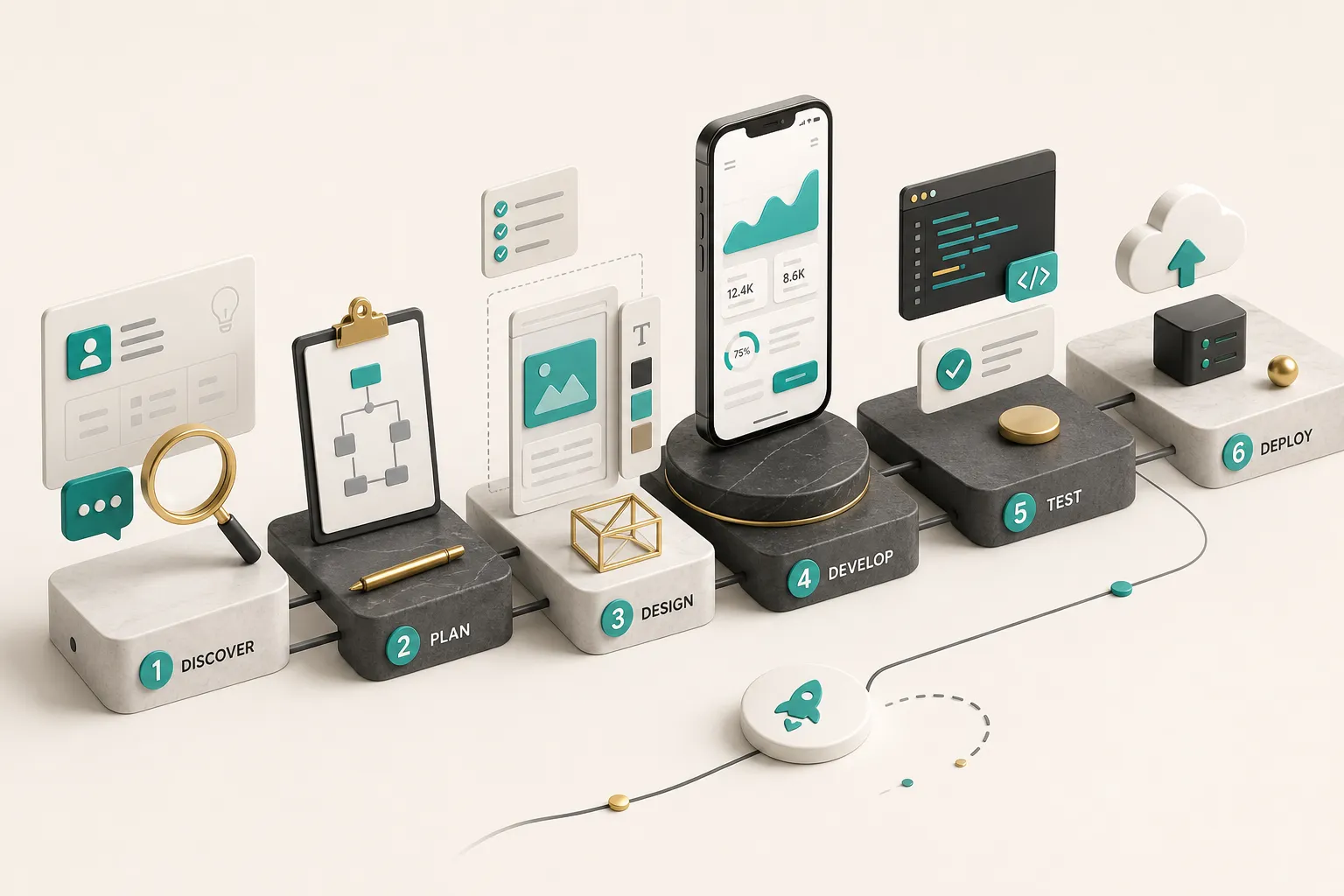
Most founders think development starts when someone opens a code editor. By that point, roughly 60% of the decisions that determine whether the app succeeds have already been made.
Discovery and Prototyping First
Product discovery is the phase where you convert an idea into a testable set of assumptions. Done properly, it is the highest-leverage two weeks of the entire project.
- Define the target user precisely. Not “small business owners” but “independent physiotherapists with 1 to 3 staff who currently book appointments by phone.” Vague user definitions produce vague features, and vague features are the raw material of scope creep.
- Write a one-sentence problem statement. It should describe the pain, the current workaround, and why the workaround fails. If you cannot articulate the current workaround, you have not done enough user research yet.
- Pick one success metric before building anything. Week-four retention, bookings completed per user, or time-to-first-value. One metric. A project with five success metrics has none.
- Document constraints and known integrations. Budget ceiling, launch deadline, existing systems the app must talk to, regulatory requirements, and any technology decisions already locked in. These constraints shape architecture more than feature lists do.
- Map user flows and build a clickable prototype. A prototype in Figma or a similar tool costs a fraction of coded screens and can be tested with real users in days. Changes at this stage cost minutes. The same change after backend implementation can cost a week.
- Test the prototype with five to eight target users. Watch where they hesitate. Usability research has consistently shown that small test groups surface the majority of major interaction problems, which is why testing early beats testing thoroughly later.
- Prioritize features into must-have and nice-to-have. A must-have feature is one where removing it breaks the core value loop. Everything else, including the settings screen you assume is mandatory, goes to phase two. Be ruthless here and you will save 30 to 50% of the initial build cost.
An MVP That Doesn’t Bloat
A useful MVP is the smallest version of your product that proves the core value loop works with real users.
Not the smallest version that looks impressive. Not the smallest version that includes everything a competitor has.
The core value loop is the shortest sequence a user completes to get the benefit you promised.
For a booking app: find a slot, book it, get a confirmation.
Three steps.
Everything that does not serve those three steps is phase two.
- Lock the feature list in writing before development begins. Fixed scope is not a limitation on creativity, it is a protection against the mid-project “while we’re in there” additions that turn four-week builds into four-month builds.
- Route new ideas to a phase-two backlog, not into the current sprint. Good ideas will surface during the build. Capture them. Do not implement them yet.
- Build the MVP on architecture that survives phase two. This is the distinction between a disposable prototype and a real MVP. Authentication, data models, and API structure should be designed for the product you intend to have in eighteen months, even if you only implement a fraction of it now.
- Ship weekly clickable previews. Feedback compounds. A client who sees the app every Friday catches misunderstandings in week one instead of week six.
Native Code or Shared Codebase
The native versus cross-platform debate is usually presented as a philosophical choice.
It is an economic one.
Cross-platform frameworks like Flutter and React Native suit the large majority of content, workflow, marketplace, booking, and social apps. One codebase produces iOS and Android builds with near-native performance and full access to platform APIs through plugins.
You cut build cost roughly in half and, more importantly, you cut ongoing maintenance in half too.
Native app development earns its cost premium in specific situations:
- The app depends on heavy, low-level device APIs, for example continuous background location processing or advanced Bluetooth peripherals.
- Custom camera pipelines, real-time computer vision, or AR processing where you need frame-level control.
- Performance-critical rendering such as complex games or high-frequency data visualization.
- Deep platform-specific integrations like advanced widgets, Apple Watch complications, or platform-exclusive hardware features.
Now the part most comparisons skip: the three-year maintenance math. Two native codebases mean every OS update, every dependency upgrade, and every bug fix happens twice, in two languages, by two skill sets.
Over a 2 to 3 year horizon, maintaining two native codebases typically costs 1.7 to 2 times what maintaining one shared codebase costs. For a small team, that difference is often the entire budget for building new features.
The web side follows similar logic.
A React web application paired with a Flutter mobile app can share the same backend, the same API contracts, and the same authentication layer, which keeps the total surface area you have to maintain small.
What Drives Cost and Timeline
Two apps can look identical in a screenshot and differ by a factor of five in cost. The difference is almost never in the screens.
It is in what happens behind them.
Here is how the main cost drivers actually behave, with realistic 2026 ranges for a competent development partner in a mid-price market.
| Cost Driver | Low Complexity | Mid Complexity | High Complexity | Cost Impact |
|---|---|---|---|---|
| User roles | Single role, no login | 2 roles (user + admin) | 3+ roles with granular permissions | Each additional role adds 15-25% to backend and QA effort |
| Backend logic | Read-only content, static data | CRUD operations, basic business rules | Workflow engines, scheduling, transactional integrity | The single largest hidden multiplier, 2-4x |
| Third-party integrations | 0-1 (analytics only) | 2-4 (auth, email, maps, push) | 5+ including legacy or poorly documented APIs | Budget 1-2 weeks per non-trivial API integration |
| Real-time features | None | Push notifications, basic sync | Live chat, collaborative editing, live location | Real-time infrastructure adds 25-40% to backend cost |
| Payments | None | Single Stripe checkout or RevenueCat subscription | Marketplace splits, multi-currency, refunds, invoicing | +1 week simple, +3-5 weeks for marketplace flows |
| AI features | None | Single LLM call with prompt templates | RAG pipelines, evaluation harness, fallback logic, cost controls | +2-8 weeks plus ongoing inference cost |
| Compliance | Standard privacy policy | GDPR data handling, consent flows | HIPAA, PCI scope, financial regulation | Regulated data can add 30-60% across the whole project |
| Platform count | One platform, cross-platform framework | iOS + Android shared codebase | iOS + Android native + web + admin panel | Each separate codebase adds 60-90% of the original build |
Mapping those drivers into tiers gives you a working budget frame.
A simple single-platform MVP with 8 to 12 screens, basic auth, and no payments typically lands in the low five figures and takes 4 to 6 weeks.
A mid-complexity app with user accounts, payments, push notifications, and an admin panel usually runs 2 to 3 times that and takes 8 to 14 weeks.
A complex app with real-time sync, meaningful AI functionality, or regulated data starts at several times the mid tier and rarely ships a first production version in under four months.
Why Two Apps Cost Differently
Picture two fitness apps.
Both show a workout list, a timer, and a progress chart.
Identical screenshots.
App A stores workouts locally, has no accounts, and syncs nothing.
Four weeks.
App B has coach and athlete roles, syncs across devices in real time, integrates Apple Health and Google Fit, processes subscription payments through RevenueCat, sends behavior-triggered push notifications, and stores health data that falls under privacy regulation.
Sixteen weeks, minimum, and a permanently higher cloud infrastructure bill.
Same screenshot.
Four times the cost.
When a vendor quotes you without asking about roles, sync, integrations, and data sensitivity, they are guessing.
Timelines stretch for predictable reasons: each additional integration with a poorly documented API, compliance review cycles, unlimited design iteration rounds without a defined cutoff, and app-store review, which typically takes 24 to 48 hours but can extend to a week or more if a reviewer requests clarification.
From App Store to Handover
Security Built In, Not Bolted On
Mobile app security is an architecture decision, not a testing phase. By the time a penetration test finds that your API trusts client-side role claims, fixing it means rewriting the authorization layer.
Four decisions need to be right before the first sprint ends.
Authentication design: token lifetimes, refresh strategy, session revocation, and whether you support multi-factor. Data storage: what lives on the device, what is encrypted at rest, and what never leaves the server.
API structure: authorization enforced server-side on every endpoint, never inferred from the client. And dependency management: a documented process for tracking and patching third-party packages, which is where a large share of real-world vulnerabilities enter mobile apps.
Two standards give you a vocabulary for these conversations.
The OWASP MASVS (Mobile Application Security Verification Standard) defines verification levels for mobile apps, covering storage, cryptography, authentication, network communication, and platform interaction. The NIST Secure Software Development Framework describes practices for building security into the development lifecycle rather than auditing it afterward.
Ask a prospective partner which MASVS level they build to and how they handle dependency vulnerability scanning. A vendor who has never heard of either is not disqualified, but a vendor who dismisses the question is.
Data privacy obligations follow the same logic.
GDPR, CCPA, and equivalent regimes require you to know what personal data you collect, why, where it is stored, and how a user deletes it. Retrofitting deletion flows into a schema that was not designed for them is expensive and often incomplete.
Meeting App Store Quality Bars
Apple and Google both raised their technical quality expectations over the past two years, and Google Play in particular now monitors app quality metrics that affect store visibility, not just approval.
Before submission, a serious partner will have verified:
- Functional stability. No crashes on core flows, no broken links, no placeholder content. Google Play’s technical quality thresholds treat elevated crash and ANR rates as a distribution issue, not just a user experience one.
- Accurate privacy disclosures. Apple’s privacy nutrition labels and Google’s Data safety section must match what the app actually collects, including what SDKs collect on your behalf. Mismatches are a common rejection cause.
- Correct metadata. Screenshots that reflect the current build, a description that does not promise unimplemented features, and an accurate age rating.
- Pre-submission testing across the device and OS-version range your users actually have, plus a demo account with working credentials for the reviewer.
- Account deletion available in-app where the app supports account creation. Both stores now require this.
Beyond approval, the quality factors that determine retention rarely appear in vendor proposals. Accessibility testing means verifying screen reader labels, contrast ratios, dynamic type scaling, and touch target sizes, which also broadens your addressable market.
Localization is not just translation, it covers date formats, currency, right-to-left layouts, and string expansion that breaks tight layouts. Device fragmentation on Android means testing on low-memory devices, not just the flagship in your pocket.
Then there is the network.
Offline behavior, queued writes, and graceful degradation on 3G separate apps that work from apps that work in the office.
Test on throttled connections deliberately.
Crash monitoring should be instrumented before launch, not after the first bad review. Firebase Crashlytics or Sentry, wired to alert someone who can act, is the baseline.
Quality assurance testing and continuous integration and deployment pipelines make this repeatable: every commit builds, every build runs the test suite, every release is reproducible.
Ownership, Contracts, and Vetting Questions
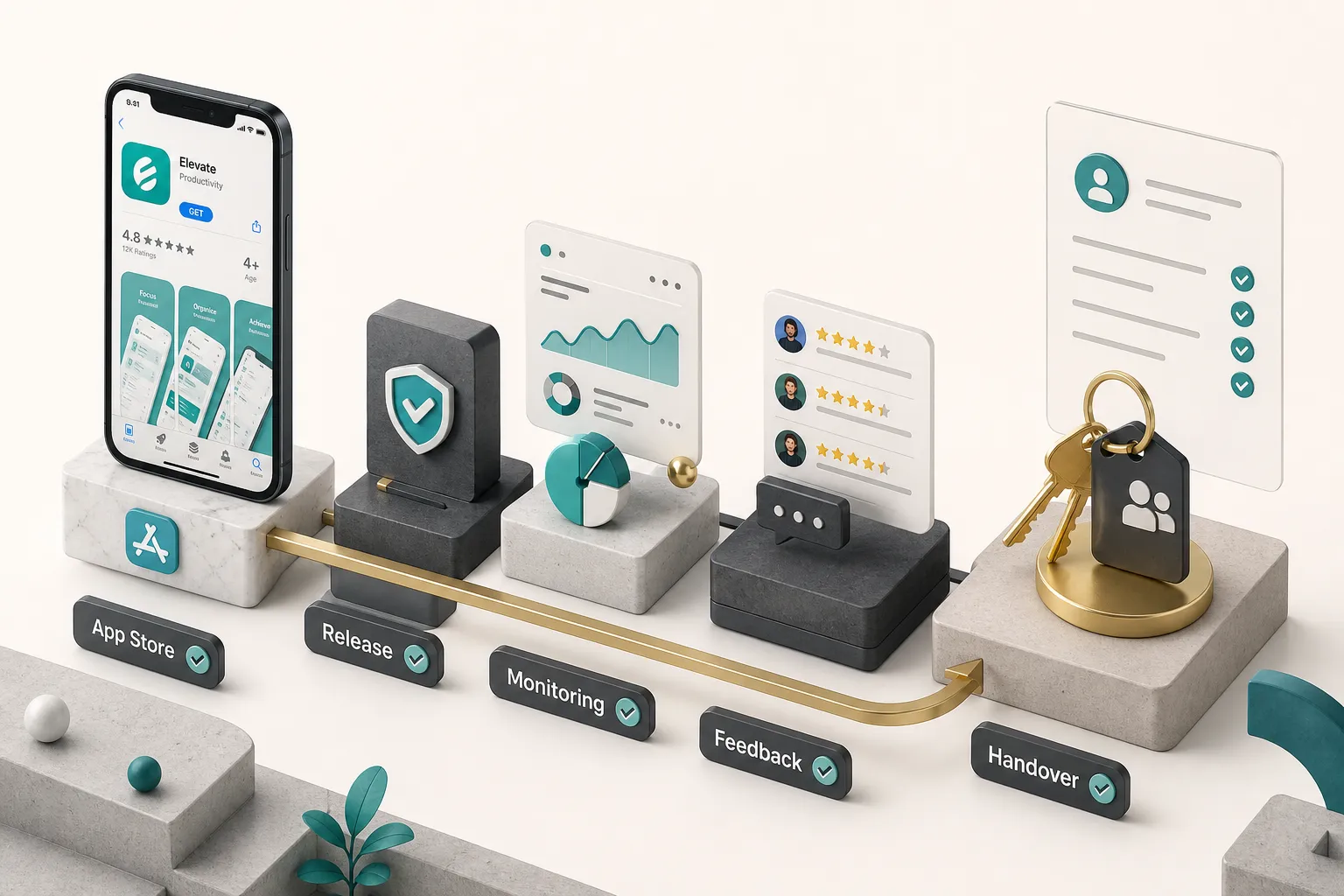
The handover is where founders discover what they actually bought. A complete handover includes all of the following, in your name and under your control:
- Source code repository access with full commit history, transferred to your organization account.
- Cloud account ownership for Firebase, Supabase, AWS, or wherever the backend runs, billed to your card, with you as owner.
- App store account credentials under your company’s Apple Developer and Google Play accounts, not the vendor’s.
- Technical documentation covering architecture, environment setup, deployment process, and third-party service configuration.
- Analytics and monitoring dashboard access for product analytics and crash reporting.
- Design source files and any custom assets, in editable format.
Now the interview.
Score every candidate on these six questions before you compare prices:
- Ask for a written estimate breakdown by feature or phase. A single number for the whole project is not an estimate, it is a guess with a decimal point. Warning sign: refusal to break down cost.
- Ask who owns the code and infrastructure after final payment, in writing. The answer should be “you, fully, with no license restrictions.” Warning sign: language about “granting a license to use” the deliverables.
- Ask how QA is performed. You want specifics: automated test coverage, device matrix, manual regression checklist, and who signs off. Warning sign: “we test as we go.”
- Ask what happens if the lead developer leaves. For an agency, ask about documentation and knowledge transfer. For a solo studio, ask about code documentation standards and escrow arrangements. Warning sign: no answer at all.
- Ask how change requests are priced. A clear process for scope changes protects both sides. Warning sign: “we’ll figure it out as we go.”
- Ask to speak to a client from a project of comparable complexity. Not comparable industry, comparable complexity: similar user roles, integrations, and data sensitivity. Warning sign: portfolio pieces with no reachable references.
Three red flags override everything else: vague pricing that shifts when you ask questions, ownership language you need a lawyer to decode, and a team where one undocumented person holds all the knowledge with no mitigation plan.
Launch is not the finish line.
The post-launch operating model determines whether your app compounds or decays.
Set a bug triage cadence, typically weekly, with severity levels that define response time. Review analytics on a fixed schedule against the one success metric you defined in discovery, watching user retention curves rather than install counts.
Establish a user feedback loop through in-app prompts, store reviews, and support tickets, and route themes into the roadmap. Set a release cadence, every two to four weeks is healthy for an early product.
And plan for the calendar you do not control: annual iOS and Android releases, SDK deprecations, and dependency updates that arrive whether you budgeted for them or not.
Choosing With Confidence
The decision comes down to one question: how many disciplines does this project require to work together?
One well-defined feature, with you or a CTO steering the architecture? A vetted freelancer is efficient and cost-effective.
Design, backend, security, payments, and store launch that all have to arrive at the same time and work together? A full-stack studio or agency reduces risk more than it adds cost.
Before your next vendor call, write a one-page brief.
Target user in one specific sentence.
Problem statement including the current workaround.
Desired outcome expressed as one measurable success metric.
Known constraints: budget ceiling, deadline, existing systems, regulatory exposure.
That single page changes the conversation entirely.
Vendors will give you sharper estimates because they are guessing less, and you will immediately notice which ones ask good follow-up questions and which ones jump straight to a price.
One last reframe.
The cheapest quote and the most beautiful portfolio are the two most misleading signals in this entire decision, because both are easy to produce and neither survives contact with a real backend.
The reliable signals are duller and far more predictive: written ownership terms, a documented QA process, a named person accountable for the outcome, and a security posture decided at architecture stage.
Choose on those, and the screenshots will take care of themselves.