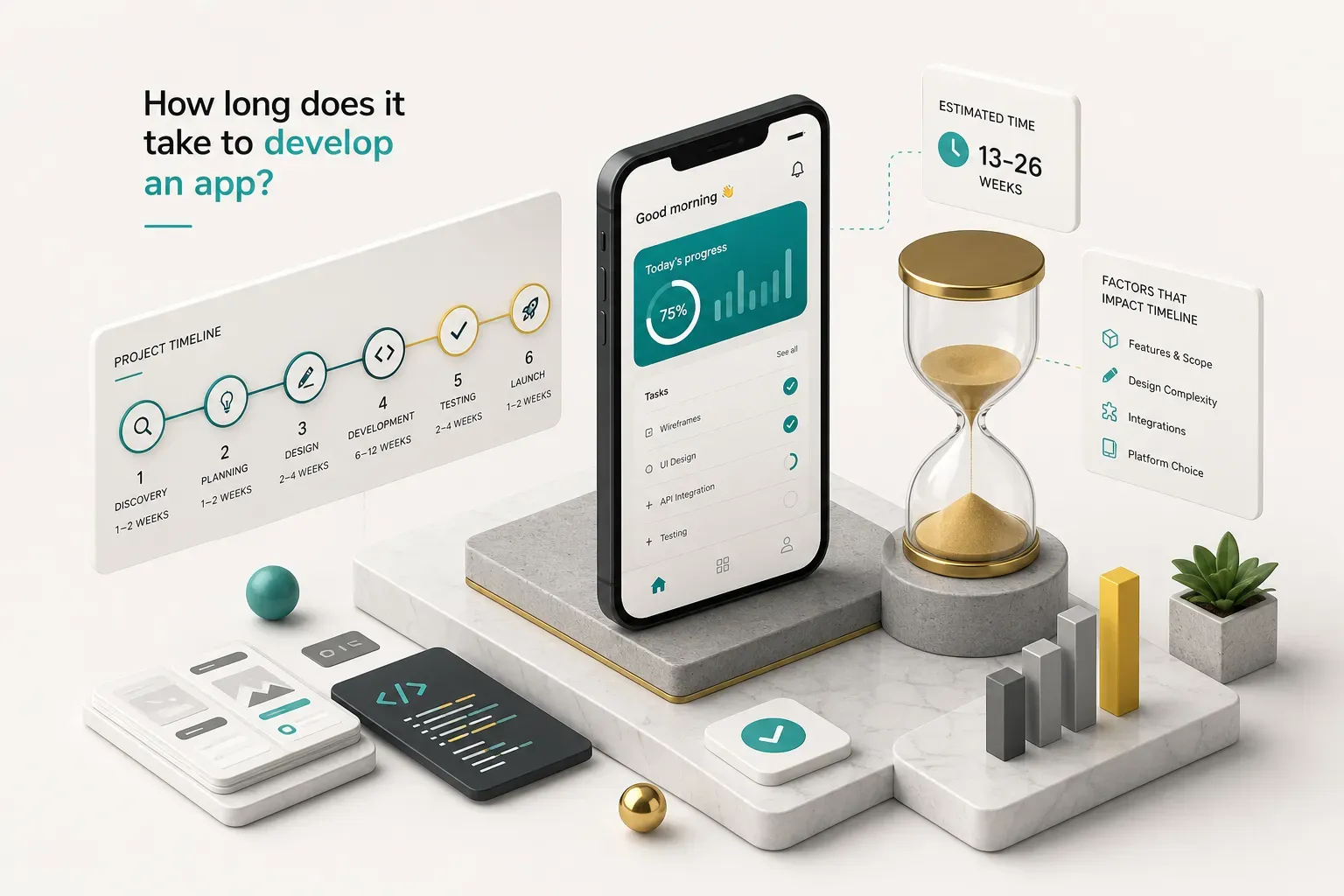
Why “It Depends” Isn’t a Real Answer
Search this question and you’ll get the same answer twenty times: three to nine months.
Nobody tells you what actually exists at the end of that window.
A three-month build can mean a polished MVP with real payments and 4,000 active users. It can also mean a design file, a half-connected backend, and an App Store rejection email.
Same timeline.
Wildly different outcomes.
The gap comes from a measurement problem. Most estimates never say where the clock starts.
Is it the day you had the idea? The day the contract was signed? The first line of code? The moment your app went live on two stores?
This guide fixes that.
We separate four distinct finish lines (clickable prototype, MVP, beta, and production launch) so you can compare estimates that actually describe the same thing.
Then we break the mobile app development lifecycle into phases with real durations, show how app complexity shifts the numbers, and name the things that quietly eat weeks.
The tools you choose move a timeline by days. Scope decisions and slow sign-offs move it by months.
That’s the part most founders get backwards.
They agonise over Flutter versus native, then lose five weeks waiting for brand assets and a final decision on whether the app needs social login.
Prototype, MVP, Beta, or Launch? Define the Finish Line First
Before you ask anyone for a timeline, decide what “done” means. A studio quoting six weeks and a studio quoting six months might be describing entirely different deliverables, and both could be honest.
Here’s what each stage actually contains and how long it takes.
The Four Stages of a Working App
- Clickable prototype: 1-2 weeks. No real code, no backend, no data. You get linked screens (usually in Figma) that let a person tap through the core flow and understand the product. This is what you show investors, use for early user interviews, and use to catch flow problems before development costs anything. It looks real. It does nothing.
- MVP: 4-12 weeks. A functional product with real code, a working backend, and enough features to solve one problem properly for early users. Authentication works. Data persists. Payments clear. The scope is deliberately narrow, usually one or two core features plus the plumbing they need. MVP app development is not a demo, it’s a small real product.
- Beta: add 2-4 weeks on top of an MVP. This is the MVP plus the instrumentation you need to learn from it: analytics, crash reporting, in-app feedback, and a controlled release group through TestFlight or Google Play internal testing. You’re running with 20 to 200 real users, watching where they drop off, and fixing what breaks on devices you never owned.
- Production launch: add 2-5 weeks on top of a beta. Hardened authentication and authorization, penetration and app security testing, a mobile accessibility pass (contrast, screen reader labels, dynamic type), store compliance for both platforms, privacy policy and data disclosure forms, plus uptime and error monitoring so you find out about outages before your users tweet about them.
Now the comparison problem becomes obvious. When a competitor says “we shipped in three months,” ask which of those four they mean.
A prototype in three months is slow.
A production-grade marketplace with three user roles in three months is either impossible or built on borrowed time in the form of technical debt you’ll pay back with interest.
Most disputes between founders and development partners trace back to this one undefined word. Write down which stage you’re buying, in one sentence, before any number gets quoted.
Timeline by App Type
App complexity isn’t a vibe.
It’s countable: screens, user roles, third-party API integrations, and how much custom logic lives on your server.
Two apps with identical screen counts can differ by four months if one has a single user type and the other has buyers, sellers, and admins who all see different data. Roles multiply work, because every role needs its own permissions, its own flows, and its own test cases.
Simple App vs MVP vs Uber-Scale Product
| Dimension | Simple utility app | Standard MVP | Complex marketplace / social |
|---|---|---|---|
| Timeline (first real version) | 4-6 weeks | 8-12 weeks | 6-12+ months |
| Screens | 5-10 | 12-25 | 40-80+ |
| User roles | 1 (single user) | 1-2 (user + admin panel) | 3-4 (customer, provider, admin, support) |
| Third-party integrations | 0-1 (analytics only) | 3-5 (Stripe, push, email, maps, auth provider) | 8-15 (payments, payouts, KYC, messaging, geolocation, ratings, fraud, CRM) |
| Backend complexity | Basic CRUD, managed backend (Firebase/Supabase) | Custom API, relational database, role-based access, webhooks | Real-time matching, event streams, background jobs, geospatial queries, split payments |
| QA effort | 3-5 days manual | 1-2 weeks manual + automated testing on core flows | 4-8 weeks continuous, full device compatibility testing matrix, load testing |
| Typical example | Habit tracker, internal checklist tool, loyalty card | Booking app, subscription content app, ordering app | Uber, Instagram, Airbnb-style two-sided platform |
Read the bottom row carefully, because it’s where most founders miscalculate. Uber’s 2026 app is the product of thirteen-plus years of iteration, hundreds of engineers, and a payments infrastructure most banks would envy.
Its first version, launched in San Francisco in 2010, did roughly one thing: press a button, a black car comes. No pooling, no food delivery, no scheduled rides, no driver marketplace at national scale.
So when someone asks “how long to build an Uber clone,” the honest answer is that a credible first version of ride-hailing (rider app, driver app, dispatch logic, payments) sits at six to nine months minimum with a competent team.
Matching current Uber feature depth isn’t a project.
It’s a company.
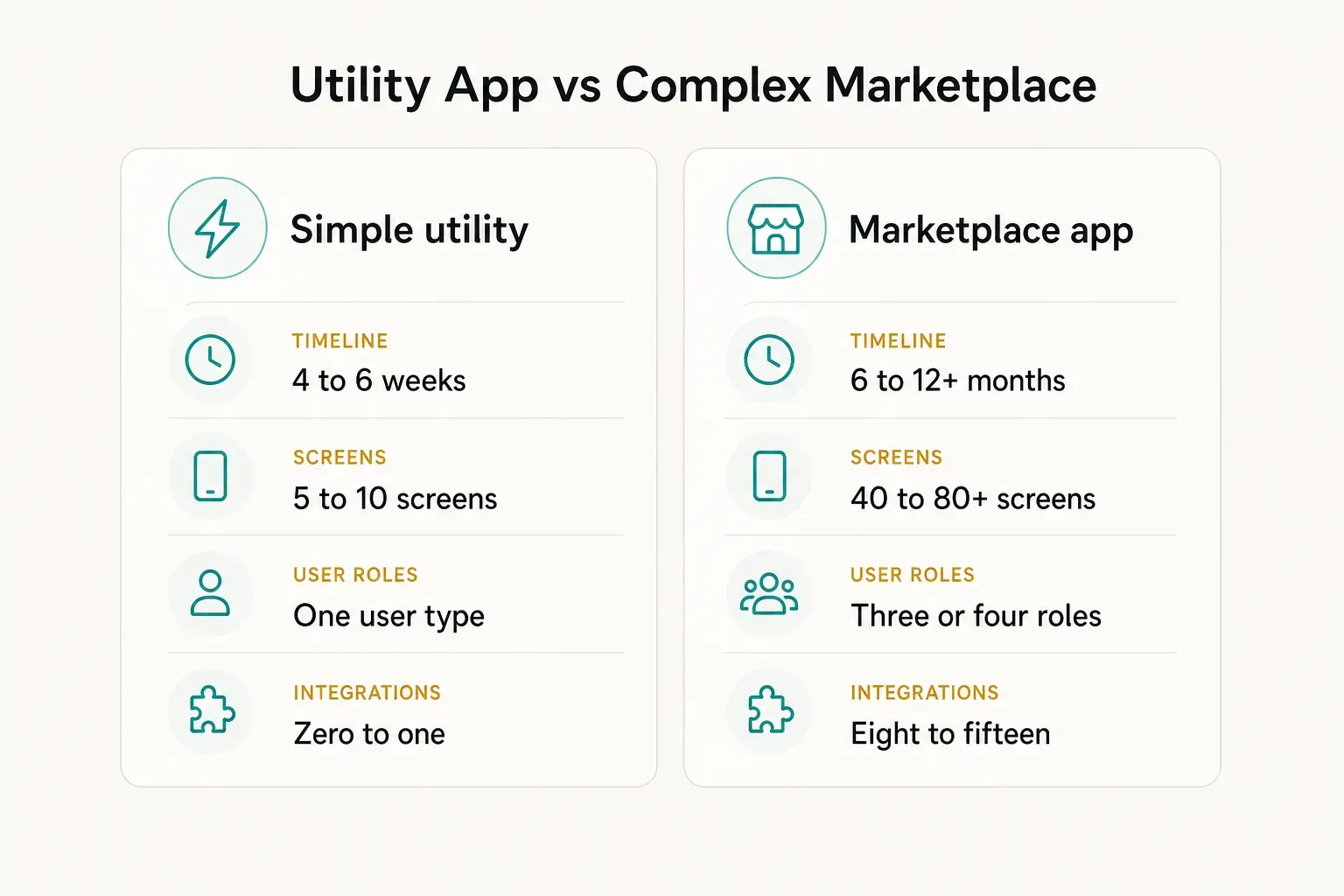
The practical takeaway: get your project honestly placed in one of these three tiers before you budget. Founders who think they’re building tier two while describing tier three account for most blown deadlines in this industry.
The Phase-by-Phase Build Timeline
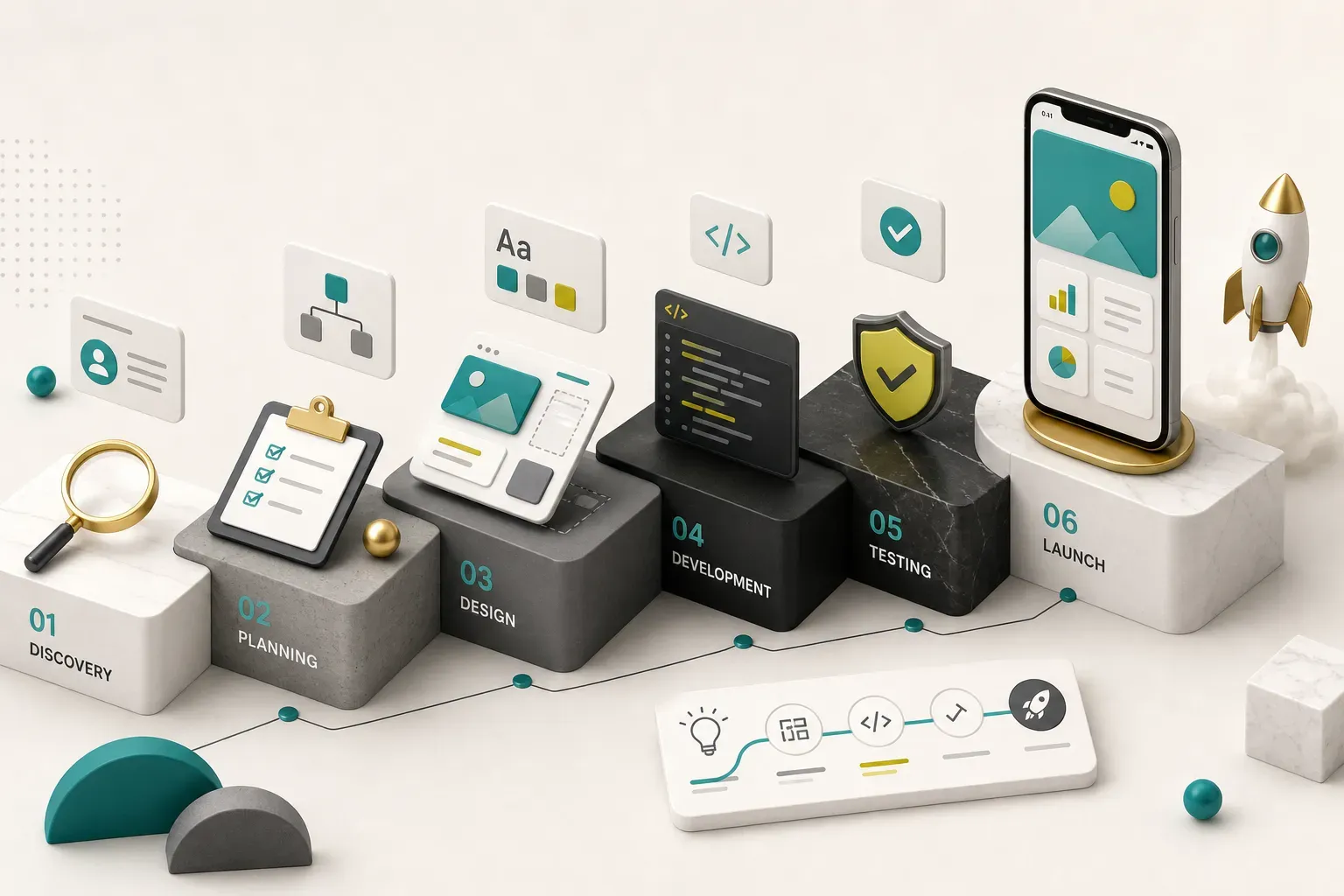
The sequence below assumes a small dedicated team: one designer, two developers, one QA engineer, one product lead. Add people and you don’t get proportionally faster, you get more coordination overhead.
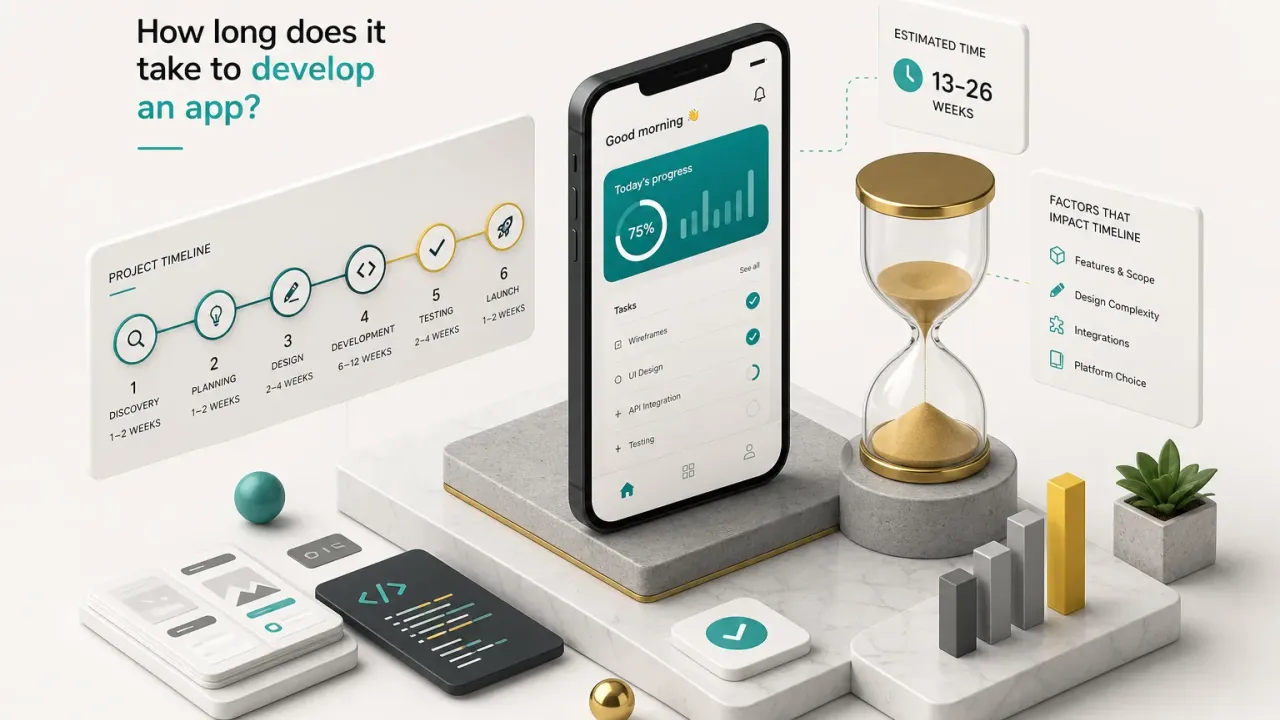
Discovery and Scoping
- Discovery and scoping (1-2 weeks). This is requirements gathering done properly: interviews with whoever will use the thing, a written list of user stories, and a mapped set of user flows. The app discovery phase ends with a written definition of done, a signed-off feature list, and a product roadmap that names what is explicitly not in version one.
- Feature prioritisation and estimation (2-3 days, inside discovery). Every feature gets a rough day count and a must/should/later label. Feature prioritisation is the single highest-leverage hour of the whole project, because it’s the only point where cutting something costs nothing.
Design, Development, and QA in Parallel
- Design phase (2-3 weeks). Wireframes and prototypes come first, then UX/UI design on the approved structure. Design must be signed off before backend contracts are finalised, because late design changes are the number one cause of schedule slip. A new screen added in week two costs a day. The same screen added in week seven costs a week, because it touches the API, the state management, and the test suite.
- Parallel development (4-8 weeks). Once API contracts are locked, backend development and front-end work run at the same time rather than in sequence. The front end builds against mocked endpoints matching the agreed contract; the backend team builds the real thing behind it. Done sequentially, the same work takes 30-40% longer. Whether you’re doing Flutter app development, native iOS development, or native Android development, the contract-first pattern is what makes overlap possible.
- QA and testing (1-3 weeks, overlapping). Quality assurance testing starts when the first feature is mergeable, not after development ends. That means device compatibility testing across a real matrix (an older Android mid-tier device, current iPhone, a tablet, one small-screen phone), automated testing on authentication and payment paths, a security review of tokens and data storage, and an accessibility check. Teams that treat QA as a final phase discover architectural bugs at the exact moment they’re most expensive to fix.
Store Submission and Release
- Store submission workstream (1-2 weeks plus buffer). App store submission is its own project: metadata, keyword research, localised descriptions, screenshots at required sizes, App Privacy and Data Safety declarations, a working demo account for reviewers, and confirmation that your login flow doesn’t break Apple’s account deletion requirement. Prepare this during the QA window, not after.
- Review and resubmission buffer (3 days to 2 weeks). Apple reviews most builds in 24-72 hours; Google Play often clears in hours for established accounts. A rejection (missing privacy detail, broken demo credentials, unclear subscription terms) resets the clock and typically adds three to seven days per cycle.
- Post-launch stabilisation (ongoing). Budget for post-launch maintenance from day one: OS updates, dependency upgrades, crash triage, and the fixes real usage will surface in week one. A reasonable rule is 15-20% of build effort per year.
Can this sequence compress?
Yes, with discipline rather than heroics.
CompletApp runs a fixed four-week MVP model that works precisely because scope is locked at the end of discovery, architecture is reusable Flutter components rather than rebuilt from scratch, and clients see a clickable preview every single week.
Weekly previews do something estimates can’t: they make drift visible in seven-day increments instead of at the end. When a client sees the real screens in week two, the misunderstanding that would have cost a month gets corrected in an afternoon.
What Actually Changes Your Timeline
Two teams with identical scope can finish six weeks apart. The variables below explain most of that gap.
Cross-Platform vs Native
Cross-platform development with Flutter or React Native shares one codebase across iOS and Android, which typically removes 30-40% of build time compared with two separate native codebases. One set of screens, one set of business logic, one bug fix that lands on both platforms.
The savings aren’t total, though.
Anything touching deep hardware (Bluetooth peripherals, advanced camera control, background location precision, ARKit) needs platform-specific native modules, and those add days back. Device testing doesn’t halve either, because you still ship to two ecosystems.
- Choose cross-platform when your app is content, transactions, booking, social, or dashboards. Which is most apps.
- Choose native when your product’s core value is platform-specific hardware or you need day-one support for a new OS API.
Features That Add Real Time
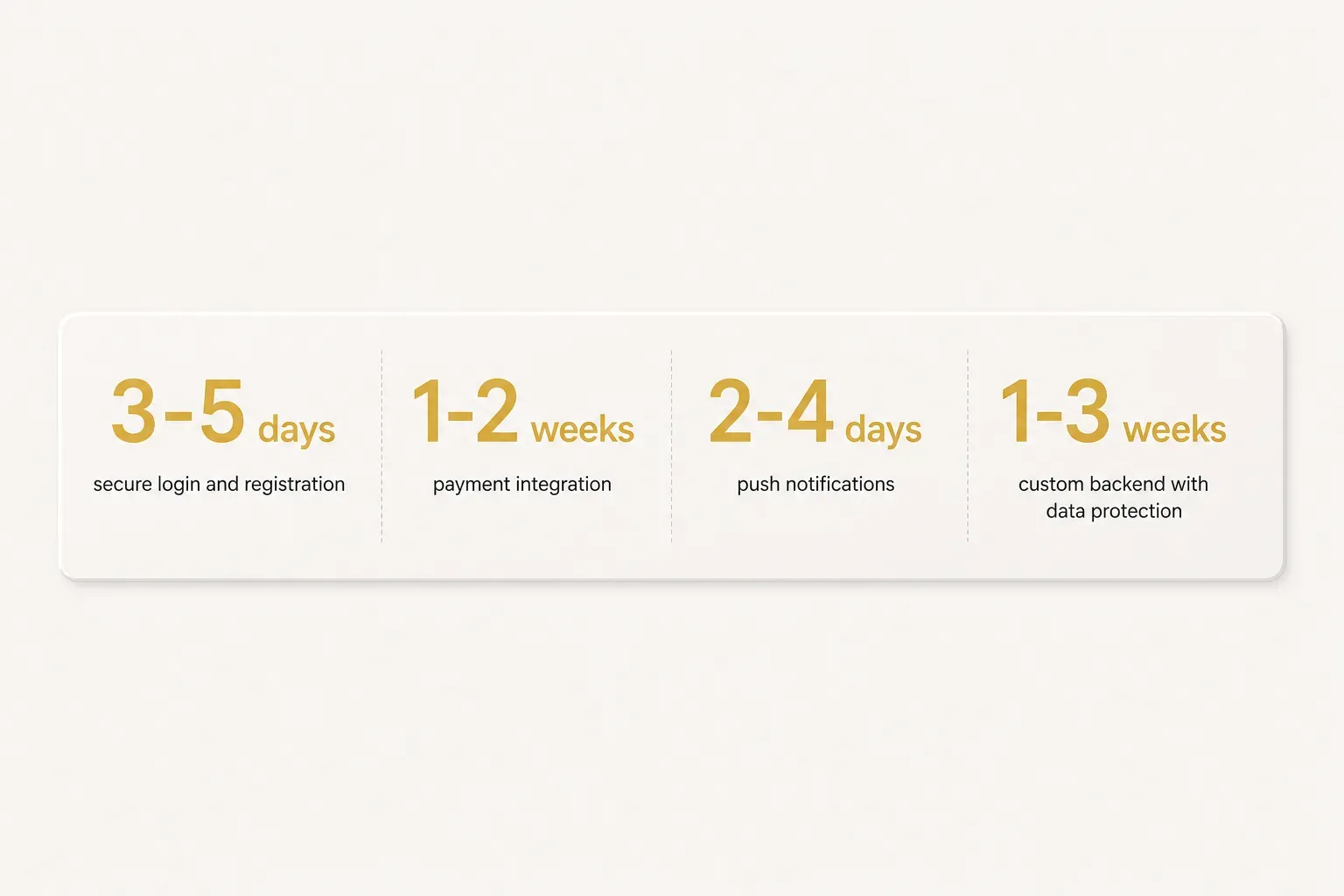
Features have fairly predictable costs once you’ve built them enough times. Rough per-feature durations for an experienced team:
- Secure login and registration: 3-5 days. Email plus one social provider, token refresh, password reset, and account deletion. Add two more providers and you add two days.
- Payment integration: 1-2 weeks. Stripe or in-app purchase, webhooks, receipt validation, failure states, refunds, and the edge case where a user closes the app mid-transaction. Marketplace payouts and split payments push this to three-plus weeks.
- Push notifications: 2-4 days. Permissions, token management, deep linking into the right screen, and a basic segmentation setup.
- Custom backend with data protection: 1-3 weeks. Database schema, role-based access, encryption at rest and in transit, GDPR-compliant data export and deletion, audit logging.
- Real-time features (chat, live tracking): 2-4 weeks. Sockets, presence, offline reconciliation, and delivery guarantees. This is where “simple” apps become complex ones.
- Admin dashboard: 1-2 weeks. Often forgotten in scoping, always needed by week two of real usage.
AI tooling in 2026 genuinely accelerates parts of this. Boilerplate generation, test scaffolding, first-draft UI code, and prototype iteration are meaningfully faster than they were in 2023.
What AI does not compress: deciding what to build, designing an architecture that survives 50,000 users, reviewing security, and passing store policy. Those still need experienced judgement, and treating generated code as production-ready is one of the fastest routes to technical debt.
Where Projects Quietly Slip
Missed deadlines rarely come from developers being slow. They come from these:
- Scope creep. “Can we just add…” repeated eight times over ten weeks. Each addition looks small; collectively they’re a second project. Fixed-scope agreements exist for exactly this reason.
- Delayed stakeholder sign-off. Designs waiting five days for a decision cost five days, and they cost them in the middle of the critical path where nothing else can start.
- Late content and brand assets. Logos, copy, product photos, legal text, terms and privacy policy. Development can’t ship placeholder text to a store review.
- Unclear approval authority. Three people who each think someone else decides. This alone regularly adds two weeks.
- Third-party surprises. A payment provider that needs business verification, or an API whose sandbox behaves nothing like production.
One more option worth naming: if store presence isn’t a launch requirement, a responsive web app or PWA can validate the same idea faster.
No review queues, deploy in minutes, and often 30-50% less build time.
Plenty of founders should test demand on the web first and go native once the numbers justify it.
The Real Timeline Question to Ask
“How long does it take to develop an app” is the wrong opening question.
The useful one is: what does my first useful release need to include?
Answer that and the timeline calculates itself.
Ten screens, one user role, two integrations, managed backend? You’re in a four-to-six week conversation.
Three roles and real-time matching? Clear your next two quarters.
So before you request a single quote, write a one-page definition of done. One paragraph on who the user is, a list of features that must exist for the app to be worth downloading, a list of features explicitly deferred to version two, and one sentence on what success looks like ninety days after launch.
That page will do more for your delivery date than any framework choice. It’s also the fastest way to compare proposals honestly, because everyone is finally quoting the same thing.
Then keep it locked.
A scoped MVP built in weeks rather than months is entirely achievable when scope holds still and architecture is reusable, and it beats a perfect product that never ships.
Get something real in front of real users, then let them tell you what version two should be.