Turning an App Idea Into Real Software
Most people searching for how to create an app get handed a coding tutorial or a pitch for a drag-and-drop builder. Neither answers the actual question.
The question is: how do I take an idea in my head and turn it into working software that real people download, use, and pay for?
That’s a business problem wearing a technical costume.
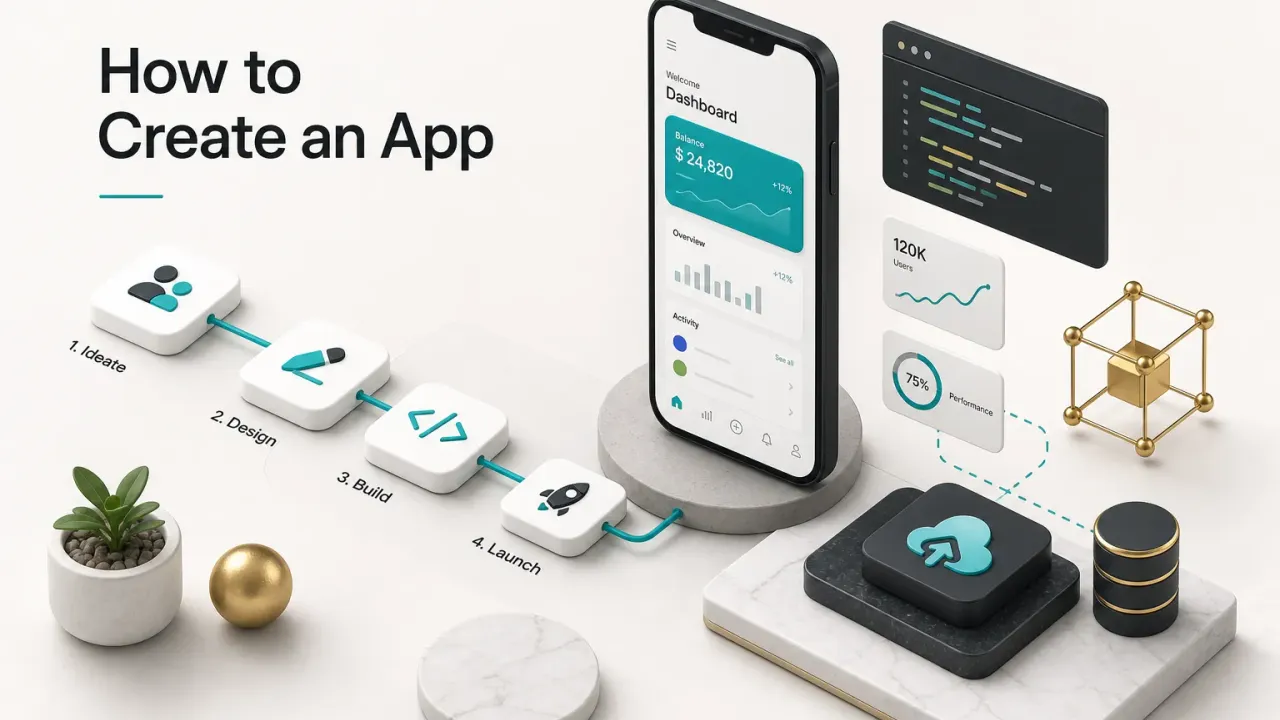
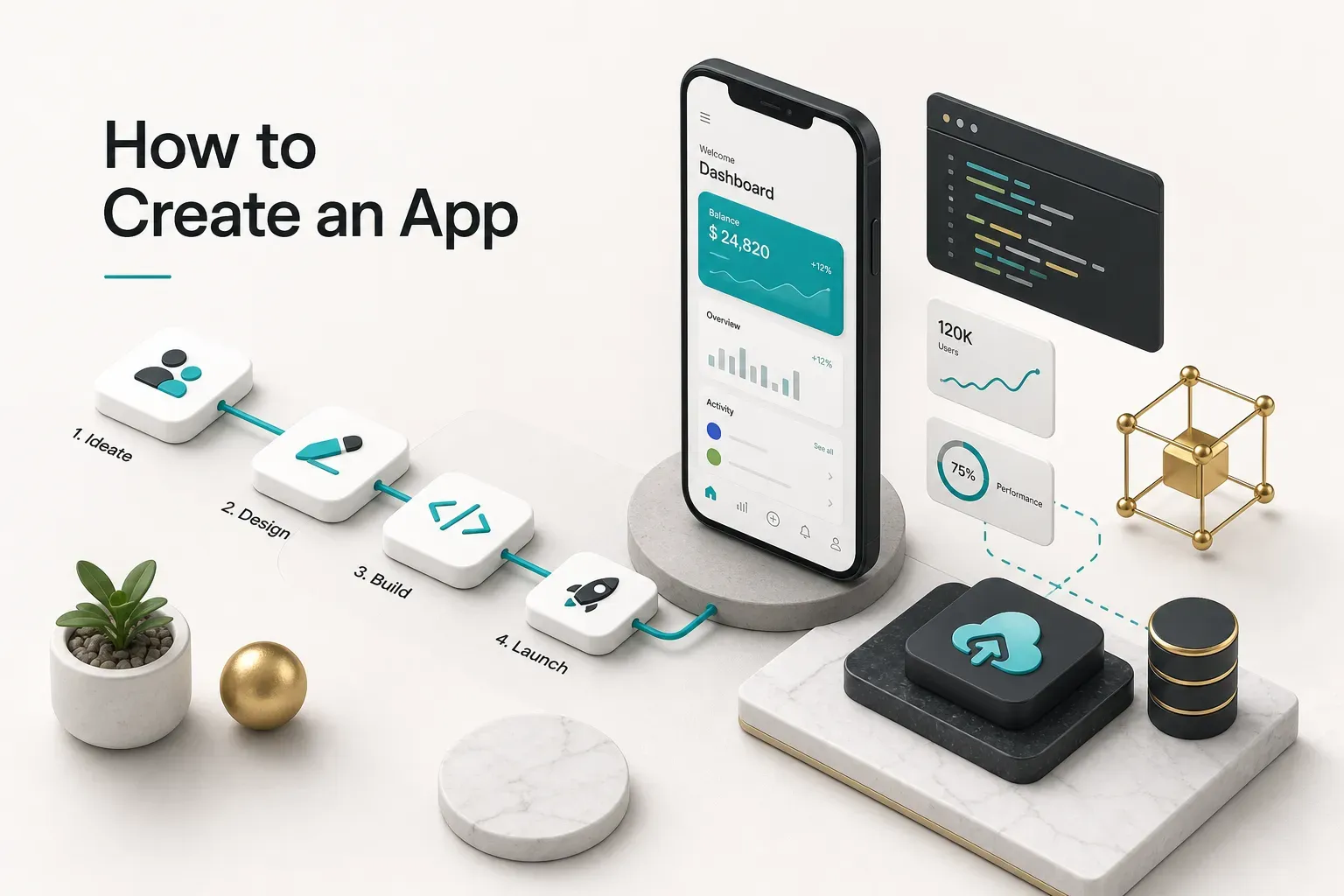
This guide covers the whole route.
Validating demand before you spend money. Choosing a build path that matches your funding and complexity. Scoping a minimum viable product and the backend that keeps it alive. Testing, accessibility, privacy compliance, store submission, and the maintenance nobody warns you about.
Here’s what makes this different from most advice you’ll find.
Technology choice comes last.
Not first.
Choosing Flutter, React Native, or Swift before you’ve confirmed anyone wants your app is like picking paint colours for a house you haven’t bought.
Cross-platform frameworks are excellent. So is native development. So is no-code, for the right project.
But the decision only makes sense once you know who your user is, what single problem you’re solving, and whether you plan to raise investment or bootstrap to profitability.
The founders who succeed treat their app as one component of a product.
The ones who struggle treat it as the product itself, then wonder why 10,000 downloads produced 40 active users.
Expect specifics throughout: real cost ranges, realistic timelines, the compliance items that get apps rejected, and a decision framework you can apply this week. As of 2026, both Apple and Google have tightened review requirements around privacy declarations and third-party SDKs, so the publishing section reflects current rules, not 2021 ones.
Validate Before You Build Anything
Apps rarely fail because they lack features.
They fail because nobody needed them.
Industry data on startup failure consistently puts “no market need” at or near the top of the list, cited in roughly 35 to 42% of post-mortems. Founders who skip product discovery tend to discover the same thing eighteen months and a six-figure spend later.
Validation is cheap. Building is not.
A month of structured user research costs you time and maybe a few hundred pounds. A rebuilt MVP costs you a quarter of your runway.
Here are the validation methods that actually produce signal, roughly in order of cost:
- Customer interviews (10 to 15 people, 30 minutes each). Ask about the problem, not your solution. “Walk me through the last time you tried to book a physio appointment” tells you more than “would you use an app that does X?” People are polite about hypotheticals and honest about frustrations.
- Competitor teardown. Download the three closest apps to your idea and read their one and two-star reviews. That’s a free list of unmet needs, written by paying customers, sorted by how angry they are. Note recurring complaints; those are your wedge.
- Landing page test. Build a single page describing the product as though it exists, add an email capture, and drive 300 to 500 targeted visitors through paid ads for £150 to £400. A conversion rate above 8 to 10% suggests genuine interest. Below 2% is a warning worth heeding.
- Waitlist with friction. Ask for something small beyond an email: a survey answer, a £1 deposit, a booked call. Intent that survives friction is worth ten times intent that doesn’t.
- Clickable mockups and prototype testing. Turn wireframes into a tappable prototype and watch five people attempt one core task without instructions. Usability research shows five participants surface roughly 80% of major usability problems. You’ll learn more in an afternoon than in a month of internal debate.
- Concierge test. Deliver the service manually before automating it. If you’re building a meal planning app, WhatsApp meal plans to twenty people for two weeks. If they don’t engage manually, they won’t engage in an app.
Before any development spend, you need three things written down in plain language.
The problem: one specific, painful, frequent situation. The audience: a segment narrow enough that you can name five real people in it. The value proposition: what changes for that person, stated in a sentence they’d recognise as their own words.
If you can’t fill those three lines, you’re not ready to pick a build path.
Prototype, POC, MVP, Beta, or Production?
These words get used interchangeably, and it causes expensive misunderstandings between founders and developers.
A proof of concept answers “is this technically possible?” It’s throwaway code testing one risky assumption, like whether an AI model can classify your images accurately enough.
A prototype answers “does this make sense to a user?” It’s clickable, it’s fake, and it exists to be tested and thrown away.
A minimum viable product is real software that a real user can complete a real job with, end to end. It’s small, but it works and it ships.
A beta is an MVP in the hands of a limited audience while you fix what breaks. Production is public, monitored, supported, and updated on a schedule.
Know which one you’re funding.
Pick the Right Way to Build It
There is no universally correct answer here, and anyone who tells you otherwise is selling something. A solo founder validating a marketplace idea and a funded health-tech startup handling patient data should not make the same choice.
Six realistic paths exist in 2026.
Each trades something away.
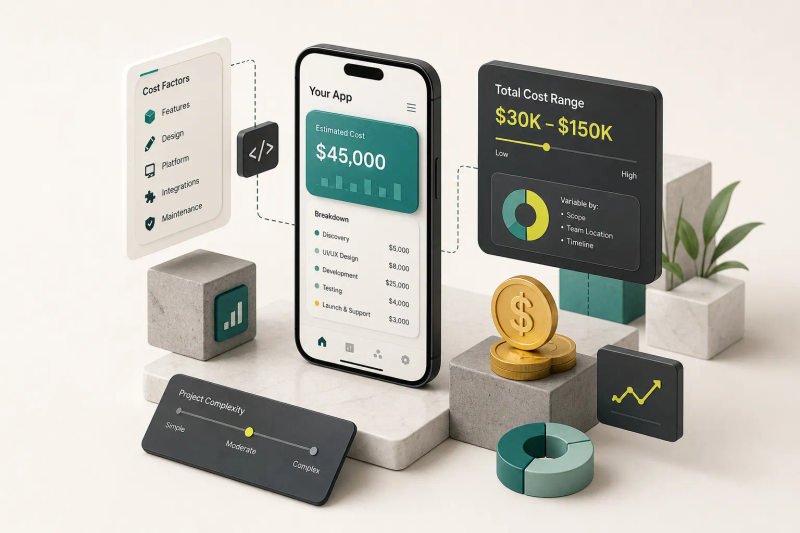
| Build Path | Typical Budget | Time to Launch | Performance & Hardware Access | Maintenance Burden | Best Fit |
|---|---|---|---|---|---|
| Native (Swift + Kotlin) | £60k to £250k+ (two codebases) | 5 to 9 months | Highest. Full access to camera, Bluetooth, ARKit, background processing, latest OS features on day one | High. Two teams, two release cycles, double the regression testing | Graphics-heavy apps, AR, hardware integrations, apps where 60fps is the product |
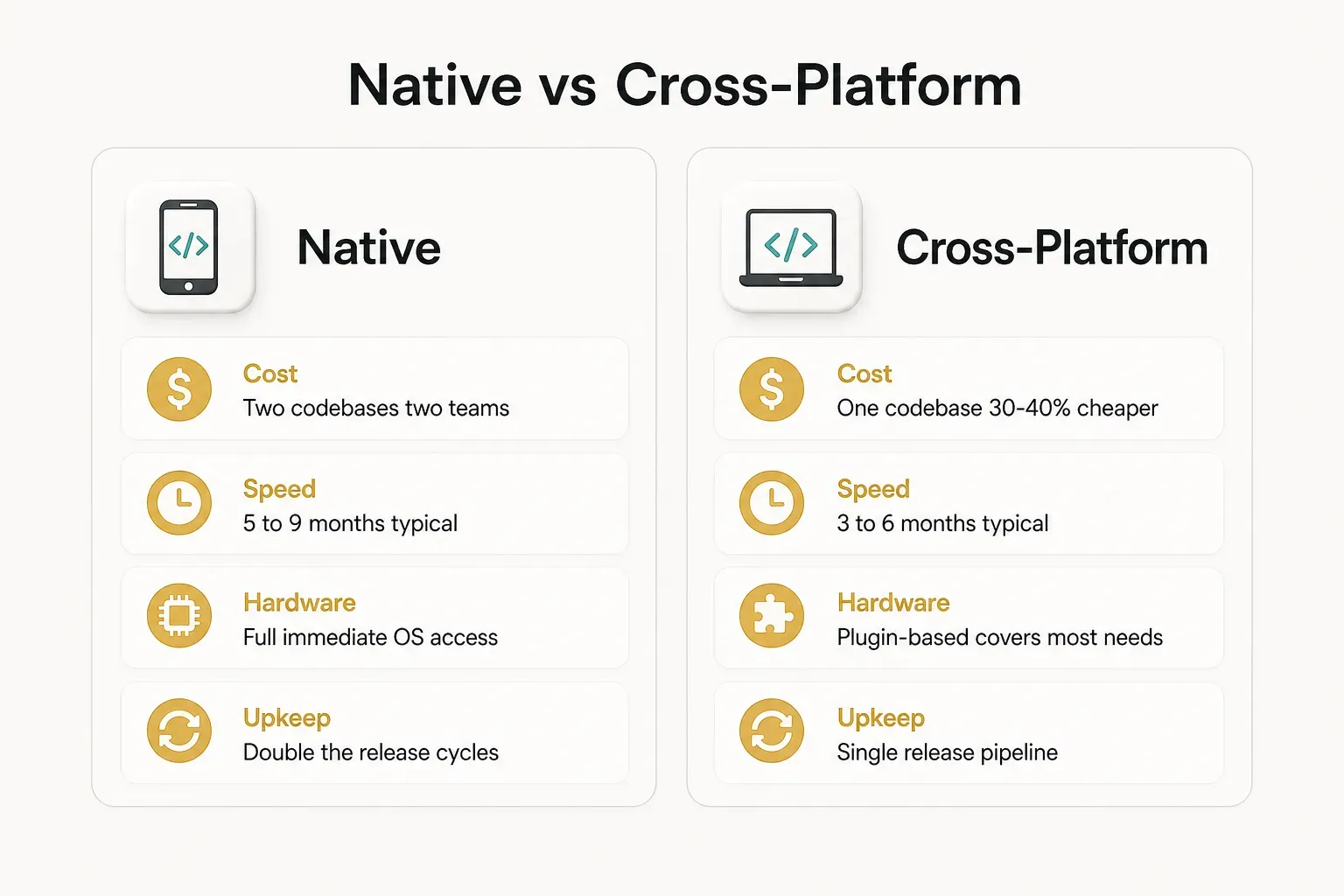
| Cross-platform (Flutter, React Native) | £35k to £120k | 3 to 6 months | Near-native for 90%+ of apps. Hardware access via plugins; edge cases need native code | Moderate. One codebase, one team, platform-specific quirks to manage | Most consumer and B2B apps: marketplaces, booking, fintech front-ends, social, SaaS companions |
| Progressive web app | £15k to £50k | 2 to 4 months | Limited. Weak background processing, restricted push on iOS, no deep hardware access | Low. Deploy instantly, no store review | Content, dashboards, internal tools, anything where discovery happens through search not stores |
| No-code (Bubble, Adalo, Glide) | £2k to £20k plus £30 to £500/month platform fees | 3 to 10 weeks | Low to moderate. Slower load times, limited offline, capped concurrency | Low upfront, high long-term. You inherit the platform’s roadmap and pricing | Internal tools, early validation, simple CRUD apps, pre-seed MVPs testing demand |
| AI-assisted build | £1k to £25k depending on developer involvement | 2 to 8 weeks for v1 | Varies wildly. Output quality depends entirely on who reviews it | Unpredictable. Fast to generate, slow to debug without engineering oversight | Founders with some technical literacy, prototypes, admin panels, feature spikes |
| Outsourced professional team | £40k to £200k+ per project | 4 to 8 months | Whatever the project requires, chosen deliberately | Contracted. Support agreements typically 15 to 20% of build cost annually | Funded startups, scale-ups, regulated industries, founders without a technical co-founder |
A few honest caveats about that table.
No-code platforms are genuinely capable now, but you’re renting your foundation.
When a platform raises prices 3x or deprecates a feature, you have no recourse. Several well-known startups have paid to rebuild from scratch after outgrowing their builder at exactly the moment they could least afford the distraction.
AI-assisted development is the fastest-moving option on this list. It reliably produces a working screen.
It does not reliably produce secure authentication, sensible database design, or code a second developer can maintain.
Treat it as an accelerator for someone who can read the output critically, not a replacement for that person.
Investors also read your build path as a signal.
If you’re raising a seed round, a no-code app with 4,000 engaged users is a strong story. A no-code app with no traction and no technical plan is a harder conversation.
Why Cross-Platform Often Wins
For the majority of apps founders actually build, cross-platform development hits the best balance, and the numbers explain why.
One codebase serving iOS and Android typically cuts build cost by 30 to 40% and shortens time to launch by two to three months compared with two native app development efforts. More importantly, it halves your ongoing cost, because every future feature ships once instead of twice.
Flutter in particular has matured into a serious default. It compiles to native ARM code, renders its own UI so both platforms look identical, and its hot reload lets developers see changes in under a second, which compounds into real velocity over a six-month build.
When does native still win? When performance is the product.
Real-time video processing, 3D games, complex AR, apps that need day-one support for a brand new OS API. Also when you have deep Bluetooth or sensor integration where plugin ecosystems lag behind.
For a booking platform, a marketplace, a fintech dashboard, a fitness tracker, or a B2B field-service tool? Cross-platform.
Your users will never know the difference, and you’ll ship a quarter sooner.
Define the MVP and What Runs Behind It
The most common scoping mistake isn’t building too little.
It’s building a mediocre version of everything instead of an excellent version of one thing.
Start with the core user journey: the single sequence of actions that delivers your value proposition. Write it as a sentence. “A user finds a nearby physiotherapist, books a slot that suits them, and pays without phoning anyone.”
Now translate that into user stories, one per meaningful action. “As a patient, I want to filter clinics by distance and availability so I can find an appointment this week.” Each story becomes a testable unit of work with a clear reason for existing.
Then apply the filter.
For every story, ask: if this feature didn’t exist, could a user still complete the core journey? If yes, it’s a nice-to-have. If no, it’s a must-have.
That’s the whole framework, and it works because it’s ruthless.
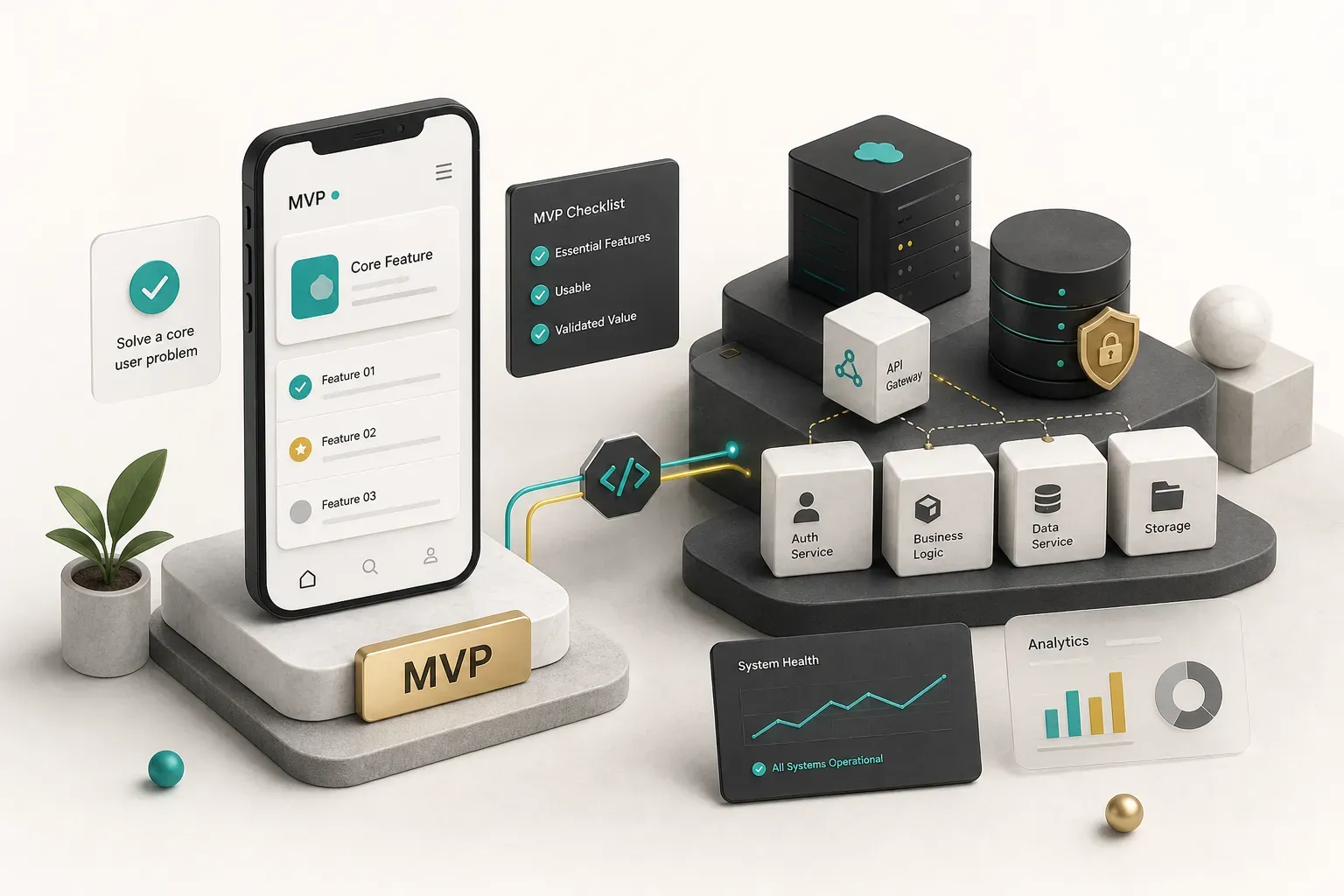
Take the booking app. The must-haves are account creation and authentication, browsing and filtering providers, selecting and confirming a time slot, taking payment, and sending a confirmation.
Five things.
Remove any one and the app is useless.
Now the tempting extras: reviews and ratings, loyalty points, in-app chat, referral codes, a provider-side analytics dashboard, calendar sync, multi-language support. Every one of them is reasonable.
Every one of them waits for v2.
Here’s the discipline: those features aren’t cancelled, they’re queued. Put them in a visible backlog with the evidence you’d need before promoting them. “Add reviews when 30% of support tickets ask about provider quality.”
That converts feature prioritization from opinion into a rule.
A well-scoped MVP typically lands at 12 to 20 user stories.
If your list has 60, you’re building v3 and calling it v1.
The Backend Most Guides Skip
Ask a founder to describe their app and they’ll describe screens. Ask a developer and they’ll describe systems.
The gap between those two answers is where budgets die.
An app is an ecosystem.
The mobile client is the visible 40%. Behind it sits infrastructure that has to be designed, built, paid for, and maintained.
Your backend API handles business logic, talks to the database, and enforces rules the client can’t be trusted with. Anything involving money, permissions, or other people’s data must be validated server-side, because a mobile app runs on a device you don’t control.
Database design decisions made in week two determine how painful month twenty is. Getting your data model right early, including how relationships and history are stored, prevents the migration nightmares that consume entire sprints later.
Then the supporting cast, all of which need to exist before launch:
- Hosting and environments: staging plus production, with automated deployment. Expect £50 to £600 per month early on, scaling with usage.
- Authentication and account recovery: sign-up, login, password reset, session expiry, and account deletion. Apple requires in-app account deletion if you offer account creation.
- Push notifications: infrastructure, permission prompts, and a strategy. Poorly timed pushes are a leading cause of uninstalls.
- Payments: Stripe or similar for physical goods and services, or Apple and Google’s in-app purchase system for digital content, which carries a 15 to 30% commission.
- Developer accounts: Apple Developer Program at $99 per year, Google Play Console at a one-off $25. Register these early; verification can take days.
- App analytics: event tracking wired into the core journey so you can see where users drop off. Launching without analytics means launching blind.
- Crash reporting and monitoring: you need to know something broke before a review tells you.
- Support channel: an email address, help centre, or in-app form. Stores require a working support contact.
Budget roughly 40 to 55% of your build for everything the user never sees.
Founders who don’t run out of money at 80% completion.
Test, Secure, and Prepare for the Stores
Testing isn’t the tidy-up phase at the end.
Treat it that way and you’ll discover your permission flow is broken on Android 14 the week you planned to launch.
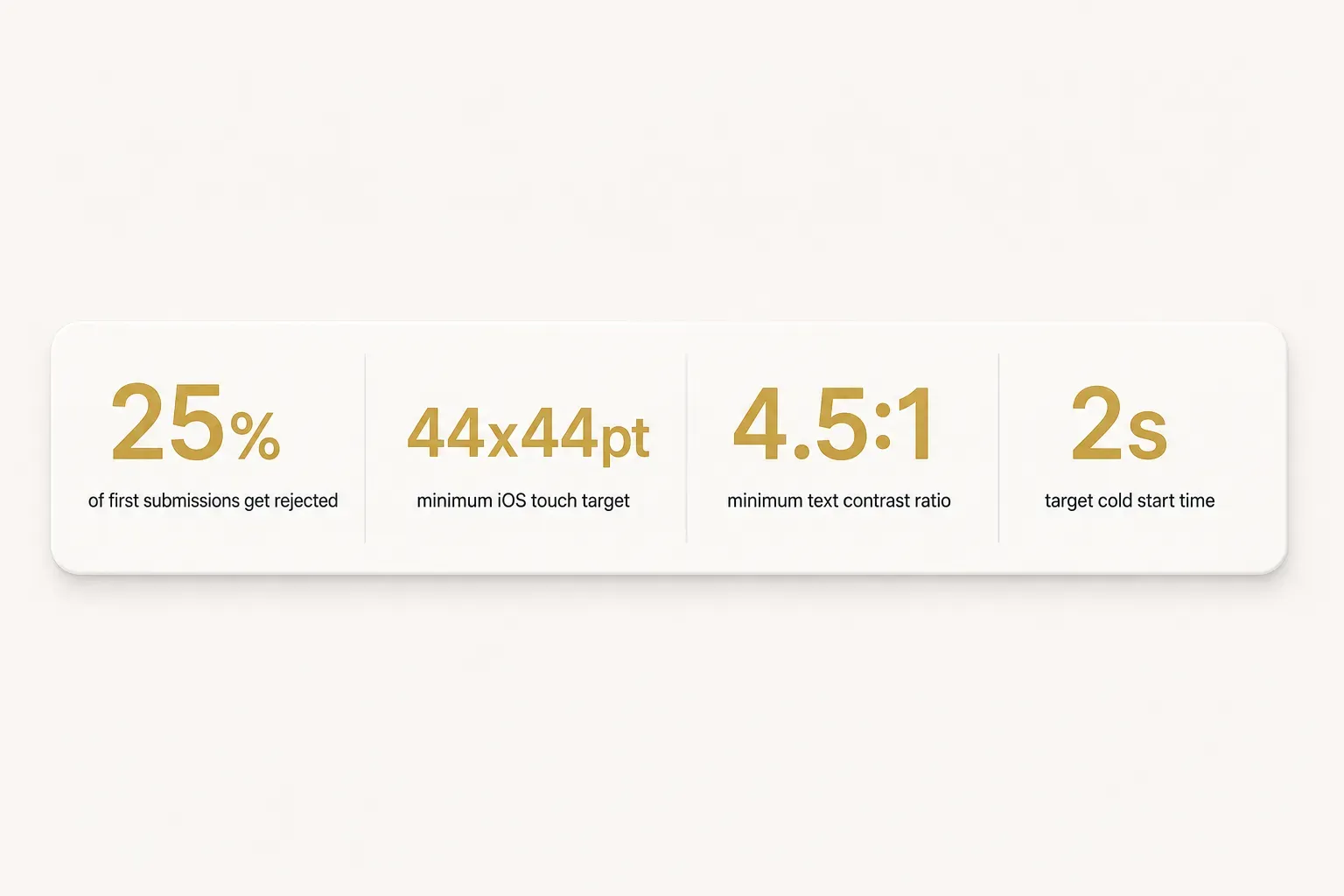
Roughly a quarter of first-time submissions to the App Store get rejected, and the reasons are boringly consistent: incomplete information, broken links, privacy declarations that don’t match actual behaviour, and crashes on reviewer devices.
All preventable.
Work through these in order.
- Run usability testing on the real build. Give five to eight people from your target audience the app with no explanation and one task. Watch silently. Where they hesitate is where you’re losing users, and hesitation on a prototype becomes uninstalls in production.
- Cover device compatibility properly. Test on the oldest OS version you support, the smallest common screen, and at least one budget Android device. Device compatibility issues cluster on low-RAM Androids and older iPhones, not on the flagship in your pocket. Cloud device farms cover the long tail cheaply.
- Break the network on purpose. Test airplane mode, 2G throttling, a connection that drops mid-payment, and a request that times out. Every screen needs a defined offline state and a retry path. “Loading forever” is the most common bug reviewers find.
- Walk every permission flow twice. Once accepting, once denying. If denying location access crashes the app or leaves a blank screen, that’s a rejection. Also test what happens when a user revokes a permission in settings and returns.
- Validate analytics before you need them. Fire every tracked event and confirm it arrives with the right properties. Discovering your funnel events were misnamed after two weeks of launch traffic means two weeks of unusable data.
- Profile performance under realistic conditions. Measure cold start time (aim under two seconds), scroll smoothness on long lists, memory use over a ten-minute session, and battery drain. Load a test account with 500 records, not five.
- Complete an accessibility pass. This is a legal and commercial requirement, not a nicety. Check colour contrast at 4.5:1 minimum for body text, confirm layouts survive dynamic text scaling to 200%, ensure touch targets are at least 44x44pt on iOS and 48x48dp on Android, add screen-reader labels to every interactive element and image, and respect reduced-motion settings. Run VoiceOver and TalkBack through your core journey end to end.
- Audit your third-party SDKs. Every analytics library, ad network, crash tool, and social login collects data, and you’re accountable for all of it. List each SDK, what it collects, and where that data goes. Unreviewed SDKs are one of the most common causes of store rejection because the declared behaviour doesn’t match the actual behaviour.
- Update your privacy policy and data safety declarations. Your privacy policy must be publicly accessible at a live URL and describe real practice. Google Play’s data safety section and Apple’s privacy nutrition labels must both match what your app and its SDKs actually do. Mismatches get caught and they delay you by weeks.
- Harden app security. Enforce HTTPS everywhere, store tokens in Keychain or Keystore rather than local storage, keep API keys off the client, validate all input server-side, and rate-limit authentication endpoints. Penetration testing is worth the spend if you handle payments or personal data.
- Run a staged beta. Use TestFlight for iOS and Google Play testing tracks (internal, then closed, then open) for Android. Google now requires a closed test with a minimum number of testers over a set period for many new personal developer accounts, so build that runway into your timeline.
Your App Store Launch Checklist
Everything below must be ready before you hit submit.
Missing items are the difference between a two-day review and a three-week loop.
- Store listing assets: app name (30 characters on iOS), subtitle, full description, keyword field, and 4 to 8 screenshots per required device size, plus an optional preview video.
- App icon in all required resolutions with no transparency and no rounded corners baked in.
- Age rating questionnaire completed honestly, including user-generated content and third-party ad disclosures.
- Demo account credentials for reviewers if your app requires login. Omitting this guarantees a rejection.
- Support URL and contact email that resolve and receive mail.
- Privacy policy URL live and matching your declarations.
- Export compliance and encryption declarations answered.
- Release notes written, even for v1.
- A rollback plan: know how you’ll ship a hotfix, because App Store review for an expedited fix still takes hours to days.
What to Do Before You Write Code
Three situations, three different next moves.
If your idea is unvalidated, do not open a code editor or sign up for a builder. Spend two weeks on interviews, a competitor teardown, and a landing page test. You’ll either find evidence worth building on or save yourself six figures.
Both outcomes are wins.
If it’s validated and genuinely simple, no-code or AI-assisted tools will get you live in weeks for a fraction of a custom build. Use that speed to gather real usage data, then decide what deserves proper engineering.
If it’s validated and meant to scale or attract investment, work with people who have shipped before. Not because you can’t learn, but because the cost of getting authentication, payments, data modelling, or privacy compliance wrong compounds quietly until it’s a rebuild.
One last shift in thinking, and it’s the one that separates founders who build a business from founders who build an artefact.
An app is not a finished object with a launch date. It’s a maintained product with a launch date.
OS updates land twice a year. SDKs deprecate. Store policies change. Users request things you never imagined.
Plan for updates, monitoring, and support from day one, and budget for them in your first-year model.
If you’ve done the validation and want a store-ready product without assembling a technical team from scratch, a free discovery call is the sensible next step.
Bring your core user journey and your evidence. Leave with a scoped plan.