What the SDLC Actually Is
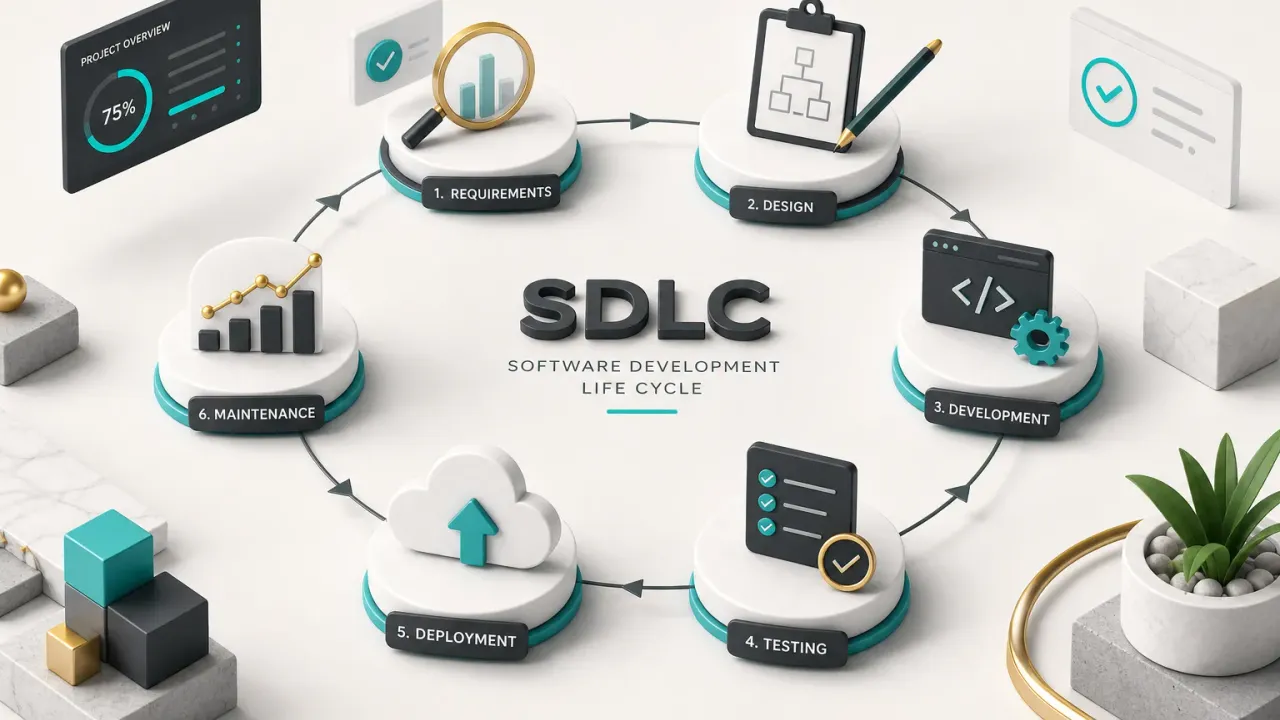
Most people meet the software development life cycle as a diagram on a slide: seven boxes, seven arrows, one loop back to the start.
Useful.
Also misleading.
The SDLC is the structured path a piece of software takes from a validated problem to a live product that someone maintains.
Not a coding checklist.
It covers the work that happens long before the first commit and the years of software maintenance that happen after launch.
Here is the distinction that clears up most confusion.
The lifecycle is the set of work that must happen: someone has to understand the problem, specify it, design it, build it, verify it, ship it, and keep it running.
A model (Waterfall, Iterative, Spiral, Agile) decides how those phases are arranged in time.
A methodology (Scrum, Kanban, Shape Up) sets the team’s rhythm for doing the work.
Practices like continuous integration and automated testing are the tooling that makes any of it fast.
Lifecycle = what must happen. Model = how the phases are arranged. Methodology = the team’s rhythm. Practices = the automation underneath.
Why does this vocabulary matter outside of engineering?
Because it is the language of scope and money.
A founder who cannot name the phases cannot tell whether a £60,000 quote includes requirements engineering and quality assurance or just development hours.
A product manager who treats design as a decoration step gets rework.
An engineering student who memorises the boxes without understanding inputs and outputs ends up producing documents nobody reads.
And a client commissioning software needs the vocabulary to evaluate a proposal before signing it.
So this guide skips the slide diagram.
Instead you get the real inputs and outputs of each phase, the actual artifacts produced, a worked example of one small feature travelling the whole lifecycle, and the places where mobile apps and AI features have changed the rules as of 2026.
The Seven Phases, Phase by Phase
Phases are only useful if you can name what goes in, what comes out, and who signs it off.
A phase with no deliverable is a meeting.
A phase with no owner is a delay waiting to happen.
The table below maps the seven canonical phases with the concrete artifacts a competent team actually produces.
Note that “planning” appears nowhere as an output.
Discovery should end with decisions, not intentions.
| Phase | Key Inputs | Core Activities | Deliverable / Output | Typical Owner | Approval Criteria |
|---|---|---|---|---|---|
| 1. Discovery & Feasibility | Problem statement, market or user research, budget ceiling, business constraints | Problem validation with real users, technical feasibility spikes, third-party API checks, platform choice (native, cross-platform, web), MVP scope prioritisation | Feasibility memo listing validated problem, ranked MVP scope, top three technical risks, platform decision, cost and timeline range | Founder or product lead, with a tech lead | Problem evidenced by user interviews or data; no unresolved blocking technical risk; scope fits budget |
| 2. Requirements | Approved MVP scope, feasibility memo, compliance obligations | Requirements engineering: writing user stories with acceptance criteria, defining non-functional targets, mapping edge cases, building the product backlog | PRD or software requirements specification, prioritised backlog, acceptance criteria per story | Product manager or business analyst | Every story testable; non-functional targets numeric; engineering has estimated without major unknowns |
| 3. Design | PRD, brand assets, platform guidelines, scale expectations | UI/UX prototyping, user flow mapping, software architecture decisions, data modelling, API contracts, threat modeling | Clickable prototype, wireframes, architecture diagram, database schema, API spec, threat model | Designer plus software architect or tech lead | Prototype tested with users; architecture reviewed; data model handles known scale; security risks documented with mitigations |
| 4. Development | Approved designs, API contracts, sprint or milestone plan | Feature implementation in source control, branch strategy, code review, unit tests, dependency scanning, pipeline setup | Merged pull requests, passing build artifacts, updated technical docs, incremental builds on staging | Engineering team | Two-person review passed; tests green in CI; acceptance criteria demonstrably met; no high-severity dependency alerts |
| 5. Testing | Release candidate build, acceptance criteria, test plan | Functional, regression, integration, performance, accessibility and security testing; automated testing suites plus exploratory QA; user acceptance testing | Test report with pass rates, defect log by severity, performance benchmarks, UAT sign-off | QA lead (with product for UAT) | Zero critical or high defects open; performance within target; accessibility baseline met; UAT signed |
| 6. Deployment | Approved release candidate, release management plan, store assets, infrastructure config | Software deployment via CD pipeline, secrets and environment management, app store submission, staged or phased rollout, rollback rehearsal | Live release, release notes, versioned tag, rollback plan, store listing | DevOps or release manager | Smoke tests pass in production; rollback verified; monitoring alerts live; support team briefed |
| 7. Maintenance | Production telemetry, support tickets, user feedback, roadmap | Application monitoring, incident response, patching, OS and dependency upgrades, technical debt reduction, iteration on usage data | Monitoring and observability dashboard, incident post-mortems, patch releases, refreshed backlog | Product owner plus on-call engineering | Uptime and error-rate targets met; critical patches shipped inside SLA; debt register reviewed each quarter |
Why Phases Aren’t Always Linear
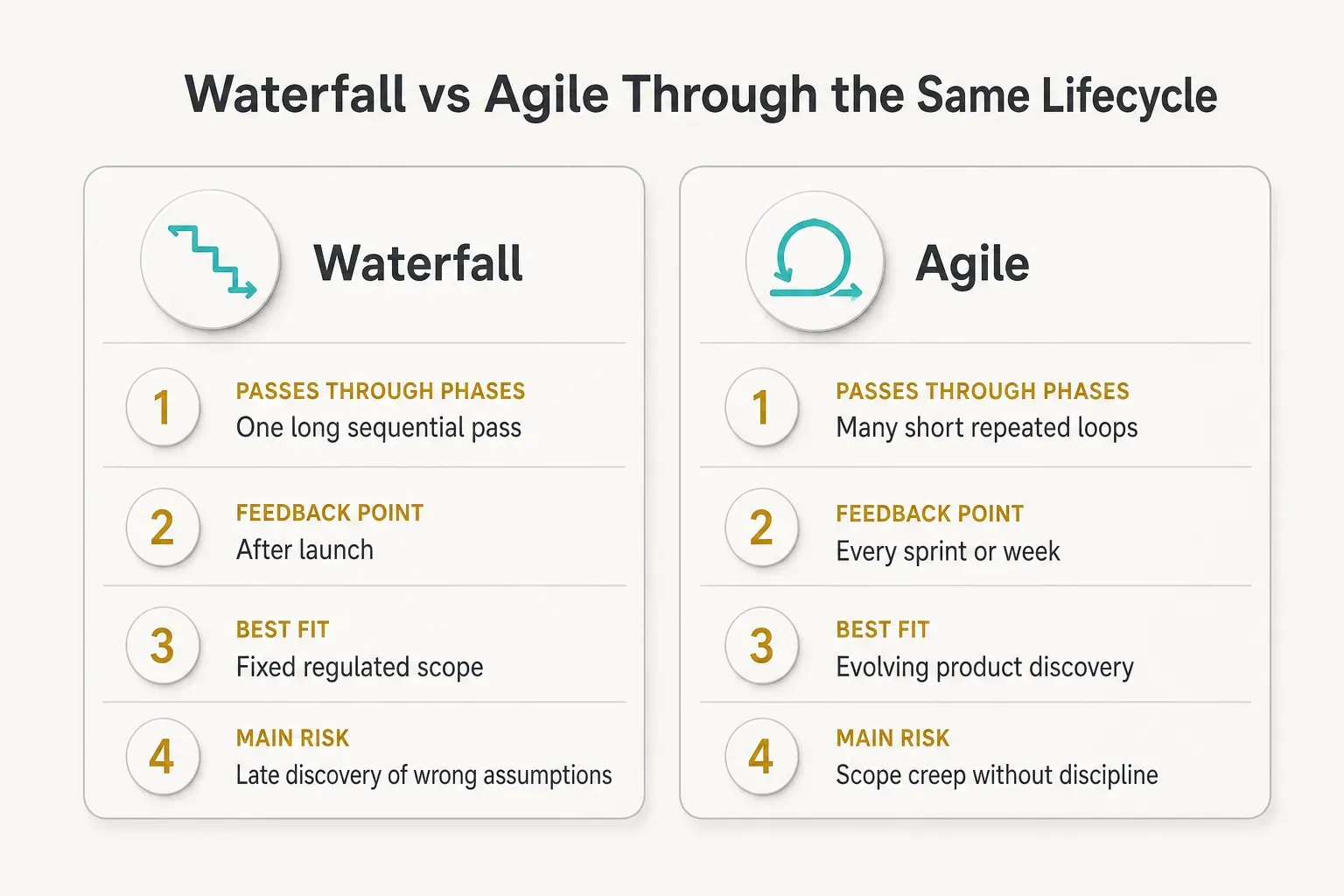
Read the table top to bottom and you get Waterfall: one long pass, each phase completed before the next begins.
That works for a nuclear control system.
It rarely works for a consumer app.
In Agile execution, all seven phases compress into a two-week sprint and repeat.
Design happens mid-sprint for next sprint’s stories.
Testing happens before a ticket is called “done”, not three months later.
Deployment happens weekly, sometimes daily.
DevOps goes further and overlaps deployment with maintenance permanently. A team practising continuous delivery is shipping and observing at the same time, which means phase six and phase seven stop being separate activities at all.
The phases still exist.
They just stop being a queue and become a set of obligations you meet repeatedly at smaller scale.
SDLC vs Agile vs DevOps vs CI/CD
“We don’t do SDLC, we do Agile.”
You will hear this in meetings.
It is the equivalent of saying “we don’t do cooking, we do stir-fry.”
Agile is not a competitor to the lifecycle.
It is a way of moving through it.
Confusing the two leads to real damage: teams skip requirements work because “Agile means no documentation”, or skip architecture because “we’ll refactor later”.
Both are expensive misreadings.
Agile Executes the Lifecycle Iteratively
An Agile team performs every one of the seven phases inside each iteration.
Requirements arrive as user stories with acceptance criteria instead of a 90-page specification.
Design lands as a Figma prototype instead of a signed design document.
The obligations do not disappear.
Someone still validates the problem, still decides the data model, still verifies the build works.
The difference is batch size.
Agile makes the batch small enough that a wrong assumption costs a week instead of a year.
This is why Agile teams that abandon requirements engineering entirely stall out around month four.
Small batches need clearer acceptance criteria, not vaguer ones.
DevOps Merges Build and Run
DevOps extends the lifecycle past the launch party.
Traditionally, development threw a release over a wall and an operations team caught it.
DevOps deletes the wall, giving the team that builds the software responsibility for running it.
Practically, that means the boundary between “development” and “maintenance” blurs into a loop.
Production telemetry feeds the backlog directly.
An error spike at 2pm becomes a prioritised ticket by 2:30.
It also changes what “done” means.
A feature is not finished when it merges.
It is finished when it is deployed, monitored, and behaving as predicted under real load.
CI/CD Is a Practice, Not a Phase
CI/CD is an engineering practice: automated pipelines that build, test, and release code on every change. It is not a stage in the lifecycle and you cannot put it on a Gantt chart between testing and deployment.
Continuous integration means every commit triggers a build and the full automated test suite, catching integration breakage in minutes. Continuous delivery means every passing build is deployable on demand.
Worth stressing: CI/CD supports Waterfall projects perfectly well. A regulated medical device team with a fixed 18-month plan still benefits from automated builds and test pipelines.
Practices are orthogonal to models.
From Idea to Live Product
Abstract phases become obvious once you follow one small thing through them. So take the least glamorous feature in software: users need to reset a forgotten password.
One Requirement’s Journey
It starts in support.
Seventeen tickets in a month, all variations of “I can’t log in”.
Support tags them and the product manager sees the cluster in the weekly review.
Discovery is short here because feasibility is not in doubt.
The real questions are scope: email link or one-time code?
Rate limits?
What happens to active sessions?
Requirements turn that into a user story: As a registered user who has forgotten my password, I can request a reset link by email and set a new password within 30 minutes.
Acceptance criteria get specific.
Link expires in 30 minutes, single use, maximum three requests per hour per account, all other sessions invalidated on success, no indication of whether an email exists in the system.
That last criterion came from threat modeling, and it is why security belongs in requirements rather than in a final QA sweep.
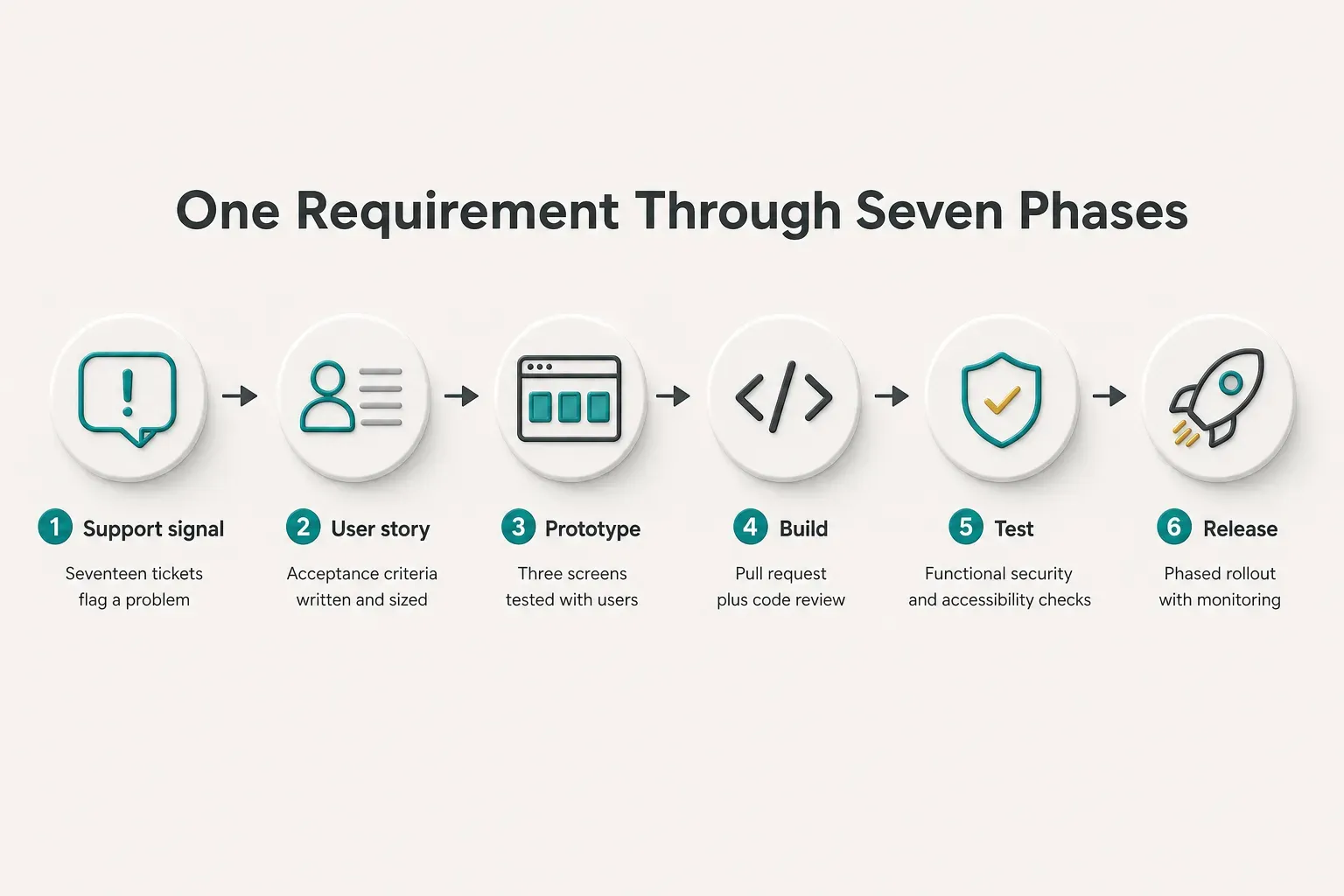
Design produces three screens and the copy for two emails, plus a decision on what the error state looks like.
The designer catches something requirements missed: users on mobile open the reset email on a different device than the one where they started.
The flow gets adjusted.
Development is one pull request, roughly two days, reviewed by a second engineer. Unit tests cover token expiry and reuse.
A dependency scan runs in continuous integration before the merge.
QA tests the happy path and then attacks it.
Expired token.
Reused token.
Token for a deleted account.
Four rapid requests to confirm rate limiting.
Screen reader traversal of the form.
A password manager autofilling the new password field.
Deployment goes out behind a flag at 10% of traffic on a Tuesday morning, with the flag widened to 100% after two hours of clean logs. Release notes go to support before the rollout, not after.
Then the feedback loop closes.
Two weeks later, password-related tickets are down 80% but a new pattern appears: users report the email landing in spam.
That becomes a maintenance ticket about sender authentication, and the cycle restarts at a smaller scale.
One more thing this example shows.
When a designer or a user surfaces a mid-cycle change, the team has to decide explicitly whether to absorb it, defer it to the backlog, or trade it against something else.
Unmanaged, that decision is how a two-day feature becomes a two-week one.
Picking a Model for a Startup MVP
For an unvalidated product, heavy Waterfall is close to malpractice. You would spend three months writing a specification for a product nobody has confirmed they want.
Iterative MVP development wins because the priority is learning speed, not documentation completeness. You want feasibility validated in week one and something a real user can touch by week two.
CompletApp’s process is a useful concrete example of compressing the lifecycle without deleting phases. A fixed-scope, milestone-based four-week MVP build runs discovery and requirements inside the first few days, then delivers a clickable preview every single week.
Those weekly previews function as continuous validation. The client is not reading a status report, they are using the product and reacting, which catches scope misunderstandings while they still cost hours rather than weeks.
Critically, compression happens in the discovery-to-design phases, not in testing or security.
Fixed scope is what makes that possible: a locked feature list lets the team spend its remaining time on verification instead of on renegotiating what was promised.
Cross-platform development helps too, since one codebase for iOS, Android and web removes a whole parallel track of build and test work.
Quality, Security, and What’s New
Ask most teams how quality is going and you will get a defect count.
Defect counts tell you almost nothing about whether people can actually use your software.
Quality Beyond Bug Counts
Functional correctness is the floor, not the ceiling.
A feature can pass every functional test and still fail users badly.
- Usability: can a first-time user complete signup without help? Test it by watching five people attempt it unaided and counting where they hesitate.
- Accessibility: can the whole checkout flow be completed with a keyboard and a screen reader? Test against WCAG 2.2 AA and verify colour contrast ratios of at least 4.5:1 for body text.
- Performance: does the product list render in under two seconds on a mid-range Android phone over 4G? Test with throttled network and CPU, not on the developer’s laptop.
- Reliability: does the app recover gracefully when the network drops mid-transaction? Test by killing connectivity during a payment and confirming no duplicate charge.
- Privacy: does the app collect only the data its declared purpose requires? Test by auditing outbound network calls and comparing them against the privacy policy.
Security at Every Stage
A secure software development lifecycle means security is a thread through all seven phases, not a penetration test booked the week before launch. Late security findings are the most expensive kind, because fixing them often means changing architecture.
In requirements, that thread is threat modeling: listing who might attack the system, what they want, and which abuse cases become acceptance criteria. In architecture, it is secure-by-design choices such as least-privilege access, encryption at rest, and tenant isolation.
During development it looks like dependency and secret scanning in the pipeline, plus code review with an eye for injection and authorisation gaps.
At deployment it is proper secrets management, so no API key ever lands in source control.
In production it is intrusion detection, anomaly alerting, and a patch SLA you actually honour.
New Rules for Mobile, Web, and AI
Mobile adds constraints that web teams never think about.
Device fragmentation means your test matrix needs real devices across screen sizes and OS versions, not just simulators.
App store review adds a queue of roughly one to three days that must sit inside your release management plan, so a Friday hotfix is not always possible.
Staged rollouts (1%, 10%, 50%, 100%) become the default for native apps because you cannot instantly roll back an installed binary the way you roll back a web deploy.
And every annual OS release forces a compatibility pass whether your roadmap wanted one or not.
AI features rewrite parts of the lifecycle outright.
AI-assisted software development speeds up code generation, but AI inside the product introduces work that classical QA never had to do.
- Model selection and evaluation: choose a model against your own task dataset, with cost and latency as first-class criteria alongside accuracy.
- Prompt and data evaluation: maintain a versioned evaluation set so you can score prompt changes objectively instead of eyeballing a few outputs.
- Hallucination testing: probe with adversarial and out-of-scope inputs, and verify the system declines rather than invents.
- Human-oversight checkpoints: define which AI outputs require review before they reach a user or trigger an action.
- Cost monitoring: track token spend per user session, because usage growth can turn a viable feature into a loss-making one fast.
- Regression testing after model updates: a provider’s version bump changes behaviour without changing a line of your code, so rerun the full evaluation suite on every model change.
Finally, track the process itself.
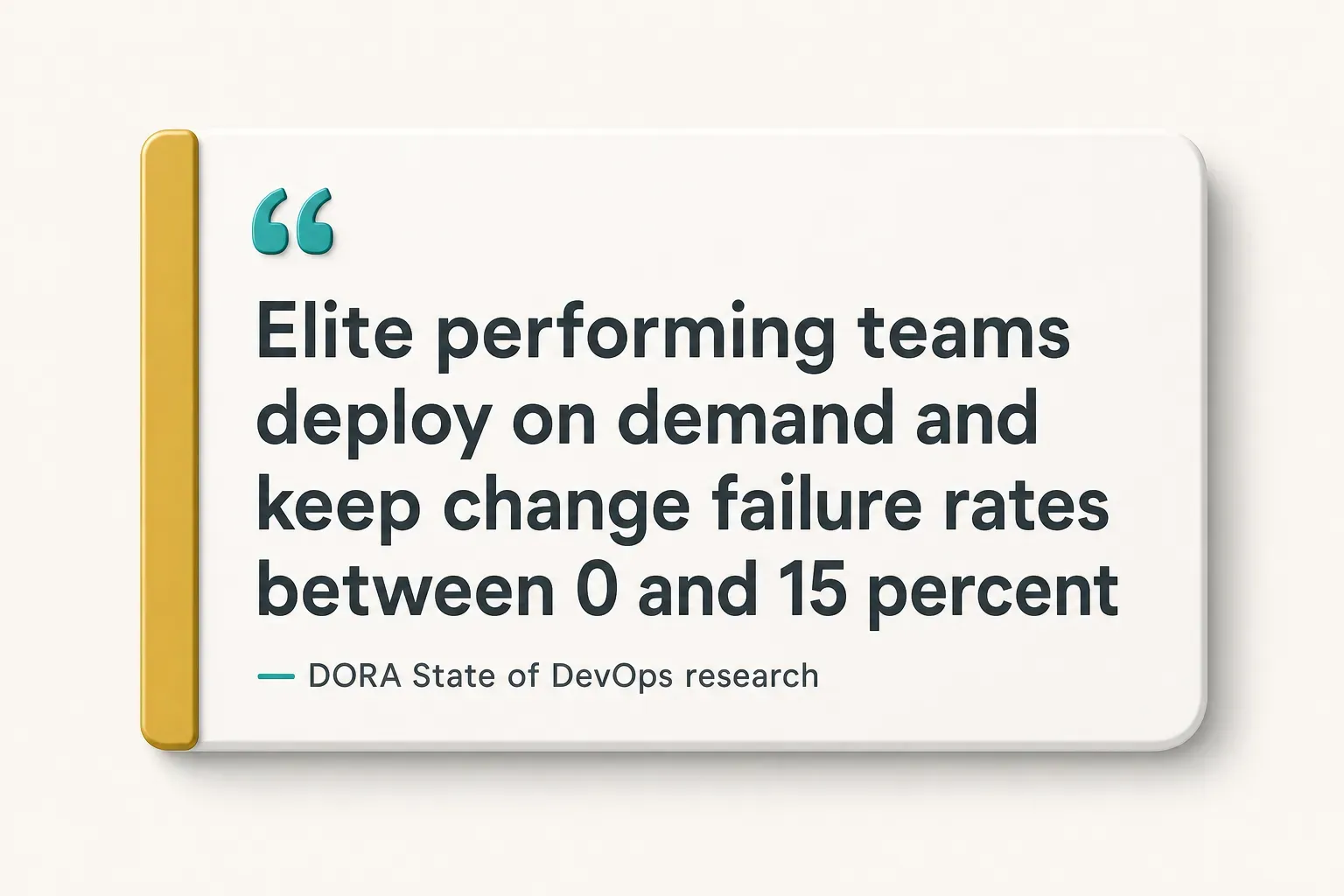
Seven metrics cover most of what matters: cycle time, deployment frequency, change failure rate, escaped defects, lead time for changes, uptime, and user adoption of newly shipped features.
That last metric is the one teams skip and the one that matters most.
Shipping fast is worthless if nobody uses what you shipped.
Turning the Lifecycle Into a Habit
The lifecycle only pays off when it becomes reflex rather than documentation.
Two situations, two different plays.
If you are validating an idea, run a tight discovery-to-MVP loop with weekly checkpoints and something clickable at every one. Keep scope fixed, keep testing and security non-negotiable, and let the loop tell you whether the problem was real.
If you are scaling an existing product, resist the urge to restart the cycle from scratch.
Invest instead in application monitoring, the seven process metrics, and a standing budget for technical debt reduction.
Rewrites are usually a symptom of neglected maintenance, not a solution to it.
Here is the one thing to do today.
Identify which phase your project is actually in, then write down three lines: the inputs you have, the deliverable that phase must produce, and the person who approves it.
Most stalled projects are stalled because one of those three is missing.
AI will keep compressing build time, and four-week MVPs will become three-week ones.
But generated code still needs validating, testing and securing, and a model that writes a feature in an hour cannot tell you whether anyone wanted it.
The lifecycle gets faster.
It does not get optional.