What Building an iOS App Really Means
Most founders think iOS app development starts in Xcode.
It doesn’t.
It starts with a decision about what problem you’re solving and who will pay to have it solved.
iOS app development is the full process of taking an idea from validation through design, engineering, testing, App Store review, and ongoing maintenance until it lives as a working product on real devices.
Writing Swift is maybe 40% of that work.
The rest is judgement calls.
There’s a difference between learning iOS programming and commissioning an app.
Learning means tutorials, Swift syntax, and building a to-do list that runs in the Simulator. Commissioning means you’re buying a business asset that needs to survive OS updates, App Store policy changes, and real users doing unexpected things at 2am.
This guide covers the second path.
Specifically: how discovery works before code, whether native app development or cross-platform development fits your situation, what things actually cost and how long they take, the quality gates that separate a demo from a shippable product, and what happens after launch day.
Here’s the gap this fills.
Search for mobile app development iOS and you’ll find two categories of content: tutorials aimed at people learning to code, and agency sales pages aimed at people ready to sign a contract.
Neither helps a founder who needs to make a decision this month.
The most expensive mistake in app development isn’t picking the wrong framework. It’s building the right thing for the wrong user, beautifully.
You’ll leave with enough context to brief a team, read a proposal critically, and know which questions actually matter.
From Idea to Working Architecture
Product Discovery Before Code
Ask any agency what percentage of features in a typical v1 go unused.
The honest answer sits somewhere north of 60%.
Discovery is how you avoid funding that waste.
The sequence runs in a specific order for a reason.
User research comes first: five to ten conversations with people who have the problem, focused on what they currently do instead of what they say they’d want.
Feature prioritization comes second, ranking candidates against a single question, does this serve the core value loop?
Then UX validation.
Wireframes and clickable flows get put in front of real users before a single line of Swift exists.
If someone can’t figure out your onboarding on paper, they won’t figure it out in a polished build either.
Technical architecture comes last in discovery but shapes everything after.
This is where you decide on backend architecture, whether Firebase or Supabase handles your data layer, how API integration will work, and what your authentication model looks like.
Getting this wrong costs months later.
Skipping discovery is the single most common reason founders overbuild.
They arrive with a 40-feature spec, build all 40, and discover that users only care about three of them.
MVP, Prototype, or Production App?
These three words get used interchangeably, and that confusion costs money. They’re genuinely different products with different budgets.
A prototype is throwaway.
No real backend, fake data, one purpose: validating whether the interaction model makes sense to humans. Built in days, discarded without regret.
If your prototype has a database, you built the wrong thing.
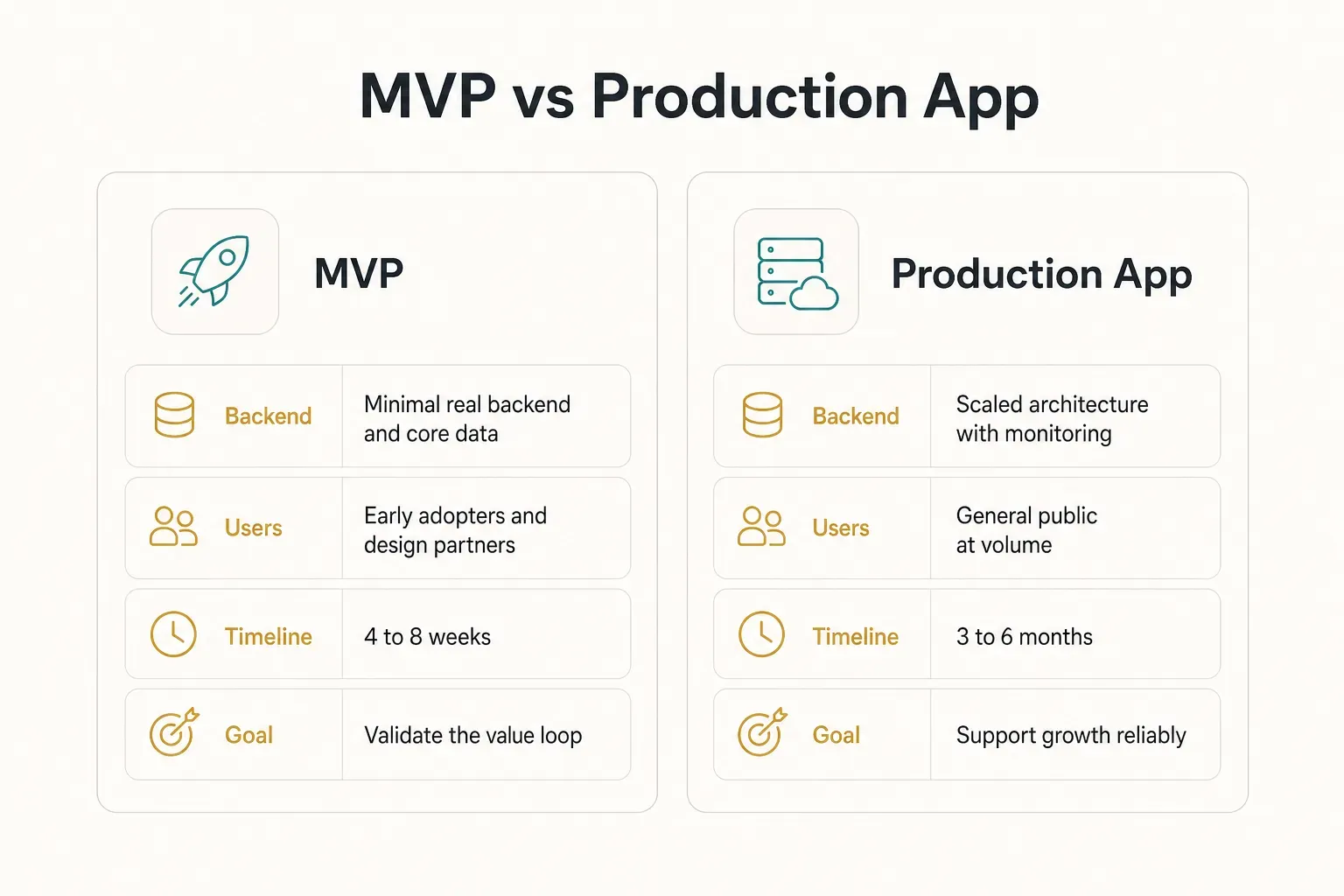
An MVP has a real backend, a working core value loop, and real users.
It does one thing properly and ignores everything else.
Payments might be manual.
Admin might be a spreadsheet.
But the central promise of the product actually works, end to end, for a stranger.
A production app adds what an MVP deliberately postpones: security hardening, compliance, scale, monitoring, edge case handling, accessibility, and a support process. It’s built to run for years without the original team on standby.
Pick deliberately.
Most failed app budgets come from paying production prices for something that needed to be an MVP first.
Native iOS or Cross-Platform Build?
Swift, SwiftUI, and UIKit
Swift is Apple’s primary language for iOS, and has been since Objective-C was quietly retired from the recommended path.
If someone proposes Objective-C for a new build in 2026, ask why.
Within Swift, you choose between two UI frameworks.
SwiftUI is declarative: you describe what the interface should look like in each state, and the framework handles the transitions.
It’s faster to build with, requires less code, and gets better with each iOS release.
UIKit is the older, imperative framework.
More verbose, more mature, and it gives finer control over complex custom UI, intricate animations, and unusual scrolling behaviours.
Many production apps use both, with SwiftUI for most screens and UIKit where precision matters.
For most new projects, SwiftUI first is the sensible default. You drop to UIKit only where SwiftUI genuinely can’t reach.
Do You Need a Mac?
Yes, technically.
Xcode, Apple’s IDE and the only official way to compile and sign iOS apps, runs exclusively on macOS.
There is no supported Windows or Linux version.
But that constraint has workarounds.
Cloud Mac rental services give you a remote macOS machine by the hour.
CI platforms like Xcode Cloud, Bitrise, and GitHub Actions run macOS build agents, so your continuous integration and continuous delivery pipeline can compile and ship without anyone owning Apple hardware.
The core toolchain you’ll hear referenced in any proposal:
- Xcode, the IDE, compiler, Interface Builder, and debugger in one package.
- Swift Package Manager, dependency management, now the default over CocoaPods for new projects.
- Simulator, runs your app across device sizes without physical hardware, though it never fully replaces real-device testing.
- TestFlight, Apple’s beta distribution system, allowing up to 10,000 external testers.
- Apple Developer Program, $99 per year, mandatory for App Store distribution.
When Cross-Platform Wins
Ten years ago, cross-platform meant compromise.
Sluggish scrolling, wrong-looking buttons, and a UI that felt borrowed from Android.
That’s no longer the situation.
Flutter compiles to native ARM code and renders its own UI at 60 or 120fps.
Done properly, with attention to Apple Human Interface Guidelines conventions, users don’t notice.
What you get in exchange is one codebase producing two apps.
CompletApp’s model illustrates the trade-off concretely: one codebase, two stores, one team, one timeline.
Instead of paying for an iOS build and then an Android build, you fund a single engineering effort and validate on both platforms simultaneously.
For a startup testing product-market fit, that’s often the difference between one shot and two.
Here’s a workable decision rule.
Go native when your app depends on deep OS integration, complex widgets, ARKit, HealthKit at depth, custom Apple Watch experiences, heavy background processing, or performance-critical media handling.
Go native when iOS is genuinely your only platform and will stay that way.
Go cross-platform when you’re at product-market-fit stage, when your users span both ecosystems, and when launching three months earlier on both stores matters more than shaving 40ms off a transition.
That describes most startups.
Cost, Timeline, and Feature Scope
iOS First or Launch on Both?
The old advice was simple: launch iOS first because iOS users spend more.
That advice is now incomplete.
The right answer depends on where your audience actually is.
Consumer apps in the US, UK, Japan, and Australia skew iOS heavily.
B2B tools for field workers, apps targeting emerging markets, and anything serving a broad demographic in Europe, Latin America, or Southeast Asia will find most users on Android.
The cost argument for iOS-first has weakened significantly.
When native builds meant paying twice, sequencing made sense.
With cross-platform tooling, adding Android to a Flutter project typically adds 15-25% to scope, not 100%.
That changes the calculation entirely.
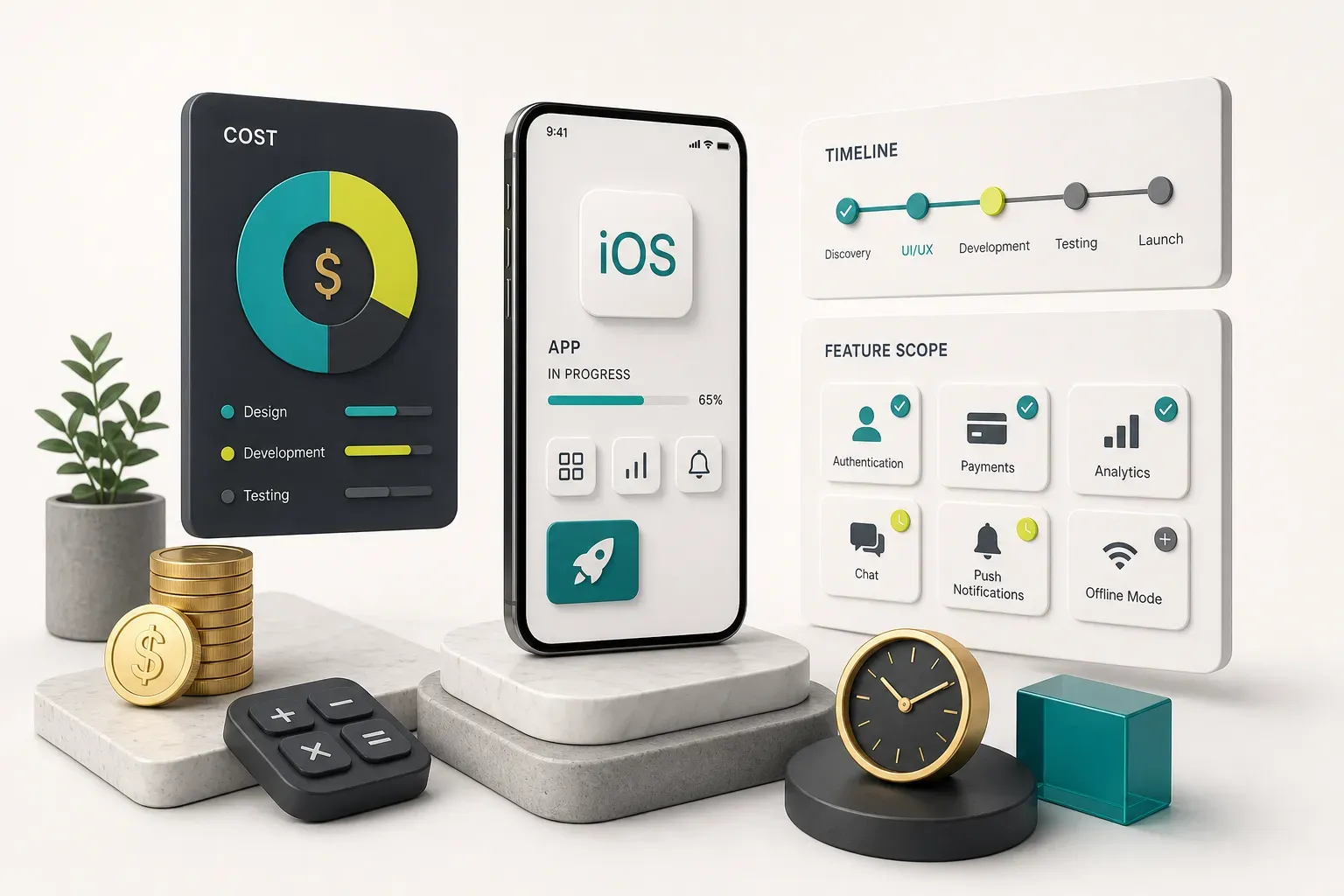
Timeline expectations, grounded: 4 to 8 weeks for a properly scoped MVP with a clear value loop. 3 to 6 months for a production-ready app with a real backend, payments, compliance work, and full quality gates.
Here’s how specific features move the number.
| Feature | Added Build Time | Typical Cost Impact | Key Complication |
|---|---|---|---|
| Email/password authentication | 3-5 days | Low | Password reset, session handling, Keychain storage |
| Social + Sign in with Apple | 4-7 days | Low-Medium | Apple mandates Sign in with Apple if other social logins exist |
| In-app purchases / subscriptions | 1-3 weeks | Medium | StoreKit 2, receipt validation, RevenueCat, restore flows |
| Real-time chat | 2-4 weeks | High | Websockets, message ordering, push notifications, moderation |
| Offline-first mode | 2-5 weeks | High | Local database, sync conflict resolution, queued writes |
| Maps and location | 1-2 weeks | Medium | Permission rationale, battery drain, geocoding API costs |
| AI features (LLM integration) | 2-6 weeks | Medium-High | Latency, token costs, data privacy, fallback handling |
| Third-party API integrations | 3-10 days each | Variable | Rate limits, auth refresh, breaking changes upstream |
| Analytics and event tracking | 2-4 days | Low | App Tracking Transparency, event schema design |
| Admin dashboard (web) | 2-4 weeks | High | Effectively a second product with its own roles and auth |
Note the admin dashboard line.
Founders routinely forget it, then discover they have no way to moderate content, issue refunds, or view users.
It’s a separate build.
On AI integration in mobile apps: this isn’t a checkbox.
Every AI feature forces decisions about response latency (users abandon after three seconds of spinner), data privacy (what leaves the device, and does your privacy label reflect it), and cost control (a viral week with uncapped token spend gets expensive fast).
Only put AI in an MVP when it is the core value loop.
Getting to a Launch-Ready App
Testing, Security, and Privacy
Testing isn’t a phase at the end.
Teams that treat it that way ship buggy apps late, which is an impressive combination of failures.
What continuous quality actually looks like in practice:
- Unit tests with XCTest or the newer Swift Testing framework, covering business logic, data transformations, and edge cases. Aim for meaningful coverage of critical paths rather than a vanity percentage.
- UI tests that automate the three or four flows that generate revenue, signup, purchase, core action. If those break, nothing else matters.
- Real-device testing across at least one older device (a three-year-old iPhone with a small screen), one current model, and an iPad if you support it. The Simulator lies about performance and memory.
- Performance baselines measured with Instruments: cold launch time under two seconds, scroll rendering without dropped frames, memory that doesn’t climb during normal use.
- Crash reporting wired up before launch, not after. Sentry, Crashlytics, or Xcode Organizer, pick one and actually watch it.
- Regression testing before every release, ideally automated in CI so it runs on every merge without anyone remembering to trigger it.
Security goes well past “we use HTTPS.”
The OWASP MASVS standard is the reference point most serious teams work against.
- Authentication and authorization checked server-side, always. Client-side permission checks are UI conveniences, not security.
- Keychain secure storage for tokens and credentials. Never UserDefaults, which is plain text and readable from a backup.
- Data minimization, collect what you need and nothing more. Every extra field is a liability with no upside.
- Secrets management keeping API keys out of the binary. Anything shipped in the app bundle can be extracted in minutes.
- Dependency risk review because an abandoned Swift package with a vulnerability is your problem, not the maintainer’s.
Accessibility Essentials
Roughly one in seven people globally lives with some form of disability.
That’s not a niche, and Apple’s reviewers increasingly notice when apps ignore it.
The practical checklist, mapped to WCAG mobile accessibility expectations:
- Dynamic Type support so text scales when users increase system font size. Test at the largest accessibility setting, if your layout shatters, fix it before launch.
- VoiceOver labels on every interactive element. An icon button labelled “button” is useless to a screen reader user.
- Sufficient contrast, minimum 4.5:1 for body text. Light grey on white fails, no matter how good it looks in Figma.
- 44pt minimum touch targets, per Apple’s Human Interface Guidelines. Small tap areas fail everyone, not just users with motor impairments.
- Reduced motion handling so parallax and large transitions respect the system setting. Some users get genuinely nauseous otherwise.
- Switch Control compatibility, verified by actually navigating your app with it once. It surfaces focus-order problems nothing else catches.
App Store Review and Beyond
App Store review rejects a meaningful share of first submissions. Almost all of those rejections are avoidable and predictable.
What reviewers check, and what you need ready:
- Privacy nutrition labels in App Store Connect, accurately declaring every data type you collect. Mismatches between your label and your actual SDK behaviour get caught.
- Privacy manifests for your app and third-party SDKs, declaring required-reason API usage. Mandatory since 2024 and strictly enforced.
- Permission rationale strings that explain why you need camera, location, or contacts access. “This app needs location” gets rejected. Explain the user benefit.
- Account deletion available in-app if you offer account creation. Non-negotiable.
- Subscription compliance, clear pricing, renewal terms, restore purchases button, and links to terms and privacy policy on the paywall itself.
- Reviewer test account with working credentials and demo data. A login wall with no way in is the single fastest rejection.
- Complete metadata: screenshots at required sizes, accurate description, correct age rating, and App Store optimization work on your title and keyword field.
- TestFlight beta testing with at least 20-30 real testers before public release, catching device-specific issues your team never hit.
Launch is a milestone, not a finish line.
Every year brings a new iOS version with deprecated APIs, new device sizes requiring layout updates, SDK updates you can’t defer forever, and policy changes that alter what’s permitted.
Budget 15-20% of the original build cost annually just to stay current.
Add ongoing work: watching crash rates, reading mobile analytics to find drop-off points, responding to reviews, and shipping improvements based on what users actually do rather than what they said in a survey.
One more thing founders learn too late.
Ownership and continuity are contractual, not assumed.
- Apple Developer Program account registered to your company, with you as Account Holder. Not the agency’s account. If they own it, they own your listing, reviews, and ranking history.
- Repository access on your organization’s GitHub or GitLab from day one, not delivered as a zip file at the end.
- Cloud account control for Firebase, Supabase, AWS, or whatever holds your data, billing under your name.
- Documentation covering architecture, environment setup, deployment steps, and third-party credentials.
- Full code handover written into the contract, including build configurations, signing certificates, and CI pipeline definitions.
Which Path Fits Your App?
Strip away the framework debates and the decision is fairly simple.
If your goal is a fast, validated MVP on both stores, cross-platform is almost always the right fit.
You get to real user feedback sooner, on a bigger addressable audience, for less money.
That combination is hard to argue against at the validation stage.
If your app depends on deep OS-specific capability, advanced widgets, AR, sophisticated Watch integration, or performance-critical media processing, native is worth the extra cost. You’re paying for access you genuinely can’t get otherwise.
Before you choose a language, framework, or development partner, do one thing: write your app’s core value loop in a single sentence.
“A user does X, gets Y, and comes back because of Z.”
If you can’t write it clearly, no framework will save you.
If you can, every subsequent technical decision gets easier to evaluate.
And a closing reframe.
Founders lose months optimizing architectures that no user has touched.
Shipping something real, imperfect, and testable beats perfecting something theoretical.
Build the loop.
Ship it.
Then decide what deserves to be beautiful.