Flutter vs React Native: Why This Choice Still Confuses Founders
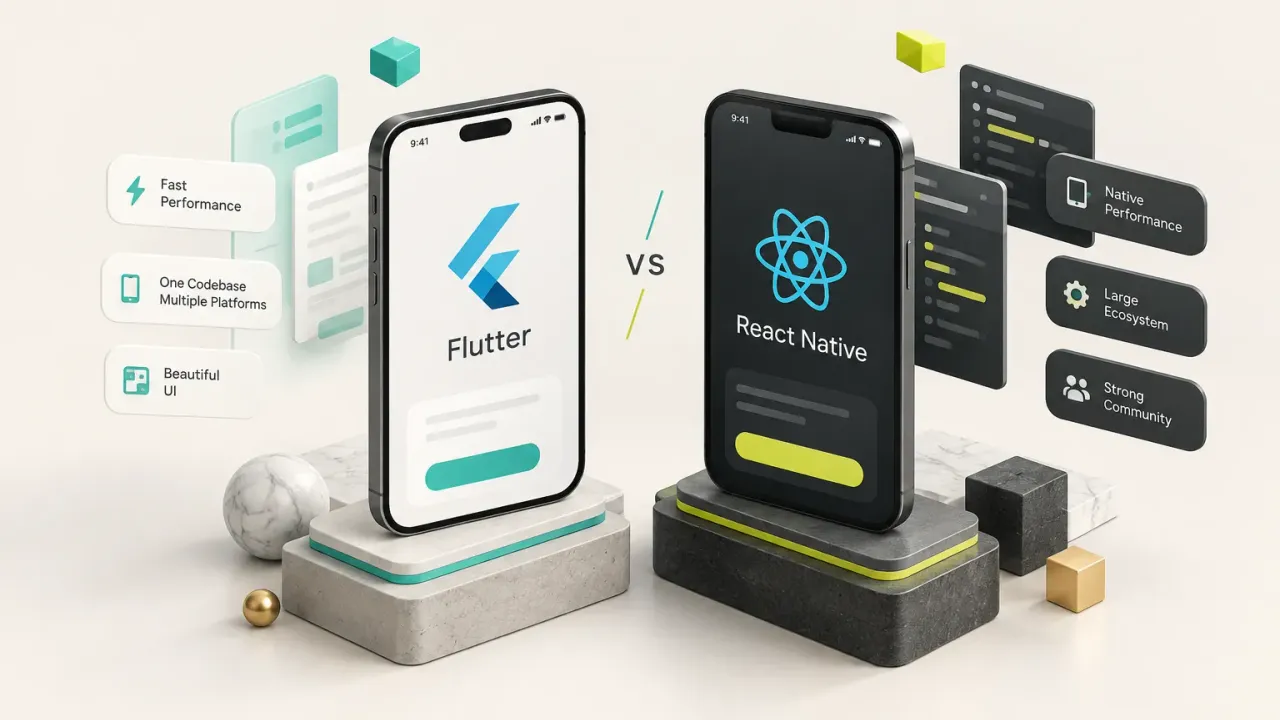
Flutter is the stronger default in 2026 for founder-led MVPs and branded consumer apps. One codebase reaches native-quality iOS and Android UI, so you don’t pay for a second build.
React Native is the better choice when your team already has deep React and TypeScript expertise, or when you need real code sharing with an existing web app. Both are serious, production-ready options for cross-platform mobile app development.
So why does the Flutter vs React Native debate still confuse founders?
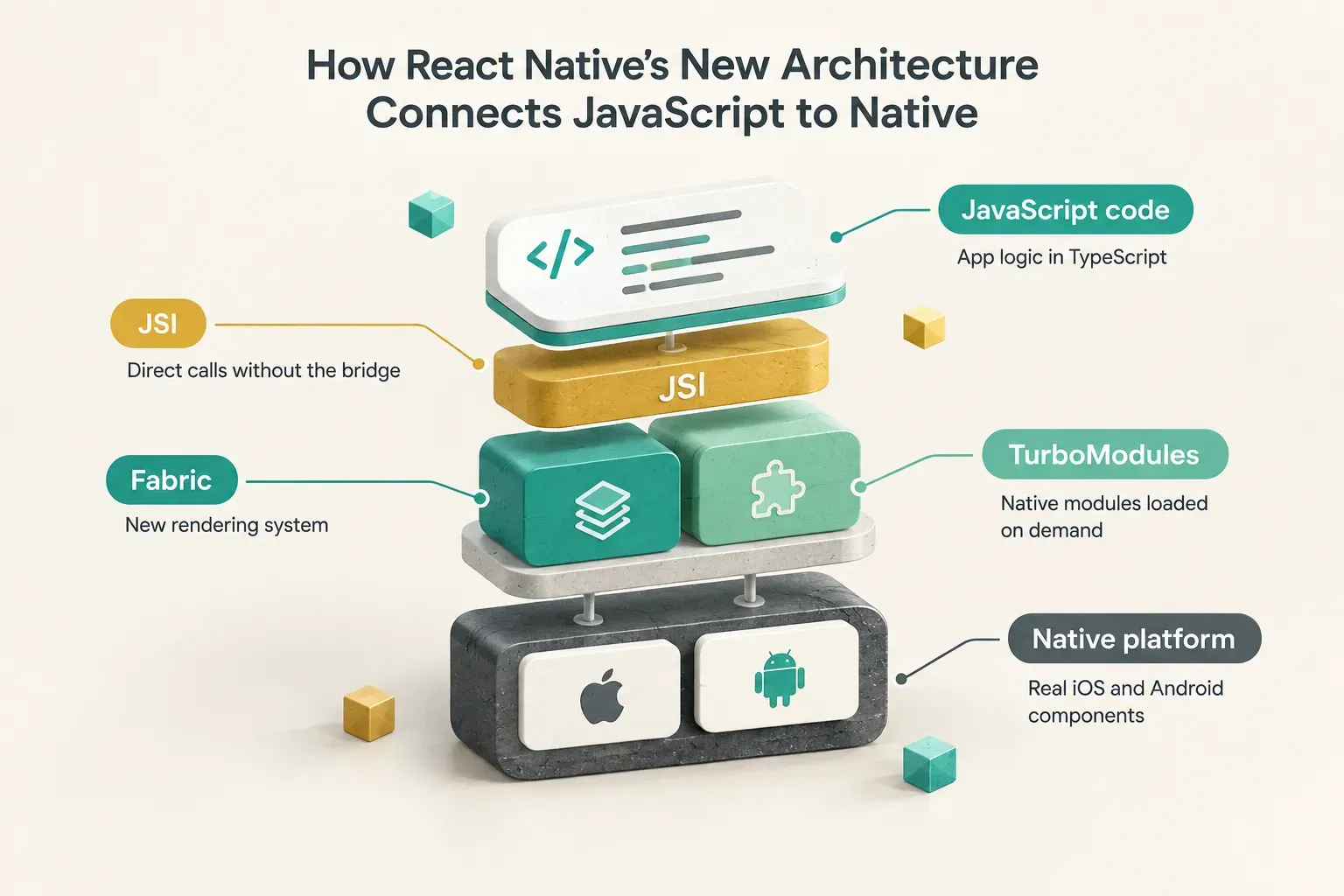
Partly because most comparisons are stale. Many still repeat bridge-era React Native performance claims and ignore the New Architecture (Fabric, JSI and TurboModules), which replaced the old asynchronous bridge entirely.
The other reason is that the framework question gets more weight than it deserves. Delivery risk, design quality, QA, app-store readiness and post-launch maintenance decide whether a product survives contact with real users.
Dart vs JavaScript rarely does.
This guide compares both frameworks on performance, development speed, cost, hiring and long-term maintenance. Then it tells you which one fits your situation, and when the framework is the wrong thing to worry about.
Flutter vs React Native: Quick Comparison Table
Short on time? This table covers the main decision points.
Flutter wins on UI control and consistency. React Native wins on hiring pool and web reuse.
Price is a tie.
| Criteria | Flutter | React Native | Winner |
|---|---|---|---|
| Backed by | Meta | Tie | |
| Language | Dart | JavaScript / TypeScript | Depends on team |
| Rendering | Own engine (Impeller) draws every pixel | Real native iOS and Android components | Depends on product |
| UI consistency and animation control | Identical UI across platforms and OS versions | Follows each platform’s native behavior | Flutter |
| Hiring pool | Smaller, fast-growing Dart pool | Huge JavaScript / TypeScript pool | React Native |
| Web code reuse | Flutter web is usable, but separate trade-offs | Partial reuse with React web apps (logic, types, some components) | React Native (partial, not automatic) |
| Developer loop | Hot reload | Fast Refresh | Tie |
| Framework price | Free, open source (BSD) | Free, open source (MIT) | Tie |
| Best for | Founder MVPs, branded and animation-rich apps | Teams with existing React code and skills | Depends on context |
One distinction most roundups skip: React Native’s web reuse is partial, not automatic. You share business logic and some UI patterns, not an entire app.
And on price, licensing costs nothing either way. Your real spend goes to design, backend, QA and maintenance.
Flutter and React Native at a Glance
Both frameworks are free, open source and actively maintained in 2026. Both have large plugin ecosystems and workable web and desktop extensions.
Neither is a legacy or declining choice.
The Flutter versus React Native architecture difference comes down to one question: who draws the interface?
Flutter draws it itself. React Native asks the operating system to draw it.
Almost every practical difference follows from that.
What Flutter Is Built For
Flutter is Google’s UI toolkit, written in Dart. Release builds use ahead-of-time (AOT) compilation to native machine code, so the app runs as compiled code rather than being interpreted at runtime.
Instead of using native OS buttons and lists, Flutter renders its own widgets through its rendering engine, Impeller.
That gives designers pixel-level control.
A custom button, a branded onboarding flow or a complex animation looks and behaves the same on an iPhone and a mid-range Android phone.
This is why Flutter app development has become the default for design-forward products.
Branded consumer apps, subscription apps, games-adjacent learning apps and anything with a custom design system benefit directly. Add hot reload, which shows code changes in seconds, and iteration on UI gets very fast.
Flutter also targets web, desktop and embedded devices from the same codebase. Those targets work, but they carry their own trade-offs.
More on that later.
What React Native Is Built For
React Native is Meta’s framework for building mobile apps with JavaScript or TypeScript and the React programming model. Its defining trait: it renders true native platform components.
A React Native list on iOS is an actual iOS list.
The big change in recent years is the New Architecture.
The legacy async bridge, which serialized every message between JavaScript and native code, is gone from current releases. JSI lets JavaScript call native code directly, Fabric is the new rendering system and TurboModules load native modules on demand.
React Native app development makes the most sense for companies already invested in React. If your web team writes TypeScript daily, it can contribute to mobile with a short learning curve.
Expo adds managed tooling for routing, cloud builds, store submission and over-the-air updates.
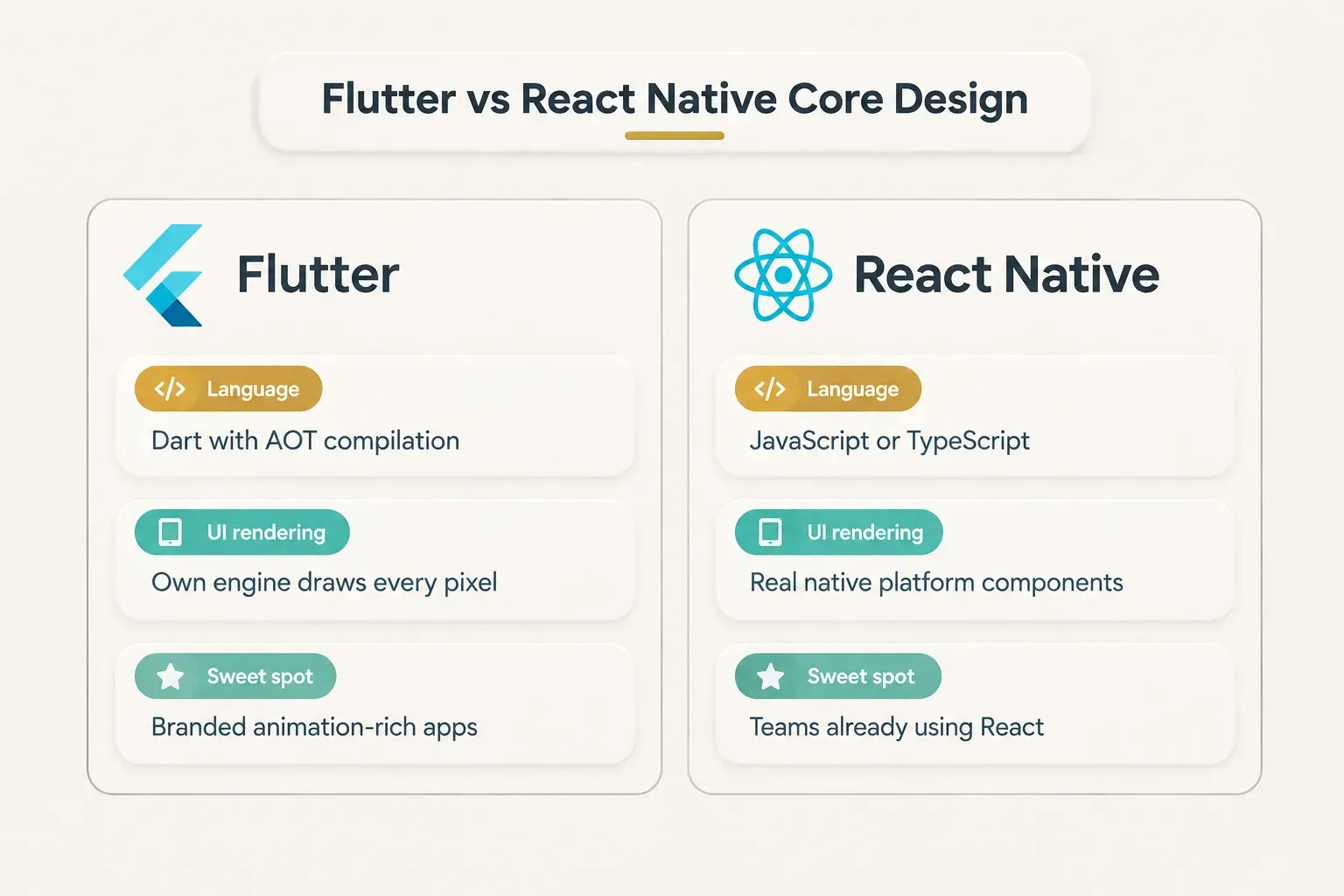
Neither framework is “unfinished.”
The real differentiator is fit. Which one matches your product’s UI ambitions and your team’s existing skills?
Answer that honestly and the choice usually makes itself.
Performance, Development Speed, and Cost to Launch
This is where outdated advice does the most damage.
Flutter performance and React Native performance are both production-grade in 2026. The differences are real, but they show up in specific situations, not across the board.
Rendering, Startup Time, and Memory Use
Flutter wins for raw UI rendering and animation-heavy interfaces.
Because it draws every pixel itself, it doesn’t depend on native components that vary slightly between OS versions. Complex transitions, custom charts and gesture-driven screens stay smooth and predictable.
React Native wins for native feel out of the box.
Its components are the actual native widgets, so scrolling physics, text selection, accessibility behavior and system controls match platform conventions automatically. For apps that should look like “a normal iOS app,” that’s a genuine advantage.
The New Architecture closed much of the old performance gap. With JSI replacing the bridge, JavaScript talks to native code synchronously, without serializing every call.
| Performance factor | Flutter | React Native (New Architecture) | Winner |
|---|---|---|---|
| Animation-heavy UI | Consistent, engine-controlled rendering | Strong, but depends more on native components and libraries | Flutter |
| Platform-conformant feel | Emulated through Material and Cupertino widgets | Native components by default | React Native |
| Cold-start time (typical business app) | Fast, AOT-compiled | Fast with modern JS engine and lazy modules | Tie |
| Memory footprint (MVP scale) | Marginal differences | Marginal differences | Tie |
| JS/native communication | Platform channels | JSI, no legacy bridge | Tie |
On cold-start time and memory, call it a tie. For a typical business app, the differences are marginal at MVP scale.
A slow API or a bloated image does far more damage than the framework ever will.
MVP Timelines Across Real Buyer Scenarios
Your mobile app development timeline depends on the product type more than the language. Here’s how common founder scenarios tend to split.
| Buyer scenario | Flutter fit | React Native fit | Typical lean |
|---|---|---|---|
| 4-week MVP for investors or first users | One codebase, fast UI iteration with hot reload | Fast if a React team already exists | Flutter |
| Subscription consumer app | Branded paywalls, polished onboarding | Workable with native-feeling UI | Flutter |
| Animation-heavy or game-like app | Pixel-level control, predictable rendering | Possible, more library-dependent | Flutter |
| Marketplace extending an existing React web app | Separate codebase from web | Shared types, logic and team skills | React Native |
| Internal tool for a React-based company | Works, but adds a new language | Same stack as the web team | React Native |
Take a real example.
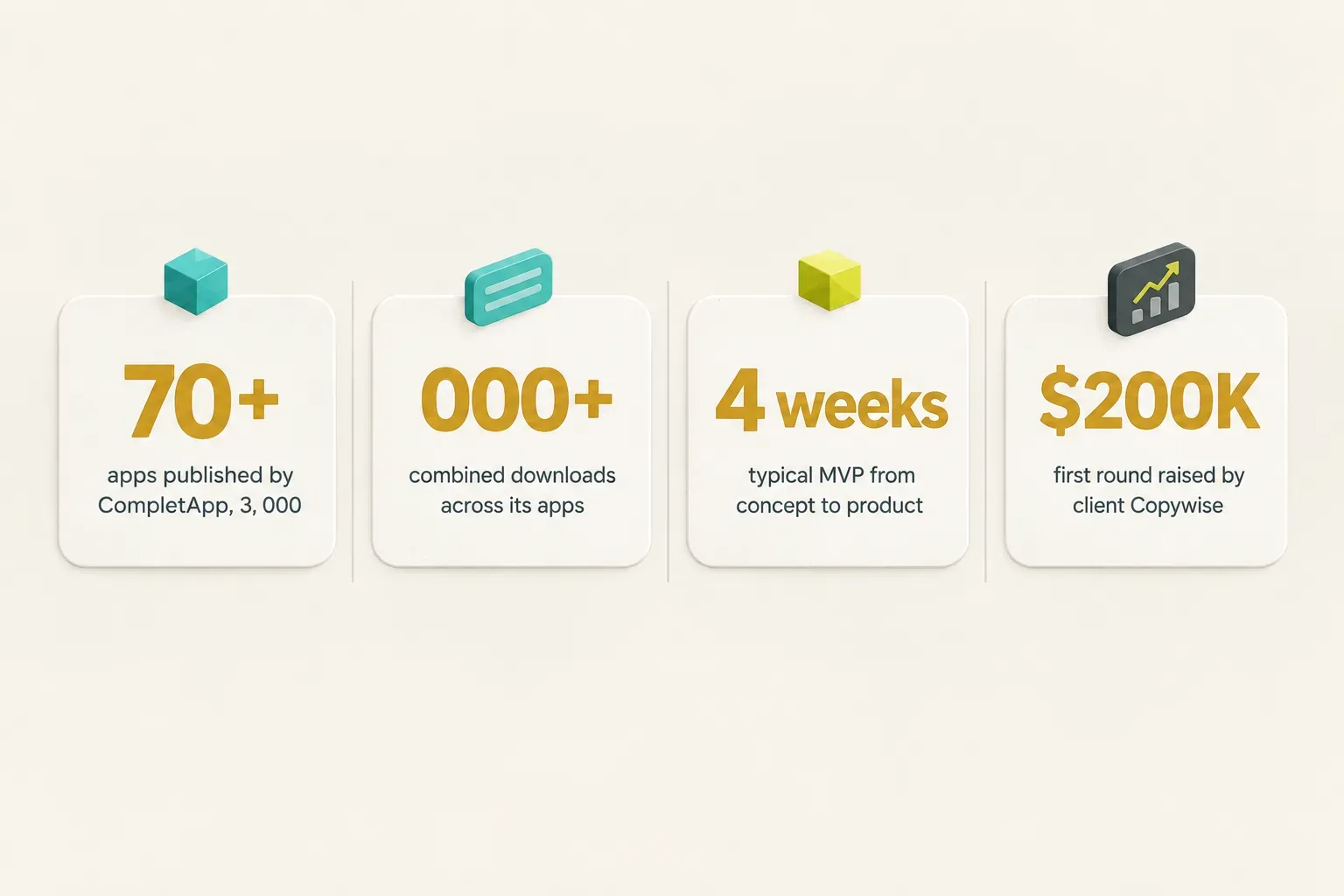
CompletApp, a Budapest product studio that builds on Flutter, takes most MVPs from concept to a functional, high-fidelity product in about 4 weeks. Its client GoalJournal shipped to both stores in 3 weeks and was later acquired on Flippa.
But notice what drives that speed. It isn’t Dart alone.
It’s a fixed scope, the core value loop built first and no handoffs between departments.
Framework Cost vs Total Product Cost
Both frameworks are free.
Neither charges a license or subscription fee.
So where does the money go when founders ask about mobile app MVP cost?
| Cost line | Flutter | React Native | Notes |
|---|---|---|---|
| Framework license | $0 (BSD open source) | $0 (MIT open source) | Tie |
| Build and deployment tooling | CI/CD of your choice | Expo: free tier, Starter $19/month plus usage, Production $199/month plus usage | Expo costs can grow with builds and active users |
| App store accounts | Apple and Google developer fees | Apple and Google developer fees | Same for both |
| Design, backend, QA, submission | Bulk of spend | Bulk of spend | Typically 70-90% of project cost |
| Separate iOS and Android builds avoided | Yes | Yes | Main saving vs fully native app development |
Design, QA, backend, app-store submission and CI/CD typically make up 70-90% of project cost, regardless of framework. This is where total cost of ownership matters far more than the sticker price of the tools.
The biggest real saving comes from building once instead of twice. Both frameworks deliver that versus native app development.
After that, your budget is decided by process: how tightly the scope is written, how often work gets redone and who owns QA.
Hiring, Native Functionality, and Long-Term Maintenance
Launch is the easy part.
The harder question is what happens in month six, month twelve and year three. Who fixes bugs, updates dependencies for new OS releases and ships the features users actually ask for?
Hiring Pool and Team Continuity
React Native wins on developer availability.
JavaScript and TypeScript developers vastly outnumber Dart specialists. If you plan to build an in-house app development team of five or ten engineers, that bench depth makes recruiting easier and replacement faster.
Flutter’s pool is smaller but growing fast. Dart is also approachable for anyone with a background in Java, Kotlin, Swift or C#, so strong mobile engineers cross over quickly.
But hiring-pool size only matters if you’re hiring.
Many founders aren’t.
A non-technical founder building an MVP needs one competent, accountable builder, not a recruiting pipeline. For them, TypeScript mobile development talent pools are a secondary concern.
Team continuity is the real issue.
The risk isn’t “can I find a Dart developer?” It’s “will anyone understand this codebase when the original builder leaves?”
Native SDKs, Plugins, and Custom Integrations
Native module integration is a tie in 2026.
Flutter uses platform channels and plugins to call Swift and Kotlin code. React Native’s New Architecture uses TurboModules and JSI, and teams can write or install native Swift, Objective-C, Kotlin and Java modules.
Both handle the common integrations well: payments, push notifications, camera, maps, health data, Bluetooth and in-app subscriptions through tools like RevenueCat. Custom native work is competent on either side.
The quality gap that matters is per package, not per framework.
A well-maintained plugin with active releases beats an abandoned one in either ecosystem. Before committing, check that every plugin your product depends on has recent updates and supports current OS versions.
This is also where ownership gets tricky.
Owning source code is not the same as being able to maintain it.
A rushed low-code export or an inexperienced build can leave you holding code nobody on your team can safely touch.
Visual builders like FlutterFlow (free plan, Basic at $39 per seat per month) are genuinely useful for prototypes and internal tools, and they export Flutter code. But exported code still needs someone who understands its structure, and heavy custom native work pushes past what visual builders handle comfortably.
Web Code Reuse vs Mobile Code Reuse
Here’s a distinction most guides blur.
React Native’s web code sharing reduces web development effort, but it does not equal automatic mobile code reuse.
If you already run a React web app, you can share TypeScript types, API clients, validation, state logic and team knowledge.
That’s valuable.
But web UI built for browsers doesn’t drop into a mobile app unchanged, and mobile navigation, gestures and layouts still need their own work.
Flutter’s web and desktop targets are similar in spirit. They’re usable and improving, but they’re product-specific trade-offs, not a universal “write once, run everywhere” guarantee.
A content-heavy marketing site, for example, is usually better built with web-first tools.
That’s why some studios split the stack deliberately. CompletApp builds mobile apps in Flutter, web apps and SaaS on React and Astro and marketing sites on Astro or WordPress.
Each job gets the tool that does it best, instead of forcing one framework to cover everything.
Choosing a Framework vs Choosing an Accountable Partner
The real risk for founders isn’t framework choice.
It’s fragmented ownership.
Design comes from one vendor, development from another, QA from a third, and every handoff loses context, time and money.
Scope creep lives in those gaps. So do hourly bills that double, and bugs that each vendor blames on someone else.
No framework fixes that.
This is the model CompletApp builds around.
One accountable senior operator, founder János Kiss, has been building apps since 2015 and handles design, code, backend and launch himself, using AI tooling as a force multiplier rather than a substitute for expertise.
Flutter provides one codebase for both stores, so there’s also no split between iOS and Android teams.
The track record is concrete.
The studio has shipped 10+ products and published 70+ apps with over 3,000,000 combined downloads. Its flagship kids learning game passed 1M downloads and still brings in 600 to 1,000 organic installs a day.
Client work follows the same pattern.
Copywise got an AI copy generator MVP in weeks, launched on AppSumo and raised $200K in its first round (it’s now Persuva.ai). A medical microlearning app was rebuilt in 30 days.
The verdict for non-technical founders: pick the framework that fits your product, then pick the partner who owns the outcome end to end. The second decision usually matters more.
Every CompletApp engagement comes with three written guarantees: fixed scope and fixed price, a walk-away option after the first milestone with nothing further owed, and 100% code and design ownership on full payment. That removes handoff risk regardless of which framework another vendor recommends.
Who Should Choose What
The bottom line: choose Flutter for founder-led, design-forward products that need to ship to both stores fast. Choose React Native when you already have React skills or a React web app to build on.
And if your real problem is process, fix that first.
- Choose Flutter if you’re a founder without a technical team, you need a branded, animation-rich UI and you want one build shipped to both the App Store and Google Play quickly. It’s the most direct path from idea to polished, native-quality MVP.
- Choose React Native if you already have a React or TypeScript team, or an existing React web app, and you want to maximize skill and code reuse across platforms. Pair it with Expo if you want managed builds, submission and over-the-air updates.
- Choose neither in isolation if your real pain is scope creep, open-ended hourly billing or handoffs between an agency’s design, development and QA departments. Pick an accountable delivery partner first, then let them justify the stack.
- Choose CompletApp if you want a Flutter app built on a fixed scope and fixed price, with a walk-away guarantee after milestone one and 100% code ownership on completion. The Budapest cost base typically runs a third to a half of a Western European agency for the same scope and seniority. It’s not the cheapest-possible build, and it isn’t meant to be.
- Avoid deciding purely on hiring-pool size if your product’s success depends on UI polish and launch speed rather than scaling to a large in-house engineering team. A bigger talent pool doesn’t make your onboarding flow convert better.
- Avoid committing to either framework without a written, milestone-based scope. The biggest cost overruns come from process, not from Dart vs JavaScript. If a vendor can’t show you what’s delivered at each milestone, and what it costs, keep looking.
Still unsure which fits? CompletApp offers a free 30-minute discovery call, followed by a written proposal with scope, timeline, milestones and a fixed price.
No obligation after the call.