Why React Native hiring usually goes wrong
Most React Native interviews test the wrong thing.
Founders and hiring managers ask about React hooks, closures, and the difference between useMemo and useCallback.
Then they hire someone who has never pushed a build through Apple review.
That is the core mismatch.
JavaScript fluency is necessary, but it does not tell you whether a person has shipped a live iOS and Android app, kept it running through OS updates, and fixed a crash that only appears on a Samsung device running Android 13.
A better approach is to match the hire to your app’s risk profile.
Every mobile product carries specific risks. Some depend on native integrations like Bluetooth or biometrics. Others live or die on offline behavior, scroll performance, security, accessibility, or the unglamorous work of owning store releases.
The developer you need is the one who has already handled your riskiest requirement.
This guide gives you a four-part framework for anyone looking to hire a React Native developer in 2026:
- Skills that separate production engineers from hobbyists.
- Proof of delivery you can verify, not just read on a resume.
- Structured evaluation that predicts real performance on the job.
- The right hiring model for your project’s complexity.
One distinction runs through all of it.
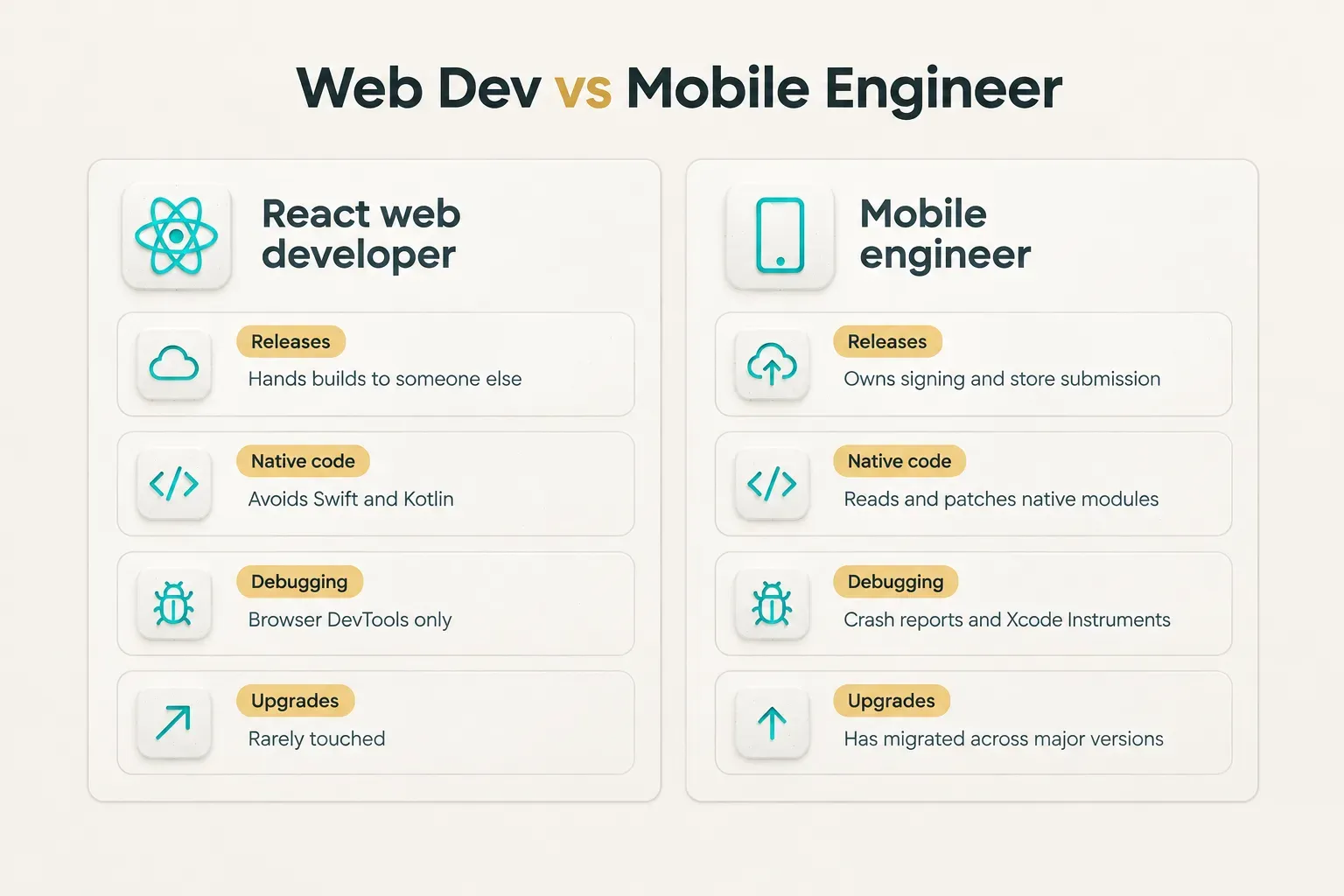
A React web developer who dabbles in React Native can build screens. A mobile engineer owns releases end to end: code signing, store submission, crash monitoring, and the upgrade that breaks three dependencies at once. Both write similar-looking code.
Only one can ship.
What a production-ready developer actually knows
Here is a question that filters half your applicants instantly: “Which workflow did your last app use, and why?” A production-ready developer answers in seconds and explains the tradeoffs.
A dabbler says “React Native” and stops there.
Expo or bare workflow
The workflow choice shapes your build pipeline, your upgrade path, and the skills you need to hire for. As of 2026, Expo is the officially recommended way to start a React Native project, but “using Expo” covers three very different setups.
- Expo managed workflow keeps native folders hidden and generated. It suits apps built mostly from supported libraries, and a developer here needs strong JavaScript and TypeScript skills plus familiarity with config plugins.
- Expo with development builds lets you add custom native code while keeping Expo tooling. Builds typically run through Expo Application Services (EAS), so your hire should understand EAS Build, EAS Submit, and over-the-air updates with EAS Update.
- Bare React Native workflow exposes the full
iosandandroiddirectories. Your developer must be comfortable with Xcode, Gradle, CocoaPods, signing certificates, and a CI/CD pipeline they maintain themselves. - Upgrade paths differ sharply. Expo SDK upgrades are coordinated and documented, while bare upgrades often mean diffing native files by hand. Ask candidates how long their last major upgrade took and what broke.
When native code knowledge matters
Not every React Native role needs a Swift expert.
But some features push you past what JavaScript libraries can do, and that is where many projects stall for weeks.
- Custom native modules are required when no maintained library exists for your hardware or SDK. Your developer needs to write or patch Swift, Objective-C, Kotlin, or Java and expose it cleanly to JavaScript.
- Biometrics and secure storage depend on Keychain on iOS and Keystore on Android. Bugs here are often platform-specific and invisible from the JavaScript layer.
- Push notifications involve APNs certificates, Firebase Cloud Messaging, notification channels on Android, and background handling that behaves differently on each platform.
- Payments and in-app purchases require StoreKit and Google Play Billing knowledge, plus an understanding of receipt validation and store policy.
- Platform-specific bugs such as a keyboard overlapping inputs on one Android OEM or a deep linking failure on iOS cold start usually need someone who can read native logs and stack traces.
New Architecture and why it matters
The New Architecture became the default in React Native 0.76, and as of 2026 the legacy architecture is no longer where new work happens. Candidates should be able to explain, in practical terms, where they actually used each piece on a real project.
- Fabric is the new rendering system. A strong candidate can describe a component they migrated and any layout or event differences they hit.
- TurboModules replace legacy native modules with lazy loading and typed interfaces. Ask whether they wrote one or only consumed them.
- JSI (JavaScript Interface) allows direct, synchronous calls between JavaScript and native code without the old bridge. Candidates should know why that matters for performance-sensitive libraries.
- Hermes is the default JavaScript engine. Good developers know how it affects startup time, memory, and debugging.
- Codegen generates native interface code from typed specs. Anyone who has built a TurboModule or Fabric component has used it.
Naming these terms is easy.
Explaining a specific migration problem and how they solved it is not.
Once you know which of these skills your app needs, write a job description that filters for mobile delivery, not generic React familiarity. Specify:
- Workflow and stack: Expo managed, development builds, or bare, along with your state management choice and React Navigation version.
- Native requirements: named integrations like push notifications, in-app purchases, Bluetooth, or maps.
- Data layer: REST API integration, GraphQL, and whether you need an offline-first architecture.
- Release ownership: whether the hire manages App Store Connect, Google Play Console, and CI/CD.
- Quality expectations: automated testing with React Native Testing Library, Detox, or Maestro, plus crash monitoring and accessibility testing.
- Evidence required: at least one live app in both stores that the candidate personally released.
Proving real shipped experience
Resumes are cheap.
Store listings are not.
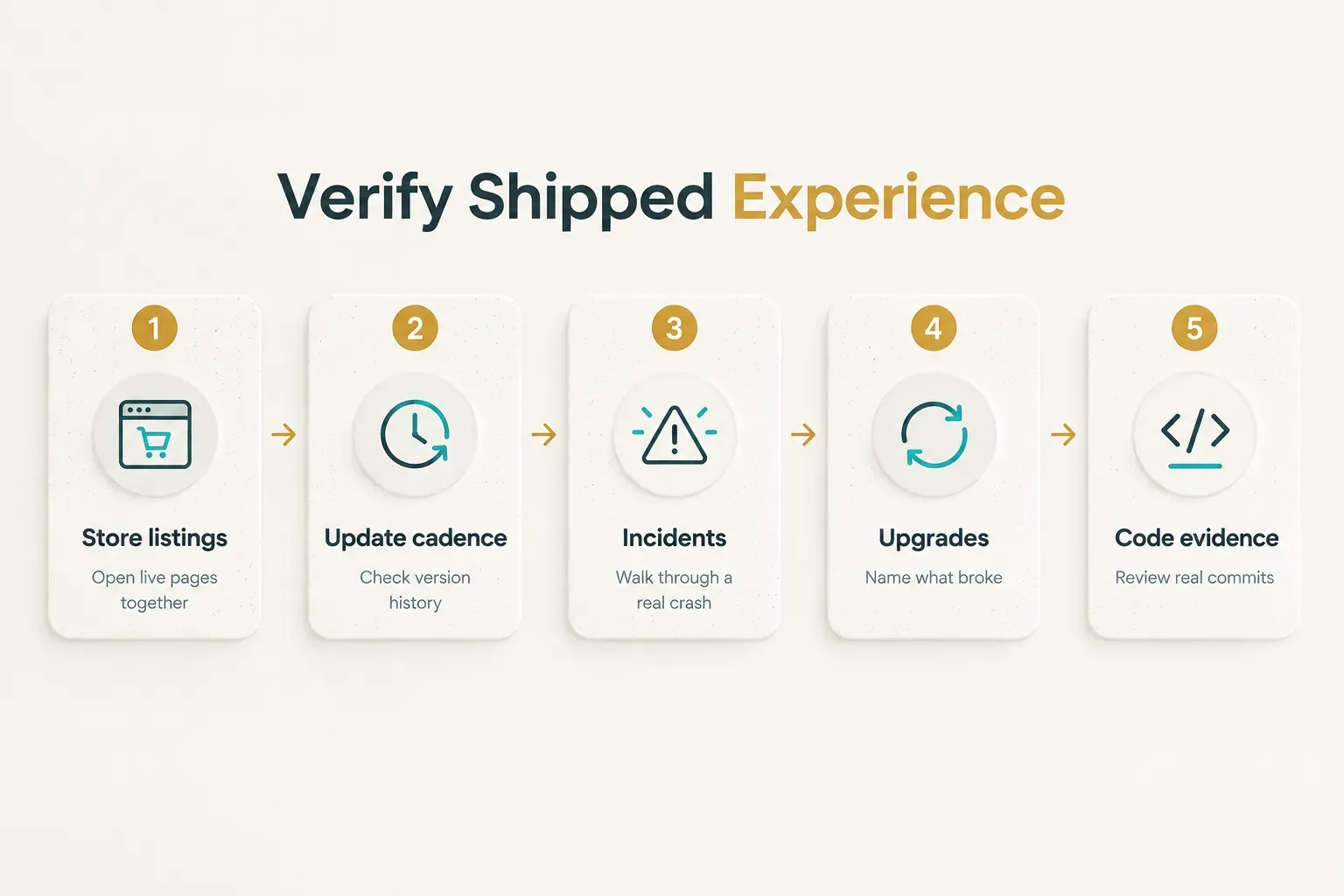
If a developer has genuinely released and maintained an app, there is a paper trail, and you can walk through it together in 30 minutes.
A portfolio verification framework
Use this sequence in a dedicated interview round. It works whether you are a technical founder or not, because the answers either contain specifics or they don’t.
- Open the live store listings together. Ask the candidate to share their screen and pull up the App Store and Play Store pages for an app they released. Check the version history and ask which releases they personally submitted.
- Review update cadence. An app updated every two to six weeks over a year suggests active maintenance. Ask what drove each major version and what went wrong in the roughest release.
- Ask about architecture decisions. Why that state management library? Why Expo or bare? What would they change now? Strong candidates describe tradeoffs, not preferences.
- Dig into a production incident. Ask for one crash or outage they handled: how they detected it, what the crash monitoring tool showed, how they fixed it, and how long the hotfix took to reach users.
- Trace the dependency upgrade history. Ask about their last React Native or Expo SDK upgrade. Real answers include specific libraries that broke and the workaround used.
- Request measurable outcomes. Crash-free session rates, startup time improvements, app rating changes, or retention shifts. Numbers show they were paying attention after launch.
- Ask for read-only code evidence. A public repository, an open-source contribution, or a screen-shared walkthrough of commit history beats any resume claim.
Spotting tutorial-only developers
Tutorial-only developers often interview well.
They know the vocabulary.
The gaps appear when you push past the code and into the release process.
- Check for console access. Ask what their App Store Connect or Google Play Console dashboard looked like on their last project. Someone who never had access cannot describe TestFlight groups, staged rollouts, or review rejections.
- Ask for crash reports. A developer with live apps can describe a Sentry or Firebase Crashlytics stack trace they debugged. No crash stories usually means no production users.
- Probe release configuration. Ask how they managed environment variables, signing certificates, provisioning profiles, and build flavors. Vague answers like “the build just worked” are a red flag.
- Look for maintenance evidence. Prototype-only portfolios show apps frozen at version 1.0. Shipped engineers talk about version 1.7 and the Android target SDK deadline that forced an update.
Testing skills that predict delivery
Can the candidate explain the rules of hooks? Probably.
Can they figure out why your app crashes only in the release build on iOS?
That is the question that predicts delivery, and most interviews never ask it.
What the technical interview should cover
Replace hook-memorization questions with scenarios drawn from real mobile work. Give the candidate a situation, then listen for how they investigate, not just what they conclude.
- API failure debugging: “Users report the feed is empty, but the API returns 200.” Good candidates check response shape changes, caching, error boundaries, and how failures surface in the UI.
- Offline state handling: “A user submits a form in a subway tunnel.” Listen for queued writes, optimistic updates, conflict resolution, and libraries like TanStack Query or WatermelonDB.
- Release-only crashes: “The app works in development but crashes on launch in the production Android build.” Strong answers mention ProGuard or R8 minification rules, missing environment variables, and Hermes bytecode differences.
- Navigation and deep linking: “A deep link opens the wrong screen when the app is cold-started.” This tests React Navigation knowledge and platform launch behavior.
- Testing strategy: Ask what they would cover with React Native Testing Library versus end-to-end tools like Detox or Maestro, and why.
Designing a fair coding test
A good take-home exercise mirrors the actual job and respects the candidate’s time.
A bad one is either a LeetCode puzzle or a free week of unpaid product work.
- Keep the scope to three or four hours. Example: build a list screen that fetches paginated data, caches it for offline viewing, and handles loading and error states.
- Pay for it. A fixed fee signals respect and attracts experienced engineers who ignore unpaid tests.
- Make it role-representative. If your app depends on push notifications or camera access, include a small slice of that work instead of generic UI.
- Require a short README. Ask for tradeoffs, known limitations, and what they would do with another day.
- Detect AI-generated submissions with a live walkthrough. AI tools are a normal part of development in 2026, so the goal is not to ban them. It is to confirm understanding. Ask the candidate to explain specific decisions, then request a small live change. People who understand their code adapt quickly. People who pasted it… hesitate.
Evaluating performance, security, and accessibility
These three areas are where apps quietly fail after launch. Treat each as a hiring criterion, not a nice-to-have.
- Performance profiling: Ask candidates to describe a session with Xcode Instruments, Android Studio Profiler, or Flipper (now replaced in default templates by React Native DevTools). They should explain how to read dropped frames against the 60 frames per second target, spot JS thread congestion, find expensive re-renders, and trace a memory leak from an uncleaned listener.
- Bridge and thread bottlenecks: Strong candidates know when heavy work belongs off the JS thread, when to use Reanimated for animations, and how JSI-based libraries avoid serialization costs.
- OWASP MASVS basics: The OWASP Mobile Application Security Verification Standard is the industry reference. Ask about secure storage for tokens (Keychain and Keystore, never AsyncStorage), authentication and refresh token handling, certificate pinning, and how they vet third-party SDKs that collect data.
- Accessibility testing: Ask whether they test with VoiceOver and TalkBack, how they set
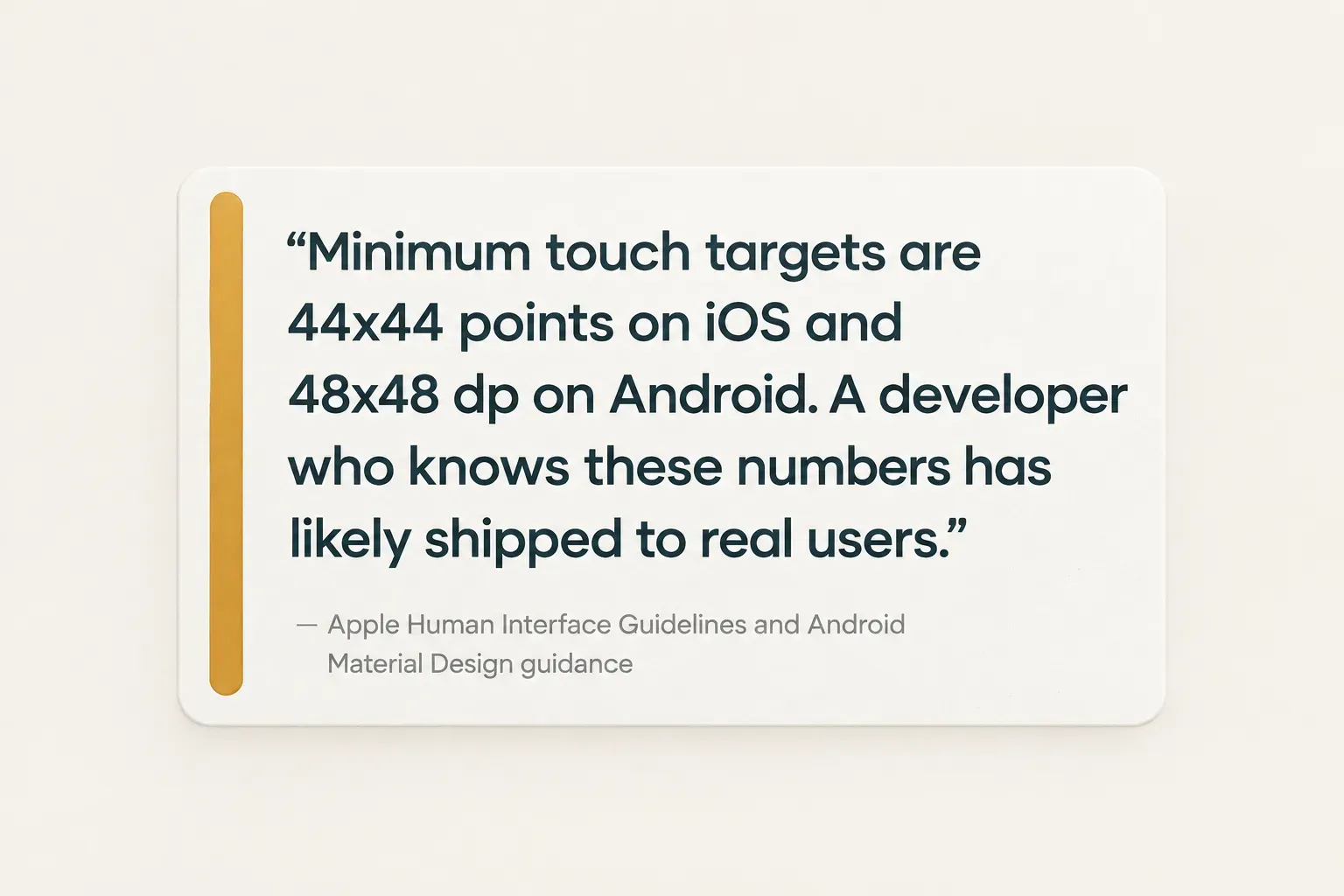
accessibilityLabeland roles, and how they manage focus order in modals. - Touch target sizing: Apple recommends at least 44 by 44 points and Google recommends 48 by 48 dp. A candidate who knows these numbers has probably shipped to real users.
Choosing the right hiring model
The best developer in the wrong engagement model will still disappoint you. A brilliant freelancer cannot replace a missing technical lead, and a full in-house team is overkill for a single feature.
Freelancer, agency, or dedicated team
Each model trades cost against ownership, speed, and how much technical leadership you need to supply yourself.
Here is how the five common options compare.
| Model | Code ownership | Typical timeline to start | Maintenance after launch | Internal technical leadership needed |
|---|---|---|---|---|
| Freelancer | Yours if the contract assigns IP clearly | Days to 2 weeks | Uncertain; depends on availability | High; you scope, review, and coordinate |
| In-house hire | Fully yours | 1 to 3 months to recruit | Continuous and owned internally | Medium to high; someone must manage and mentor |
| Staff augmentation | Yours; vendor supplies people | 1 to 4 weeks | Lasts as long as the contract | High; you direct daily work |
| Agency | Usually yours on final payment | 2 to 6 weeks including discovery | Paid retainer, often optional | Low to medium; agency runs delivery |
| Dedicated product studio | Full transfer on completion | 1 to 3 weeks | Defined handover or support plan | Low; studio owns scope and releases |
CompletApp is a practical example of the single-operator studio model. It works on a fixed scope and fixed price, shares milestone previews so you see working builds as they progress, and hands over full code ownership on completion. That structure is especially useful for a founder without a technical co-founder, because it removes the need to manage a developer day to day while still leaving you with an asset you control.
The simple decision rule: hire a solo developer for narrow, well-defined features. Choose a team or studio for a full production app with store release ownership.
If nobody on your side can review a pull request, lean toward the models with low leadership requirements.
Evaluating the first 30 days
The first month tells you more than any interview. Watch these signals closely, because bad habits set in early and become technical debt fast.
- Repository setup: Within the first week, the project should have a clean structure, linting, TypeScript configuration, and a branch strategy you can understand.
- Environment configuration: Development, staging, and production builds should be separate, with secrets kept out of the repository.
- Documentation left behind: A README that lets another developer run the app in under an hour is a strong sign of professional habits.
- First pull request quality: Look for small, focused changes with clear descriptions, not a single 4,000-line commit.
- Test coverage: Some automated testing should exist by day 30, even if it is only core logic and one end-to-end flow.
- Communication habits: Regular, written updates that flag blockers early are worth more than impressive demos that hide problems.
What to do before you hire
Here is the whole decision in one line: hire for evidence of shipped, maintained apps across the full lifecycle, not for keyword density on a resume.
Before you post a job description, do one thing.
Write down your app’s single riskiest requirement.
Maybe it is a native Bluetooth integration. Maybe it is offline use in the field, or in-app purchases that must pass Apple review on the first try.
Screen every candidate against that requirement first.
If they have solved it before in a live app, keep talking.
If they haven’t, no amount of hook knowledge will close the gap on your timeline.
And reframe how you think about cost.
A cheaper hourly rate feels like savings until month four, when the app still isn’t in the store and the code needs a rewrite.
The cheapest hire who cannot ship to the store is the most expensive mistake a founder can make.