What multi-tenant architecture really means
Most cross-tenant data leaks don’t start in the database.
They start in a cache key someone forgot to prefix, a background job that lost its context, or an API endpoint that trusted a header it shouldn’t have.
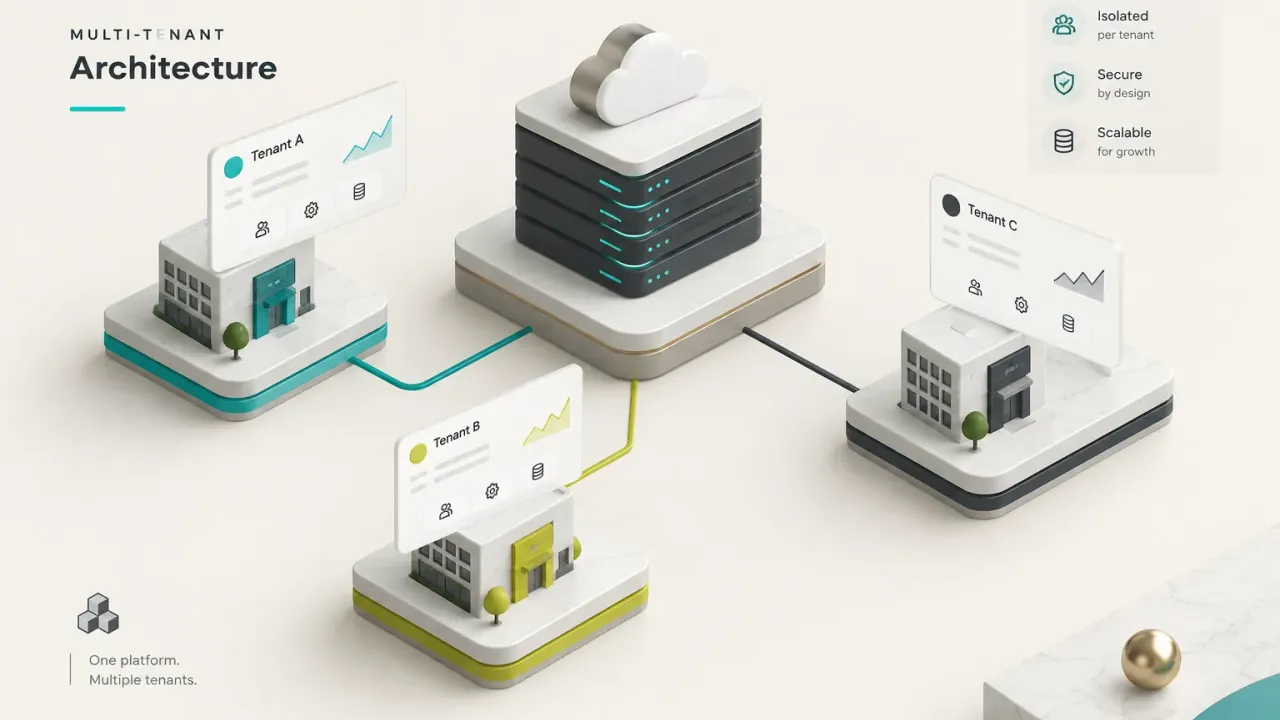
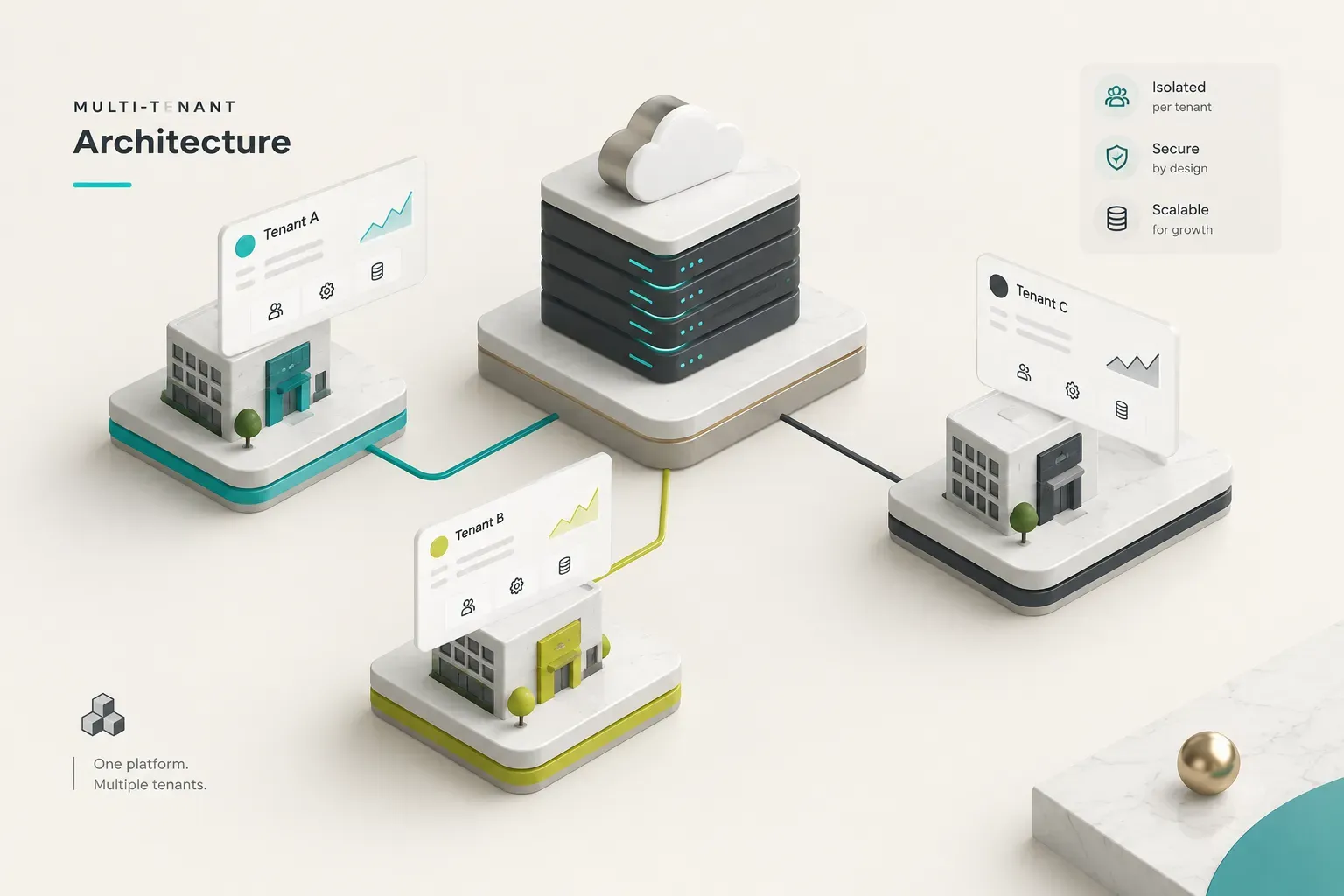
Multi-tenant architecture is a SaaS architecture where one shared codebase and one shared infrastructure serve many customer organizations. Each organization’s data and configuration stay logically separated, even though they live on the same servers.
Think of an apartment building: one foundation, one plumbing system, one roof, but every unit has its own lock.
That’s the theory.
The practice is messier.
Most guides reduce multi-tenant architecture to a single question: shared schema, schema per tenant, or database per tenant? Then they add a tenant_id column and call it done.
But tenancy doesn’t stop at the database.
It runs through identity, API routing, caching, object storage, message queues, search indexes, AI retrieval pipelines, and observability tooling.
Every one of those layers can leak.
And because broken access control has sat at the top of the OWASP Top 10 since 2021, the risk isn’t theoretical. A user who is correctly authenticated can still read another organization’s invoices if a single layer forgets which tenant it’s serving.
Tenancy is a boundary that runs through the entire system. The database is just the most visible part of it.
This guide takes a practical angle. You’ll get a secure, low-complexity starting point for an MVP, one that avoids premature enterprise infrastructure but can evolve into hybrid tenancy when large or regulated customers arrive.
No Kubernetes-per-customer fantasies on day one.
No rewrites on day 400 either.
Who is this for?
Founders deciding how to structure a B2B product before the first line of code. Product managers who need to understand why “just add enterprise SSO and a dedicated database” isn’t a two-week ticket. And backend engineers who are mid-build and suspect their tenant scoping has gaps they haven’t found yet.
If you’re building SaaS in 2026, the tenancy decisions you make in the first month will shape your security posture, your cost structure, and your sales cycle for years.
Worth getting right.
Tenancy models and their trade-offs
Here’s a question that trips up more teams than you’d expect: who, exactly, is the customer?
The answer determines everything downstream.
What exactly is a tenant
A tenant is an organization or account that owns its own users, data, permissions, and configuration inside a shared system. In a project management tool, the tenant is the company (say, Acme Corp), not the individual employee who logs in.
Acme’s 40 users, their projects, their billing settings, and their custom fields all belong to the Acme tenant.
This distinction matters because one person can belong to several tenants. A freelance designer might work inside three client workspaces with a single login.
Your data model has to support that from the start, which means separating the user (an identity) from the membership (a user’s role within a specific tenant).
Get that wrong and you’ll be patching organization-based access control onto a user-centric schema for months.
Single-tenant vs multi-tenant
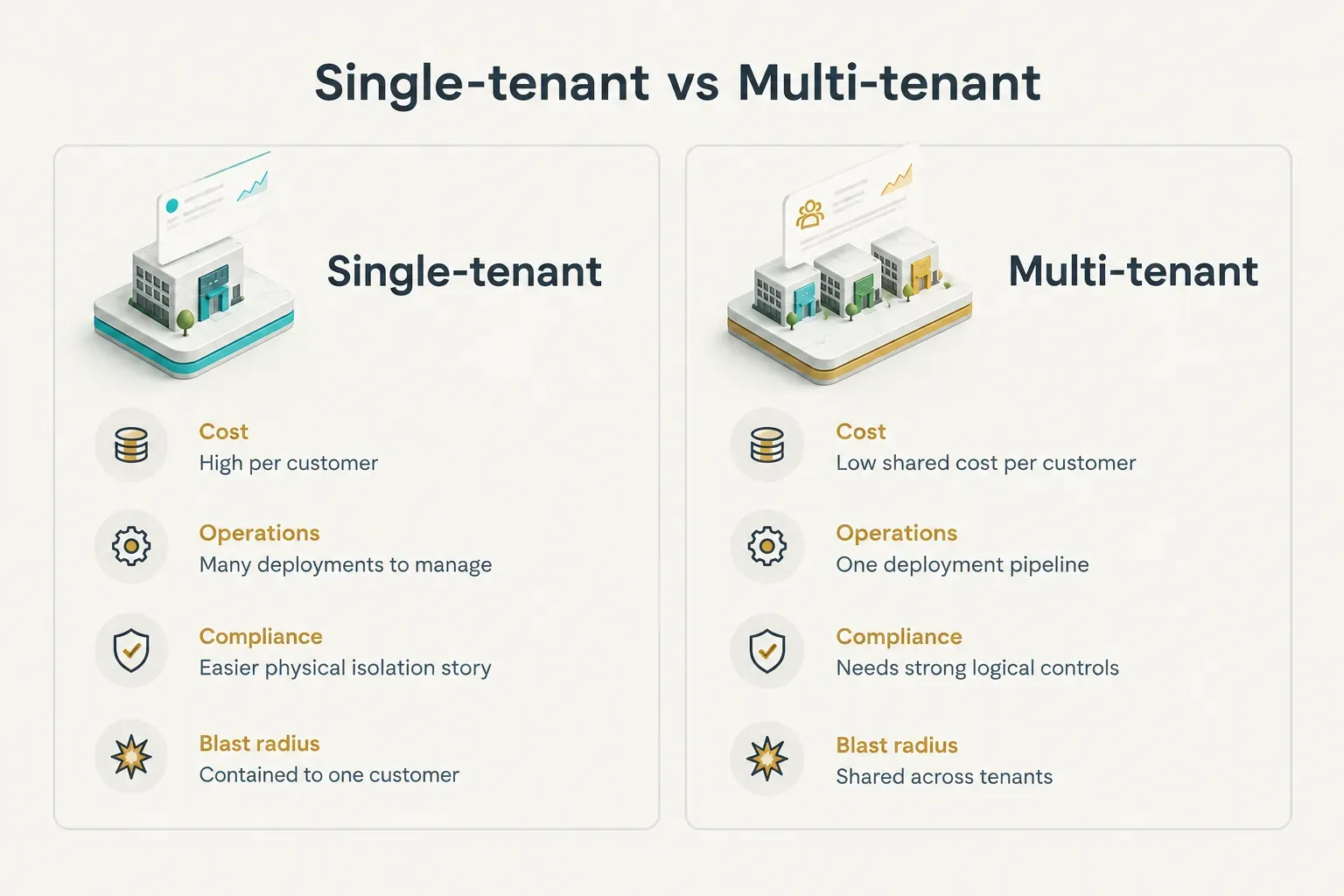
In a single-tenant model, each customer gets a dedicated instance: their own application deployment, their own database, sometimes their own cloud account.
Nothing is shared.
In a multi-tenant model, customers share infrastructure and application code, with their data separated logically or physically inside that shared environment.
The trade-offs are real on both sides. Multi-tenant wins on cost efficiency, because you’re paying for one fleet of servers instead of hundreds. It also wins on operational simplicity: one deployment pipeline, one set of migrations, one version of the code in production.
Ship a bug fix once and every customer gets it.
Single-tenant wins in three places.
First, compliance, because auditors in healthcare, finance, and government often prefer (or require) physical data isolation. Second, customization, since a dedicated instance can run a different version or configuration without affecting anyone else. Third, blast-radius containment: if one instance goes down or gets compromised, the damage stays with one customer.
The catch?
Single-tenant costs scale linearly with customers. Ten customers means ten environments to patch, monitor, and back up.
At a hundred, you need a platform team just to keep the lights on.
But the choice isn’t strictly binary.
Hybrid models let most tenants share infrastructure while specific customers get dedicated schemas, databases, or full deployments. That’s where most mature SaaS products end up, and we’ll cover how to get there in the scaling section below.
Picking a database isolation strategy
Every team debates which database model is “most secure.” The more useful question is which one you can operate well at 3 a.m. when a customer asks you to restore last Tuesday’s data, for their account only.
There are three common database isolation strategies.
A shared schema stores every tenant’s rows in the same tables, distinguished by a tenant_id column. Schema per tenant gives each tenant its own set of tables inside one database. Database per tenant gives each tenant a completely separate database, providing physical data isolation.
Here’s how they compare on the operational tasks that actually consume engineering time:
| Operational concern | Shared schema (tenant_id) | Schema per tenant | Database per tenant |
|---|---|---|---|
| Schema migrations | Run once. Fast and simple, but large tables need online migration tooling. | Run once per schema. 1,000 tenants means 1,000 migration runs and partial-failure handling. | Run once per database. Needs orchestration, version tracking, and rollback per tenant. |
| Backups | One backup covers everyone. Cheap, but it’s all-or-nothing. | One database backup, though individual schemas can be dumped separately. | Independent backups per tenant. Highest storage and scheduling overhead. |
| Tenant deletion (offboarding) | Cascading DELETE across every table. Easy to miss rows in a forgotten table. | DROP SCHEMA. Clean and verifiable. | Drop the database. Cleanest option, easiest to prove to auditors. |
| Data export for one tenant | Filtered queries across all tables. Requires a maintained export script. | Dump the schema directly. | Dump the whole database. |
| Disaster recovery for one tenant | Hard. Restore full backup to a side instance, extract rows, merge back carefully. | Moderate. Restore the schema from a dump without touching others. | Easy. Point-in-time restore of a single database. |
| Cross-tenant reporting | Easy. One SQL query across all tenants. | Awkward. Requires UNION queries or a separate analytics pipeline. | Hard. Needs ETL into a warehouse. |
| Connection pooling | Efficient. One pool serves all tenants. | Mostly shared, but search_path switching complicates poolers like PgBouncer in transaction mode. | Pool per database. Postgres defaults to 100 max connections, so pools exhaust quickly. |
| Infrastructure cost per tenant | Lowest | Low to moderate | Highest |
Notice the pattern.
The models that make daily development easy (shared schema) make per-tenant recovery and offboarding hard. The models that make offboarding trivial (database per tenant) make migrations and reporting painful.
Offboarding deserves special attention.
When a customer churns and invokes their GDPR right to erasure, you need to prove their data is gone. With a shared schema, that means a deletion routine that touches every tenant-owned table, including the audit log table someone added last quarter.
With database per tenant, it’s one command.
Now the part most tutorials skip.
A shared database is only safe when tenant_id is backed by enforcement layers. Application-level filtering alone (remembering to add WHERE tenant_id = ? to every query) is a policy that depends on every developer, on every pull request, forever.
That’s not a security model.
That’s a hope.
The enforcement layers we’ll cover later, especially Postgres row-level security, turn tenant filtering from a convention into a constraint the database refuses to break.
Does every table need tenant_id
Yes, every table that holds tenant-owned data needs a tenant_id column.
That includes child tables.
If invoices has a tenant_id, then invoice_line_items needs one too, even though you could technically join through the parent.
Why denormalize? Three reasons.
Row-level security policies are simpler and faster when they check a local column instead of a join. Composite foreign keys like (tenant_id, invoice_id) prevent a line item from ever pointing at another tenant’s invoice. And your deletion and export scripts become straightforward filters instead of multi-level join chains.
Index it, too.
Most queries in a shared schema filter by tenant first, so tenant_id should lead your composite indexes. A (tenant_id, created_at) index on an events table will outperform a plain created_at index for nearly every real query.
The exceptions are global reference tables: country codes, currency lists, plan definitions, feature flag catalogs.
These are shared by design and don’t belong to any tenant. Keep them clearly separated (a dedicated schema like global works well) so nobody accidentally writes tenant data into them.
Isolating tenants across the stack
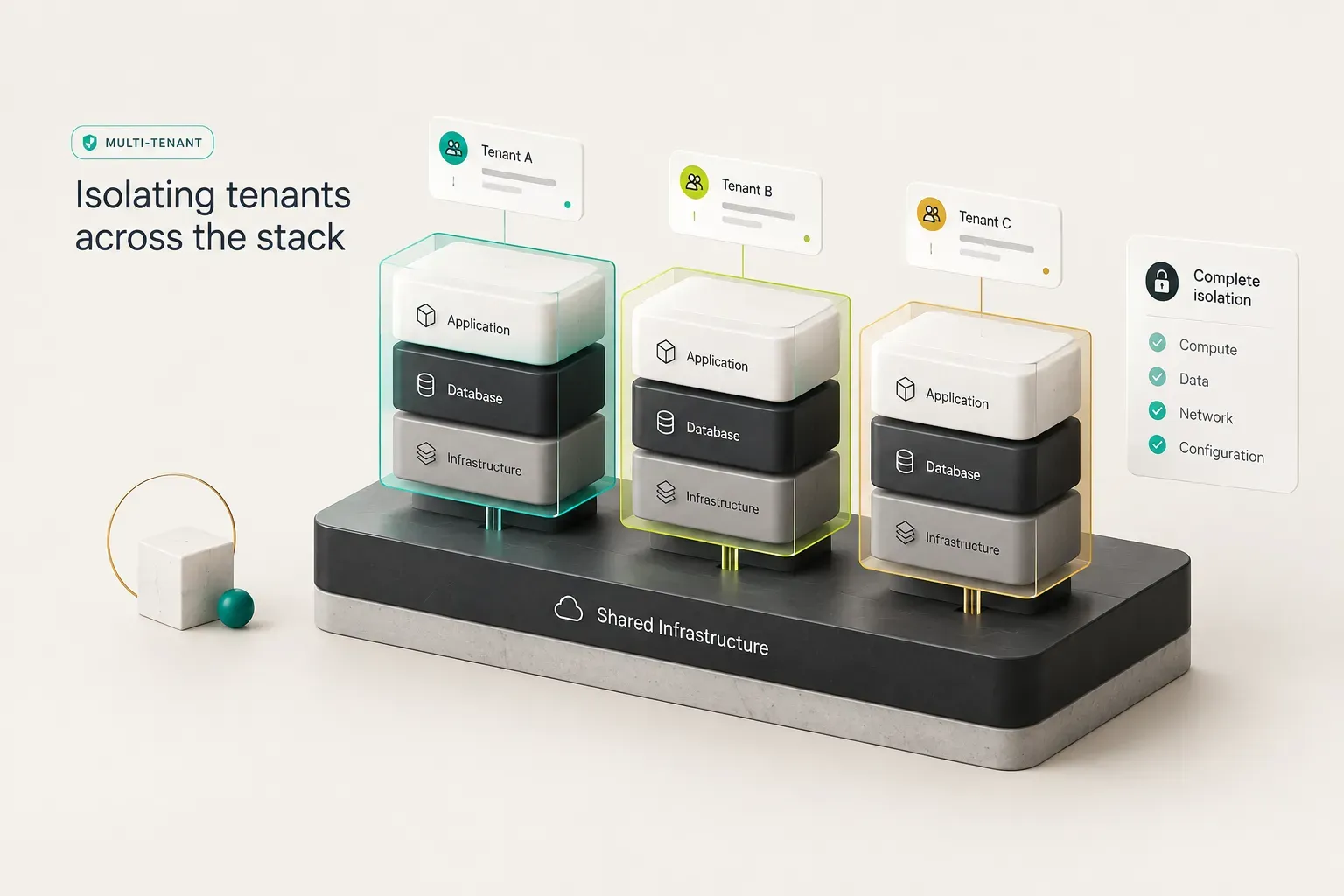
Your database could be perfectly locked down and you could still leak data in four different ways before lunch.
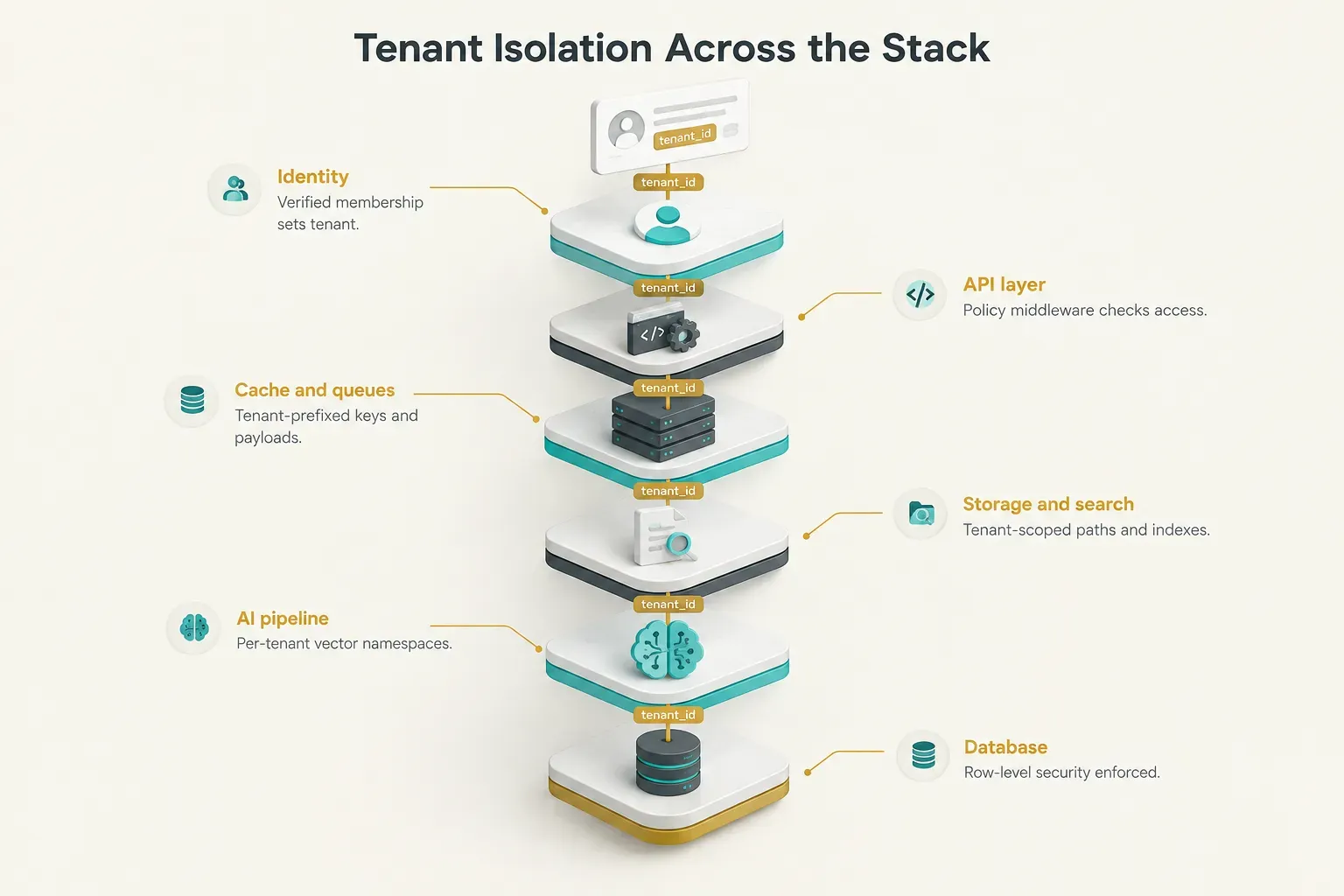
Tenant isolation is a property of the whole request path, not one component.
Authentication is not tenant isolation
Authentication confirms who the user is. Tenant authorization confirms which organization’s data that user may touch.
These are separate checks, and conflating them is the root cause of a huge share of SaaS data exposure incidents.
Consider a user named Priya who belongs to Tenant A. She logs in successfully with valid credentials and MFA. Then she changes the URL from /orgs/a/reports/482 to /orgs/b/reports/483.
If your API checks only that she’s logged in, she’s now reading Tenant B’s report.
Her authentication was flawless.
Your tenant isolation was not.
This exact pattern, called Broken Object Level Authorization, ranks first in the OWASP API Security Top 10 (2023 edition). It’s the most common API vulnerability for a reason.
The fix is a firm rule: tenant context must come from verified membership data, resolved server-side from the session or a signed token. Never trust a tenant identifier from the URL, the request body, a custom header, or client-side state.
Those are user input.
Treat them as a request to access a tenant, then verify membership before honoring it.
Inside the tenant, layer RBAC and ABAC on top.
Role-based access control answers “is Priya an admin or a viewer in Tenant A?” Attribute-based access control handles finer rules like “viewers can only see projects they’re assigned to.”
Both only work correctly once the tenant boundary is already enforced.
Caches, queues, storage, and search
Caches are the sneakiest leak vector.
A key like dashboard:summary works fine in a single-tenant app. In a multi-tenant one, it serves Tenant A’s revenue numbers to Tenant B’s CFO.
Tenant-aware caching means every key includes the tenant: t:{tenant_id}:dashboard:summary. Build this into a cache wrapper so developers can’t call the raw client.
Background jobs are next.
When a web request enqueues a job, the tenant context lives in memory on that web server. The worker picking it up has no idea which tenant it belongs to… unless you pass it explicitly.
Tenant context propagation means serializing tenant_id into every job payload, event bus message, and retry envelope, then re-establishing it (including setting the database session variable for RLS) before the worker runs any logic.
Retries are where this breaks most often.
A job fails, gets requeued by a generic retry handler that strips custom metadata, and then runs with no tenant context or, worse, a stale one from the previous job on that worker thread.
Clear tenant context at the end of every job, and fail loudly if a job starts without one.
Object storage isolation follows the same logic.
Store files under tenant-prefixed paths like s3://uploads/{tenant_id}/... and generate pre-signed URLs only after a membership check.
For high-sensitivity tenants, separate buckets with distinct encryption keys add a physical boundary.
Search indexes need it too.
In Elasticsearch or OpenSearch, either use per-tenant indexes or enforce a mandatory tenant filter at the query layer.
A search box that queries a shared index without a tenant filter is a cross-tenant leak with autocomplete.
AI features and vector data
AI features have opened a new class of leak, and many teams shipping them in 2026 haven’t caught up. A retrieval-augmented generation (RAG) pipeline that pulls “relevant documents” from a shared vector store will happily pull Tenant B’s contract into Tenant A’s chatbot answer if nothing stops it.
Every piece of the AI pipeline needs scoping.
Use separate vector database namespaces or collections per tenant, or at minimum a mandatory metadata filter on tenant_id applied server-side.
Store embeddings with tenant ownership.
Build prompt context only from data the current tenant owns.
And don’t forget the logs.
Prompt and completion logs often capture sensitive customer content. Tag them with tenant_id, apply the same retention and deletion rules as primary data, and confirm your model provider isn’t training on them.
When a tenant offboards, their embeddings and prompt history must be deleted too.
Preventing leaks as you scale
At five tenants and three engineers, everyone knows to add the tenant filter.
At 500 tenants and 30 engineers, someone won’t.
The goal at scale is to make the safe path the only path.
Enforcing isolation so it sticks
The strongest controls don’t depend on anyone remembering anything. Here are the four mechanisms that do the heavy lifting.
Database row-level security is the foundation.
Postgres has supported RLS since version 9.5, and it lets you define a policy like USING (tenant_id = current_setting('app.tenant_id')::uuid) on each table. Once enabled, even a query that forgets the WHERE clause returns only the current tenant’s rows.
Make sure your application connects as a role that isn’t the table owner and doesn’t have BYPASSRLS, or the policy silently does nothing.
Repository or data-access boundaries are the second layer.
Wrap database access in a repository class or ORM scope that automatically injects the tenant filter. Developers call invoices.find(id) and the tenant scope is applied for them.
Raw SQL access gets flagged in code review.
Policy middleware sits at the API edge.
It resolves tenant context from the verified session, confirms membership, sets the database session variable, and attaches context to logs and traces.
Every route passes through it.
No exceptions for “internal” endpoints, because internal endpoints have a way of becoming external.
Deny-by-default access ties it together.
If tenant context is missing, the request fails. If a policy doesn’t explicitly grant access, access is denied.
This flips the failure mode: a bug produces an error, not a leak.
A missing tenant check should break the feature, not expose the data. Design every layer so that forgetting fails closed.
Admin and support tooling deserves the same rigor.
Internal dashboards that let staff “view as customer” are a common source of cross-tenant data leakage, because they’re often built quickly with elevated database roles.
Require explicit tenant selection, log every impersonation session, and apply the same RLS policies with an audited override.
Testing isolation and noisy neighbors
Unit tests with a single tenant fixture will never catch a cross-tenant bug.
By definition, you need at least two tenants in the test database to see one leak into the other.
Effective multi-tenant testing covers four categories.
Horizontal authorization tests log in as a user in Tenant A and attempt every read and write operation against Tenant B’s resources.
Every attempt should return a 404 or 403.
Generate these automatically from your route list so new endpoints are covered on day one.
Direct object ID tests take valid IDs from Tenant B and plug them into Tenant A’s requests, including nested IDs in request bodies (a comment payload referencing another tenant’s task_id, for example). These catch the BOLA pattern described earlier.
Negative tests verify that requests without tenant context fail, that jobs enqueued without tenant_id are rejected, and that the application database role cannot bypass RLS.
Concurrency tests run interleaved requests and jobs for multiple tenants on the same worker processes, catching context that bleeds between threads or async tasks.
Run all of this against production-like fixtures: realistic tenant counts, realistic data volumes, users with memberships in several tenants.
A leak that only appears when one user belongs to two organizations is still a leak.
Then there’s the other scaling problem.
The noisy neighbor problem happens when one tenant’s workload degrades performance for everyone else. A customer runs a 2-million-row CSV import at 9 a.m. and every other tenant’s dashboard times out.
Translate that risk into concrete controls:
- Per-tenant rate limits on API requests, enforced at the gateway with a tenant-keyed token bucket.
- Resource quotas on storage, records, seats, and AI token usage, tied to plan tiers.
- Concurrency limits capping how many jobs one tenant can run simultaneously.
- Queue isolation, routing heavy workloads like imports and exports to dedicated queues so they can’t starve interactive jobs.
- Database connection limits per tenant or per workload class, plus statement timeouts to kill runaway queries.
- Workload prioritization that keeps user-facing requests ahead of batch processing.
Pair these with tenant-level observability. Tag every log line, metric, and trace with tenant_id so you can answer “which tenant is consuming 60% of database CPU right now?” in seconds rather than hours.
Moving to hybrid tenancy
Eventually a prospect will ask for a dedicated database.
Sometimes that’s a genuine requirement. Sometimes it’s a checkbox on a procurement form.
Either way, you need a framework for deciding which tenants move and where.
Weigh these factors for each candidate tenant:
- Tenant count: isolating 5 enterprise accounts out of 2,000 is manageable; isolating 500 is a different business.
- Data sensitivity: health records, financial data, or government data often justify physical isolation.
- Regulatory needs: HIPAA, SOC 2 commitments, or sector-specific rules may require dedicated encryption keys or infrastructure.
- Workload variability: a tenant generating 40% of total load belongs on its own resources.
- Customization demands: heavy, contractually required customization may justify a separate deployment.
- Data residency: an EU customer requiring in-region storage needs infrastructure in that region.
- Engineering capacity: every isolated tenant adds migration, monitoring, and upgrade work your team must absorb.
The destinations form a ladder.
A dedicated schema is the lightest step.
A dedicated database provides physical data isolation and independent backups.
A deployment stamp, a pattern documented in Microsoft’s Azure Architecture Center, is a complete copy of your application stack (compute, database, cache, queues) that hosts one large tenant or a group of tenants in a specific region.
Stamps also give you a natural path to sharding and tenant routing, where a lightweight catalog maps each tenant to its stamp.
What about customization?
Most “we need our own instance” requests are really about branding, workflows, or feature access. Deliver those through tenant configuration and feature flags in the shared codebase. Custom logos, domain names, field labels, and enabled modules can all live in a tenant settings table.
Forking code per customer is the fastest route to an unmaintainable product.
This staged approach is how many teams build successfully.
CompletApp, for example, often starts SaaS MVPs on shared-schema Postgres with strict tenant scoping and RLS, then layers in dedicated schemas, databases, or stamps only when larger or regulated customers actually require them.
The isolation boundary is designed in from the first commit, so moving a tenant later becomes a data migration, not a rewrite.
Frequently asked questions
What are the three types of multi-tenancy
The three types of multi-tenancy are shared schema, schema per tenant, and database per tenant.
Shared schema is the cheapest and simplest to operate but relies on strong enforcement like row-level security. Schema per tenant offers cleaner separation at the cost of slower migrations. Database per tenant provides physical isolation and easy per-tenant restores, but carries the highest infrastructure and operational cost.
Multi-tenant vs single-tenant SaaS
Single-tenant SaaS gives each customer dedicated infrastructure, while multi-tenant SaaS shares infrastructure across customers with logical data separation.
Single-tenant simplifies compliance and contains failures to one customer. Multi-tenant is far cheaper per customer and lets you ship one update to everyone at once.
How to design a multi-tenant database
Designing a multi-tenant database starts with choosing an isolation model based on your compliance needs, tenant count, and team size.
Next, add an indexed tenant_id column to every tenant-owned table and enforce it with row-level security.
Finally, plan backups, per-tenant restores, data export, and tenant deletion before launch, because retrofitting them is far harder.
How is data isolation achieved
Data isolation is achieved through layered controls, not a single mechanism.
These include database constraints and row-level security, application-level filtering in a data-access layer, tenant context derived from verified identity rather than user input, and tenant-scoped caching, storage, queues, and search.
Each layer catches failures the others might miss.
Pros and cons of multi-tenant architecture
Multi-tenant architecture offers lower cost, faster updates, and simpler operations, but introduces shared risks.
The main disadvantages are the noisy neighbor problem, harder per-tenant customization, and a shared blast radius where one outage or bug can affect every customer.
Rate limiting, resource quotas, and hybrid tenancy mitigate most of these.
Is multi-tenant architecture more secure
Database per tenant is not automatically more secure than a shared schema.
Physical isolation protects the storage layer, but a misconfigured API, a tenant ID trusted from a URL, an unscoped cache, or over-privileged admin tooling can still cause cross-tenant exposure under any model.
Security comes from consistent enforcement across every layer, not from the database topology alone.
Start simple, isolate everywhere
The safest low-complexity default for a SaaS MVP is clear.
Use a shared schema with tenant_id, enforce it with row-level security, and resolve tenant context in middleware from verified membership.
Then extend that same tenant scoping to your cache keys, job payloads, storage paths, search queries, and AI retrieval from day one.
That setup costs almost nothing extra to build early.
Retrofitting it later costs months.
Here’s the decision rule for what comes next.
If a tenant brings regulatory requirements, data residency needs, or starts dominating shared resources, move only that tenant to a dedicated schema, database, or deployment stamp.
Everyone else stays on the shared, efficient path.
No premature enterprise infrastructure, no one-size-fits-all rewrite.
The core idea is simple, even if the implementation takes discipline.
Tenancy is a system-wide boundary, not a single database decision. It belongs in your identity model, your API layer, your workers, your storage, your observability, and your AI pipeline.
Design it that way from the first commit.
Your future self, and your largest customer’s security team, will thank you.