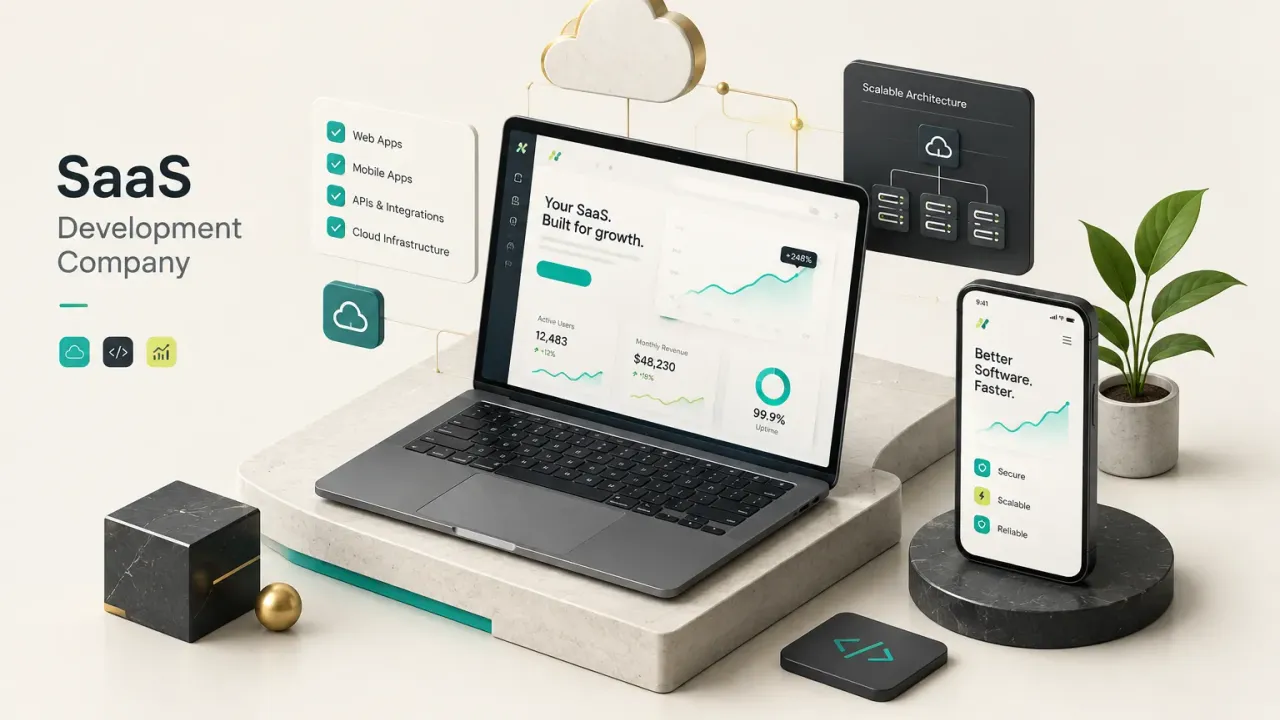
What is a SaaS development company, really?
Most SaaS products that stall after launch don’t fail because of bad code. They fail because of decisions nobody wrote down, owned or tested.
That is the gap a good partner fills.
A SaaS development company is a partner that designs, builds and operates multi-tenant, subscription-delivered software. Many customers share one codebase and one infrastructure, and every one of them pays on a recurring basis.
A freelancer who “builds an app” is solving a different problem.
The difference shows up in everything around the features: tenant isolation, billing logic, onboarding, monitoring and the ability to ship updates every week without breaking anyone’s account.
Software as a service is a business model expressed in code.
Your partner has to understand both halves.
This guide uses a simple framework to judge any partner. It covers seven areas:
Discovery, architecture, security, billing, ownership, delivery and post-launch operations.
If a company can’t speak clearly about all seven, it isn’t ready to build your product.
Here is the most common mistake founders make.
They hire for a tech stack (“we need a React and Node shop”) when they should be hiring for an accountable process.
Stacks are interchangeable.
Process is not.
What a SaaS development company actually does
A brochure website serves one audience.
A SaaS product serves hundreds or thousands of customers at once, and each of them expects the software to feel like it was built just for them.
That single fact changes how everything gets engineered.
SaaS product development differs from ordinary web development or one-off custom software in four ways.
It relies on multi-tenant architecture (many customers on shared resources). It runs on recurring subscription billing.
It depends on continuous delivery, because updates roll out to every customer at once. And it uses shared infrastructure, so one customer’s heavy usage can affect everyone else.
What you get at each stage
Vague promises like “agile development” tell you nothing.
A credible partner hands over tangible artifacts at every stage, and you should be able to read, question and keep each one.
- Validated problem statement: The output of product discovery. It names the target user, the painful job they’re trying to do and the evidence (interviews, waitlist data, competitor gaps) that the problem is real.
- User flows and wireframes: Diagrams that map every path a user takes, from signup to the core action they pay for. These expose missing screens and dead ends before a single line of code is written.
- Data model: A schema showing entities, relationships and, critically, how tenant data is separated. Mistakes here are the most expensive form of technical debt you can accumulate.
- Architecture decision record (ADR): A short written log explaining why each major technical choice was made and what alternatives were rejected. Future engineers will thank you for it.
- Clickable prototype: An interactive mockup you can put in front of real users within days. It tests desirability cheaply.
- Acceptance criteria: Plain-language conditions each feature must meet to count as “done.” They prevent scope arguments later.
- Launch checklist: A concrete list covering backups, monitoring, error alerts, legal pages, billing tests and rollback procedures. No checklist, no launch.
Inside the SaaS control plane
Here is what most agencies skip.
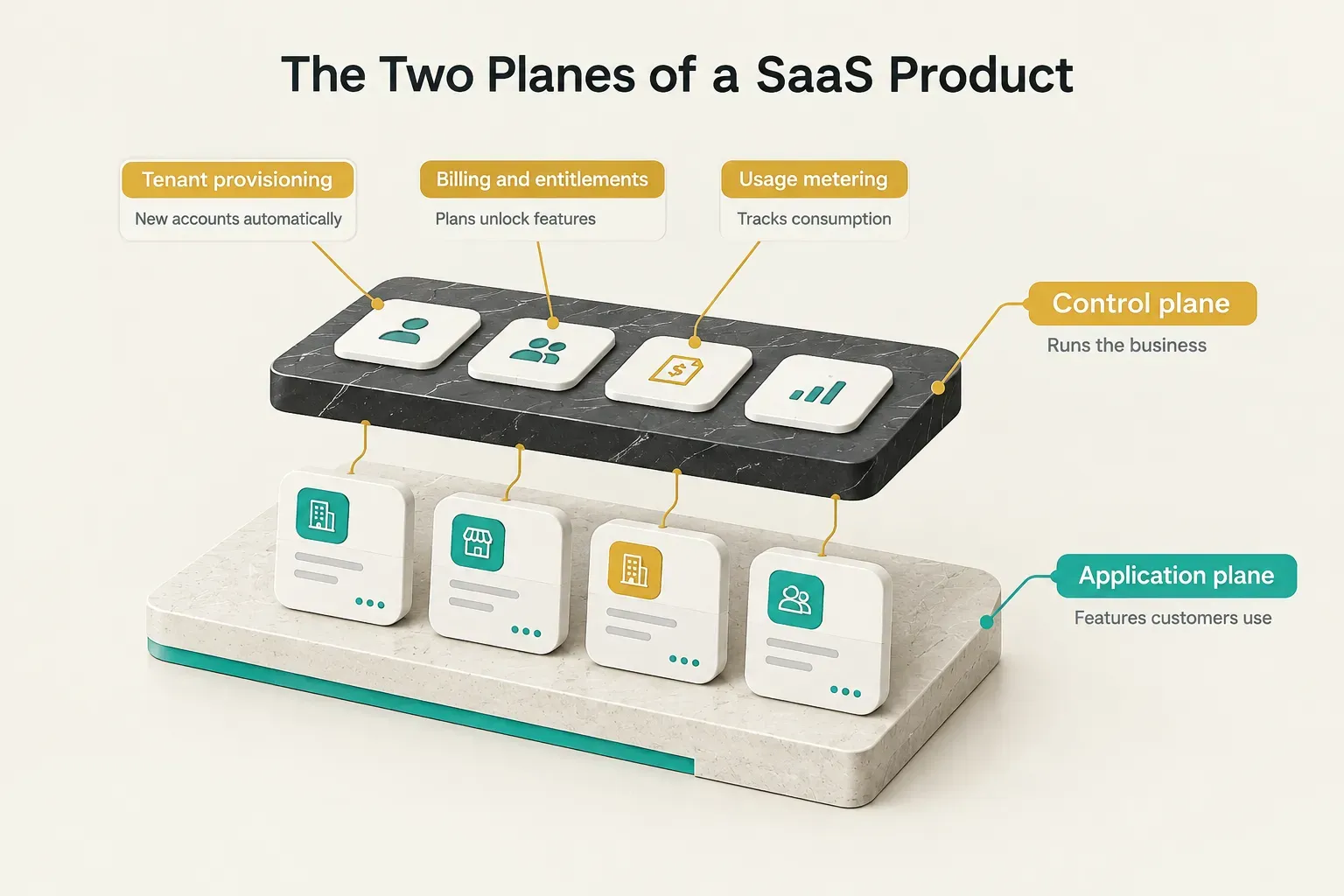
Every SaaS product has two layers: the application plane (the features customers use) and the control plane (the machinery that runs the business behind them). AWS formalized this split in its SaaS architecture guidance, and it remains the clearest way to think about the problem in 2026.
The control plane typically includes:
- Tenant provisioning: Automatically creating a new customer environment, database records and default settings the moment someone signs up.
- Account administration: Tools for customers to manage users, invite teammates and assign roles through authentication and role-based access control.
- Billing: Connecting subscriptions, invoices and payment status to what each account can actually do.
- Feature entitlements: Rules that decide which plan unlocks which features, limits or seats.
- Feature flags: Switches that let you release features to specific tenants, run betas or kill a broken feature instantly.
- Usage metering: Tracking API calls, storage, AI tokens or other consumption so you can price fairly and spot abuse.
- Audit logs: A tamper-resistant record of who did what and when. Enterprise buyers will ask for this on day one.
- Operational analytics: Internal dashboards showing tenant health, usage trends and cost per tenant.
A credible SaaS development company treats the control plane as core product work.
Bolting it on after launch usually means rewriting the data model.
That is months of rework, often while paying customers wait.
From idea to working architecture
Architecture is where founders lose the most money without noticing. The wrong choice looks fine at ten customers and becomes a crisis at five hundred.
The right choice is usually simpler than you’d expect.
Understanding multi-tenant architecture
Every custom SaaS application has to answer one question early: do customers share resources or get their own?
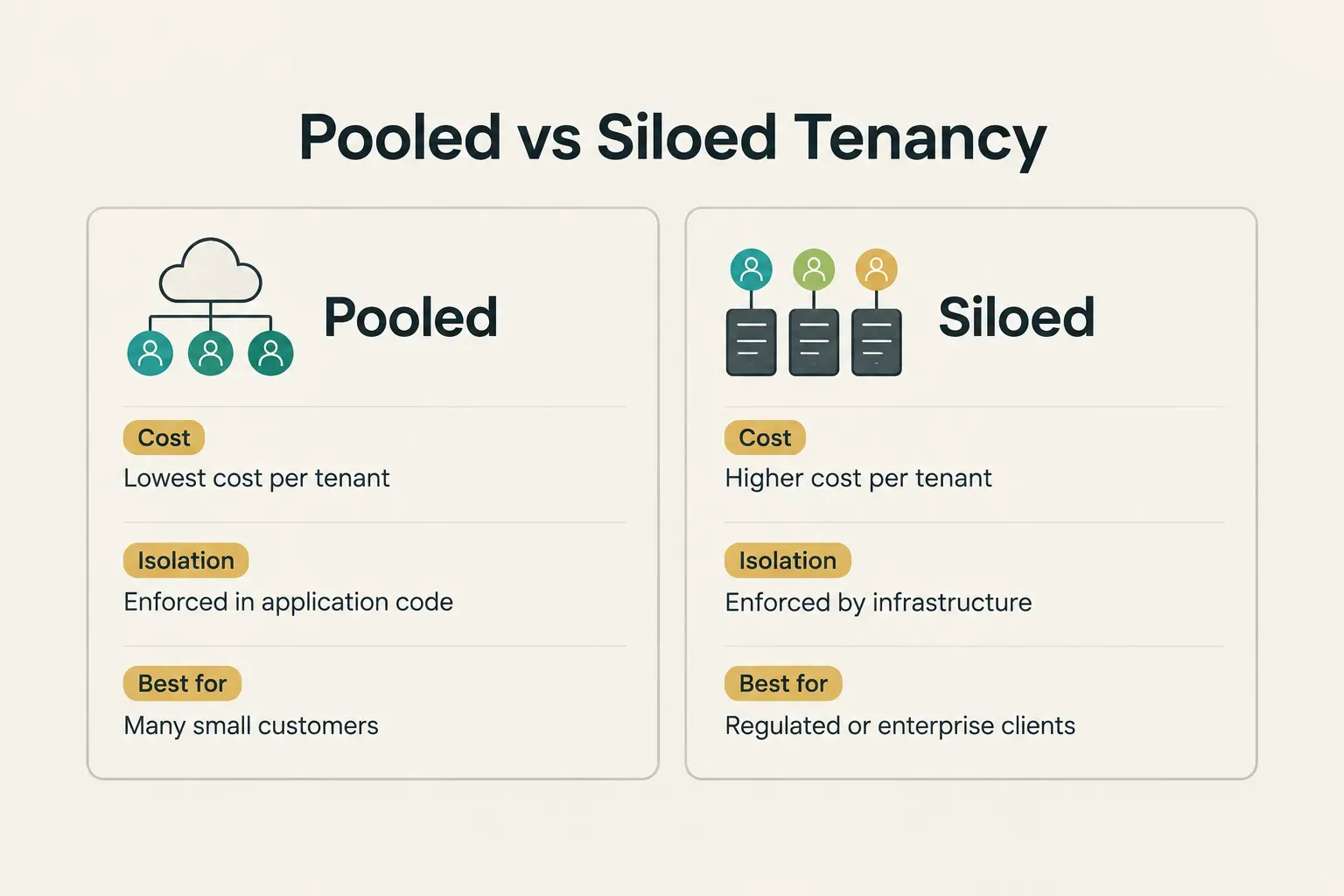
In a pooled model, all tenants share the same database and compute, separated by a tenant ID on every row. In a siloed model, each tenant gets dedicated resources, sometimes an entire database or cloud account.
Pooled is cheaper and easier to operate. But it puts all the weight on tenant isolation, the guarantee that Customer A can never see Customer B’s data.
One missing filter in one query, and you have a breach.
Pooled systems also face the noisy-neighbor problem.
One tenant running a massive report can slow the app for everyone else on the same database. Rate limits, query timeouts and per-tenant quotas keep that in check.
A hybrid model makes sense when your customer sizes vary widely.
Smaller accounts share pooled infrastructure while a handful of enterprise clients, the ones demanding data residency or contractual isolation, get siloed resources. Good partners design the data model so you can move a tenant from pooled to siloed later without a rebuild.
When simple beats microservices
Microservices and Kubernetes appear in plenty of agency proposals.
They look impressive.
For most early MVPs, they’re a mistake.
Splitting a product into a dozen services adds deployment pipelines, network calls, distributed debugging and coordination overhead between teams. Before product-market fit, you don’t have the traffic or the team size to benefit.
You’ll pay for the complexity every month and get almost nothing back.
Before product-market fit, the most valuable architecture is the one that lets you change your mind cheaply.
CompletApp’s approach is a practical example.
The studio ships a focused core value loop (the one action users come back for) in about 4 weeks, using a simpler stack: Flutter for mobile, React or Astro for web, and Firebase or Supabase as the backend. Authentication, storage and real-time data come largely out of the box.
That’s not cutting corners.
It’s sequencing.
Once usage data proves which parts of the product carry load, those parts can be extracted and scaled into a more cloud-native application, with observability and monitoring added where they matter.
Where AI features fit in
AI integration changes the economics of a SaaS product more than most founders expect. A traditional feature costs almost nothing per use.
An AI feature costs money every single time someone clicks the button.
A serious partner will plan for six things:
Model cost per call determines whether a feature is profitable at your price point.
Latency budgets set how long users will wait (often under two seconds for inline suggestions, longer for background jobs).
Prompt and data privacy decides what customer data can leave your system and which model providers retain it.
Human review loops catch errors in high-stakes outputs like contracts or medical notes.
Evaluation means testing model outputs against a fixed set of examples every time you change a prompt or model.
And usage-based pricing for AI features protects your margin, typically through credits, token limits or premium tiers tied to usage metering.
Security, billing and the first 90 days
Launch day feels like the finish line.
It’s really the starting gun.
The three areas below decide whether customers trust you, pay you and stay.
Secure by design, not bolted on
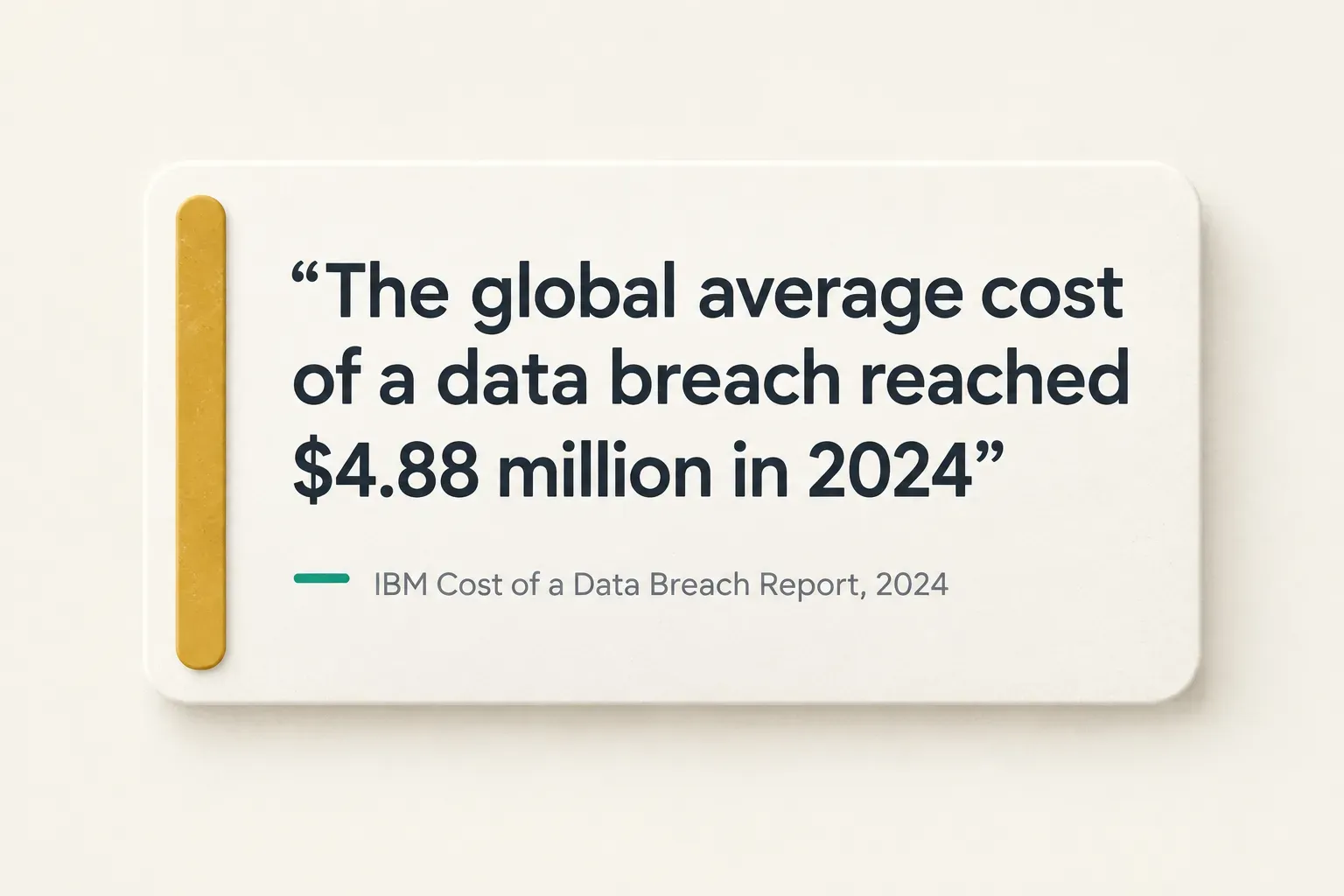
Security retrofits are painful and expensive. A partner practicing DevSecOps builds these habits into the first sprint, not the last:
- Threat modeling: A structured session that maps what attackers might target (tenant data, admin panels, payment flows) and how each risk will be mitigated.
- Least-privilege access: Every person, service and API key gets only the permissions it needs. Developers shouldn’t have standing access to production customer data.
- Secrets management: API keys and database credentials live in a dedicated vault, never in source code or shared chat threads.
- Tenant-aware authorization: Every request checks not just “is this user logged in?” but “does this user belong to this tenant and have this role?”
- Dependency scanning: Automated tools flag vulnerable open-source packages on every build, since most modern apps are largely third-party code.
- Centralized logging: All application and access logs flow into one searchable system, so incidents can be traced in minutes rather than days.
- Backup restore testing: Backups that have never been restored are a guess. Test restores quarterly as part of your disaster recovery plan.
- Incident response plan: A written playbook naming who gets called, how customers are notified and how the breach is contained.
The billing complexity founders miss
“We’ll just add Stripe” might be the most expensive sentence in SaaS.
Stripe handles payments well.
Subscription billing logic, though, still has to be designed around your product.
- Trials: Decide whether trials require a card, what happens on expiry and how trial users convert.
- Plan changes: Upgrades and downgrades must update entitlements instantly and correctly.
- Prorations: A customer switching plans mid-cycle needs an accurate partial charge or credit.
- Cancellations: Define whether access ends immediately or at period end, and what happens to their data.
- Entitlements: Billing status has to drive what features and limits each tenant actually sees.
- Usage-based metering: Consumption must be recorded accurately, aggregated and reported to the billing system before invoicing.
- Tax handling: VAT, GST and US sales tax rules vary by customer location, and getting them wrong creates real liability.
- Failed payment retries: Smart retry schedules and dunning emails recover revenue that would otherwise churn silently. Billing providers commonly estimate involuntary churn at 20 to 40 percent of total churn.
- Revenue reporting: MRR, ARR, churn and expansion revenue need clean data from day one, or your investor updates will be guesswork.
The first 90 days after launch
Why do so many SaaS products get signups but no paying customers?
Usually because new users never reach the moment the product proves its worth. That gap is called time to value, and engineering controls most of it.
The biggest drivers of fast onboarding are:
- Automated tenant provisioning: New accounts should be fully usable seconds after signup, with no manual setup by your team.
- Guided setup: Checklists or step-by-step flows that walk users to their first meaningful result.
- Sample data: Pre-loaded demo content so users see the product working before they’ve entered anything.
- Import tools: CSV uploads, data migration scripts and API integrations that pull existing data in from the tools customers already use.
- Role configuration: Sensible default roles so admins can invite teammates without studying a permissions matrix.
A good partner connects engineering work directly to SaaS metrics. These are the numbers to track from week one:
- Activation rate: The percentage of signups who complete the core action. This is your earliest signal of product fit.
- Time to value: Minutes or days from signup to first meaningful result. Shorter almost always means better conversion.
- Retention: The share of customers still active after 30, 60 and 90 days.
- Feature adoption: Which features get used, and which ones you built for nobody.
- Cost per tenant: Infrastructure, AI and third-party costs divided by active accounts. It tells you whether growth makes you richer or poorer.
- Error rate and uptime: Reliability metrics that directly affect churn and enterprise sales.
- Gross margin per account: Revenue minus cost to serve each customer. Healthy SaaS businesses typically target 75 to 80 percent.
How to evaluate a SaaS development partner
Portfolios are easy to polish.
Process is much harder to fake.
The tables below give you a practical way to separate real engineering partners from good salespeople before you sign anything.
Signs of real technical credibility
Ask for evidence, not assurances.
A credible SaaS development company will happily show you how it works.
| What to check | What good looks like | Red flag |
|---|---|---|
| Code ownership terms | Code lives in a repository you own from day one | Code is “handed over at the end” from their account |
| Documentation quality | Sample ADRs, setup guides and API docs from past projects | ”The code is self-documenting” |
| Testing evidence | Automated test suites running on every commit, with coverage reports | Testing means “we click around before release” |
| Deployment access | You hold admin access to the CI/CD pipeline and continuous delivery setup | Only their engineers can deploy |
| Infrastructure ownership | Cloud accounts are registered to your company and billed to you | Hosting runs on the agency’s accounts and is resold to you |
| Dependency management | Automated updates, vulnerability scanning and a pinned dependency policy | No answer when you ask how libraries are updated |
Contract terms that protect you
The contract is where accountability becomes enforceable.
These five terms matter more than the hourly rate.
| Contract term | What to ask for | Why it matters |
|---|---|---|
| Fixed scope vs. hourly | Fixed price for a clearly defined MVP, hourly or retainer for open-ended iteration | Fixed scope caps your risk when requirements are clear, while hourly suits discovery-heavy work |
| IP and source code ownership | Full transfer of IP and source code on completion, or progressively per paid milestone | Without it, you may not legally own the product investors are valuing |
| Milestone structure | Payments tied to demonstrable deliverables like a working prototype or passed acceptance criteria | Paying for outcomes, not elapsed time, keeps both sides aligned |
| Exit or walk-away terms | Right to end the engagement at any milestone and receive all work completed to date | You should never be locked in by a half-built product |
| Post-launch support window | 30 to 90 days of bug fixes included, with defined response times | Most critical bugs surface in the first weeks of real usage |
What really drives the price
Two quotes for “the same app” can differ by a factor of five.
Usually that’s because the vendors are pricing different assumptions.
This table shows what actually moves the number.
| Cost driver | Pushes price down | Pushes price up | Typical impact |
|---|---|---|---|
| Scope | One core workflow, single user role | Multiple workflows, roles and admin tools | Largest single driver of total cost |
| Integrations | One or two well-documented APIs (e.g. Stripe, Google auth) | Legacy systems, ERPs or custom data migration | Each complex integration can add weeks |
| Compliance needs | No regulated data | SOC 2, HIPAA or GDPR-specific controls and audits | Can add 20 to 50 percent plus ongoing audit costs |
| Data sensitivity | Public or low-risk business data | Financial, health or personal identity data | Raises security, encryption and logging requirements |
| Tenant model | Pooled tenancy on managed services | Siloed or hybrid tenancy with per-tenant infrastructure | Increases build effort and monthly hosting costs |
| Uptime SLA | Best-effort availability | 99.9 percent or higher with contractual penalties | Requires redundancy, on-call staff and disaster recovery drills |
| Post-launch support | Short bug-fix window, then ad hoc | Ongoing retainer with feature development and monitoring | Recurring monthly cost, often budgeted separately |
Should you hire a studio or build an internal team?
It depends on volume.
Internal hires make sense once you have a sustained roadmap that keeps several engineers busy full-time for a year or more.
For a first product, or a lean team without a technical co-founder, a studio or agency is usually faster and cheaper. You get a full team (design, backend, frontend, DevOps) without recruiting costs, and you can transition to in-house engineers once the product proves itself.
The one decision that matters most
Strip away the jargon and the real choice is simple.
Pick a partner who can show you deliverables, ownership terms and security practices up front.
A beautiful portfolio proves they can design screens… it doesn’t prove they can run a business on software.
Your next step is concrete.
Before signing any contract, request a written scope and an architecture rationale.
How a company answers that request tells you more than any sales call.
And remember where success is actually measured.
Launch day is a milestone, not a result.
The SaaS products that win in 2026 and beyond are the ones whose retention climbs and whose cost per tenant falls, month after month, long after the launch announcement is forgotten.