What google play app development really involves
Most founders think the hard part is writing the code.
It isn’t.
The hard part is getting a working Android app through Google’s review, onto real devices, and keeping it there year after year.
Google Play app development is the full path from a validated idea to a live, maintained Android app. It covers product scoping, app architecture, choosing a tech stack, building and testing, meeting Play Console requirements, and handling the ongoing maintenance Google expects.
Coding is one stage.
Uploading a build is another.
Neither one is the whole job.
This guide follows that path in order. You’ll start with planning a buildable MVP and deciding who owns what.
Then you’ll compare tech choices like Kotlin, Flutter, and no-code builders. After that comes the build-and-test phase, the publishing requirements that catch most first-time founders off guard, and finally a realistic look at cost, timelines, and staying live.
One failure mode shows up more than any other.
Teams treat development and Play Store publishing as two separate projects, often handled by different people at different times.
The app gets “finished,” and only then does someone discover the 14-day closed testing requirement, the missing privacy policy, or a third-party SDK that breaks the Data safety declaration. Weeks disappear.
Publishing requirements should shape the build from day one. When they do, launch becomes a predictable step instead of a surprise.
From idea to a buildable MVP
Here’s a counterintuitive truth: an MVP with ten half-working features is worse than one with three that work perfectly.
Users don’t grade on effort.
They try your app once, hit a dead end, and uninstall.
A minimum viable product exists to prove one thing.
Can a real user arrive with a problem and leave with it solved? Everything in your first build should serve that test.
Defining a complete core outcome
The right MVP delivers one full user journey end to end.
Not a sampler of many features, each partially built.
One complete path from the user’s first tap to the outcome they came for.
Take a booking app for a fitness studio. The core journey is simple: a user signs up, searches for a class, books a spot, and receives a confirmation.
That’s four steps, and every one of them must work completely, including payment handling, error states, and the confirmation email or push notification.
Reviews, in-app chat, loyalty points, and social sharing can all wait.
They’re nice.
They’re also the features that quietly double your timeline when added too early.
A useful exercise is to write your core outcome as one sentence: “A user can ___ and get ___.” If you can’t fill in the blanks clearly, you’re not ready to choose a tech stack yet.
And if your sentence has the word “and” more than twice, your MVP is probably too big.
Who should own the code and accounts
Ownership sounds like a legal detail.
It’s actually one of the biggest business risks in app development, and it’s almost always invisible until something goes wrong.
From day one, these assets should be registered in your company’s name, not your developer’s:
- The Google Play developer account, which controls every app listing, review response, and release.
- App signing keys, ideally managed through Play App Signing so Google securely holds the key used to sign releases.
- The source code repository on GitHub, GitLab, or Bitbucket, with you as the organization owner.
- Backend credentials for services like Firebase, Supabase, Stripe, and any analytics or crash monitoring tools.
The danger is real.
Founders regularly discover that a freelancer or agency registered the developer account under their own name, or kept the only copy of the upload key. If that relationship ends badly, you may be unable to push updates to your own app.
Always request handover documentation before final payment. At minimum, that means a README explaining how to build the project, a list of every third-party service and who holds the login, environment variable documentation, and written confirmation that you hold admin access to every account.
Five pages of documentation can save you five months of recovery work.
Choosing your tech stack
The tech stack decision feels permanent, and in some ways it is. Switching frameworks after launch usually means a rewrite.
But for most business apps, the choice is far less dramatic than developer forums make it sound.
Native Kotlin vs Flutter vs no-code
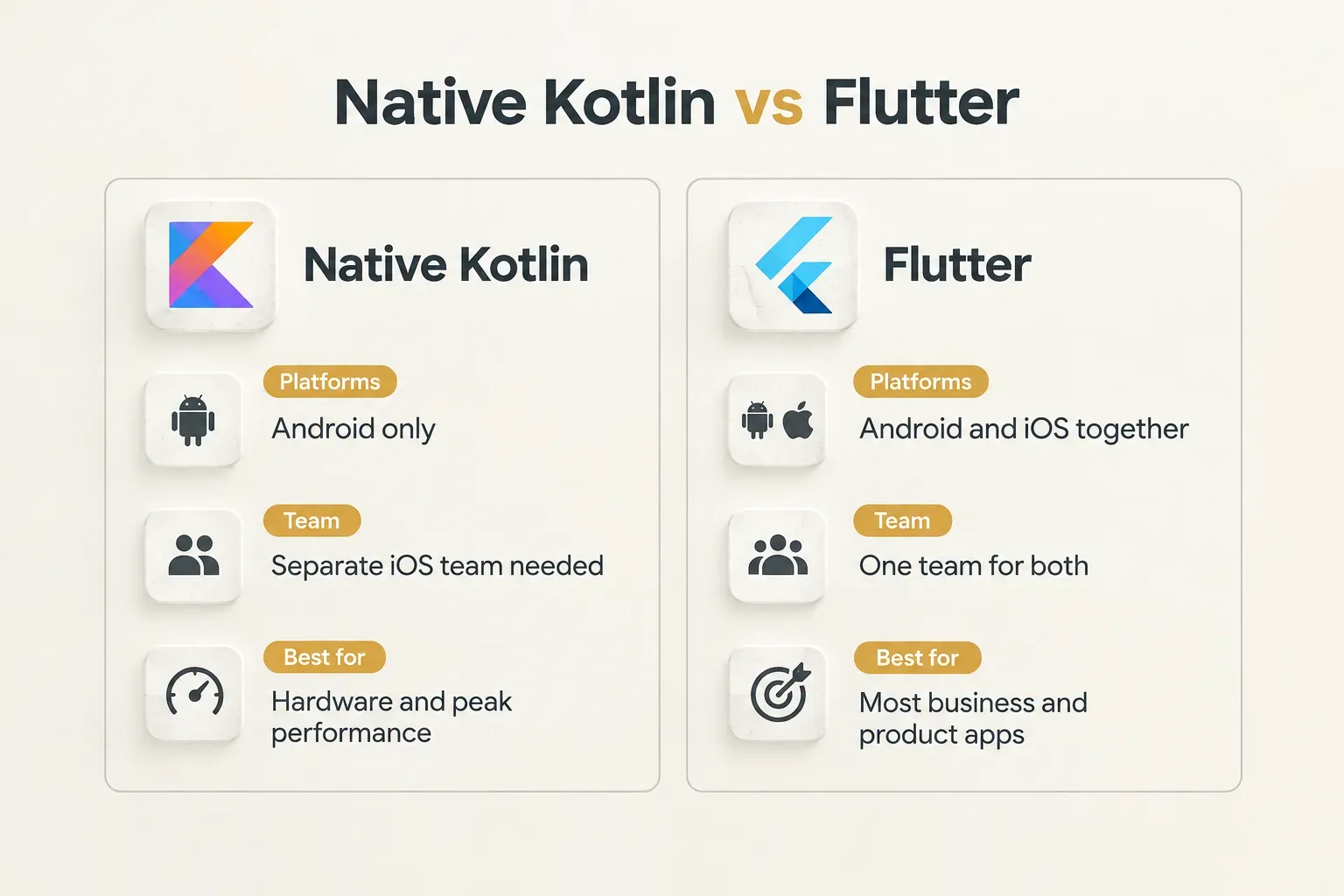
Three paths dominate Android development in 2026. Native Kotlin uses Google’s official language, usually with Jetpack Compose for the UI layer.
Flutter is Google’s cross-platform framework, which compiles one Dart codebase to both Android and iOS. No-code builders like FlutterFlow, Adalo, or Bubble let you assemble apps visually.
| Factor | Native Kotlin | Flutter | No-code builders |
|---|---|---|---|
| Performance | Best possible; direct Android SDK access | Near-native for most apps; compiled to machine code | Adequate for simple apps; slows with complex logic |
| Team size needed | Separate Android and iOS developers (2+ for both platforms) | One team covers both platforms | One non-technical builder for basic apps |
| iOS compatibility | None; iOS requires a separate Swift codebase | Full; same codebase ships to iOS | Usually supported, with platform limits |
| Long-term maintenance cost | Highest if you also maintain iOS | Moderate; one codebase to update | Low at first, rising sharply at scale or migration |
| Best fit | Hardware-heavy, performance-critical apps | Most product, marketplace, and business apps | Prototypes, internal tools, simple validation |
So when is native Kotlin justified? When your app needs deep hardware access (custom Bluetooth protocols, advanced camera pipelines, background sensor processing) or platform-specific performance that a cross-platform layer can’t match.
Think fitness wearables, AR tools, or real-time audio apps.
For nearly everything else, including booking platforms, marketplaces, SaaS companions, and subscription apps, Flutter covers the requirements at a meaningfully lower cost. You get one codebase, one team, and both stores.
CompletApp is a good real-world example of how this plays out. The studio builds on a one-codebase Flutter approach, shipping iOS and Android together, with Firebase or Supabase handling the backend and Stripe or RevenueCat managing billing.
For founders without a technical team, that combination removes the cost of maintaining two native apps while still delivering native-quality UI and performance on both platforms.
Tools you will actually need
Whatever framework you choose, the supporting toolset looks similar. These are the pieces that show up in almost every serious Android project:
- Android Studio, Google’s official IDE, used for building, debugging, profiling, and running emulators, even for Flutter projects.
- A backend platform such as Firebase or Supabase, which handles authentication, databases, file storage, and push notifications without building servers from scratch.
- A payment layer like Stripe for physical goods and services, or RevenueCat for subscriptions and in-app purchases through Google Play Billing.
- Version control through Git, hosted on GitHub or GitLab, so every change is tracked and reversible.
- A CI/CD pipeline (Codemagic, GitHub Actions, or Bitrise) that produces repeatable, signed builds automatically, so releases never depend on one developer’s laptop.
Add mobile app analytics and crash monitoring to this list before launch, not after. You’ll want data from your very first testers.
Testing and publishing on google play
Google Play is far stricter than it was five years ago. New accounts face mandatory testing periods, every app must declare its data practices, and outdated apps get hidden from new users.
None of it is difficult.
All of it takes time you need to plan for.
Developer accounts: personal vs organization
Your first decision happens before you upload anything. Which account type fits your business?
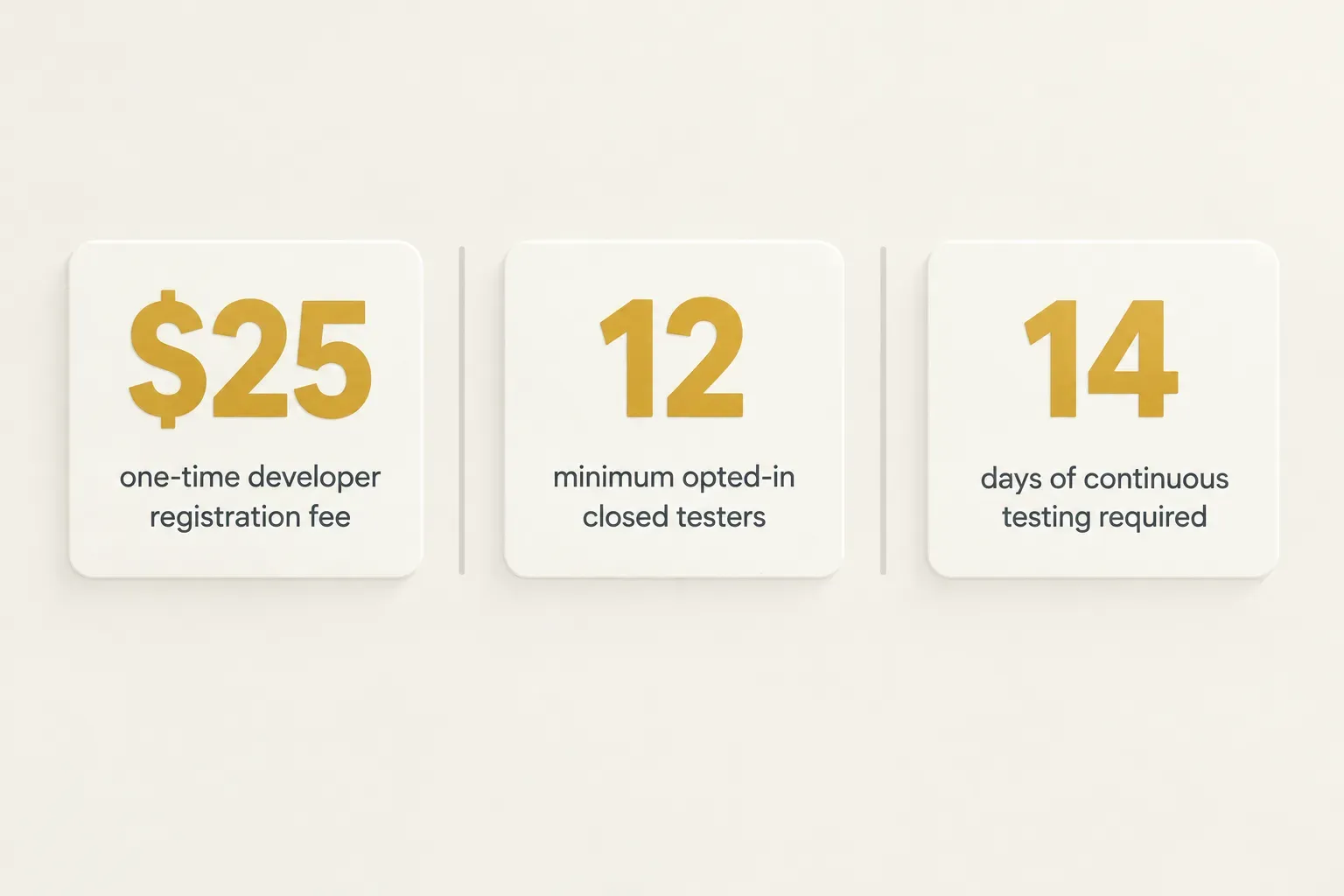
- Pay the registration fee. Google charges a one-time $25 fee to create a developer account, with no annual renewal.
- Choose personal or organization. A personal account is tied to an individual, while an organization account represents a registered business and displays the company name on your store listing.
- Get a D-U-N-S number if registering as an organization. Google requires this free identifier from Dun & Bradstreet to verify your business, and issuing one can take anywhere from a few days to a couple of weeks.
- Complete identity verification. Expect to submit government ID or business documents and verify contact details before you can publish.
For most founders building a real business, the organization account is the better choice. It builds trust, keeps the account tied to the company, and skips the closed testing requirement that applies to new personal accounts.
Closed testing before you go live
This rule surprises more first-time developers than any other. If you created a personal developer account after November 2023, you can’t publish straight to production.
- Set up a closed testing track. In Play Console, create a closed test under Google Play testing tracks and upload a signed build.
- Recruit at least 12 testers. Each tester must opt in through the test link using their Google account.
- Keep them enrolled for 14 continuous days. Testers must stay opted in for the full two weeks; if someone drops out, your count can fall below the threshold.
- Apply for production access. After the testing window, you answer questions about your test, what feedback you received, and how the app is ready for launch.
Treat this as useful time, not a bureaucratic delay. Two weeks of real-device feedback will surface bugs your internal team missed.
Technical requirements and common rejections
Once access is sorted, the build itself has to meet Google’s technical and policy standards.
Here’s where most rejections come from.
APK vs app bundle
Since August 2021, Google Play requires new apps to be published as an Android App Bundle (AAB) rather than an APK.
The difference matters for your users.
- Understand dynamic delivery. An AAB contains all your app’s code and resources, and Google Play generates optimized APKs for each device’s screen density, CPU architecture, and language.
- Benefit from smaller downloads. Users only download what their device needs, which Google reports reduces app size by an average of around 15% compared to a universal APK.
- Enroll in Play App Signing. AAB publishing requires Google to manage your app signing key, while you keep a separate upload key for submitting builds.
Target API levels and data safety
Two requirements cause ongoing work long after launch: target API levels and the Data safety section.
- Meet the current target API level. Google requires new apps and updates to target an Android API level within roughly one year of the latest major release, with deadlines typically falling on August 31; as of 2026, that means API 35 (Android 15) or higher, with the bar rising again each year.
- Know the cost of missing the deadline. Existing apps that fall too far behind become unavailable to new users on newer Android versions, which quietly kills organic growth.
- Budget for yearly upgrades. Each new API level can change runtime permissions, background execution limits, and notification behavior, so plan development time every year.
- Complete the Data safety section accurately. You must declare what user data your app collects, whether it’s shared with third parties, whether it’s encrypted in transit, and whether users can request deletion.
- Account for third-party SDKs and AI integrations. If an analytics SDK, ad network, or AI API collects or processes user data, that counts as your app’s data practice, even if your team never touches the data directly.
Finally, avoid the rejection reasons that trip up most first submissions:
- Provide complete reviewer access instructions. If your app requires login, give Google working test credentials and explain any steps needed to reach core features.
- Link a live privacy policy. The URL must work, be publicly accessible, and match what your Data safety form declares.
- Request only necessary permissions. Asking for location, contacts, or SMS access without a clear core-feature justification is a fast route to rejection.
- Make sure core flows work. Crashes, blank screens, or broken signup during review lead to immediate rejection.
- Follow ad and data policies. Disruptive ads, undisclosed data collection, and misleading store listings all violate Google Play policy.
Cost, timeline, and staying live
“How much does an app cost?” is a bit like asking how much a house costs. The honest answer depends on what you’re building, and anyone quoting a flat number without seeing your scope is guessing.
What actually drives app cost
Instead of one price, think in terms of cost drivers. Each one can push a budget up or down significantly:
- Scope. The number of screens, user roles, and features is the single biggest factor, which is why a tightly defined core outcome saves more money than any other decision.
- UX complexity. Custom animations, adaptive layouts for tablets and foldables, and highly branded interfaces take more design and development time than standard components.
- Backend and integration work. Backend API integration with payment providers, CRMs, maps, or legacy systems often takes longer than building the app’s screens.
- QA coverage. Testing across devices, Android versions, and edge cases adds time, but skipping it shows up later as one-star reviews.
- Compliance effort. Privacy policies, Data safety declarations, GDPR handling, and Android app security reviews all require dedicated work, especially in health, finance, or children’s apps.
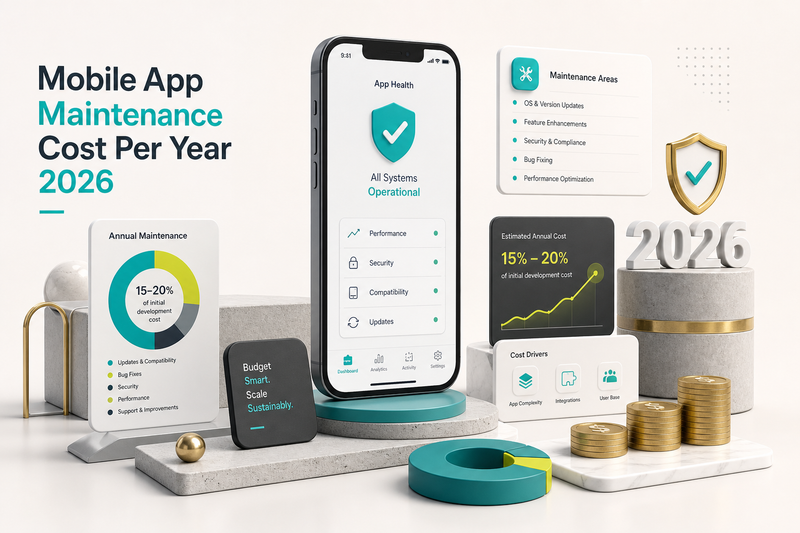
- Ongoing maintenance. Industry estimates commonly put annual maintenance at 15 to 20% of the original build cost, covering updates, API level changes, and bug fixes.
Timelines follow the same logic. A focused MVP with one core journey typically takes 4 to 8 weeks with an experienced team.
A more complex product with multiple integrations, user roles, and payment flows usually runs 3 to 6 months. Add two to three weeks for closed testing and review if you’re on a new personal account.
After launch: monitoring and maintenance
Launch day isn’t the finish line.
It’s the day real data starts arriving… and real problems with it.
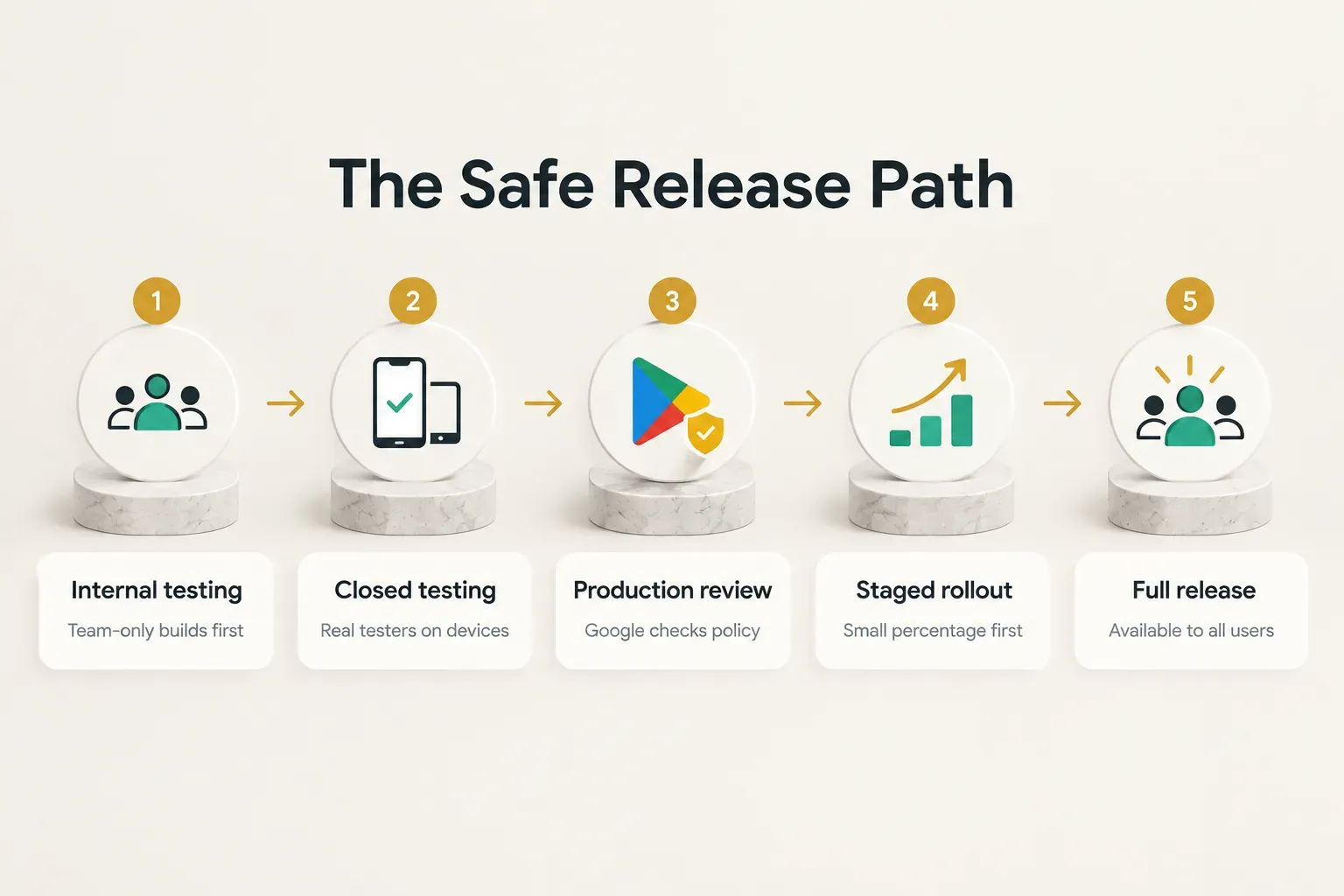
A staged rollout is your first line of defense.
Play Console lets you release an update to a percentage of users first, say 5% or 10%, then expand gradually. If crash rates spike, you halt the rollout before it reaches everyone.
Post-launch essentials every app needs:
- Crash monitoring. Tools like Firebase Crashlytics or Sentry report crashes with device details and stack traces, so you can fix issues before reviews pile up.
- Review responses. Replying to reviews in Play Console shows prospective users you’re active, and users often update their rating after a helpful reply.
- Security patches. Dependencies and SDKs release security fixes regularly, and outdated libraries are a common source of vulnerabilities.
- Yearly target API maintenance. Block out development time every summer ahead of Google’s August deadline so your app stays visible to new users.
And don’t skip the testing that’s easy to forget.
Device fragmentation is Android’s defining challenge, with thousands of device models in active use. Test these conditions across multiple Android versions:
- Tablets and foldables, where fixed layouts stretch awkwardly or break when the screen unfolds.
- Poor connectivity, including slow 3G, airplane mode toggling, and dropped connections mid-request.
- Interrupted app states, such as incoming calls, switching apps during checkout, or screen rotation mid-form.
- Low-memory conditions, where Android may kill your app in the background and users expect it to restore their place.
The real takeaway for founders
Google Play app development rewards founders who plan the whole journey at once. The code, the accounts, the testing window, the data declarations, and the yearly upgrades are all one project.
Treat them that way and launch stops being a gamble.
The biggest decision is who builds it.
If you have a technical co-founder with Android or Flutter experience and the runway to spend several months building, in-house development gives you full control and deep product knowledge inside the company.
That’s a strong position.
But if speed to a working, store-ready product matters more, partnering with a studio usually makes more sense. An experienced team already knows the closed testing rules, the Data safety pitfalls, and the rejection triggers.
They’ve made the mistakes on someone else’s project. Just make sure every account, key, and repository is in your name from day one.
The best apps aren’t the ones with the most features at launch. They’re the ones that solve one problem completely, then improve every month.
So here’s your next step, and it doesn’t involve Android Studio or Play Console.
Open a blank document and write one sentence: the single core outcome your MVP must deliver. “A user can ___ and get ___.”
Get that sentence right, and every later decision gets easier. Your tech stack, your budget, your timeline, and your testing plan will all follow from it.